Webmail_Configure rainloop - SomethingWithHorizons/mailserver GitHub Wiki
-
Login to:
http://webmail.example.org/?adminusing the default credentials:admin/12345to go the the webmail client's configuration settings.:bulb: TIP: It is recommended to change the default administration credentials!
-
Navigate to
Domainsto be able to add your domain: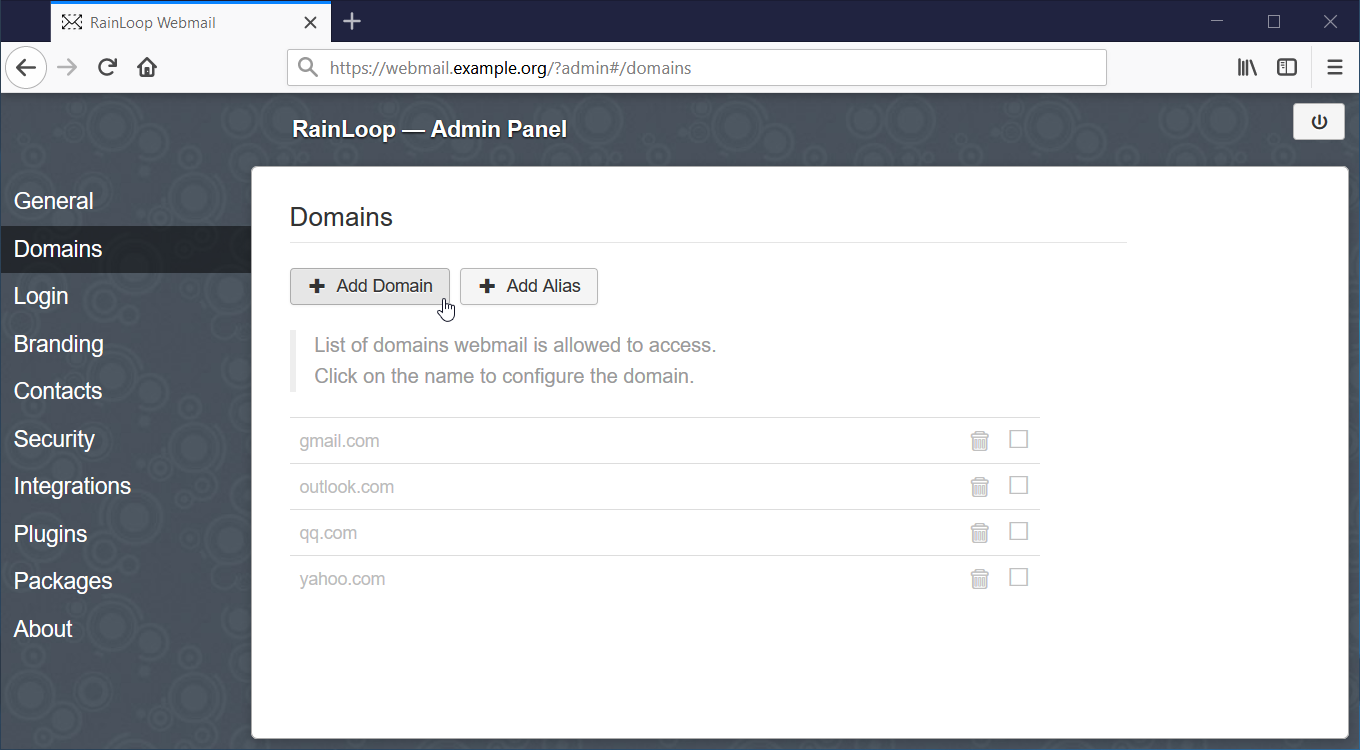
-
Click the
[+ Add Domain]button to fill out the Domain-addition form: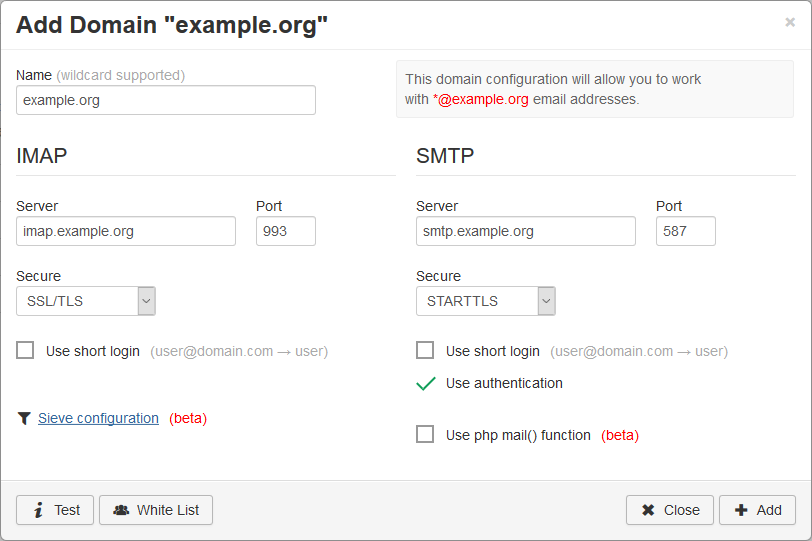
-
Click the
Sieve configurationlink, on the bottom-left of the form, to fill out the 'SIEVE' configuration settings form: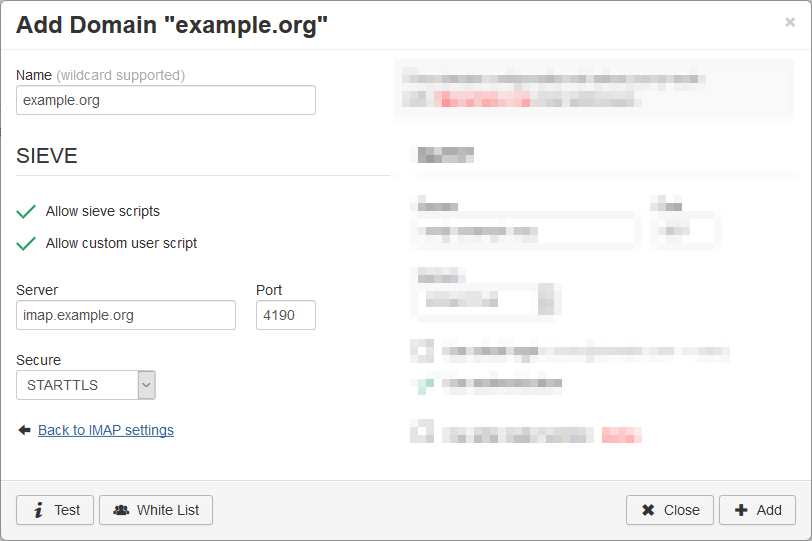
-
Click the
[+ Add]button on the bottom-right. -
Navigate to
Contactsto enable and configure its settings: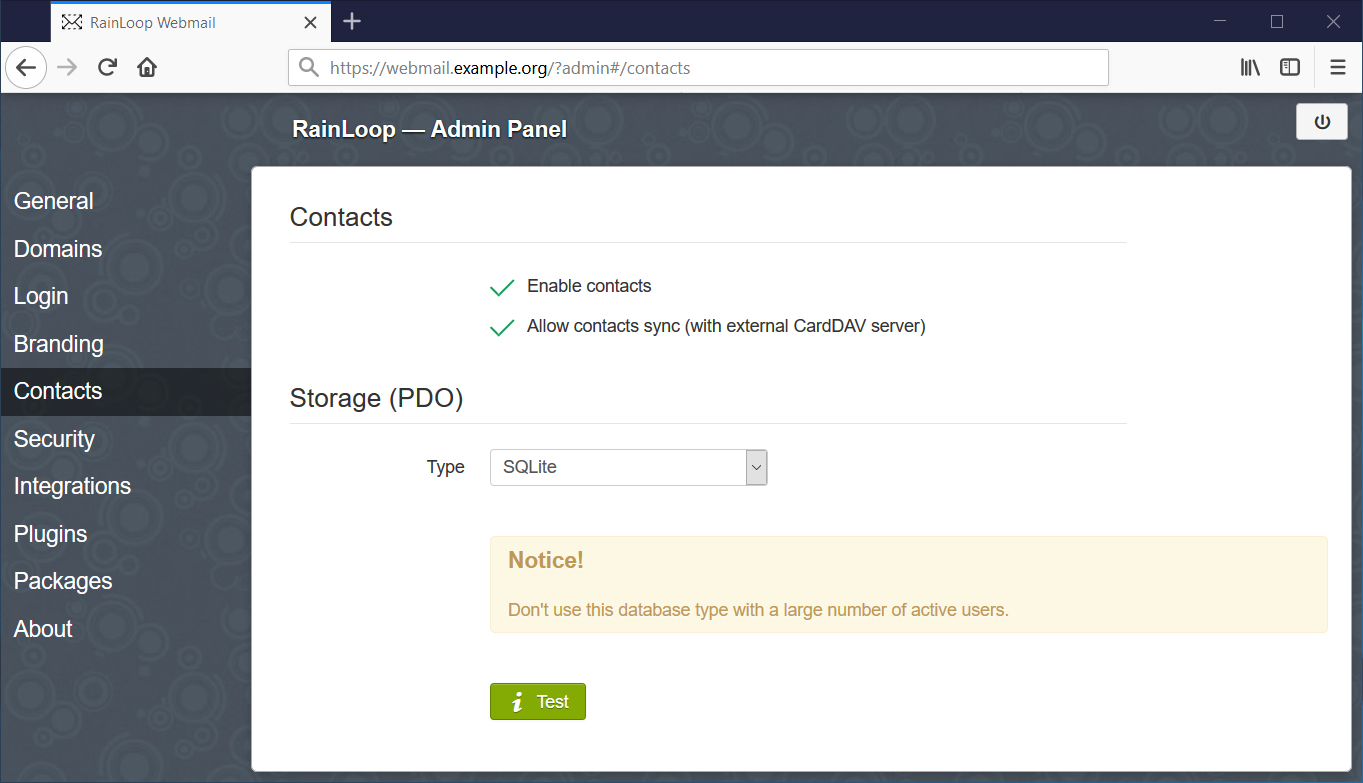
:bulb: TIP: In order to troubleshoot one could turn on logging in:
/var/www/rainloop/data/_data_/_default_/configs/application.iniand:; Enable logging - enable = Off + enable = OnWhich will then store logs in:
/var/www/rainloop/data/_data_/_default_/logs/.