Discarding Changes - SmartBear/ready-git-plugin GitHub Wiki
To discard unwanted changes you have made to your project, follow these steps:
-
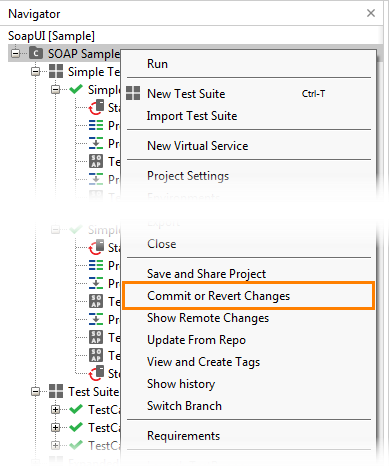
In ReadyAPI, right-click the project in the Navigator panel and select Commit or Revert Changes from the context menu:
-
The Share Changes dialog will appear. In the dialog:
- Select the changes you want to discard.
- Click Revert.
The Git plugin will discard all local changes to specified items.
Note:
- Some changes may affect more than one item at a time.
- You can discard the changes that have not been committed yet.