Tools and Packages - SYasJ/StackRadar GitHub Wiki
Tools & packages
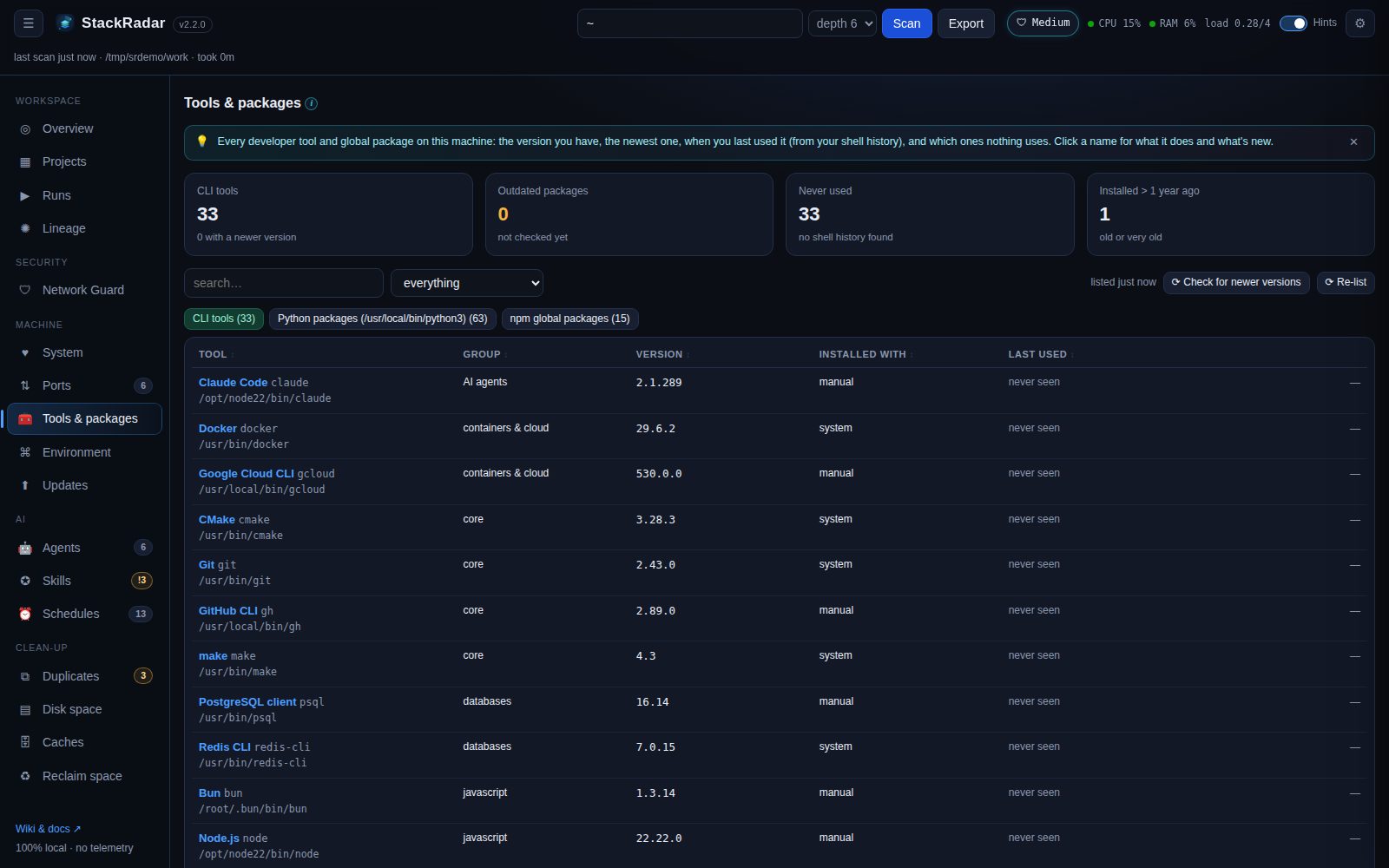
One list of every developer tool and global package on this machine, with what you'd want to know before updating or removing it.
What's listed
| Tab | Covers |
|---|---|
| CLI tools | git, gh, Node, npm, pnpm, Yarn, Bun, Deno, Python, pip, pipx, uv, Poetry, conda, Ruby, Go, Rust, Java, PHP, .NET, Swift, Flutter, Docker, kubectl, Helm, Terraform, AWS / Google Cloud / Azure CLIs, Vercel, Netlify, Wrangler, Firebase, Supabase, Homebrew, Claude Code, Codex, Gemini CLI, Ollama, Aider, FFmpeg, jq, ripgrep, fzf, database clients … |
| Python packages | the Python on your PATH (not StackRadar's own) |
| npm global packages | npm ls -g |
| Homebrew | formulae and casks (apps) |
| pipx apps / Cargo installs | when you have them |
| zsh plugins | oh-my-zsh (custom and enabled bundled plugins, theme), zinit, zplug, antidote |
Columns
- version: installed, with → newest when a newer one exists (click ⟳ Check for newer versions; it asks npm, pip and Homebrew and takes a minute).
- installed with: Homebrew, npm, pipx, cargo, the OS, a version manager, or by hand. Only the first four can be updated or removed from StackRadar; the OS and hand-installed ones show where they are.
- installed: when it was installed or last updated, tagged old (over 1 year) or very old (over 2 years).
- used by: scanned projects that depend on it, and (pip) other packages that need it.
- last used: from your shell history (
~/.zsh_history,~/.bash_history, fish). zsh with timestamps gives a date; plain bash history gives a count only. - unused: no project uses it, no other package needs it, and it never appears in your shell history.
What it does and what's new
Click a package name for its description, license, homepage and source, the installed vs newest version with release dates and how many releases behind you are, and the release notes of every version since yours (from GitHub Releases when the package links a GitHub repo, otherwise a link to its changelog). This asks the npm registry, PyPI or Homebrew's API, only when you click.
Update / remove
Updates and removals run your package manager as a background job with a live log (npm install -g x@latest,
pip install --upgrade x, brew upgrade x, pipx upgrade x, brew uninstall x …). Package names are validated and
commands are never passed through a shell. zsh plugins update with git pull and are removed to the Trash (remember
to take them out of plugins=(…) in ~/.zshrc).