Ports - SYasJ/StackRadar GitHub Wiki
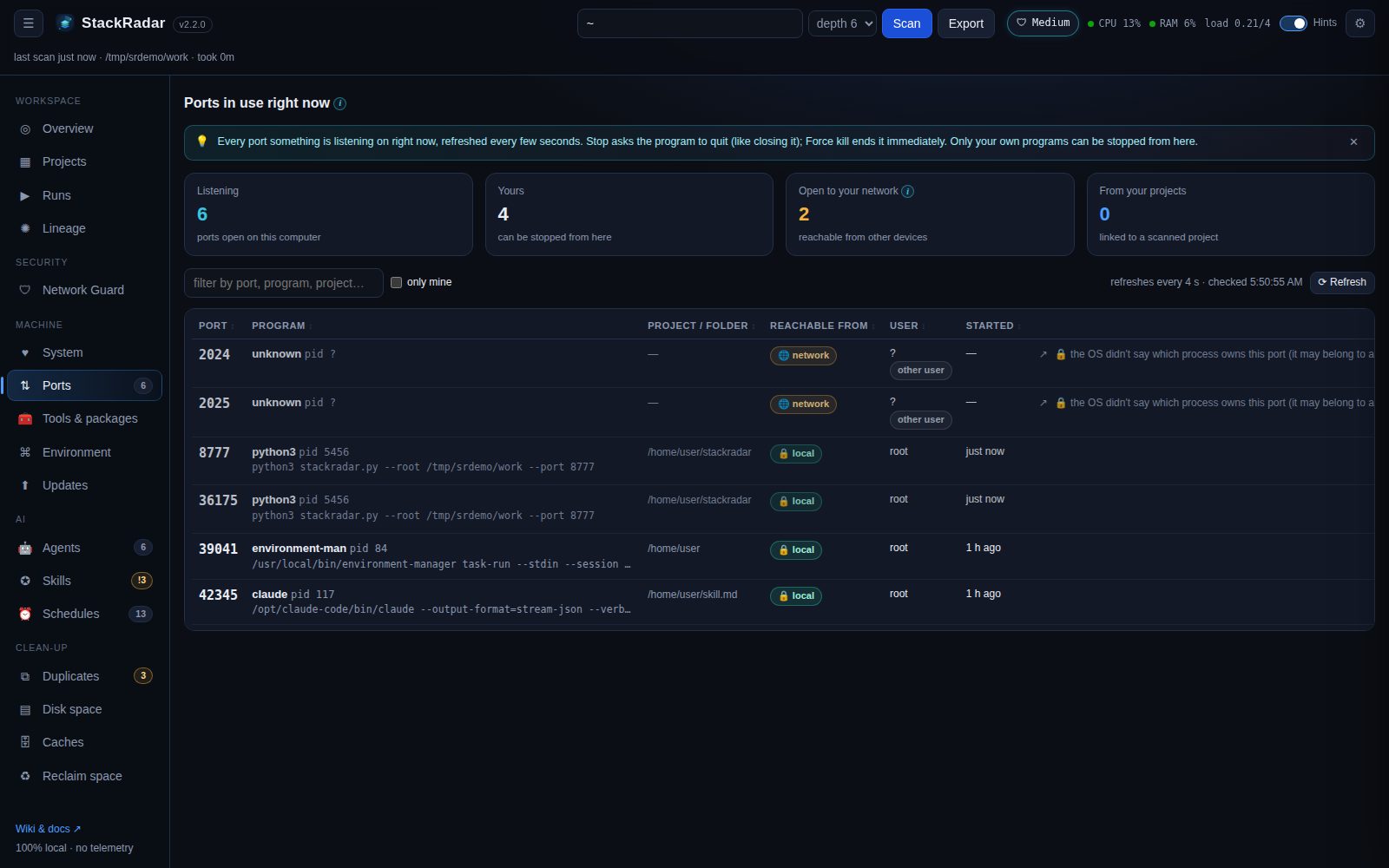
What is listening on my computer right now, and how do I stop it? The Ports tab lists every listening TCP port, refreshed every 4 seconds.
| Column | Shows |
|---|---|
| port | the number, plus what usually runs there (3000 dev server, 5432 PostgreSQL, 11434 Ollama …) |
| program | process name, pid, the full command line, and a note for OS services (AirPlay receiver, Docker …) |
| project / folder | the scanned project it runs from (📦), or its working folder |
| reachable from | 🔒 local: only this computer (127.0.0.1). 🌐 network: other devices on your Wi-Fi can connect |
| user / started | who owns it and when it started |
-
■ Stop asks the program to quit (SIGTERM /
taskkill), like closing it normally. StackRadar then checks the port is really free and tells you if it isn't. -
✕ Force ends it immediately (SIGKILL /
taskkill /F). Anything unsaved in that program is lost. -
↗ opens
http://localhost:<port>.
You can stop your own programs only. StackRadar itself is never listed as stoppable, and it re-checks that the pid
is still listening on that port right before stopping it (so a recycled pid is never hit). For programs owned by
another user or the system, the row shows the exact command to run in an admin terminal (sudo kill 1234,
taskkill /PID 1234 /F), with a copy button.
Ports from projects you started in Runs are stopped through the run, so its log is kept.
| OS | Source |
|---|---|
| macOS | lsof -nP -iTCP -sTCP:LISTEN |
| Linux |
ss -tlnp, falling back to /proc/net/tcp
|
| Windows |
netstat -ano + tasklist
|