Hints and Settings - SYasJ/StackRadar GitHub Wiki
Hints & settings
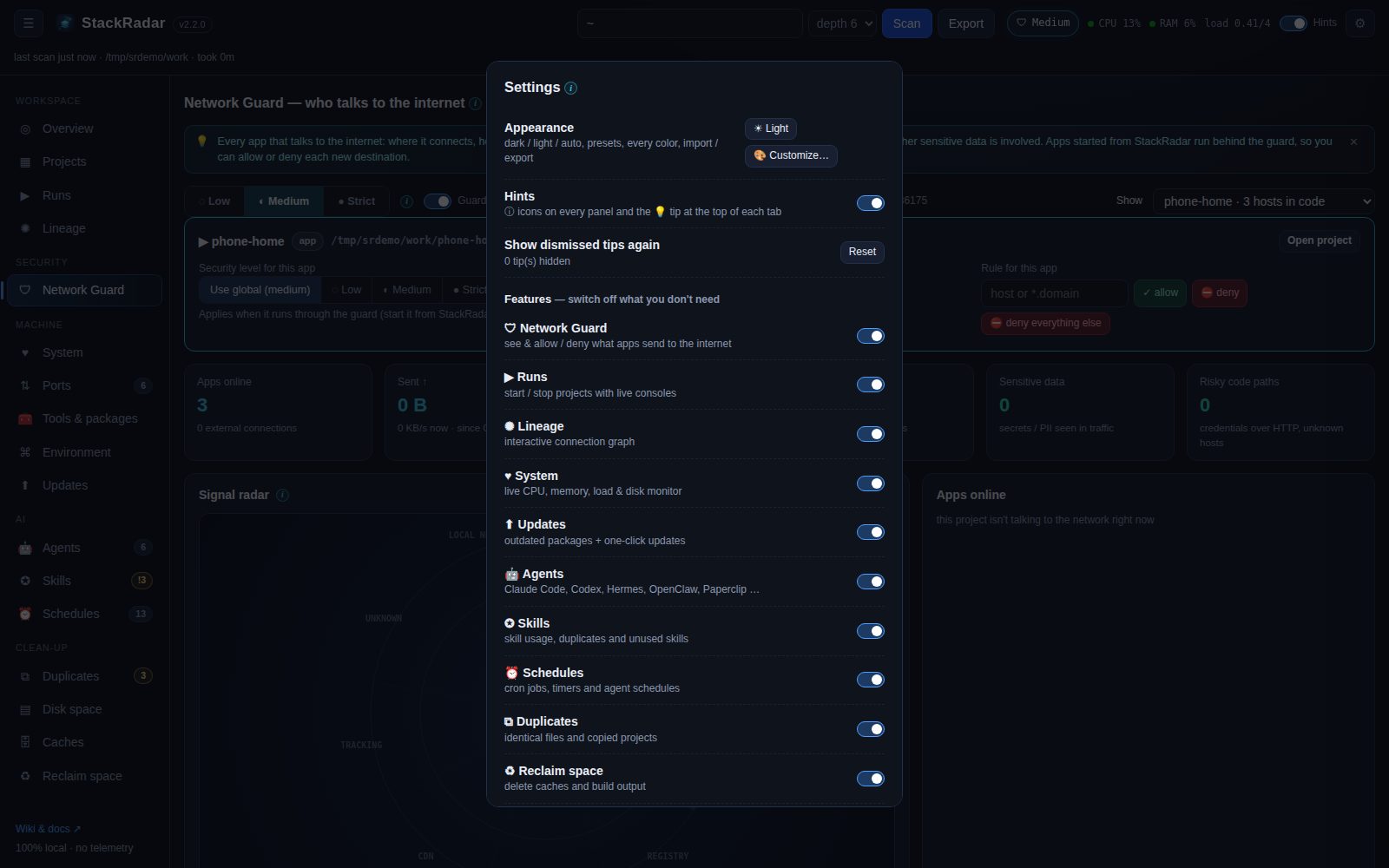
Hints
- Every panel title has an ⓘ icon. Hover or Tab to it for a one-line explanation of what the panel shows and where the data comes from.
- Each tab opens with a 💡 tip. Click ✕ to dismiss it for good.
- The Hints switch in the top bar hides all ⓘ icons and tips at once. ⚙ Settings → Show dismissed tips again brings the tips back.
Feature toggles
⚙ Settings → Features switches off whole tabs you don't need: Network Guard, Runs, Lineage, System, Updates, Agents, Skills, Schedules, Duplicates, Reclaim space, Ports, Tools & packages, Disk space, Caches. Hidden tabs disappear from the sidebar (and their Overview cards). Turning a feature off only hides it. The scan still collects the data, so turning it back on is instant.
Appearance
⚙ Settings → Appearance: light / dark / auto, presets, edit every color, import / export. See Themes.
Other preferences
- Lineage layout and motion are remembered.
- The sidebar can be collapsed (☰). The last tab you used is restored on reload.
- Release source: the GitHub
owner/repoStackRadar checks for app updates.
Settings live in ~/.stackradar/settings.json. Project categories, tags, ratings and notes live in ~/.stackradar/projects.json. Session tags live in ~/.stackradar/sessions.json, hand-off briefs in ~/.stackradar/handoffs/, and backups of every schedule change in ~/.stackradar/backups/.