TurtleBot3_Grasp Automatically - SIGVerse/sigverse_unity_project GitHub Wiki
Grasping Automatically with MoveIt
This example is a simple example that automatically grasps an object.
TurtleBot3 has OpenManipulator.
Object detection is performed using yolo_ros(YOLO).
The outline of the operation is as follows.
- Move the TurtleBot3 to the front of the target object by keyboard operation.
- Move the TurtleBot3 so that the target object comes to the center of the color image.
- Enter a number to specify the object to be grasped.
Prerequisite
Please refer here to install and build required packages.
Startup Procedure
Start the Ubuntu side and then the Windows side.
Ubuntu Side Startup Procedure
Open a new terminal and run the following command:
ros2 launch sigverse_turtlebot3 grasping_auto_launch.py
Windows Side Startup Procedure
Start the [Assets/SIGVerse/ExampleScenes/Turtlebot3/OpenManipulator(.unity)] scene with reference to this page.
Run
You can control TurtleBot3 by keyboard operation on the grasping_auto terminal.
- Check the terminal for details of the operation.
- Because of the high image processing load, the robot's camera image transmission interval is set to 1000 [ms].
(If you want to shorten the sending interval, please reduce the Sending Interval of the ZEDMiniPubCameraImageController attached to turtlebot3_with_open_manipulator/RosBridgeScripts)
If you want to finish, stop the Unity side and then the ROS side.
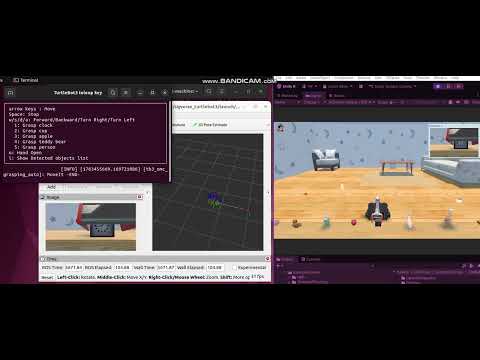
Ubuntu side (It might differ from the latest version)

Windows side (It might differ from the latest version)

Windows side (grasped "clock") (It might differ from the latest version)

Reference Video (It might differ from the latest version)
(Image recognition is slow because no GPU is used.)