Software Architecture and Design document - SD-Group-11/ml-frontend GitHub Wiki
Introduction
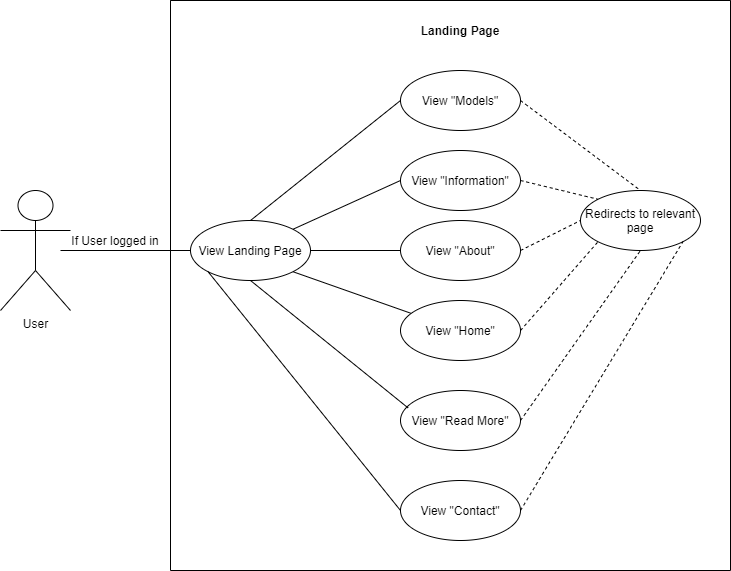
Following are the high level architectural descriptions including the Logical view, Development view, Process view, Physical view and Use case diagrams for the user authentication system within the Machine Learning Front-End Framework application, developed by team IllegalSkillsException.
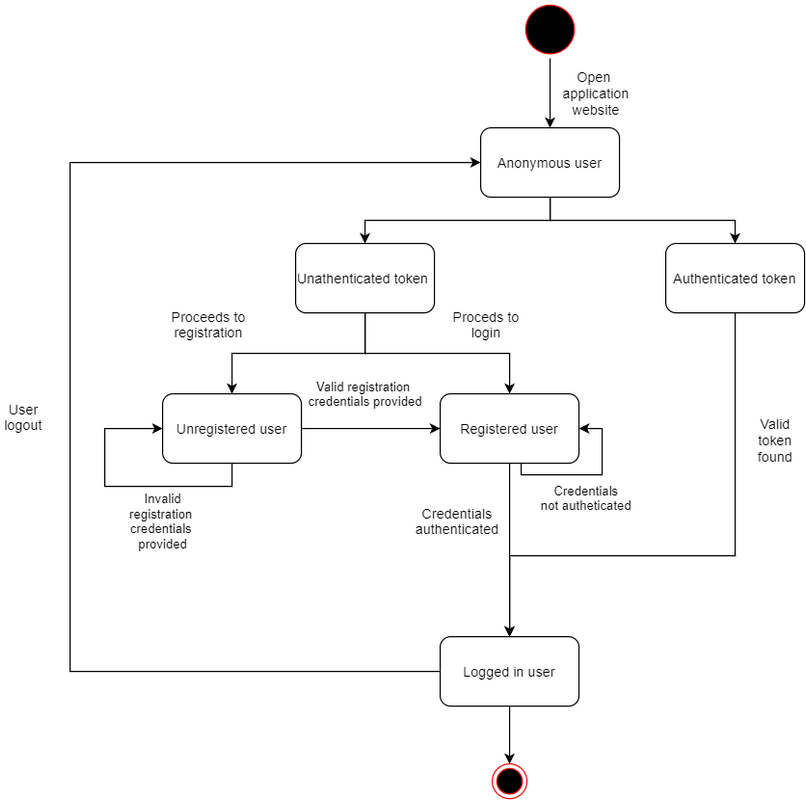
Logical View- State diagram
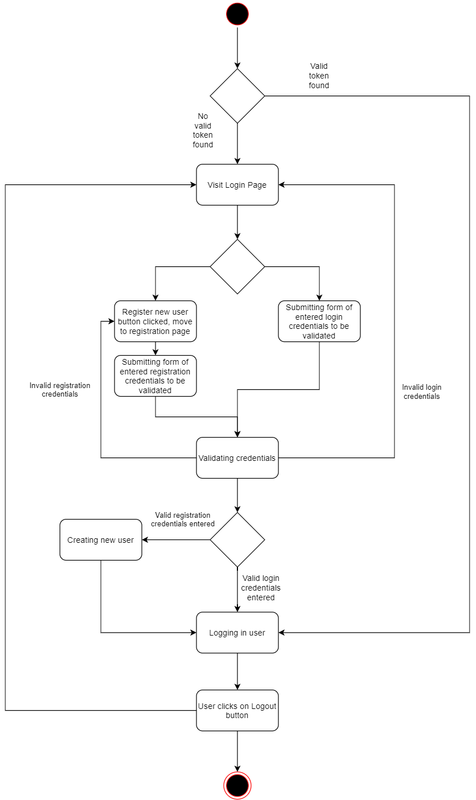
As a user opens the application website, if the user has a valid authentication token then the user will be directed to the home page, otherwise the user will be taken to the login page. If the user has not previously created an account then he/she may proceed to submit valid registration credentials in order to create a new account and sign in. If the user already has an existing account, they may sign in by entering authenticated login credentials for an existing account. Invalid or unauthenticated credentials will not permit access to any user’s account details until the user has been authenticated.
Logical View- Class diagram
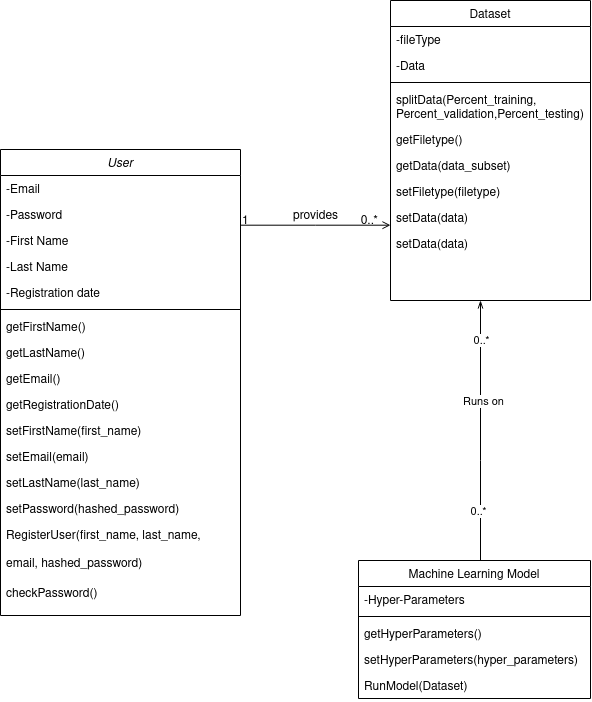
The User class has several attributes used in order to identify the user and has methods used to query the user. Users have associated with them their uploaded data which has methods for querying, setting and splitting the data. The machine learning models use this data in order to train and optimise hyper parameters.
Development View- Component diagram
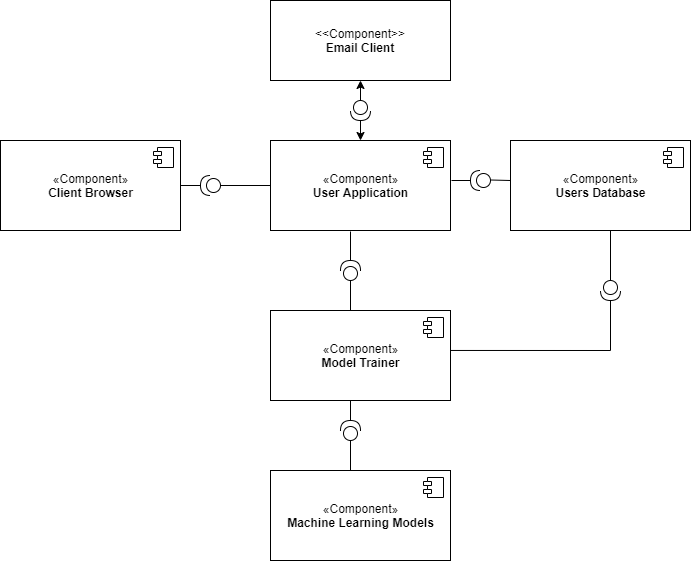
The following component diagram is used to show the relationships between the different components within the system. The User application provides an interface for the client browser, the user application receives user data from the user database and uses the model trainer api for training the user dataset which in turn uses the machine learning models. The user application interacts with the email client responsible for account verifications.
Process View- Activity diagram
Once a user opens the web applications he/she will be moved to the login page, if the user enters valid existing user credentials he/she will enter the home page. Otherwise, if the user would like to register to the application, he/she can enter valid registration credentials to create a new account and once the user is created in the database, he/she will be signed in and moved to the home page.
Process View- Sequence diagram
In order to use the machine learning models a user must be logged in. The user has the choice of clicking a login button or a registration button which will take them to a login or registration page.
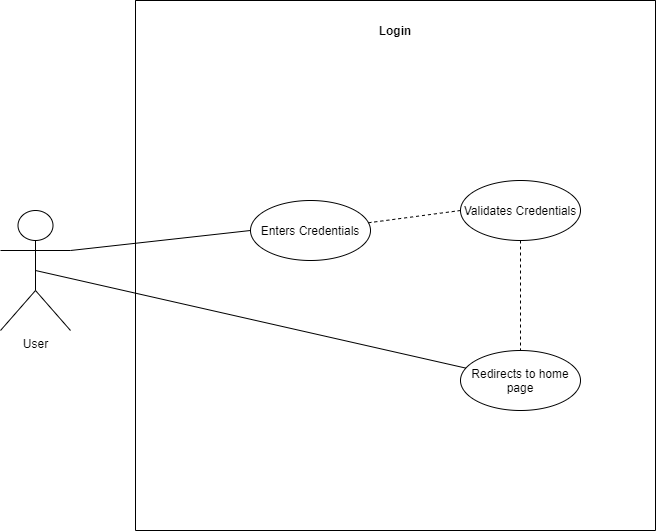
On the login page the user may enter their details, if these are valid the user will be redirected to the home page. Alternatively the user may click the "forgot password button" which will bring them to the forgot password page. Here they will be prompted to enter their email address.If a user with that email address exist then they will be sent an email with a link allowing them to reset their password(the link sent also contains an authentication token). After entering a new password the user will be redirected to the login page and will also receive an email notifying them of the change.
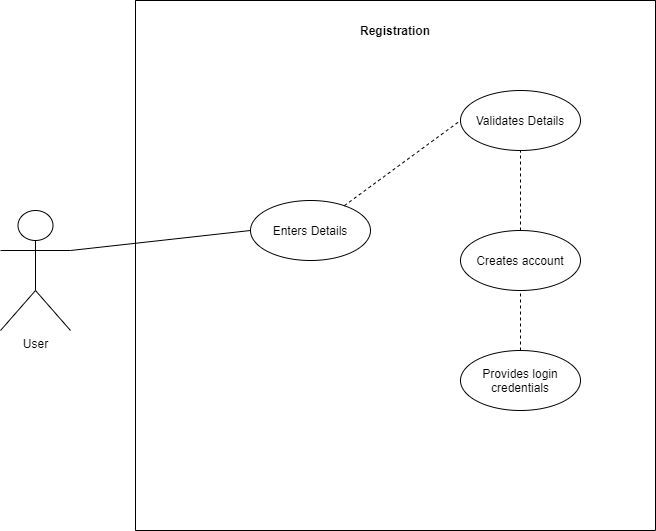
On the registration page the user can enter their details and click the register button. If anything goes wrong with the registration, for example if the users username has already been taken, then the user will be notified of this. If the registration is successful the user will be redirected to the login page

Once a user clicks on a machine learning model they will be redirected to that page. Here they will be allowed to upload data for the model to run on. The data will then be stored in the database. If all goes well the user will be notified that the upload was successful and they meta-data of that data set will be displayed.

Physical View- Deployment diagram
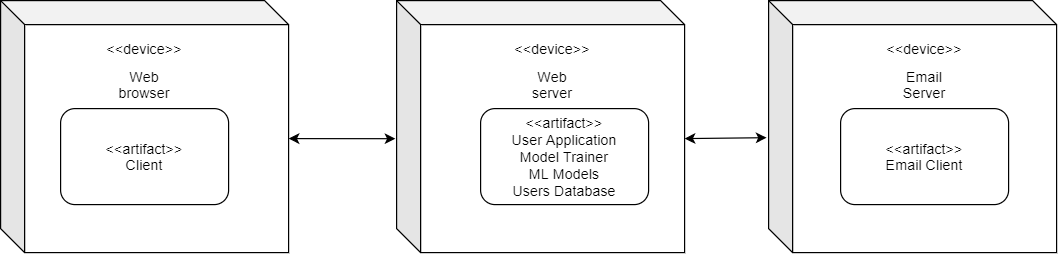
The web browser on the client account connects to the web server following a Client/Server architecture, allowing the user access to the stored user data and model trainer to train and save a variety of machine learning models. The user application has access to the email client, hosted by Google's SMTP email server.
Use Case Diagrams
Registration Page
Login Page
Home Page