Page Layout Details - SAP-archive/techne GitHub Wiki
The tn-ui component is the highest layout level and comprises site shell containers. Generally, content and links in the __header and __footer will affect the entire page or go offsite. The app container content will most often affect the container itself. The __overlay container is available for modals that must block the entire UI.
.tn-ui
    .tn-ui__header
    .tn-ui__app
    .tn-ui__footer
    .tn-ui__overlay
Both the header and footer containers can be locked in position, background colors and heights can be customized.
The tn-app provides the layout structure for an optional __sidebar and a __main content area. This is the app level content that could easily stand on its own outside of the UI structure. Sidebar navigation will mostly affect the contents of the main app area. When the UI is fixed, the app containers will scroll the contents within.
.tn-app
    .tn-app__sidebar
    .tn-app__main
The sidebar has default behavior to minimize itself at small screen sizes, a hover opens to full size. The width of both minimized and regular widths of the sidebar and background color can be customized.
A basic application UI with static elements, all scroll normally.
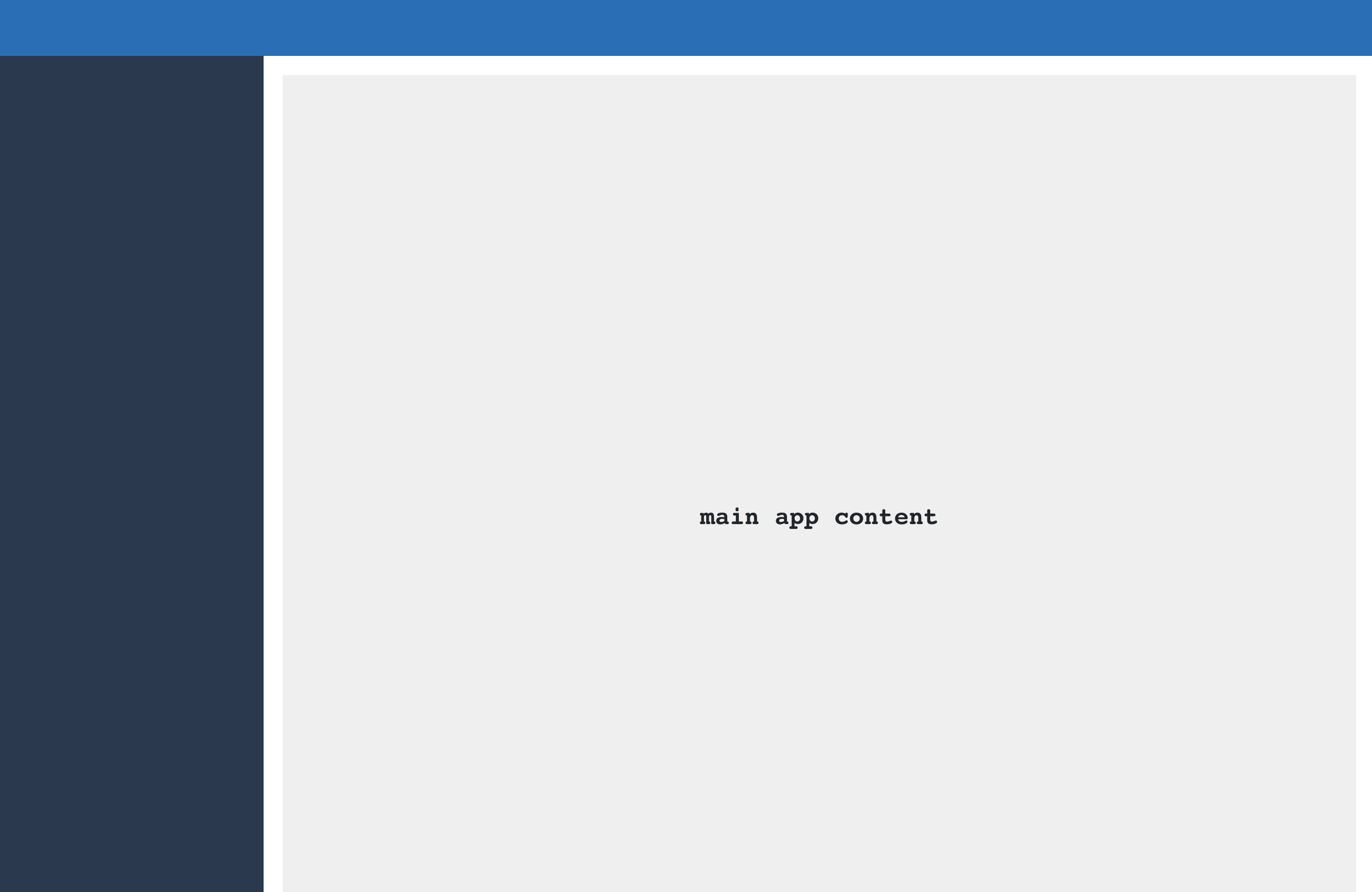
.tn-ui
<!doctype html>
<html lang="en-us">
  <head>
    <meta charset="utf-8">
    <title></title>
  </head>
  <body>
    <div class="tn-ui">
      <div class="tn-ui__header">
      </div>
      <div class="tn-ui__app">
        <div class="tn-app">
          <div class="tn-app__sidebar">
          </div>
          <main class="tn-app__main">
          </main>
        </div>
      </div>
      <div class="tn-ui__footer">
      </div>
      <div class="tn-ui__overlay tn-overlay" aria-hidden="true">
      </div>
    </div>
  </body>
</html>
All elements are fixed
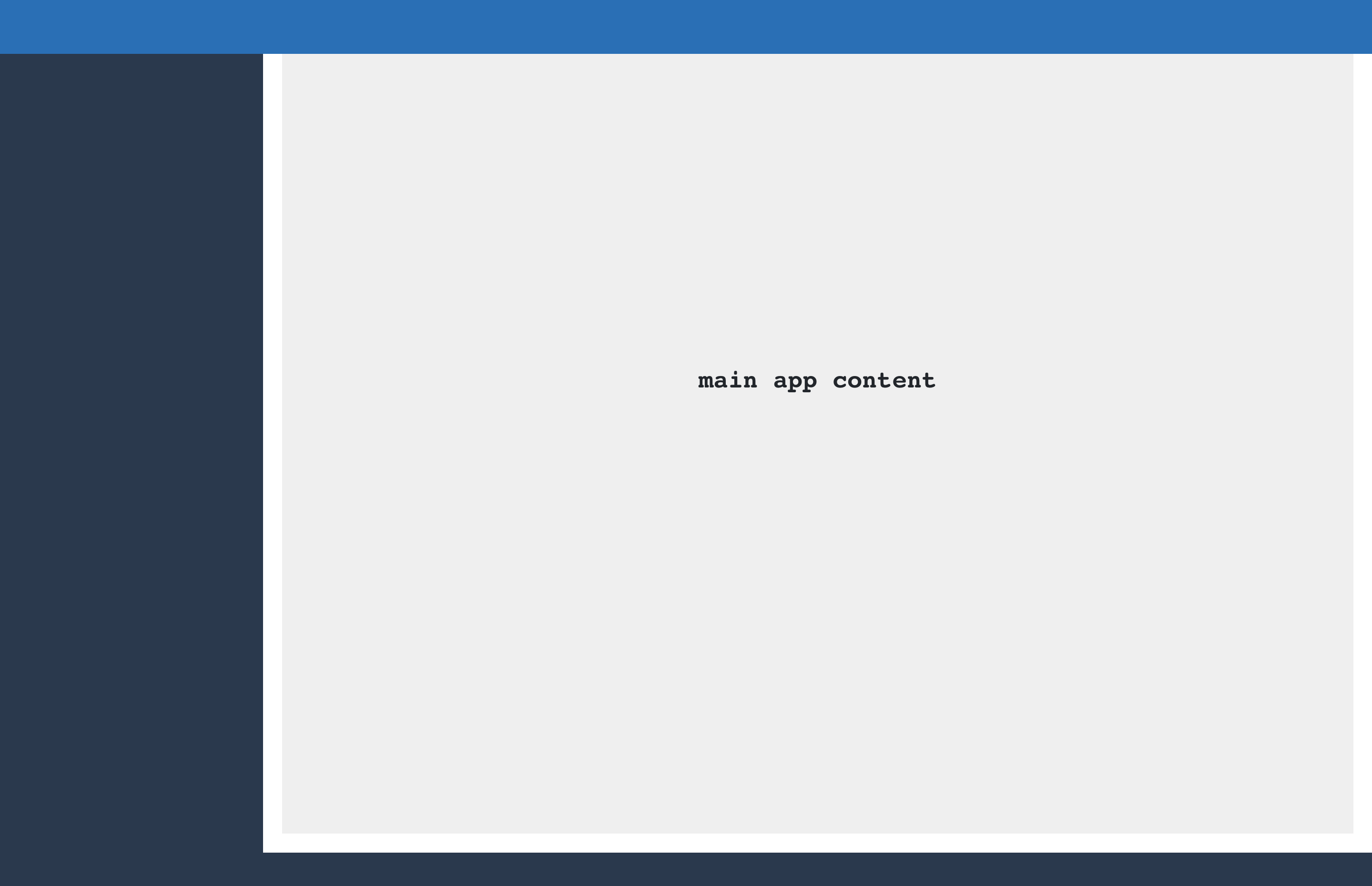
.tn-ui.tn-ui--fixed
<div class="tn-ui tn-ui--fixed">
Overlay content visible
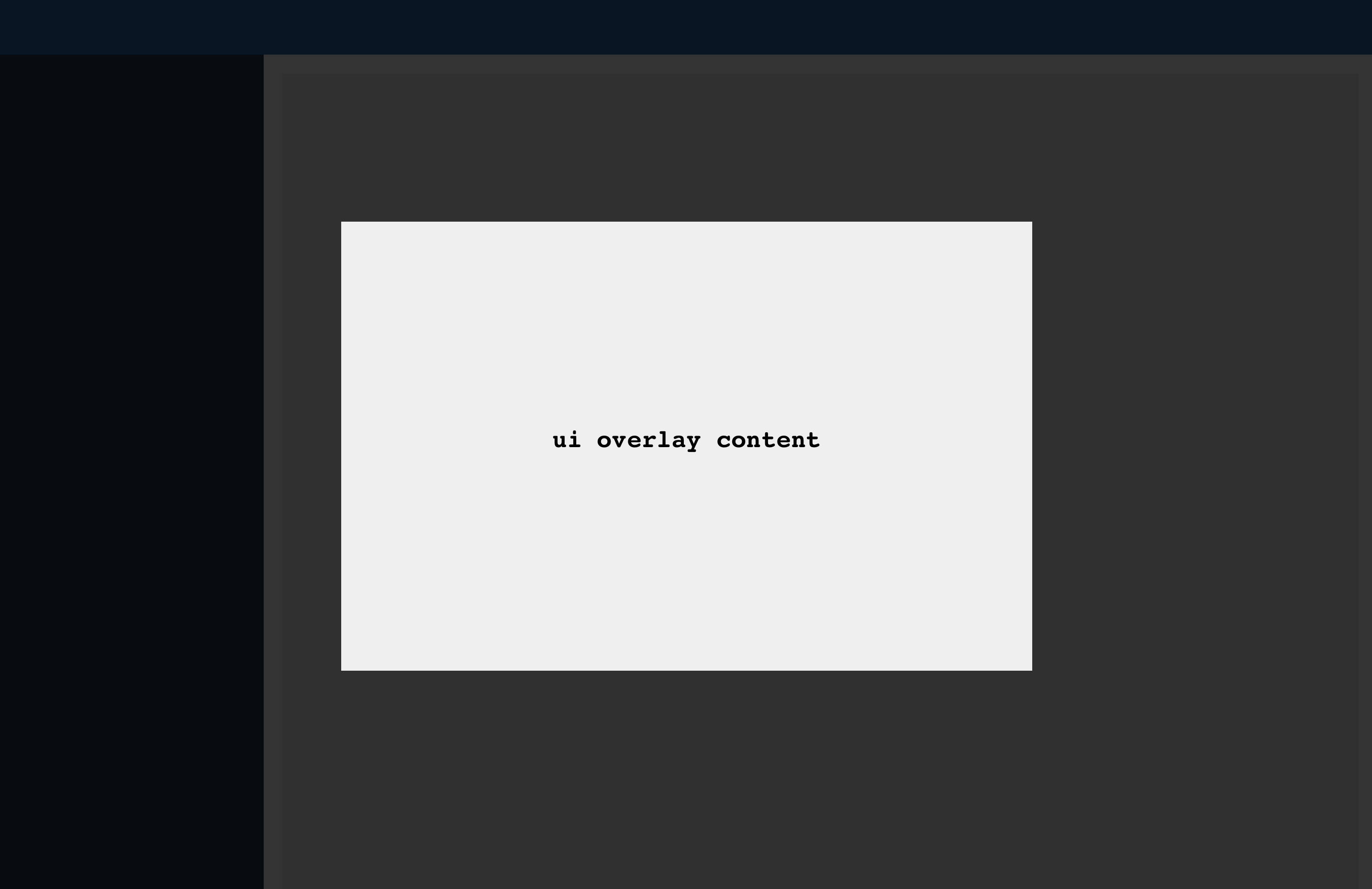
.tn-ui__overlay[aria-hidden="false"]
<div class="tn-ui__overlay tn-overlay" aria-hidden="false">
</div>
The main application area (.app__main) does not include padding by default. It is a big empty box so you must be aware of how elements fit together. Only block components which span the entire content area should be used as direct descendants.
Page
.tn-action-bar.tn-toolbar
Content
.tn-section
Most commonly, use .tn-section with either .tn-container and columns inside or collection containers like .tn-tree or .tn-table.
| Template | Use | Examples |
|---|---|---|
| Dashboard | Highlights, stats, collection entry | |
| Collection | Display structured data suited to table, tree | Orders, Customers, Coupons |
| Catalog | Display structured data suited to cards | Velocity Templates |
| Item Details | Details and CRUD operations for an items | Order detail, Customer detail |