Zero values format - Profitbase/PowerBI-visuals-FinancialReportingMatrix GitHub Wiki
You can specify how cells with the value 0 is displayed. The default is dash (-), but you can also specify to display a blank cell or simply 0 (the actual value).
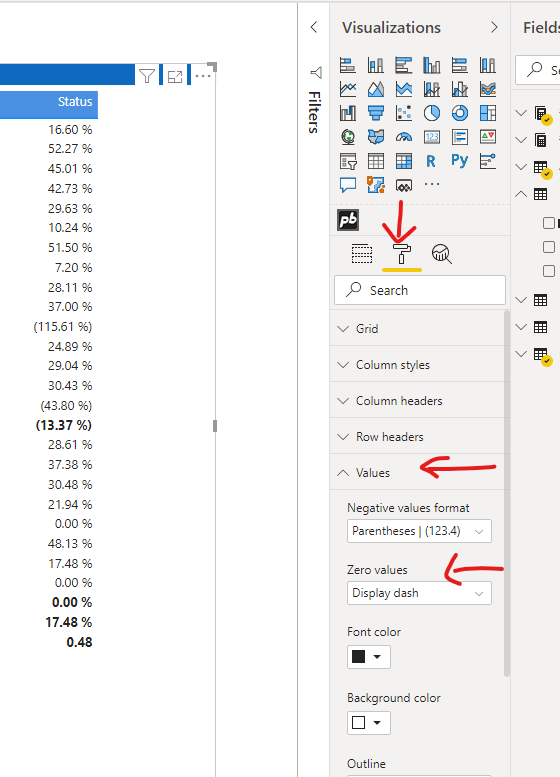
Format zeroes
Available from from v9.0.0.0
When the Zero values dropdown is set to Display zero, a secondary option called Format zeroes becomes available. By toggling Format zeroes to On, the visual will apply the decimal formatting of the measure to the zero value. For example, if your measure is formatted to show two decimal places, the visual will display 0.00 instead of a plain 0.