Default expand rows - Profitbase/PowerBI-visuals-FinancialReportingMatrix GitHub Wiki
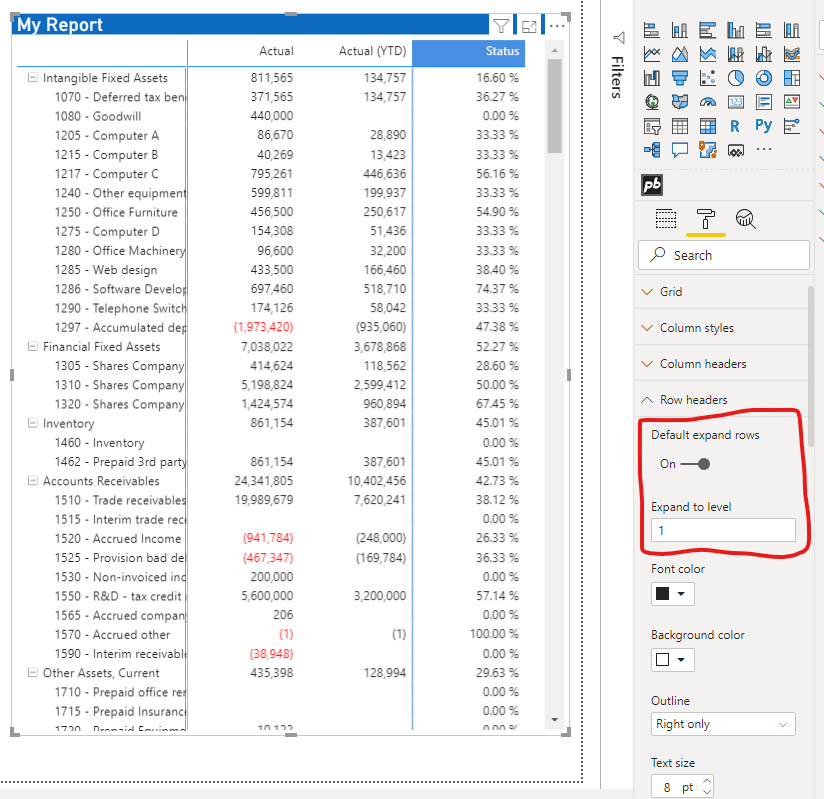
You can make the matrix load with its row hierarchy expanded to a specific level.
- Select the visual and open Format visual.
- Expand Row headers.
- Turn on Default expand rows.
- Set Expand to level to the hierarchy level number you want to show.
Expand to level is a number. It is separate from the on/off switch. For example, a value of
1 expands the hierarchy to level 1, subject to the levels available in the current data.
[!IMPORTANT] When Default expand rows is enabled, it overrides the expansion state that a user previously saved by manually expanding or collapsing individual rows.