Home - PaulTaykalo/objc-dependency-visualizer GitHub Wiki
Objective-C Class Dependencies Visualizer
This is the tool, that can use .o(object) files to generate dependency graph.
All visualisations was done by d3js library, which is just awesome!
This tool was made just for fun, but images can show how big your project is, how many classes it have, and how they linked to each other
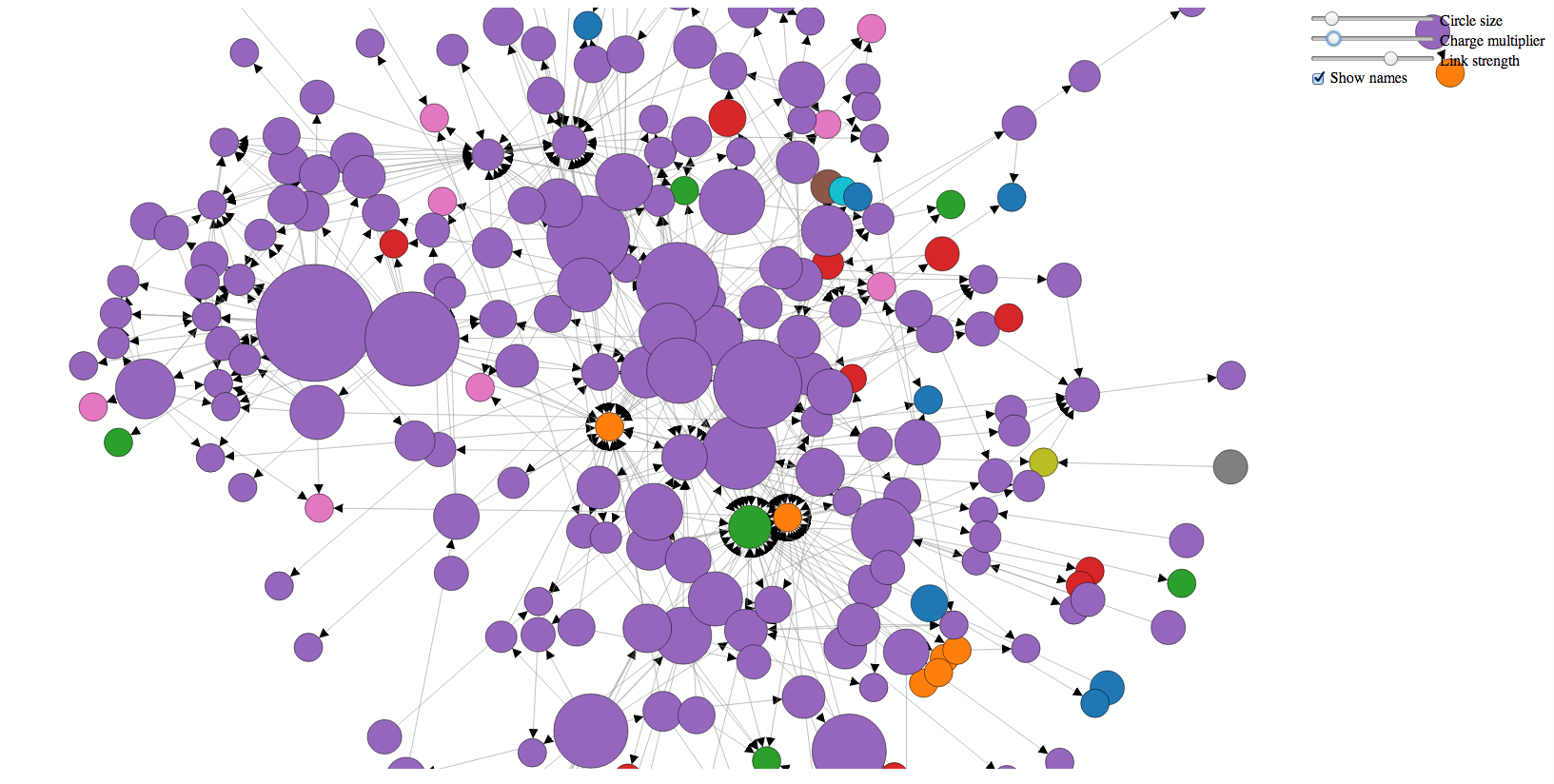
Step Last -2 - See how it works on the example project
Give it a try without even downloading the project
Step Last -1 - For those who don't like to read docs
This will clone project, and run it on the latest modified project
git clone https://github.com/PaulTaykalo/objc-dependency-visualizer.git ;
cd objc-dependency-visualizer ;
./generate-objc-dependencies-to-json.rb -d -s "" > origin.js ;
open index.html
Step Last -1 - For Swift projects
git clone https://github.com/PaulTaykalo/objc-dependency-visualizer.git ;
cd objc-dependency-visualizer ;
./generate-objc-dependencies-to-json.rb -w -s "" > origin.js ;
open index.html
Step 0 - Download sources
Step 1 - Open index.html
You should see cute dependency graph of some Pod target of my project
If you want to have it for your project, proceed to next Step
Step 2 - Build your Xcode project
Step 3 - Run ./generate-objc-dependencies-to-json.rb script
./generate-objc-dependencies-to-json.rb -d -s <PROJECT_PREFIX>
OR
./generate-objc-dependencies-to-json.rb -d -s <PROJECT_PREFIX> -t <TARGET_PREFIX>
OR
If your DerivedData is Relative to project like this:

you may pass direct path to DerivedData
./generate-objc-dependencies-to-json.rb -d -D <PATH_TO_DERIVED_DATA>
OR
In some weird cases, when everything described above is not working, you may need to indicate path to folder with object files:
./generate-objc-dependencies-to-json.rb -d -p <PATH_TO_FOLDER_WITH_OBJECT_FILES>
This path can look even this way:
~/<PATH_TO_PROJECT_DERIVED_DATA>/DerivedData/<PROJECT_NAME>/Build/Intermediates/<PROJECT_NAME>.build/Release-iphonesimulator/<PROJECT_NAME>.build/Objects-normal
If you make it right, you'll see something like that
var dependencies = {
     links:
   	  [
            { "source" : "main", "dest" : "UTAppDelegate" },
            { "source" : "UTAppDelegate", "dest" : "UIResponder" },
            { "source" : "UTViewController", "dest" : "UIColor" },
            { "source" : "UTViewController", "dest" : "UIView" },
            { "source" : "UTViewController", "dest" : "UIViewController" },
         ]
    }
  ;
Step 4 - Grab output from Step #3 and save it to origin.js
./generate-objc-dependencies-to-json.rb -d -s <PROJECT_PREFIX> > origin.js
Step 5 - Open/Refresh index.html
Now you should see dependency graph of your project
Step 6 - Tuning
Colors, and groups
By default coloring will work, based on class prefixes.
You can change this behaviour by setting use_regexp_color_grouping_matchers variable to true in index.html
After that you just need to add any valid regexps to the regexp_color_matchers array.
Text
You can show class names near each circle. For doing this, just set show_texts_near_circles variable to true
Other variables
var width = 1024,
    height = 800;

// Think about it like it's neytrons - more charge, more distance
var default_charge_value = -100;

var default_link_distance = 20;

// How far can we change default_link_distance?
// 0   - I don't care
// 0.5 - Change it as you want, but it's preferrable to have default_link_distance
// 1   - One does not change default_link_distance
var default_link_strength = 0.5;

// Should I comment this?
var default_circle_radius = 10;

// you can set it to true, but this will not help to understand what's going on
var show_texts_near_circles = false;
var default_max_texts_length = 100;
Class filtering
In order to remove some classes from resulting graph, you can specify additional parameter when generating origin.js file
Graph visualization
You can go to d3js site and see what else you can do with this library
Step 7 - Sharing
You can share your images to twitter with #objcdependencyvisualizer hashtag