Node Setups - PastaOwO/Squidnodes GitHub Wiki
Node Setups
Standard Materials
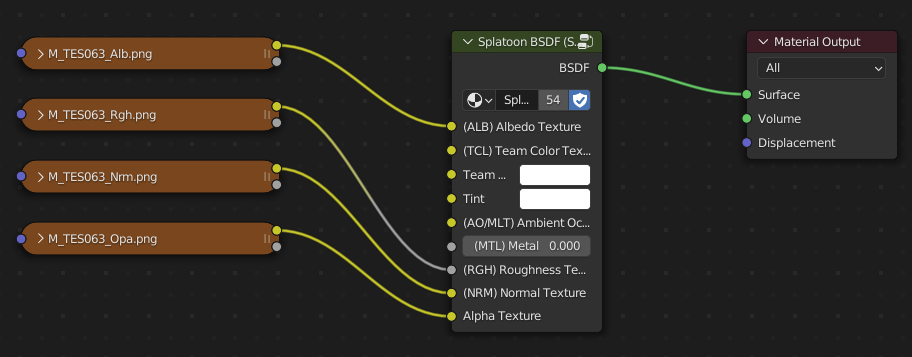
Skin Materials
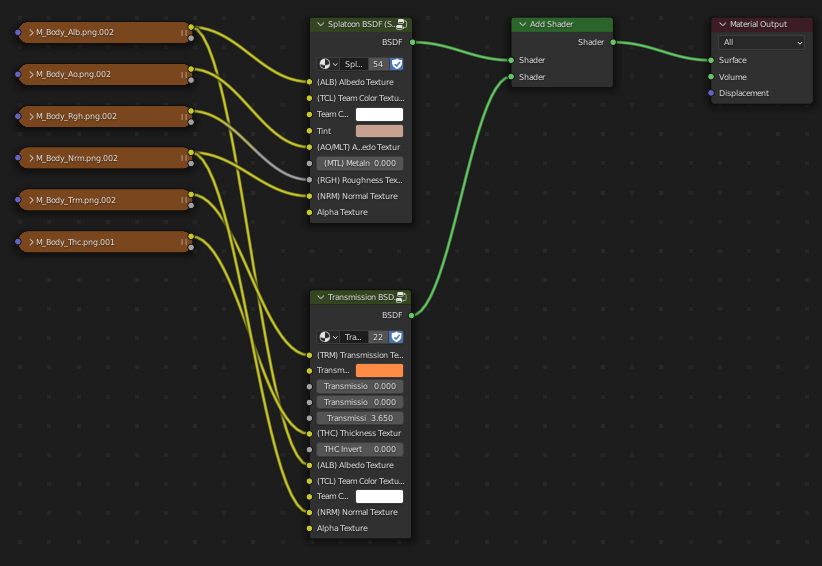
Skin Material
Notes:
- The "Tint" input in this case provides a way to tint/color the skin.
- If the Transmission effect is not showing, slide the "THC Invert" slider to the opposite position.
- Ensure that all materials on the body/eyelids are set to "Alpha Clip".
Eye Materials
Splatoon 3 Eye Material
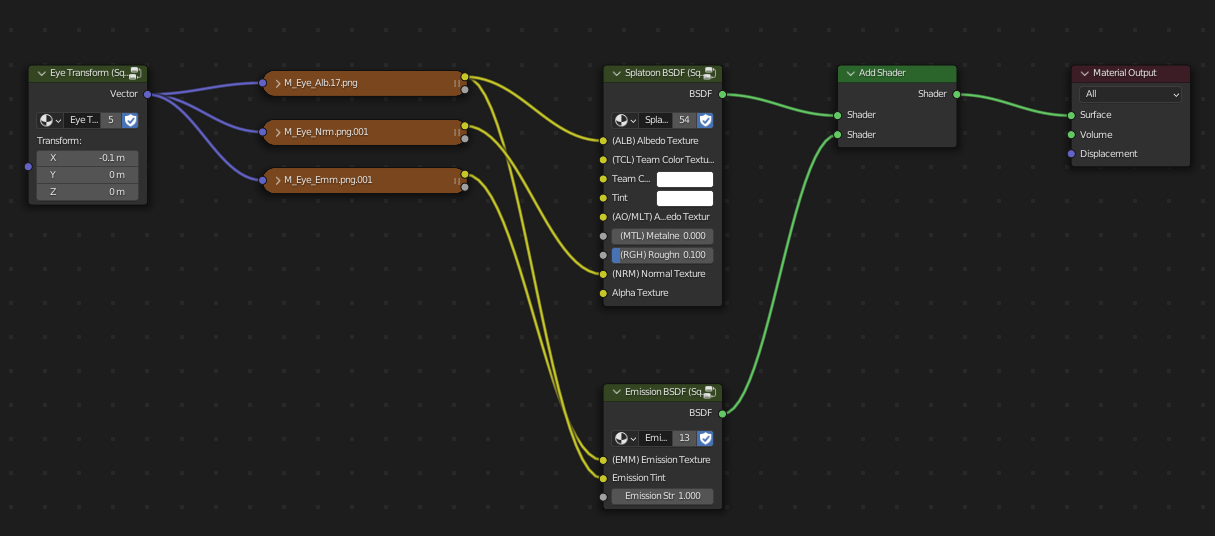
Splatoon 2 Eye Material
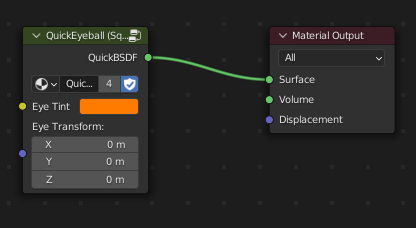
Callie/Marie & Shiver/Frye Eye Material
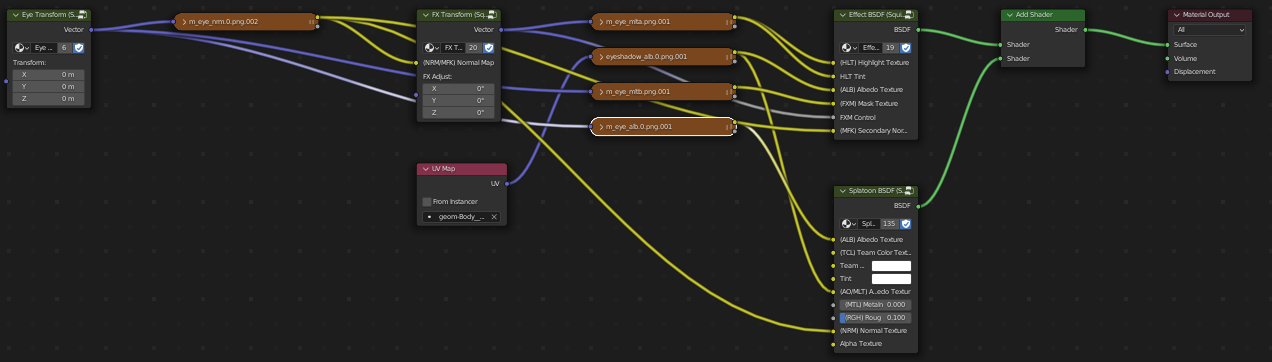
Marina/Pearl Eye Material
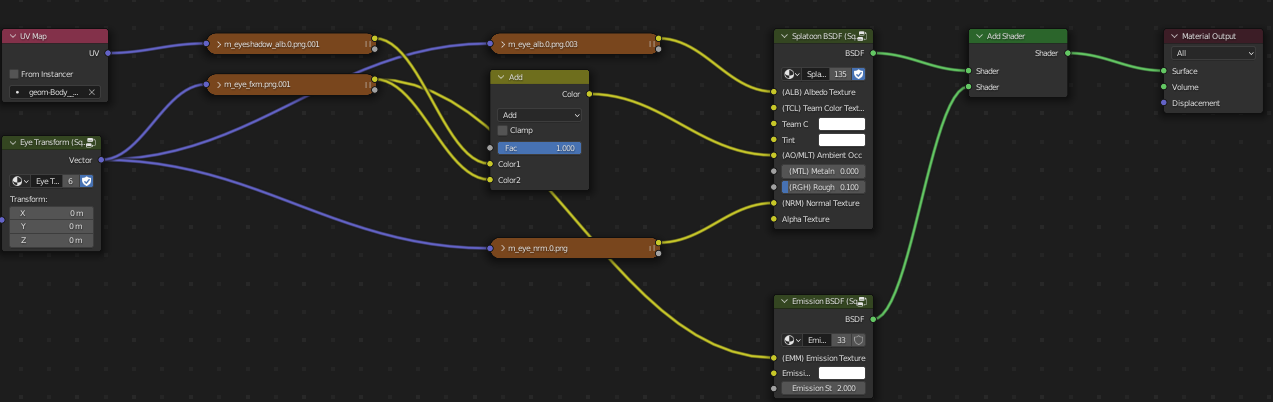
Notes:
- The different types use three different highlight methods: Standard reflections, HLT textures, and Emission textures.
Hair Materials
Splatoon 3 Hair Material
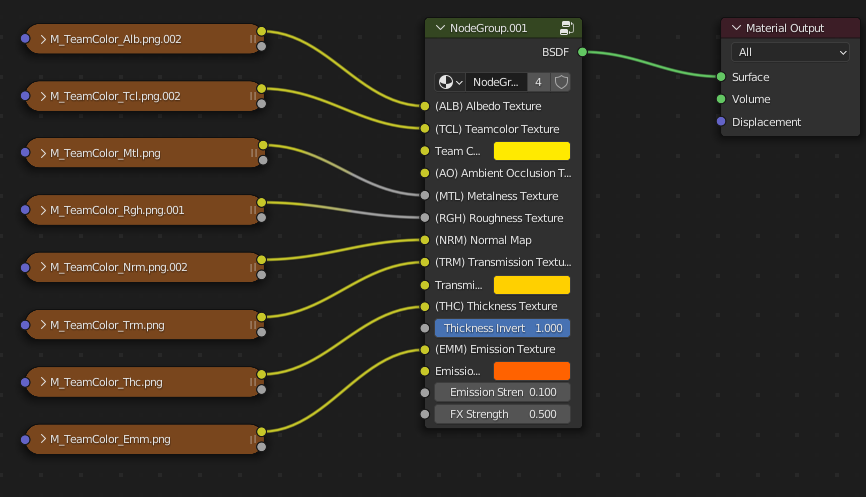
Splatoon 2 Hair Material
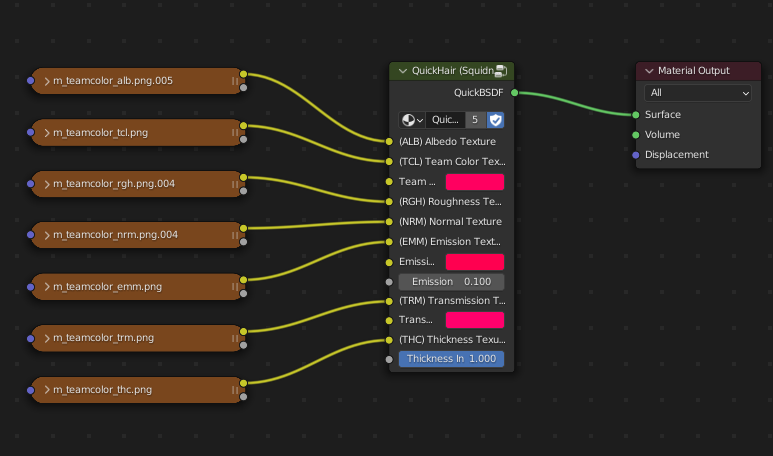
Notes:
- Some hair materials contain HLT textures or Lightwarp textures.
- If no RGH texture exists, set the "Roughness" input to 0.1.
Splatoon 3 Eyebrow Material
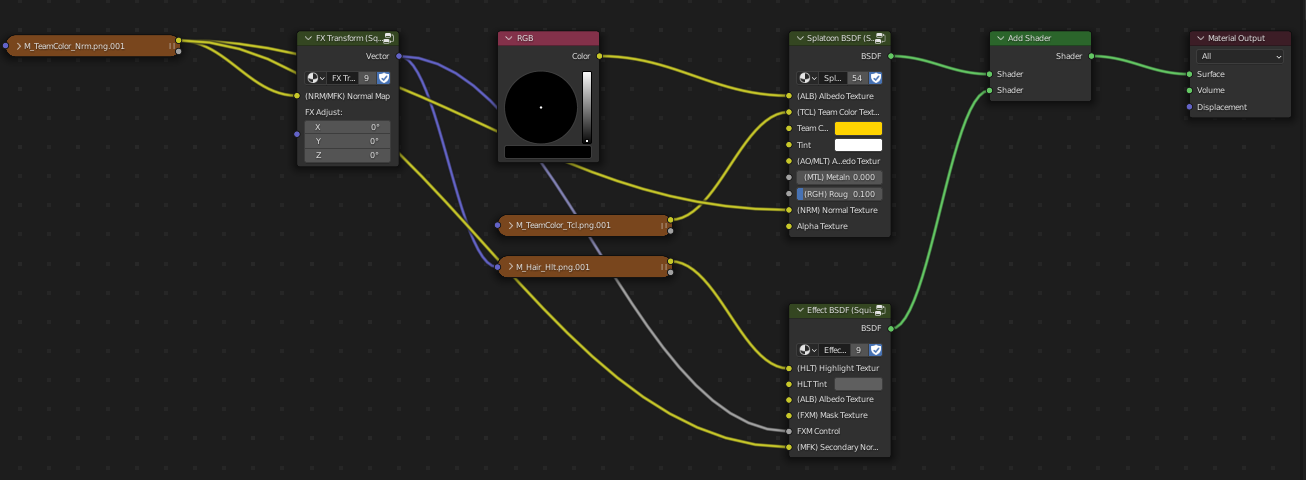
Splatoon 3 Mouth Material
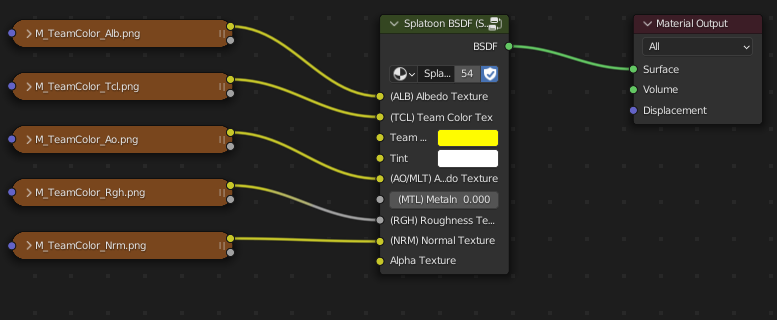
Splatoon 2 Eyebrow and Mouth Material
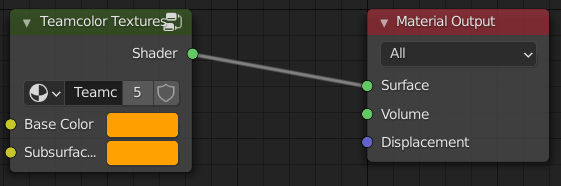
Notes:
- Most NPC models don't use this system, so it can be left out for them. Simply set the eyebrows to the same material as the hair.
Ink Materials
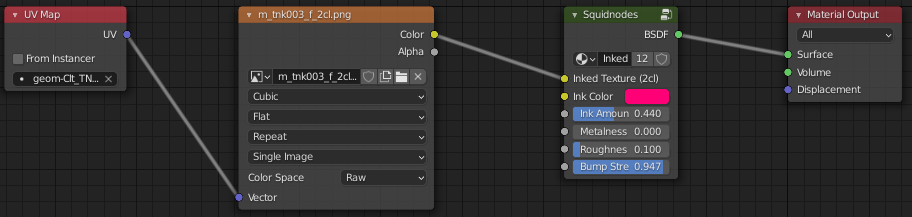
Standard Ink Material
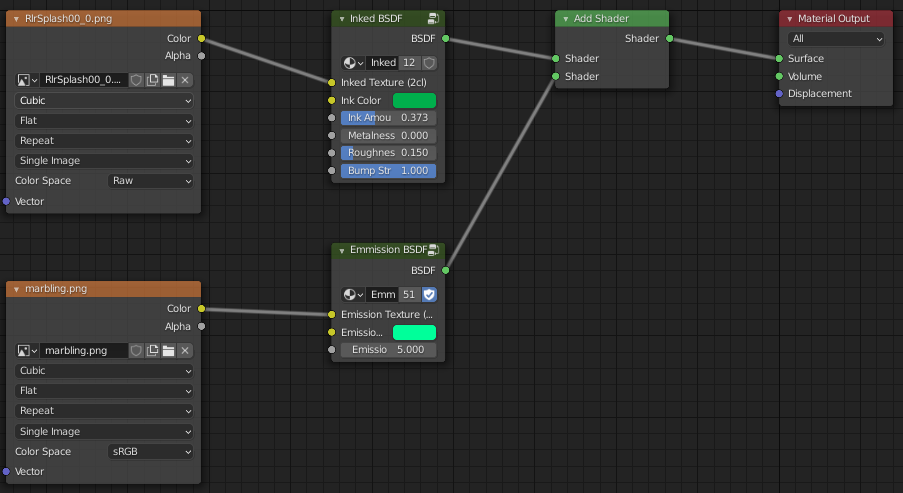
Sanitised Ink Material
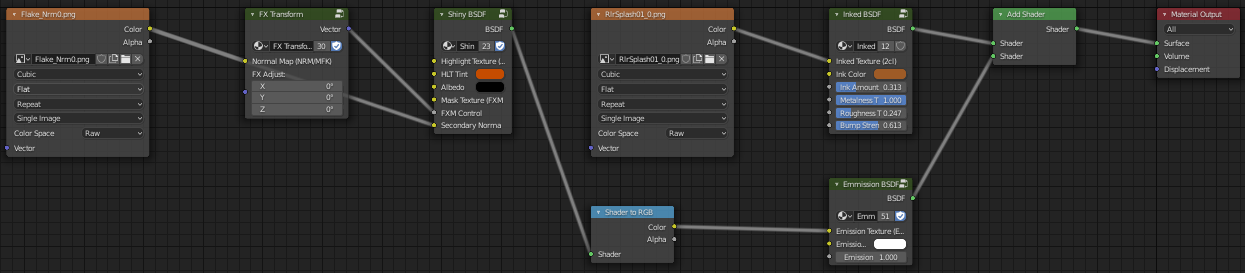
Sparkly Ink Material
Notes:
- When an ink material is being applied to a preexisiting model, ensure that the correct UV map is being used.
- The standard roughness for inky materials is 0.1, with the exception of Metallic/Sparkly ink.
- Ink materials should be set to Alpha Clip