Azure Storage Account - NeoSOFT-Technologies/azure-functions-queue-storage-poc GitHub Wiki
Introduction
An Azure storage account contains all of your Azure Storage data objects, including blobs, file shares, queues, tables, and disks. The storage account provides a unique namespace for your Azure Storage data that's accessible from anywhere in the world over HTTP or HTTPS. Data in your storage account is durable and highly available, secure, and massively scalable.
Type of Data storage provided by Storage account:
- Blob Storage
- File Storage
- Queue Storage
- Table Storage
(Note: Currently we are focusing on Queue Storage only)
Steps to create Storage Account:
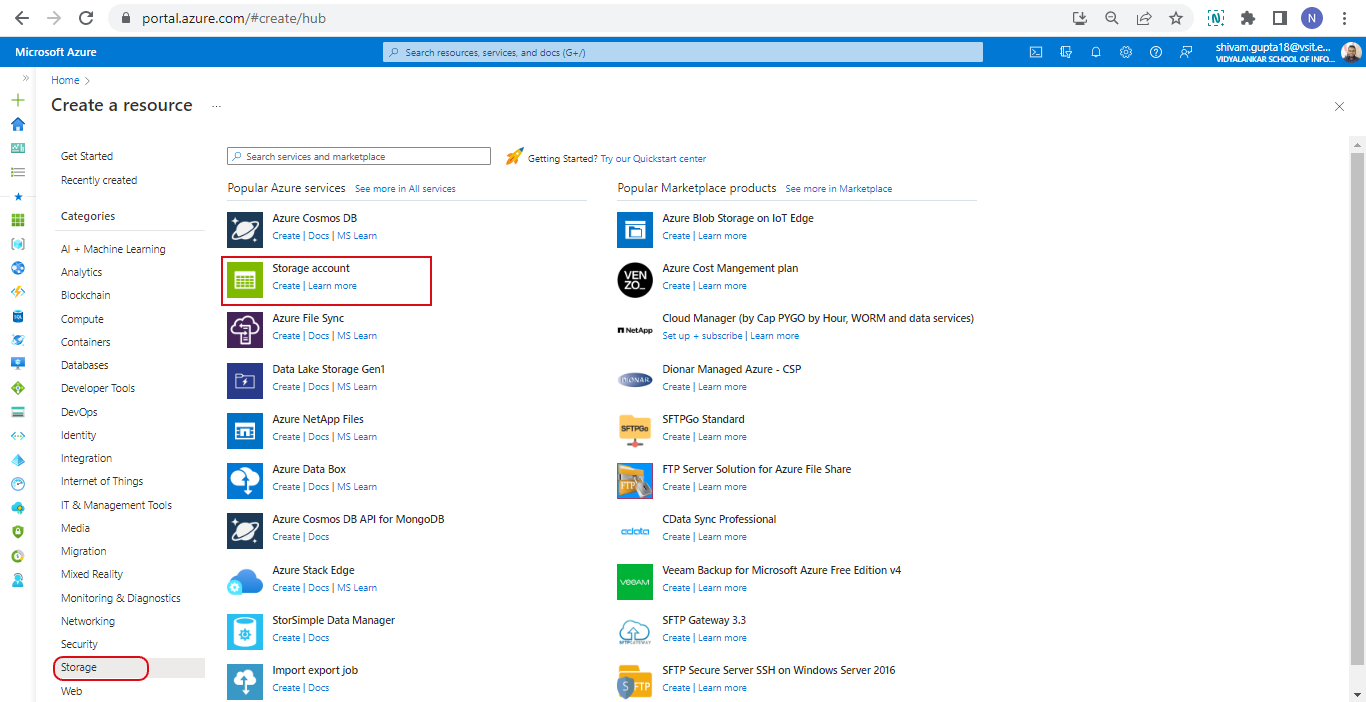
#1. Go to Azure portal and create Storage Account service
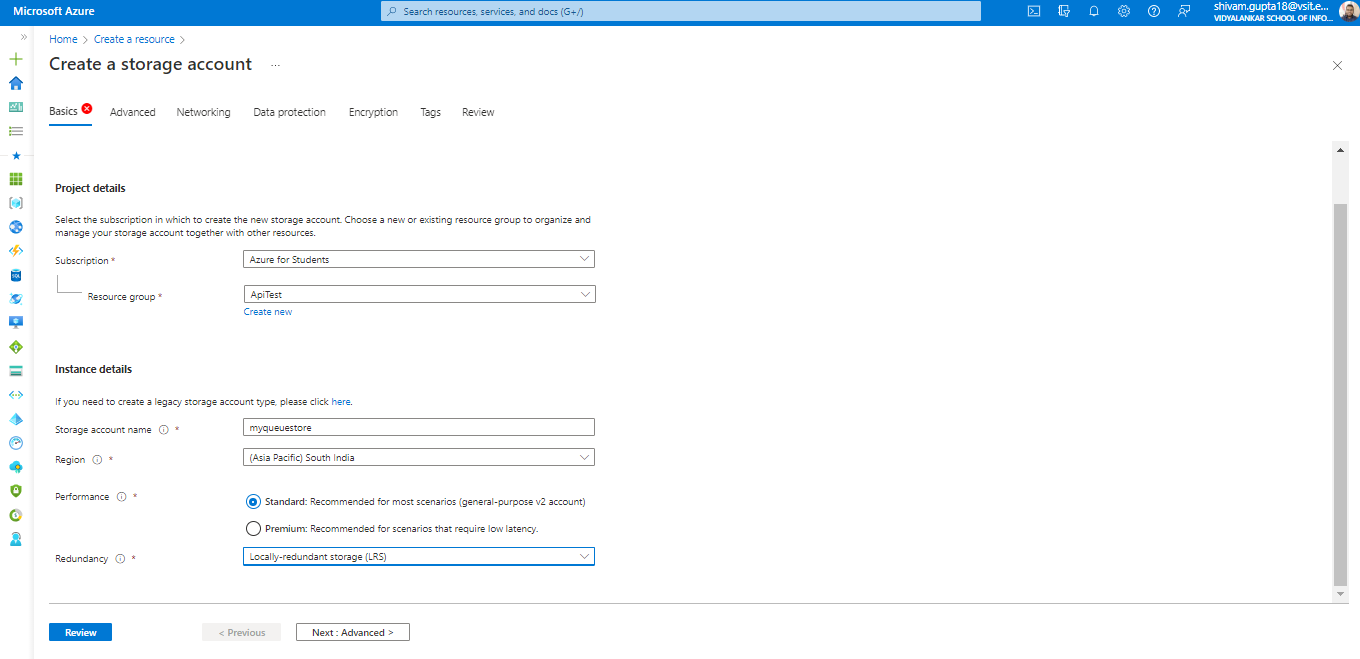
#2. Fill the Necessary fields like resource group, unique name for the storage account, etc. as below.
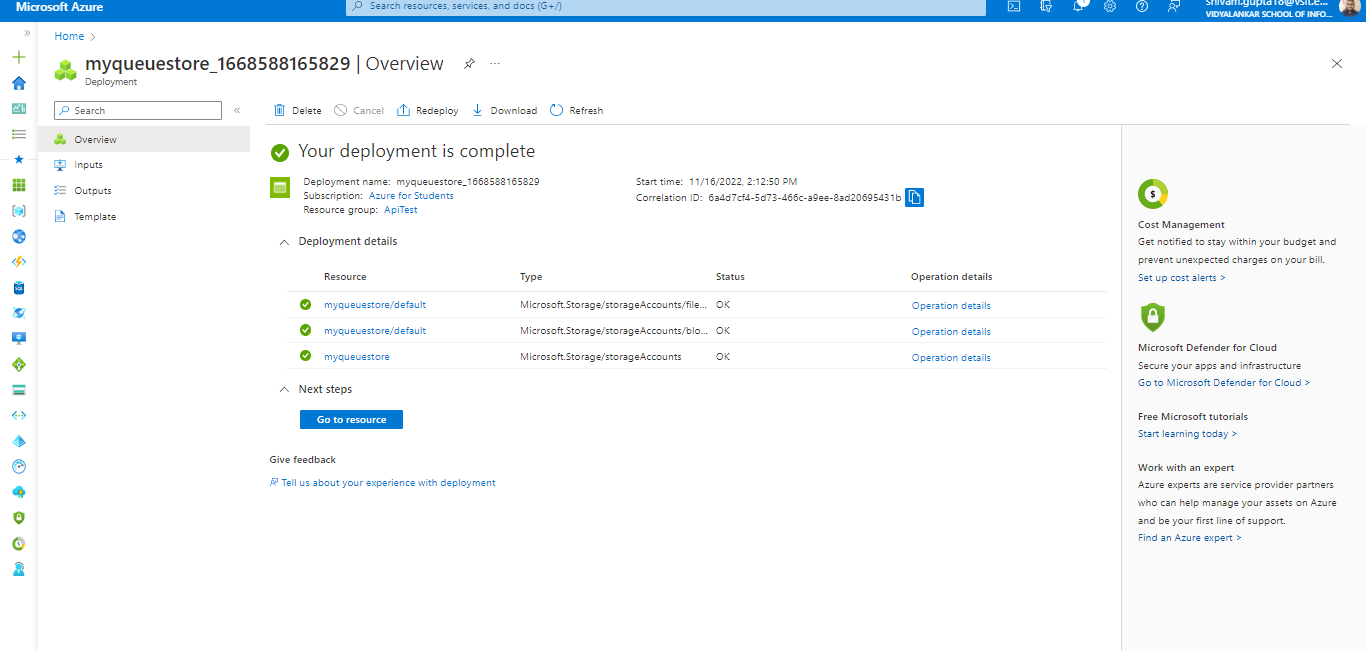
#3.After filling the details click on review and create button. After this storage account will get created as below.
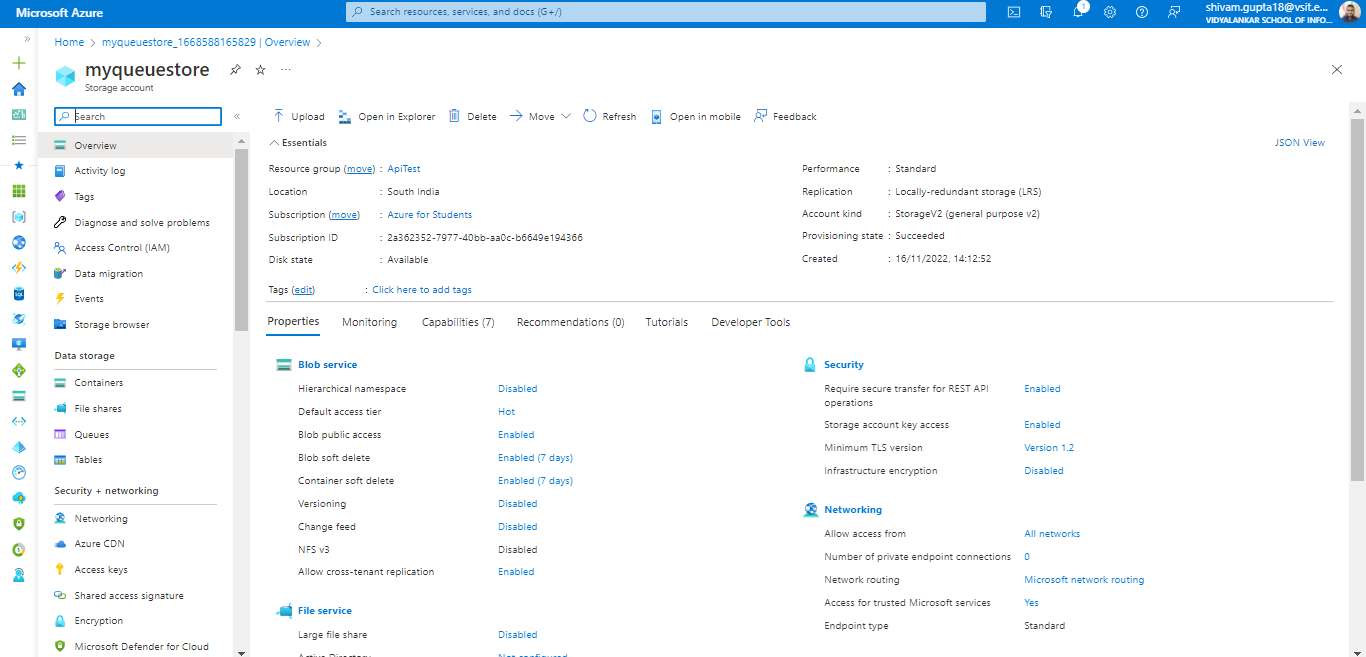
#4. When you open storage Account it will looks like something as below.