Azure Function - NeoSOFT-Technologies/azure-functions-queue-storage-poc GitHub Wiki
Introduction
- Azure Function is a serverless compute service that enables user to run event-triggered code without having to provision or manage infrastructure. Being as a trigger-based service, it runs a script or piece of code in response to a variety of events.
- It allows you to write less code, maintain less infrastructure, and save on costs. Instead of worrying about deploying and maintaining servers, the cloud infrastructure provides all the up-to-date resources needed to keep your applications running.
- Azure Functions can be used to achieve decoupling, high throughput, reusability and shared. Being more reliable, it can also be used for the production environments.
You focus on the code that matters most to you, in the most productive language for you, and Azure Functions handles the rest.
Create an Azure Function
There are 3 ways to create an Azure Function.
Using Visual Studio
Step 1: Create a new project in Visual Studio using Azure Function template.
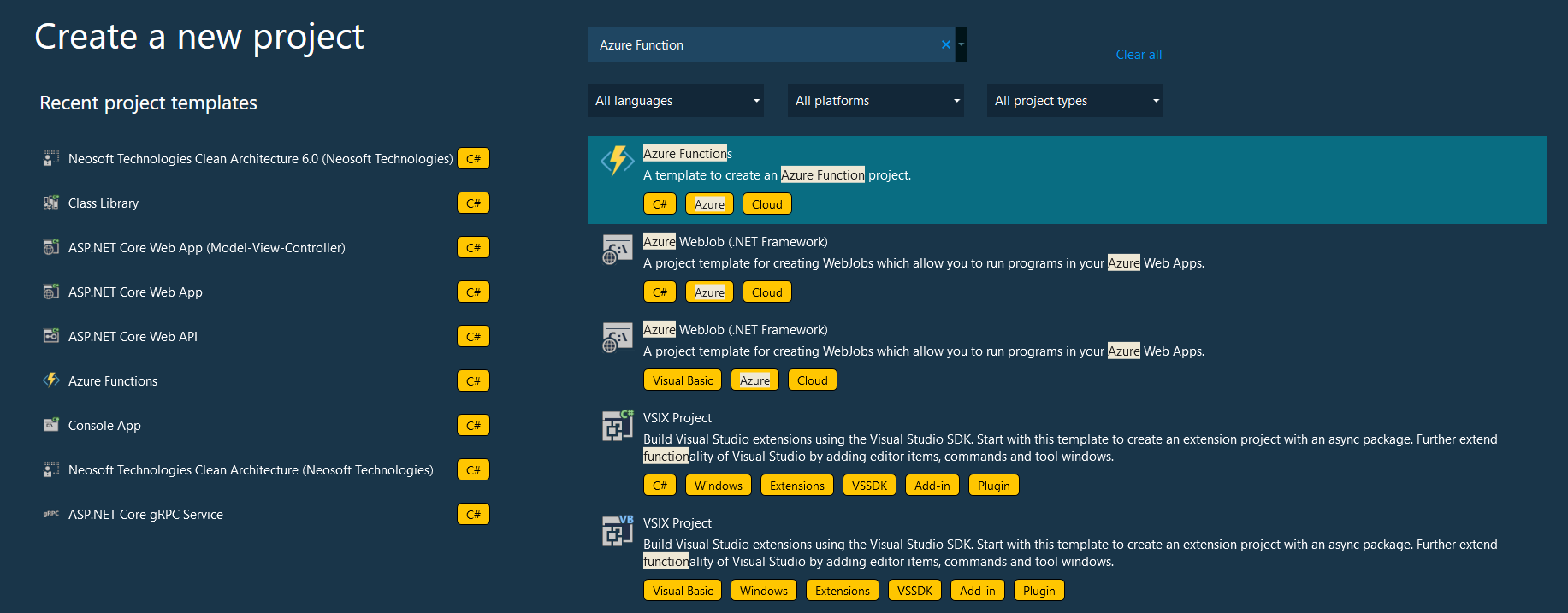
Step 2:- Provide basic settings required including trigger. It would ask for Azure storage account, you can select Storage Emulator for development.
Step 3:- Rename the Function The FunctionName method attribute sets the name of the function, which by default is generated as Function1. Since the tooling doesn't let you override the default function name when you create your project, take a minute to create a better name for the function class, file, and metadata. Following changes can be done
-
In File Explorer, right-click the
Function1.csfile and rename it toHttpExample.cs. -
In the code, rename the Function1 class to HttpExample.
-
In the
HttpTriggermethod namedRun, rename theFunctionNamemethod attribute toHttpExample. Now it should look like
[FunctionName("HttpExample")]
public static async Task<IActionResult> Run([HttpTrigger(AuthorizationLevel.Anonymous, "get", "post", Route = null)] HttpRequest req, ILogger log)
Now you can run the function locally for HttpTrigger, there would be an URL where that function would be running (just like any API).