Writing Patches - Neo-Mind/WARP GitHub Wiki
A patch is a mechanism by which the WARP tool specifies changes to be done in an Exe. When defined and found valid they get added to the Patch list.
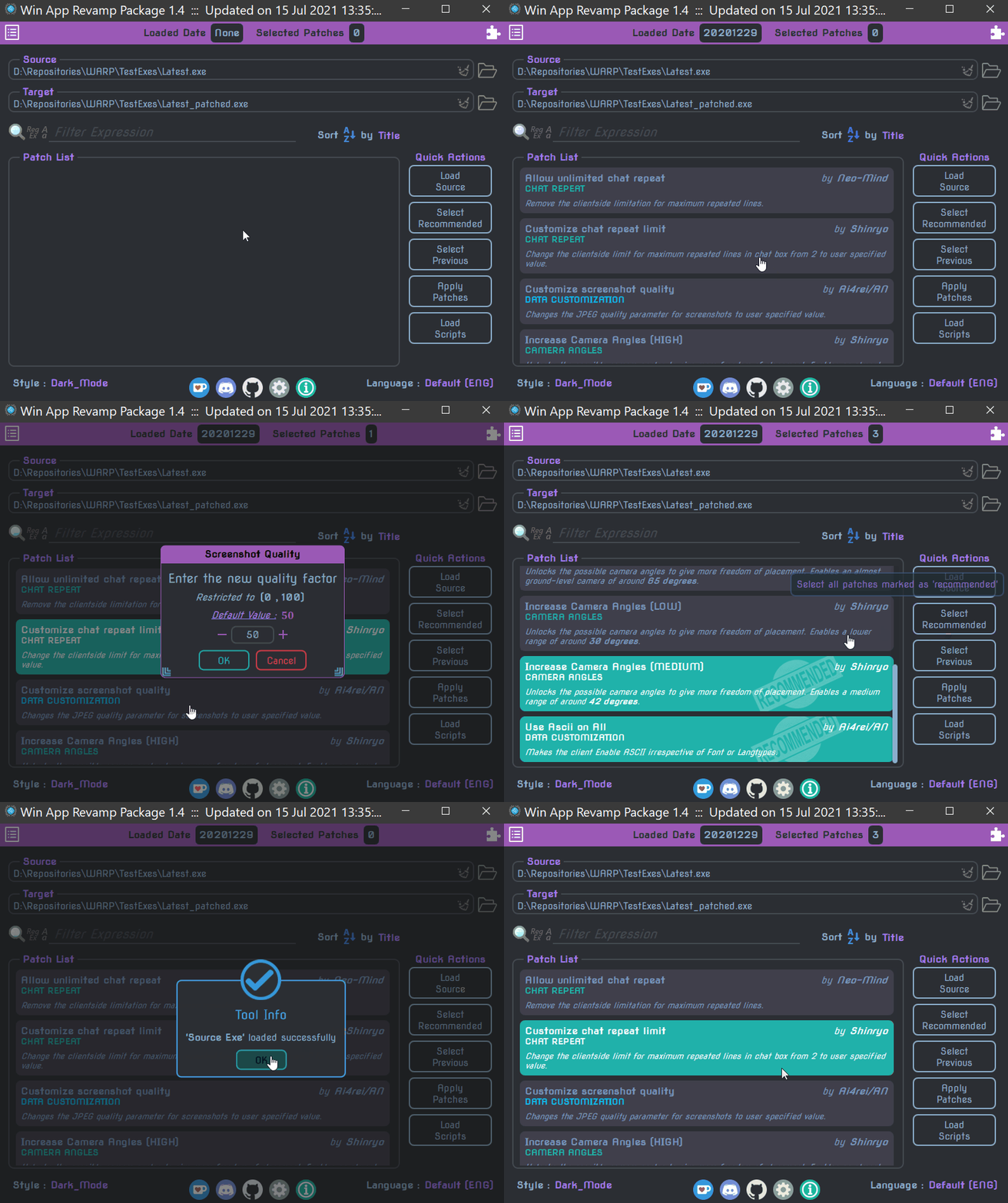
Every patch works by means of an associated function in the underlying QJS engine.
When a user selects a patch in the Main GUI , this function gets called and sets up the modifications to be done.
The modifications are only done when the patches get 'applied'.
Patches are defined by means of it's name along with title, author, desc, needs & recommend keys.
Every patch needs to be a part of a group and each such group also has name, title, mutex & color keys.
For both patches & their groups, the name is the only mandatory information required.
The tool reads the patch & group definitions from a specific YAML file called 'Patches.yml'. It has the following format:
GroupName1:
  title : <Brief title for the group which gets displayed along with the patch title. All Caps are suggested.>
  mutex : true/false #Indicates whether patches in this group are mutually exclusive or not
  color : <Color to use for the title expressed as a keyword or #hexcode or [r,g,b,a]>

  patches:
    - PatchName11:
        title : <Brief title for the patch>
        recommend : yes/no #Whether to mark it as recommended or not
        author : <Name of the author(s)>
        desc : <Proper description of the patch. Can be as long as you need.>
        needs:
          - PatchName21
          - PatchName31

    - PatchName12:
        title: <Brief title>
        recommend : yes/no
        author : <Author name(s)>
        desc : <Proper description of the patch>
        allowSkip: true

  #       etc.

GroupName2:
  title : <Brief title>
  mutex : true/false
  color : <Valid color>
  allowSkip: true

  patches:
    - PatchName21:
        title: <Brief title>
        recommend : yes/no
        author : <Author name(s)>
        desc : <Proper description of the patch>

#etc.

include:
  - <yaml path1>
  - <yaml path2>
Couple of points to consider:
-
The name of the patch also serves as the name of the Patch function that needs to be called.
-
The
title,author,desc&recommendkeys are used while displaying the patch in the Patch list. -
The
recommendkey also serves to identify the patch as a 'recommended' one or not which subsequently ties into the Select Recommended action. -
The
allowSkipkey can be used to allow skipping a patch, if it's function is not defined. This means that no warning would be given for these patches.You can also specify the key on patch groups to allow skipping the entire group.
-
The
needskey can be used to define a dependency chain.It should be either an existing patch
nameor a list of such names which needs to be enabled first before the current patch.Conversely if the dependent patch gets de-selected the current one will deselect as well.
-
The group name and patch name have no inter-dependency, however neither one can be empty.
-
Personally, I use the group name to either
- name the QJS file containing the Patch functions OR
- name a common function used in implementation of the constituent patches if any.
-
The
title&colorof a group are utilized while displaying it's constituent patches in the Patch list. -
The
mutexpart is used internally to deselect other patches in the same group when one gets selected. -
As mentioned earlier, aside from the
nameall other members of a patch as well as a group are optional.
If not specified, they pick up the following default values:
| Group Member | Default value     |
| :----------- | :---------------- |
| **`title`**    | group name itself |
| **`mutex`**    | `true`            |
| **`color`**    | transparent       |
| **`allowSkip`** | `false` |


| Patch Member  | Default value     |
| :-----------  | :------------     |
| **`title`**     | patch name itself |
| **`author`**    | `Unknown`         |
| **`recommend`** | no                |
| **`desc`**      | will be empty     |
| **`needs`**     | will be empty     |
| **`allowSkip`** | `false` |
-
Now, you can also add hyperlinks in the description of patches and extensions if you want using the
<a> </a>tag just like in html. -
Similarly if you wish to copy the details of a patch, simply
right clickinstead ofleft clickon the selector to copy to clipboard.You will get a notification saying that the details has been copied.
The same also works for Extension details and Exe names in Test Bench
-
You can make use of the
includekey to import additional Patch definitions from other files.This process is recursive and helps to keep a proper hierarchy without making 1 single bloated file. Nevertheless, the root is still
Patches.yml.
As stated before, every patch has an associated QJS function and it shares the name with the patch.
For a patch to become available in the Patch list, this function should have already been defined.
For this reason, the tool auto-loads scripts first if not done atleast once. The function can be implemented as either a regular function or an arrow function. Always ensure that it returns true to indicate success.
The general syntax is shown below (both the arguments are optional):
PatchName = function(name, title)
{
	<bunch of code>
	return true;
};
And here is the arrow function form
PatchName = (name, title) =>
{
	<bunch of code>
	return true;
};
In addition the Patch function can also have some member functions and variables for specific purposes as listed below:
-
validateThis function (if defined), will check whether this patch can be used with the loaded Exe and return
true/falseaccordingly.The patch is added to the Patch list only if this function returns
trueor if the function is not defined.General Syntax:
PatchName.validate = function(name, title)
{
  <prep code>
  return <validation expression>
};
-
initOnce a patch has been validated and enabled, this function (if defined) will get executed.
While mostly redundant with
validatefunction, this function's purpose is to enable initialization of client specific values required by the patch, whenever a client gets loaded.General Syntax:
PatchName.init = function(name)
{
  <init code>
};
-
onSelectedOnce the 'selection' status is set to
truefor a patch, this function (if defined) gets called.One use case would be for some post-processing work like logging the status.
General Syntax:
PatchName.onSelected = function(name, title)
{
    <bunch of code>
};
-
cleanup&onDeselectedWhen the user tries to deselect a patch, the following events occur in sequence:
-
The tool will clear the changes staged by it.
-
cleanupfunction (if defined), gets called to perform any additional cleanup aside what was already done. -
Selection status is set to
false. -
onDeselectedfunction (if defined), gets called .
A typical use case for
cleanupis to transfer some shared data between related patches if the other one is still selected.On the other hand,
onDeselectedcan be used for some post-processing work similar toonSelected.General syntax for both:
PatchName.cleanup = function(name, title)
{
    <bunch of code>
};

PatchName.onDeselected = function(name, title)
{
    <bunch of code>
};
-
-
onAppliedThis function if defined, gets invoked when a patch gets applied to the Exe.
It can be used to perform any additional steps like copying necessary supporting files.
General syntax:
PatchName.onApplied = function(name)
{
    <bunch of code>
};
As shown above, the tool supplies the Patch Name as an argument (and also the Patch Title in some cases) to the member functions as well.
However, they are optional and it is upto you whether you want to accept it or ignore it.
For e.g.
JustAPatch = () =>
{
	Exe.SetHex(0x2424, MOV(EAX, ECX));
	return true;
};
is completely valid and you can use similar format for member functions as well.
-
initvarsThis property if set should be an array of variable names and corresponding values that they need to be initialized to whenever a client gets loaded.
For e.g.
MyPatch.initvars = ["V1", 100, "V2", ECX];
This will set
MyPatch.V1to100andMyPatch.V2toECXRegister when the client loads.If the patch function is not an arrow function, You can use
this.V1andthis.V2inside the function to refer to these values. -
clearvarsSimilarly, this property if set should be an array of variable names that need to be wiped whenever a client gets loaded.
For e.g.
MyPatch.clearvrs = ["LCache"];
This will delete
MyPatch.LCachewhen the client loads.
Both of these activities are performed before the init function
clearvarstakes precedence overinitvars.
This means that if you use the same variable name in both arrays, then it gets wiped rather than set to the value. So avoid mixing them.
There are 3 scenarios in which a Patch function stops further execution and return control back to the tool.
-
Error occured:
The QJS engine will automatically detect known errors like syntax issues, unknown variable access etc.
In addition to this, it is also possible to report an error from the script by means of the
throwkeyword and anErrorobject.throw Error("Something failed");
This message will get displayed in an Error MessageBox.
-
Cancellation needed:
Often times the patch function needs to stop further progress either because the user cancelled while entering an input or it was pointless to continue any further.
To indicate this scenario to the tool, the function simply needs to
returnorthroweither afalseOR a non-boolean value.- no message (using
false)
return false;
- with message
throw "Not going forward";
If a non-boolean value is 'returned/thrown' , it will get displayed in a Warning MessageBox.
For convenience, there is a Cancel function available.
Please note: a QJS function always returns something.
If you do not have an explicitreturnorthrowstatement, then the returned value isundefinedand it will be treated as a cancellation. - no message (using
-
Normal exit:
To perform a normal exit from the function, it needs to
return true.
Every patch function is different and therefore difficult to generalize the steps.
However, these are some of the usual steps involved in a patch function:
-
Gathering information
-
Find the reference location (usually a
PUSH) of a string using combination of the Exe.Find functions. -
Find the address(es) where a known code pattern occurs using Exe.FindHex & Exe.FindHexN functions.
-
Use the reference address to discover a second pattern in it's vicinity.
-
Extract some data from the addresses found with one of the Exe.Get functions.
-
Retrieve inputs from user with the Exe.GetUserInput function.
-
Sometimes, the inputs are YAML files which need to be loaded using Warp.LoadYaml function to get an array or hashmap.
-
Use TextFile & BinFile classes for loading custom input files.
-
-
Processing the information
-
Prepare code and/or new strings to replace or insert utilizing the information obtained so far.
Filler function will be used for making placeholders for unknown values.
-
If you are trying to insert something, then allocate space for it with Exe.FindSpace function.
-
Substitute placeholders if any with SwapFillers and/or SetFillTargets functions.
-
-
Staging changes
-
Finally the mandatory step => return
true