multimaterial_settings_filament_for_features - NanashiTheNameless/OrcaSlicer_WIKI GitHub Wiki
These settings allow you to specify which filament to use for different features of the print, such as walls, infill, and the wipe tower.
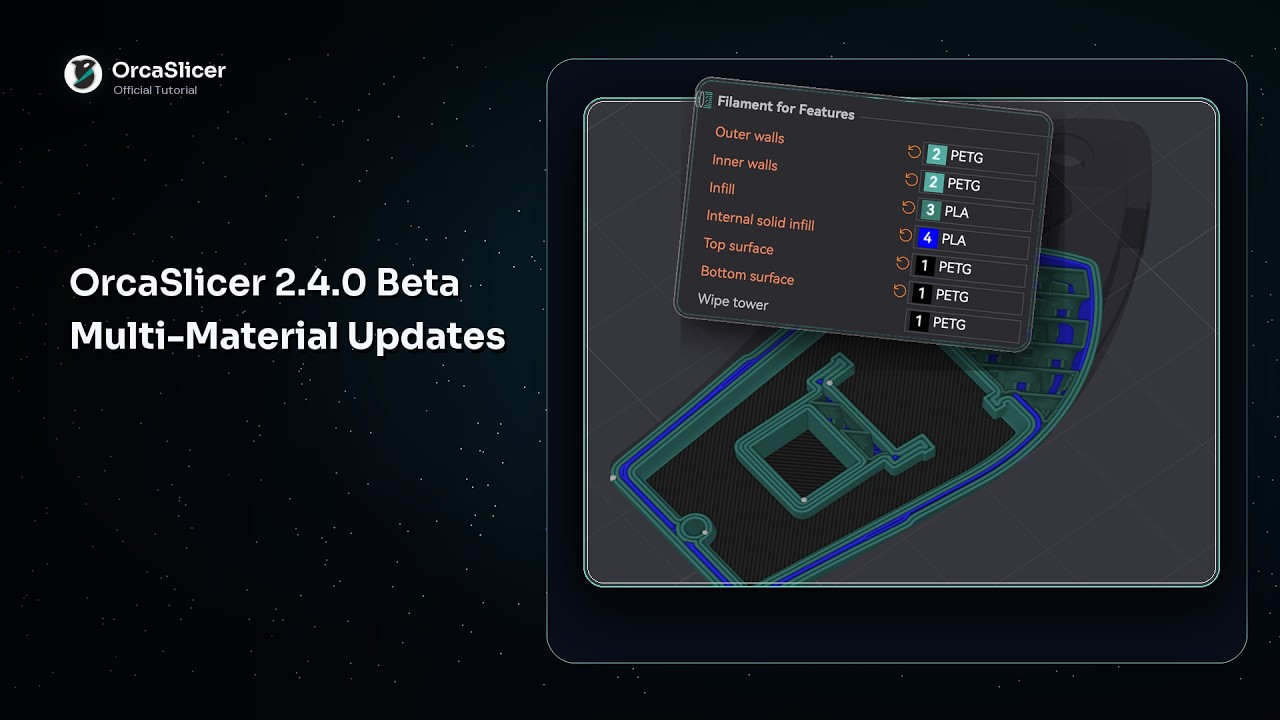

Mode: Advanced.
Variable: outer_wall_filament_id.
Type: Integer.
CLI Example: --outer-wall-filament-id=1.
Filament to print outer walls.
You can also print the outer walls with a translucent filament to achieve a frosted glass effect.
When using a mixed nozzle size setup, it's recommended to use the smaller nozzle for outer walls to achieve better surface quality and detail.
Mode: Advanced.
Variable: inner_wall_filament_id.
Type: Integer.
CLI Example: --inner-wall-filament-id=1.
Filament to print inner walls.
When using a mixed nozzle size setup, you can use a larger nozzle for inner walls to speed up printing while maintaining good layer adhesion.
Mode: Advanced.
Variable: sparse_infill_filament_id.
Type: Integer.
CLI Example: --sparse-infill-filament-id=1.
Filament to print internal sparse infill.
When using a mixed nozzle size setup, you can use a larger nozzle for infill to speed up printing while maintaining good layer adhesion.
Mode: Advanced.
Variable: internal_solid_filament_id.
Type: Integer.
CLI Example: --internal-solid-filament-id=1.
Filament to print internal solid infill.
When using a mixed nozzle size setup, you can use a larger nozzle for internal solid infill to speed up printing while maintaining good layer adhesion.
Mode: Advanced.
Variable: top_surface_filament_id.
Type: Integer.
CLI Example: --top-surface-filament-id=1.
Filament to print top surfaces.
It's recommended to use the same filament for top surfaces as for outer walls to achieve a consistent appearance.
When using a mixed nozzle size setup, it's recommended to use the smaller nozzle for top surfaces to achieve better surface quality and detail.
Mode: Advanced.
Variable: bottom_surface_filament_id.
Type: Integer.
CLI Example: --bottom-surface-filament-id=1.
Filament to print bottom surfaces.
You can use a different filament for the bottom surfaces, such as a more adhesive one to improve bed adhesion.
When using a mixed nozzle size setup, you can use a larger nozzle for bottom surfaces to speed up printing while maintaining good layer adhesion.
Mode: Advanced.
Variable: wipe_tower_filament.
Type: Integer.
CLI Example: --wipe-tower-filament=1.
Filament to print the perimeter of the wipe tower. Set to Default to use any available filament, preferring a non-soluble one.