Love Menu Features - NNKTV28/LoveMenu GitHub Wiki
Open the menu with F7. Sections are listed on the left. Everything on this page is client-side: it changes what your own game shows and does.
Most switches have a + Key button next to them: click it, then press a key to toggle that feature without opening the menu. Backspace clears the key, Esc cancels. A short message in the corner confirms each change.
The first time the menu runs, a short welcome tour shows you around. Replay it any time with Credits → Welcome tour.
The menu remembers where you left it on screen and which page was open.
Free Camera was removed in 1.1.1 (the game has its own), and the Chat section in 1.1.0.
Search
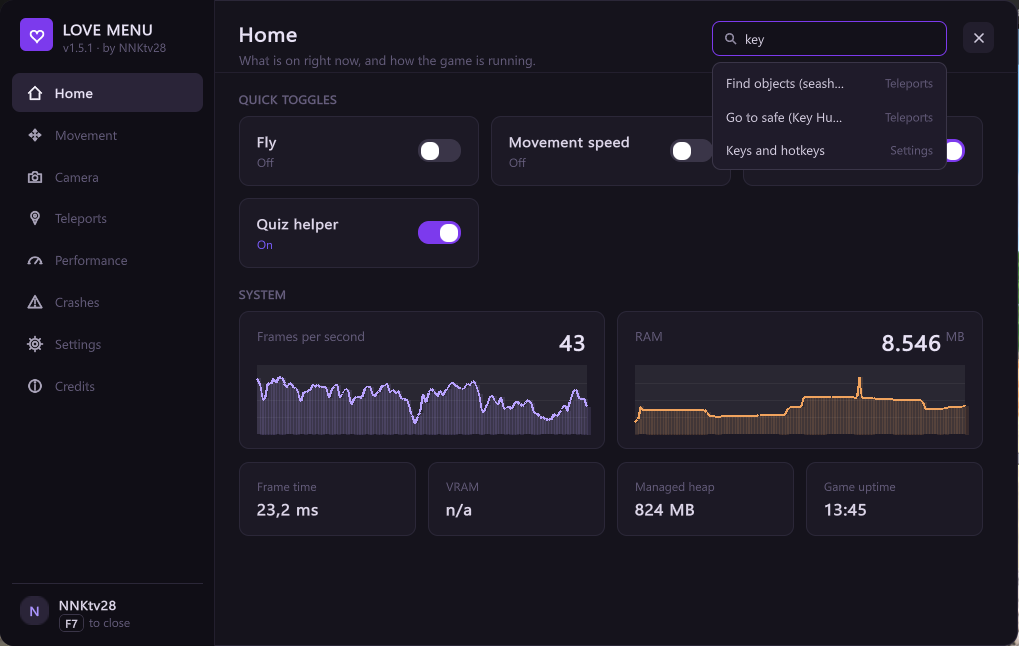
Type in the Search settings box at the top of any page. Results show which page each setting is on; click one to jump there.
Home

- Update notice when a newer Love Menu is on GitHub, with a Download button. The menu checks once per session.
- Quick toggles: Fly, Movement speed, Knockback immunity and Quiz helper, each showing whether it is on.
- Kiss of Fortune: the soonest free fortune-ball opening, with a countdown (click a ball once to start it). Go takes you to the ball when it's in your room. The notice switch is in Settings.
- System: live FPS and RAM graphs, frame time, VRAM, managed heap and game uptime.
Movement
| Feature | What it does |
|---|---|
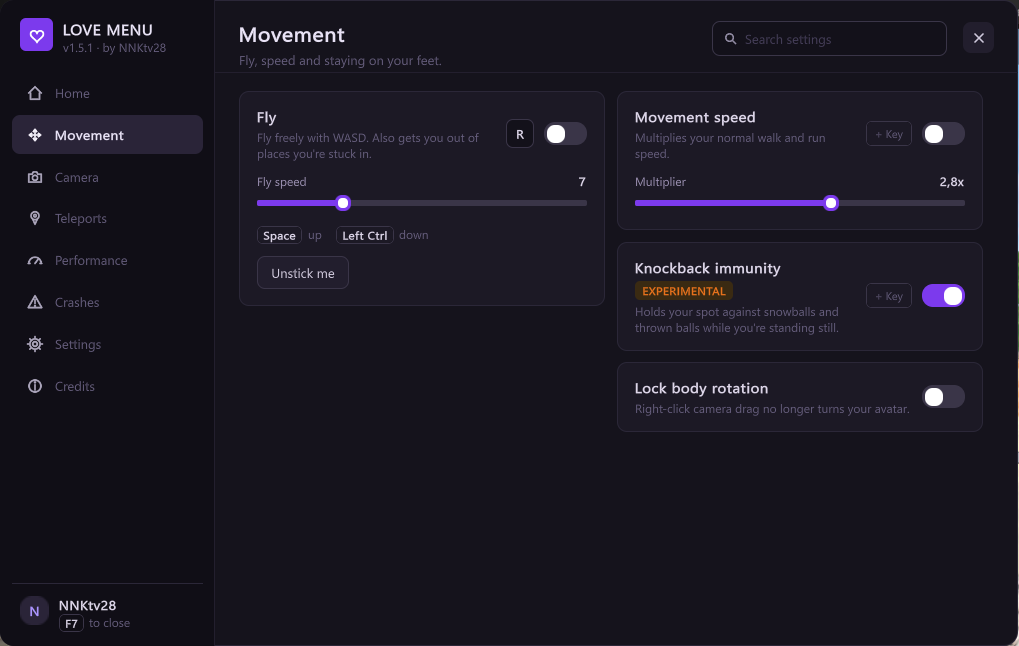
| Fly | Space to rise, Left Ctrl to sink, WASD to move. No collisions while flying: you pass through walls and floors, and land on the first solid surface below when you turn it off. Speed slider and Unstick me (pops you up 3 m). |
| Movement speed | Multiplies normal walk and run speed, 1x to 4x. |
| Knockback immunity | Experimental. Holds your spot against snowballs and thrown balls while you stand still. Does not stop every hit yet. |
| Lock body rotation | Stops right-click camera drag from also turning your avatar. |
Camera
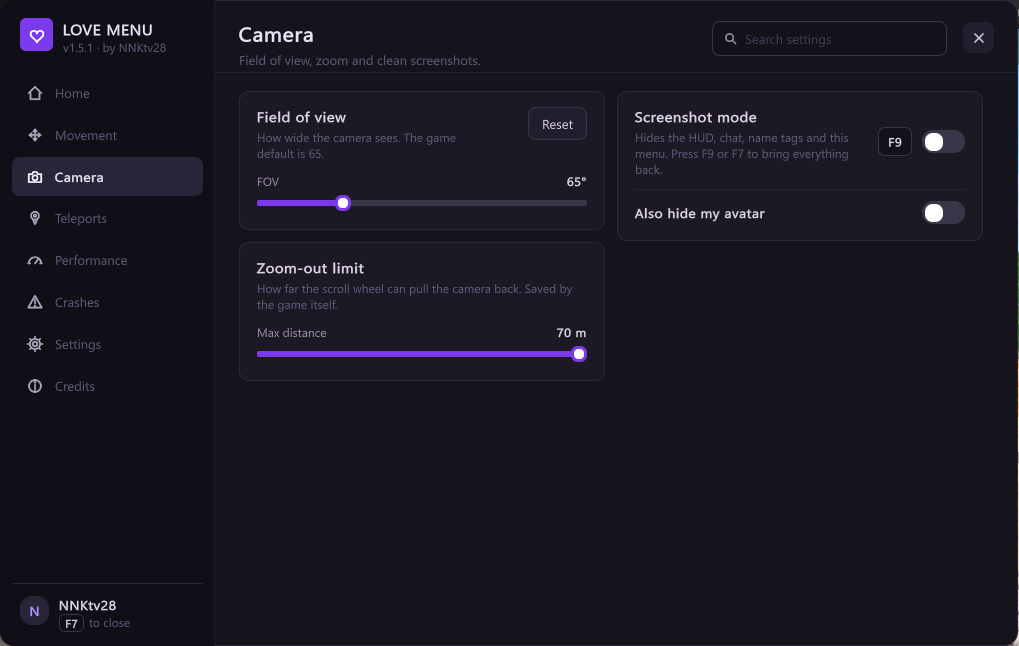
- Field of view: 50 to 110. Reset hands the camera back to the game's default (65).
- Zoom-out limit: how far the scroll wheel pulls the camera back, 10 to 70 m. This is the game's own setting, and the game saves it.
- Screenshot mode (default key F9): hides the HUD, chat, name tags, this menu and the overlay, using the game's own Hide UI. Also hide my avatar hides you too. Press F9 or F7 to bring everything back.
Teleports

Minimap and Back
- Minimap (with its own hotkey): a map of the room in the corner you pick, a top-down picture with dots - green friends, purple clan, grey players, yellow NPCs, a white arrow for you. Hover a dot for the name and distance; click a dot or any spot to teleport there. Range 25 to 200 m, the map stays north-up and your arrow turns with the camera, picture on or off.
- Back (with its own hotkey): returns you to where your last teleport started in this room, up to 20 steps.
Find objects
Search the current room by name and jump to what you find.
- Quick searches for quest items: seashells, letters and flowers. Quest items only exist while their quest is active, so accept the quest first.
- Go to next teleports you to the next item, one at a time, skipping the ones you already visited. It shows how many are left nearby and has its own hotkey. You still pick each item up yourself.
- Quest giver takes you to the NPC who hands out the daily quests.
Waypoints
Type a name and Save here, then Go to return. Waypoints are kept when you reset settings.
Teleport to a friend
Press Refresh to list friends in the same room, then Go.
Tell me when friends arrive (on by default) shows "Name is here" when a shows up in your room, and who is already there when you arrive. Also when they leave adds a notice when they go.
NPCs in this room

Every NPC and character in the room with its distance, nearest first. Vehicles, treadmills and other props are left out. Go takes you next to them. The list refreshes when you open the page, or press Refresh.
Collected today
Quest items you pick up (shells, letters, keys and flowers - flowers show as
Pickup) show a short notice and are counted here, with the latest pickups
underneath. Open log opens BepInEx\LoveMenu\collected.log, the full
history. Other things that disappear next to you are written to the log as
"Other", which helps to find the name of a new quest item.
Quiz helper

World quizzes send all their questions and right answers to your game when they start, and your game checks your clicks itself. With Quiz helper on, the right answer's button in the quiz window turns green with a ✓. You still click it yourself. Show all answers opens a list of every question and its answer. Switch it on or off here or in Home → Quick toggles.
Quizzes are per player and only give entertainment rewards.
People
- People in this room: everyone nearest first, with clan and distance, a search box and Go. Only shows just the people you pick - everyone else, with their name tags, disappears from your screen (they still see you). Show everyone brings them back; picks last until you restart.
- Chat log: everything your chat receives, saved per day in
BepInEx\LoveMenu\chat, with a search box over the last 300 messages. - Mention alerts: a notice when someone writes your name or one of your words, and the taskbar button flashes if the game is in the background.
Performance
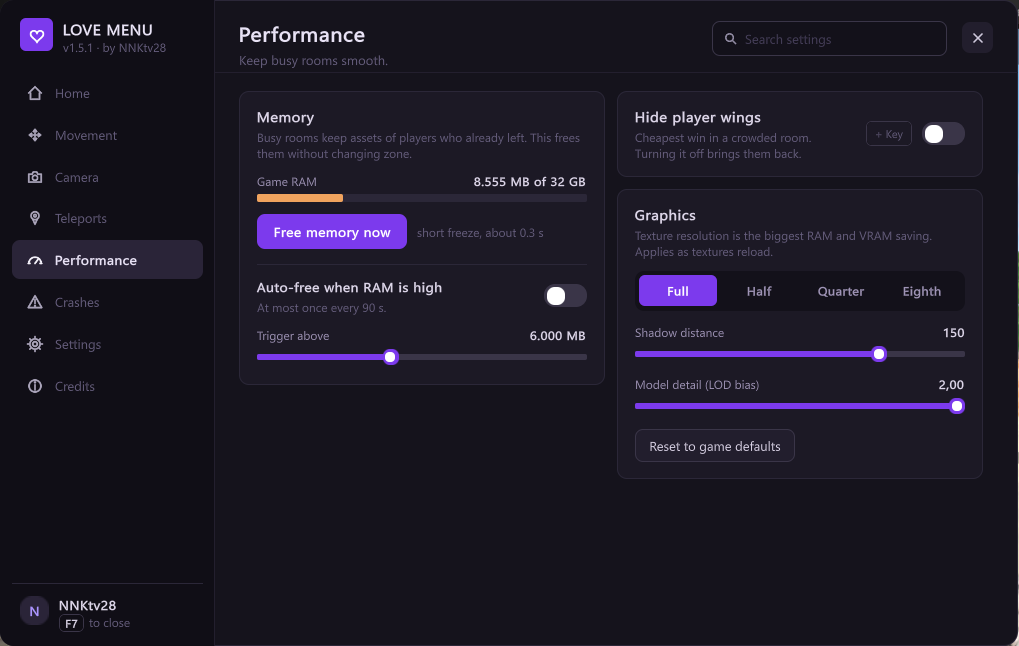
- Memory: game RAM against your PC's total, and Free memory now (a short freeze, about 0.3 s; the result shows when it's done). Unity only unloads unused assets when the scene changes, so RAM climbs in busy hubs.
- Hide player wings: the cheapest win in a crowded room. Turning it off brings them back.
- Graphics: texture resolution (Full, Half, Quarter, Eighth - the biggest RAM and VRAM saving), shadow distance and model detail, plus Reset to game defaults.
Rendering
- Name tags: All, 40 m, 25 m, 10 m or None - only show the tags of people that close to the camera. Only the tags are hidden.
- Auto crowd mode: with 25+ people and FPS under 40, Show people switches to Friends by itself, and back when the room empties.
- Performance profile: Quality, Balanced or Potato in one click. It sets the switches below, Show people and texture resolution. "Custom" shows when you have changed things by hand.
- FPS benchmark: measures 30 s and shows the average FPS and the "1% low" (the slowest 1% of frames - what stutter feels like). Stand still in the same spot and run it with a setting off and on to compare.
- Show people: Everyone, My clan or Friends. Everyone else, with their pets and name tags, is not drawn on your screen - the biggest FPS win in packed clubs. Only on your PC: they still see you and chat works.
- Graphics API (experimental): DirectX 11 (the game's default), DirectX 12 or Vulkan, plus Multithreaded rendering (Unity's native graphics jobs). The launcher applies it the next time you start the game with the Love Menu exe; Steam may ask you to allow the launch options. If the game does not run a full minute, the launcher goes back to DirectX 11 by itself.
| Switch | What it does |
|---|---|
| Smooth loading | When people arrive, the game spends up to 200 ms per frame building their avatars. This caps it at 8 ms: no stutter, people appear a little later. |
| Only the sun casts shadows | Lamps and spotlights stop casting shadows. Each one draws the room six more times. |
| Avatar draw distance 50 m | Avatars and NPCs further than 50 m from the camera are not drawn. |
| Cheaper mirrors | Mirrors update every other frame and without shadows. |
| No reflection refresh hitch | Room reflections are drawn once instead of every minute. |
| Decals for the main view only | Decal passes are only drawn for your view, not for mirrors and water. |
| Sky effects off | Turns off the sky's sun shafts, sky blur and temporal reprojection. |
Crashes
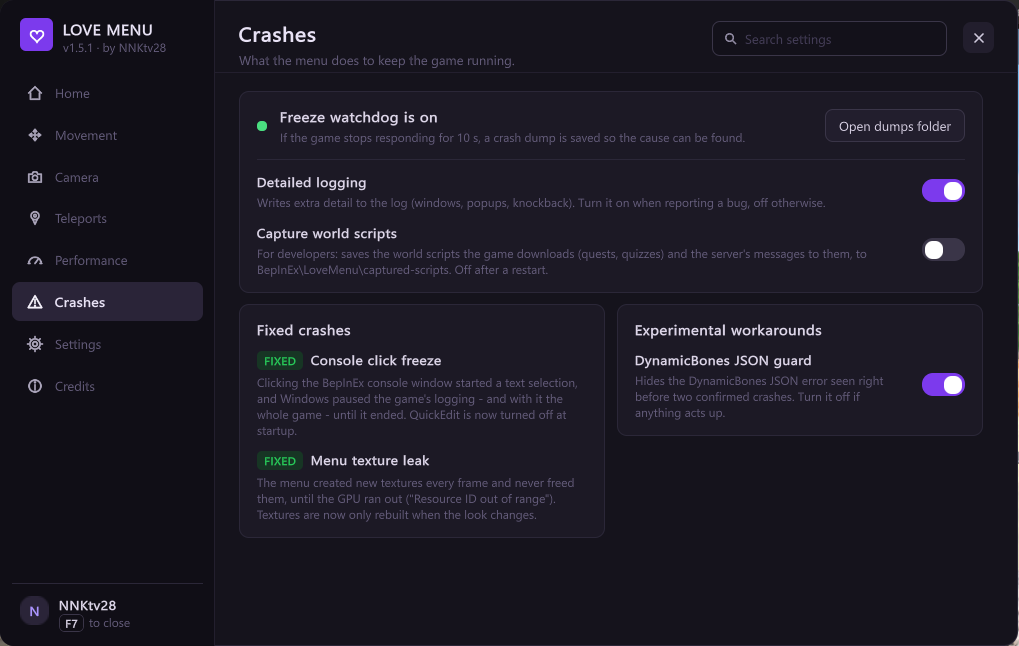
- Freeze watchdog: if the game stops responding for 10 s, a
.dmpcrash dump is saved toBepInEx\CrashDumps\, andhangs.logthere names the part of the game each thread was stuck in and whether the game was in the background (alt-tab). - Game errors: every error the game reports is collected in
BepInEx\LoveMenu\errors.log(each different error once, in full) anderrors-summary.txt(how often each happened). They go into the crash report. - Make crash report: one zip on your desktop with the logs, collected
errors, crash dumps, freeze reports, settings and a PC summary. Send it
when reporting a bug or a freeze. If the game will not start, run
LoveMenu-1.8.0.exe --reportinstead: it also adds the Windows crash entries (power loss, bluescreens, graphics driver resets). Nothing is uploaded. - Load fixes: DynamicBones settings fix (rescues hair and cloth physics from broken settings), Wrong-asset load fix and Missing-parent load fix. Off by default.
- Experimental workarounds: turn one off again if it causes problems.
Bug fixes
Fixes for bugs in the game itself. Confirmed fixes are on by default; each has a switch.
| Fix | The bug |
|---|---|
| Clothing remove fix | Removing an accessory from a different Accessories tab than the one it's worn in did nothing. |
| Pose load fix | Joining a room where people were posing showed them inside each other. |
| Chat overlap fix | A chat channel added later was drawn over the one you were reading. |
| Chat link click fix | Clicking a link in chat put the sender's name in the chat box instead of opening it. |
| Stuck in action fix | After a pose, dance or other shared action, only the one who started it could leave the group; everyone else got "player is busy" until F5. |
| DynamicBones settings fix | Avatars whose hair and cloth physics settings arrive broken got none. |
| Wrong-asset load fix | Some objects loaded their animator instead of their model and didn't appear. |
| Missing-parent load fix | Lights on avatars and pets that arrived first didn't load. |
Settings
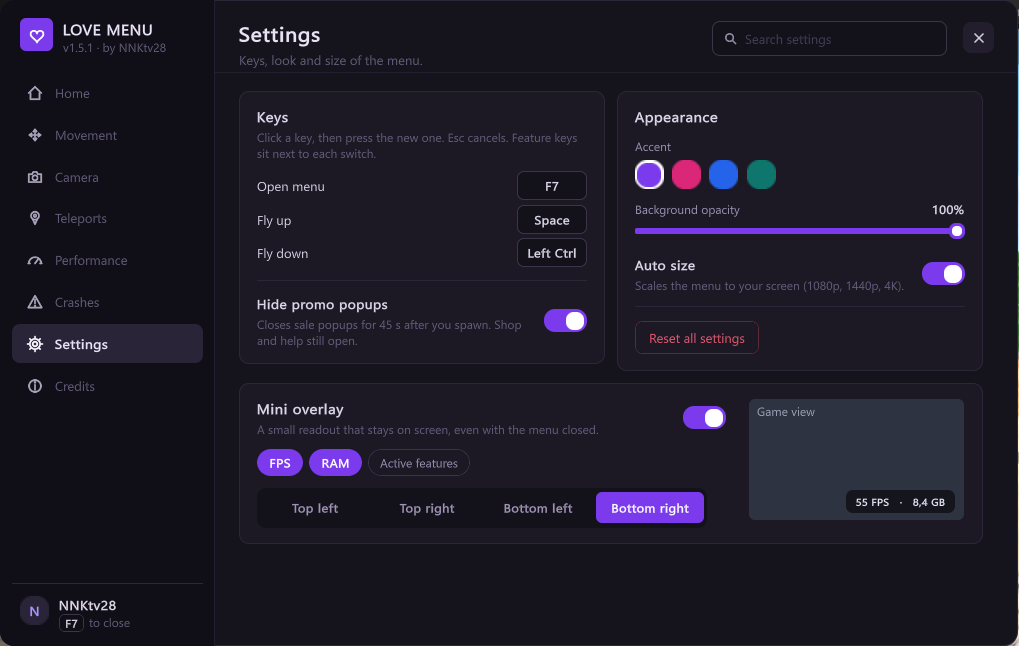
- Keys: open menu, fly up, fly down. Click a key, then press the new one.
- Hide promo popups: closes sale popups for 45 s after you spawn. Shop and help still open.
- Appearance: accent colour, background opacity, and Auto size, which scales the menu to your screen (1080p, 1440p, 4K). Turn it off to set the size yourself, 75% to 250%.
- Mini overlay: a small FPS, RAM and active-features readout in the corner you pick, with a preview. It stays on screen with the menu closed.
- Reset all settings: click twice to confirm. Waypoints are kept.
Settings, including performance and graphics choices, are saved to
BepInEx\config\local.flymod.cfg automatically every couple of seconds.
Graphics settings you never changed are left to the game.
While you type in the menu's search box or a waypoint name, the game ignores your movement keys.
Credits

Version, links to GitHub and bug reports, and Welcome tour to replay the first-run tour.