First Contact - MyShiLingStar/ACNHPokerCore GitHub Wiki
Ready to connect
The game's title screen is always the best place to start the connection.
It is also the best place to test or troubleshoot any communication problems here.
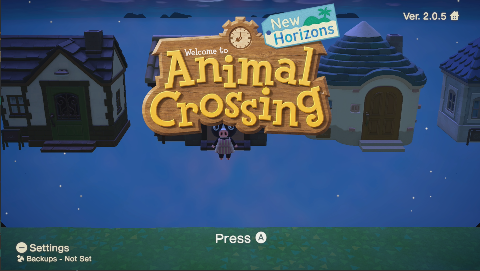
To connect with sys-botbase
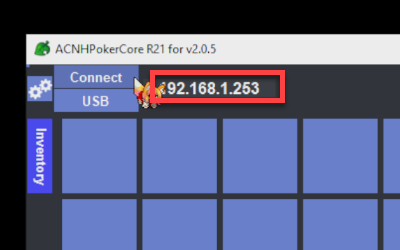
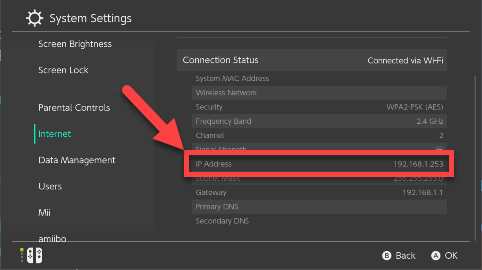
- Find the IP address of your Nintendo Switch inside [System Settings] > [Internet].
- Input the IP address to the box and click the [Connect] button.
To connect with USB-botbase
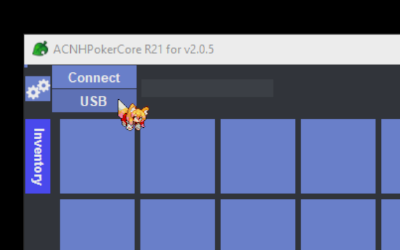
- Connect your Nintendo Switch and your PC with a USB cable
- Click the [USB] button.
It Works!
If everything works, ANCHPokerCore should now be connected to your Nintendo Switch.
It will read the game memory and display your character's inventory.
You can then now your editing journey.
An error popup...
Don't worry. Refer to the troubleshooting page for more explanation about the error.