Signalbox layout - MrTroble/Open-Signals GitHub Wiki
Create signalbox layout
General
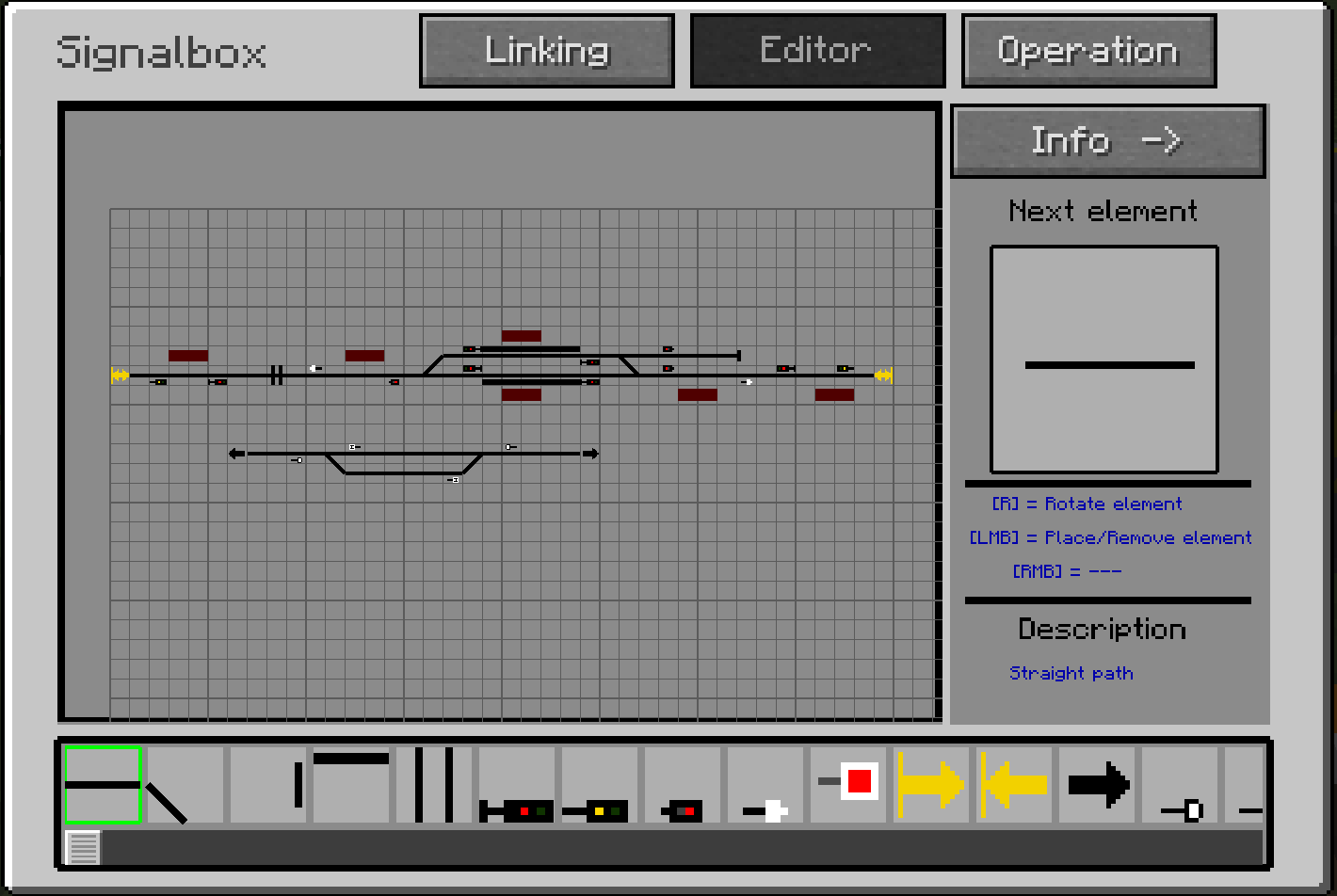
You can create a signal box layout by clicking 'Editor'.
You can draw your signalbox layout in a 100 x 100 tiles field.
At info & help on the right you get more informations. On the bottom scroll bar you can select an element you want to place / remove. An explanation of all elements follow bellow.
With 'R' you can rotate the element by 90 degree.
With left click you can place or delete the element in the grid.
With a click on 'Operation' you save your layout and return to the operation view.
Now if you have your signalbox layout. The next step is to configure the signalbox where you also connect your signals in the world with the signals in your layout and do further adjustments.
Specialities
- If you have a multi-section signal, it is sufficient to only place a main signal in the grid.
- If you want to shunt from the main signal, you must place an additional shunting signal on the same position as the main signal because the normal pathway and the shunting pathways are separeted systems.
- For switches you place a diagonal path and a normal path in the same tile.
Note
This allows the signalbox to be adapted according to individual requirements. We point out that only simpler things are presented and shown here. You can also represent more complex circumstances. However, not everything is possible, because the system can not take into consideration every single case.
Elements
| Element | Description |
|---|---|
| straight path | A normal straight path |
| diagonal path | A diagonal path for curves or switches |
| track end | An end of track (with buffer stop) |
| platforms | A symbol for a platform, have no further use |
| railroad crossing | A railroad crossing symbol |
| main signal | A normal main signal |
| distant signal | A distant signal |
| shunting signal | A shunting signal |
| shunting holding sign | A sign where shunting paths ended |
| track blocking signal | An addition to prevent that a pathway can be set |
| incoming connection | An incoming connection from another signalbox |
| outgoing connection | An outgoing connection to another signalbox |
| dead signal | A dead end works like a track end element. It is an end point of a pathway. |
| Ne1 | The Ne1 is like the Ne5 for 'Direct traffic control' operations. It is equal to an entry signal. |
| Ne5 | The Ne5 is like the Ne1 for 'Direct traffic control' operations. It is equal to an exit signal. |
| Zs3 (speed indicator) | Is for standalone speed indicators. |
| train number field | The train number field can show the train number. |
| crossing element | Allows same-level track crossings. If you want different-level crossings, simply place two orthogonal straights |