What it does - Moon70/APNG-builder GitHub Wiki
The Portable Network Graphics (PNG) Specification does not support animated images, but uses a clever file format that is easy to extend.
The APNG Specification, created by the Mozilla Corporation, is such an extension that allows to put an animation into a png file (similary to animated GIF) and also remains compatible with programs which do not support APNG (those show the first image only).
The PNG group rejected APNG as an official extension, nevertheless most browser an image viewer support it.
The following description is very brief, please refer to the specifications for more details.
The most simple PNG is built up by four chunks
| PNG signature |
IHDR |
IDAT |
IEND |
while the most simple APNG looks like this:
| PNG signature | IHDR | acTL | fcTL | IDAT | IEND |
Let´s try again with three images:
PNG1:

PNG2:

PNG3:

APNG:

The IDAT (Image Data) chunk of the APNG is the 'original' IDAT chunk of the first image (PNG1).
The first fdAT chunk of the APNG (pink) contains the image date of the second PNG, plus a sequence number.
The second fdAT chunk of the APNG (yellow) contains the image date of the third PNG, plus a sequence number.
And so on if there are more images.
A program which does not support APNG simply ignores all unknown chunks, what remains is a standard one-image PNG.
This version just takes the chunks of existing PNG files to build the APNG.
If there is no PNG but an 'in-memory-image' (like a BufferedImage), it creates a PNG (in memory) using Java API (ImageIO). Too bad this API is quite poor, not in image quality but in filesize, i´ll come back to that in a second.
Now this version can create the chunks/the PNG itself and therefore make use of the 'filtering' feature.
The PNG imagedata is encoded scanline by scanline.
Each scanline starts with a filter type (a byte) followed by all 'pixel bytes' of that scanline.
A filter does not compress but only change the 'pixel bytes' in a way so that the following compressor performs better. Again, please refer to the Portable Network Graphics (PNG) Specification for more details.
There are 5 filter types. For some reason, Java´s ImageIO API ignores them, always chooses 'type 0', the one which does nothing.
After filtering is done, the imagedata gets compressed using the Deflate algorithm.
I tried a bunch of strategies to find the 'best' filter type for each scanline, this is the result so far:
- for each scanline, simply try each of the 5 filter types
- compress the second last + the last+ the current scanline (using java.util.zip.Deflater)
- take the filter type which gained the smallest size
While playing around with the filter types, i used a folder full of various PNG files, always converted each file (file --> Java image --> new PNG file), and compared the filesize. A lot grew bigger. Of course i was looking for a bug in my code for some time. Then, i simply took those files, did nothing but to recompress (inflate and deflate) the image data, and yes, got the same bad result, even though java.util.zip.Deflater was set to 'best compression'. This class seems to be a quite poor implementation. Or maybe there are some secret switches i haven´t found yet :-)
One APNG feature to further reduce the filesize is to reduce the image size if possible.
Let´s look at those two test images:


To create an animation, the second image can be cut:


Now to the results in bytes. Please note, these simple images could be lossless converted to a palette images. Let´s ignore that for the moment.
| CREATED WITH | SIZE IN BYTES | COMMENT |
|---|---|---|
| PNG with ImageIO, APNG with APNG-builder | 2500 | Does not convert to palette image. Does not make use of PNG filter. Does not cut the second image. Uses a better Deflate algorithm. |
| APNG-builder, image 2 full sized | 3040 | |
| APNG-builder, image 2 cut | 2473 |
The second image was shrinked, but still there are a lot of pixel that do not change. These can be set to transparent. The idea is: While a series of different pixel is hard to compress, setting them to the same 'transparent pixel' should give the compressor a better chance to perform better.
Doing so with the example above (the orange 1/2 on blue background) will slightly increase the filesize. This example is just too simple. There are just two colours, so introducing a third transparent colour increases the complexity of that image. This must not be forgotton, but for the moment i use another animation which shows that transparent pixel can drastically reduce the filesize.

| COMMENT | File size | IMAGE |
|---|---|---|
| Image 1, the first image of the APNG | 161907 | 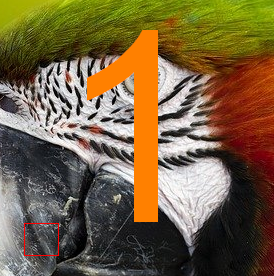 |
| Image 2, original | 153674 | 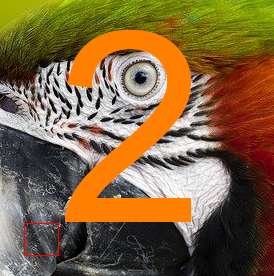 |
| Image 2, optimized. | 14883 |  |
| Image 3, original | 157016 | 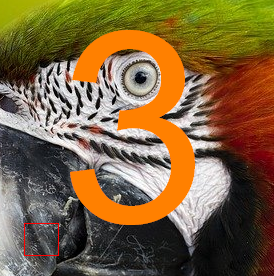 |
| Image 3, optimized | 15154 |  |
| APNG without transparent optimization | 437081 | |
| APNG with transparent optimization | 179168 |
If the number of colours of all images does not exeed 255, the encoder converts them to a 255-colour-palette format. Then, a pixel is an 1-byte-palette-offset instead instead of a 3-byte-RGB value.
The maximum palette size is 256, but again one colour is used as full transparent pixel.
This means, if the animation uses 256 colours, the images wont be converted.
In that case, the encoder should decide if truecolour with transparency or 256-colour-palette without transparency results in the smallest filesize. This is not implemented yet.
Greyscale image support.
Textual data can be added to the PNG, i.e. an image description or your homepage, whatever. The text can be added uncompressed (readable when the PNG is opened in a text/hex editor) or compressed (and therefore unreadable in text/hex editor). If you don´t care, the encoder will decide, depending on the chunk size.
To get a clue: The sentence
These are the voyages of the starship enterprise. Its five year
remains uncompressed, while
These are the voyages of the starship enterprise. Its five year mission
gets compressed.
Bit depth reduction.
Default bit depth is 8 bit for each colour component red/green/blue, which is 24 bit truecolour.
When reducing the bit depth, i.e. to 7, the encoder ignores the least significant bit of each colour component, resulting in a 21 bit image. This reduces the filesize, but is no longer lossless.
If the builder is set to reduce bit depth, but the encoder is able to lossless convert to palette-format, bit depth reduction will be ignored.
The following table shows the impact on both filesize and image quality. But, it always depends on the images, so this is just to give an idea.
| BIT DEPTH | File size | IMAGE |
|---|---|---|
| 8 (24) bit | 179168 | |
| 7 (21) bit | 154814 |  |
| 6 (18) bit | 123880 |  |
| 5 (15) bit | 97447 |  |
| 4 (12) bit | 73965 |  |
| 3 (9) bit | 38481 |  |
| 2 (6) bit | 22398 |  |
| 1 (3) bit | 10871 |  |
Added colour quantizer, another way to lossy reduce filesize:
-
Reduce number of colours, without using a 256 colours palette, i.e. to 1000 colours
-
Reduce number of colours to 255, to fit in a palette.
Better results than bit depth reduction, sometimes both in combination show the best results.
No dithering yet.
No example images yet. There are some ideas how to improve the colour quantizer which i want to implement first.
If both bit depth reduction and colour quantizer are enabled, bit depth reduction is performed first.
Future tests will show it that makes sense...