Spawner - MarkusBordihn/BOs-Easy-NPC GitHub Wiki
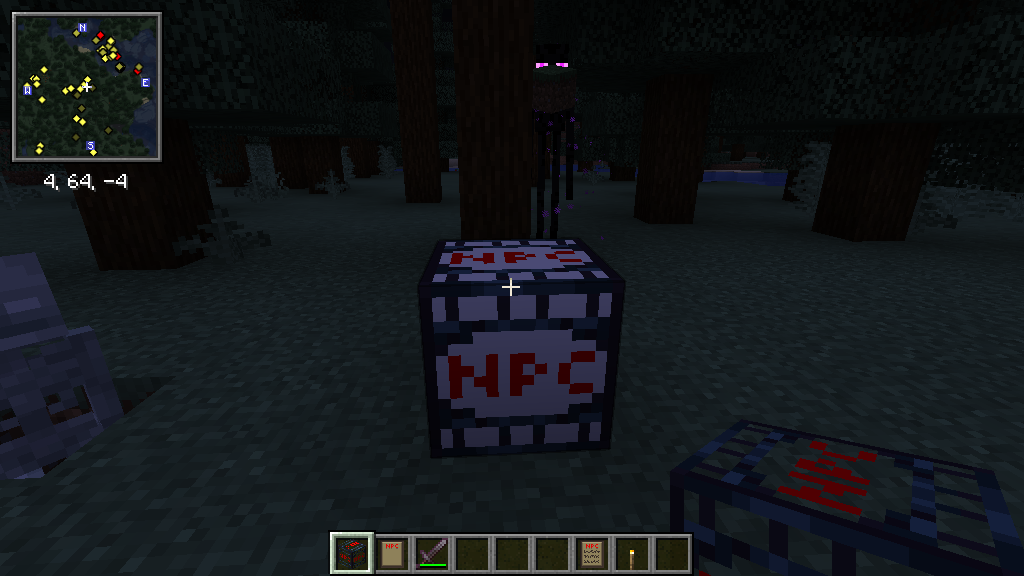
The Easy NPC Spawner Block simplifies the process of spawning Easy NPCs, offering customization through presets and various parameters. This versatile block empowers you to craft dynamic and interactive experiences in your world.
Easy NPC offers five spawner types. They differ only in their preset parameters, so in most cases you just place the block, insert a preset, and are done - no UI configuration needed.
| Spawner | Delay | Min-Max Delay | Count | Max Nearby | Player Range | Spawn Range |
|---|---|---|---|---|---|---|
| Default | 600 | 400-1200 | 2 | 4 | 16 | 8 |
| Boss | 600 | 6000-18000 | 1 | 1 | 32 | 16 |
| Group | 600 | 3000-12000 | 3 | 6 | 12 | 6 |
| Single | 600 | 3000-9000 | 1 | 1 | 8 | 4 |
| World | 600 | 3000-12000 | 3 | 6 | 12 | 6 |
All values are in ticks (20 ticks = 1 second) or blocks.
Balanced settings for general use - villages, populated areas, ambient NPC groups.
The nearby-entity limit counts loaded NPCs of the same preset within the Player Range around the spawner, so NPCs that walk away from the spawn area still count.
Long delays and a large detection range for a single powerful NPC. Max Nearby: 1 makes sure only
one boss exists at a time.
Best for: boss encounters, rare enemy spawns, challenge areas
Spawns small groups. The nearby-entity limit is counted per dimension, so NPCs of the same preset in a different dimension do not block this spawner.
Best for: enemy groups, NPC patrols, event spawning
One NPC at a time with a short detection range.
Best for: merchants, quest givers, guards at a fixed spot
Same parameters as the Group Spawner, but the limit for its NPC preset counts across the whole world (all dimensions).
Use this when a preset should exist only a fixed number of times in the entire world - for example one unique quest giver, one world boss, or one named trader - no matter how many spawners are placed or which dimension a player is in.
Best for: unique NPCs, world bosses, "only one of these may exist" setups
Both count how many NPCs of their preset already exist, they just count in a different scope:
- Group Spawner: counts per dimension. Two spawners in the Overworld and the Nether can each reach the limit on their own.
- World Spawner: counts across all dimensions together. Once the limit is reached anywhere, no spawner adds more.
The Easy NPC Spawner supports presets, making it convenient to spawn NPCs with predefined settings.
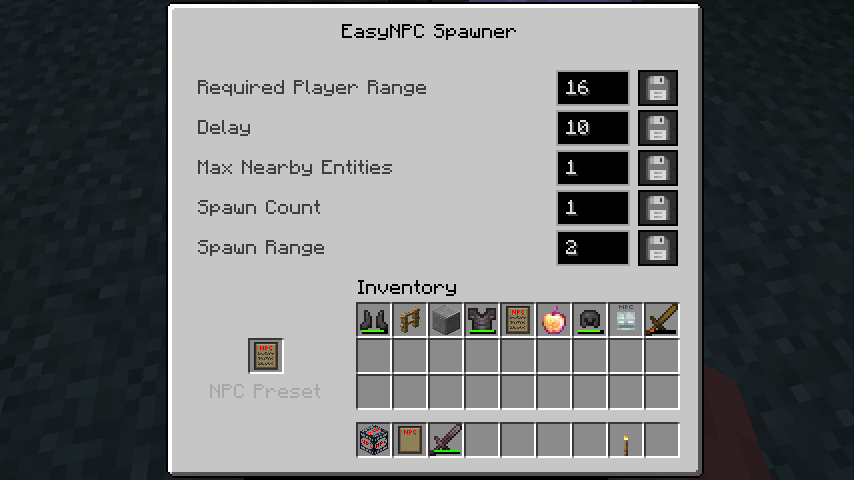
- Create your NPC and configure it as desired
- Right-click the NPC with an empty NPC Preset item to store its settings (see Items)
- Place your chosen spawner type (Default/Boss/Group/Single/World)
- Right-click the spawner with the filled NPC Preset item to insert the preset
- The spawner will automatically use the predefined parameters for that spawner type
The spawner has no screen of its own, the preset item is the only way to fill it. To get the preset back out, right-click the spawner with an empty NPC Preset item; this hands you a filled preset item with the stored NPC. Editing a stored NPC therefore means taking the preset out, applying it to an NPC, configuring that NPC, storing it again and putting it back into the spawner.
Inserting a preset into a vanilla monster spawner works as well and only replaces the spawned entity. Delay, spawn count and range of that spawner stay untouched.
While spawners come with predefined settings, you can customize a single placed spawner with a command:
/easy_npc spawner set <BlockPos> <Parameter> <Value>Available parameters:
- Delay: Time between spawn attempts (in ticks, 20 ticks = 1 second)
- MinSpawnDelay: Minimum delay before next spawn
- MaxSpawnDelay: Maximum delay before next spawn
- SpawnCount: Number of NPCs to spawn per activation
- MaxNearbyEntities: Maximum number of NPCs of the stored preset allowed at once (Default Spawner: within RequiredPlayerRange, Group Spawner: per dimension, World Spawner: whole world)
- RequiredPlayerRange: Distance a player must be within to activate
- SpawnRange: Area around the spawner where NPCs can spawn
Example:
/easy_npc spawner set ~0 ~0 ~0 Delay 1200
/easy_npc spawner set ~0 ~0 ~0 SpawnCount 2The preset values of every spawner type can be changed server-wide in:
config/easy_npc/spawner_type.cfg
The keys follow the pattern <Type>Spawner:<Parameter>, for example:
DefaultSpawner=Delay=600
DefaultSpawner=SpawnCount=2
BossSpawner=MaxNearbyEntities=1
GroupSpawner=RequiredPlayerRange=12
SingleSpawner=SpawnRange=4
WorldSpawner=MaxSpawnDelay=12000
This affects newly placed spawners. Spawners that are already placed keep the values they were
created with - adjust those with /easy_npc spawner set.
Using a Single Spawner with custom adjustments:
/easy_npc spawner set ~ ~ ~ Delay 2400
/easy_npc spawner set ~ ~ ~ MaxNearbyEntities 1
/easy_npc spawner set ~ ~ ~ SpawnCount 1
Within its 8-block player range the spawner then activates about every 120 seconds and keeps exactly one trader alive.
Using a Group Spawner for enemy spawns:
/easy_npc spawner set ~ ~ ~ Delay 1200
/easy_npc spawner set ~ ~ ~ MaxNearbyEntities 5
/easy_npc spawner set ~ ~ ~ SpawnCount 3
This spawns up to three NPCs per activation and stops adding more once five of them are nearby.
The Easy NPC Spawner Block can be discreetly placed up to 2 blocks underground while still spawning NPCs on the surface. This unique feature enables seamless hiding without compromising functionality.
- 🕵️ Hidden Spawning: Utilize underground placement to seamlessly hide spawners within your builds.
- 🎯 Choose the Right Type: Boss Spawner for single powerful NPCs, Group Spawner for encounters, Single Spawner for merchants, World Spawner for NPCs that must stay unique
- 🔧 Fine-Tune with Commands: Adjust spawner parameters using
/easy_npc spawner setfor precise control - 🔄 Preset Management: Create different presets for different scenarios and swap them in spawners
- 🚧 Secure Your Spawner: Protect your spawner from unwanted tampering by enclosing it in secure structures.