Pose - MarkusBordihn/BOs-Easy-NPC GitHub Wiki
Pose 🕺
The pose screen provides the means to bring your NPCs to life by adjusting their default poses. Delve into the art of customization as you modify the individual poses of the NPC's head, body, arms, and legs.
Pose Animation Control 🎬
✨ Since Version 6.5.0
You now have better control over how pose animations work with your NPCs!
Animation Modes
Choose how your NPC's pose interacts with animations:
- Smart (Default) - Automatic animation behavior. The NPC will use default animations for movement, combat, etc., while respecting your custom poses when stationary.
- Default - Use the model's default animations without any custom pose modifications. Best for NPCs that need natural, vanilla-like movement.
- None - Disable all animations completely. The NPC will maintain its exact pose at all times, perfect for statues or display NPCs.
When to Use Each Mode
Smart Mode:
- NPCs with custom poses that should still animate naturally
- NPCs that need to walk, attack, or interact while maintaining character
- Works well with rotated or moved model parts (Fixed in 6.5.0)
- Best balance between customization and animation
Default Mode:
- NPCs that should behave exactly like vanilla entities
- When you want natural, unmodified animations
- Merchants and villager-like NPCs
None Mode:
- Static NPCs (guards at attention, statues, displays)
- Mannequins showing equipment
- Decorative NPCs that should never move
- Perfect control over exact pose
Improvements in 6.5.0
⚠️ Changed in Version 6.5.0
- Fixed animation issues with rotated model parts
- Fixed animation issues with moved model parts
- Fixed animation issues with scaled model parts
- Improved compatibility with custom poses and default animations
Previously, using rotated or moved model parts could cause animation glitches. This has been resolved!
Default Pose 🏞️
The default pose screen empowers you to alter the NPC's default stance, whether it be standing, sleeping, sneaking, swimming, and more. Keep in mind that pose availability varies depending on the NPC model.
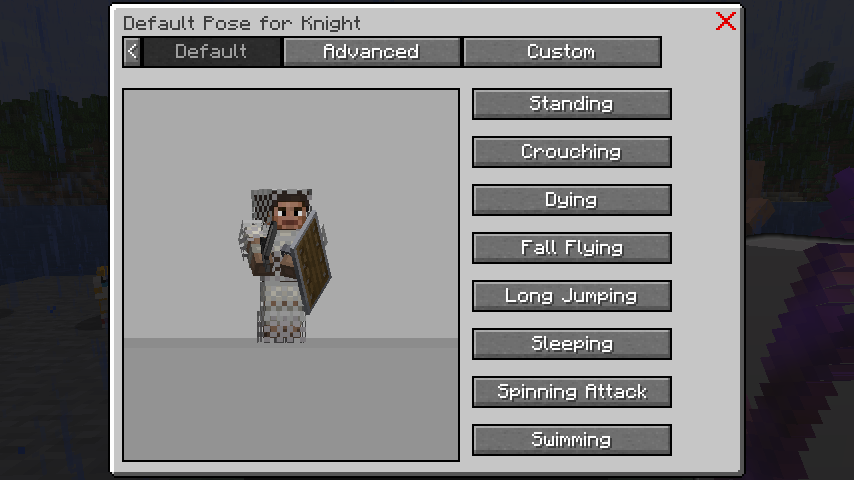
Set the Animation Mode in this screen to control how the NPC animates.
Advanced Pose 🤸
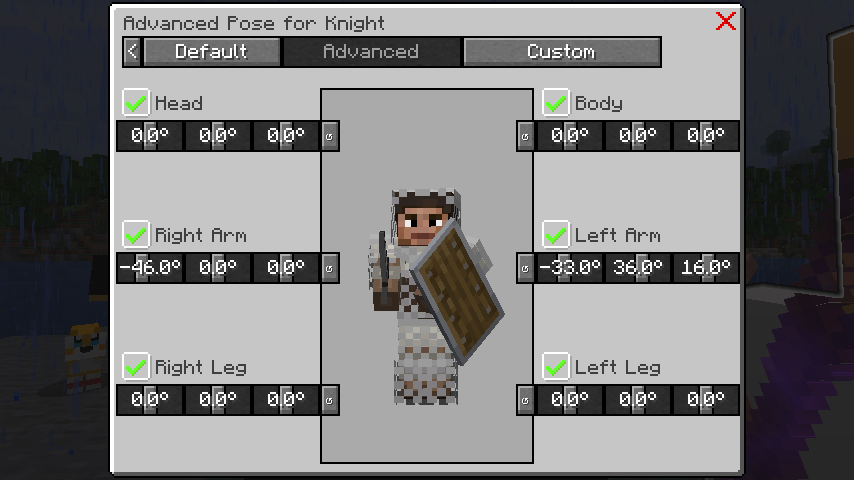
Unlock the potential of the advanced pose screen to manipulate the rotation and visibility of individual model parts. Craft dynamic poses for your NPCs, such as sitting, lying down, or waving hands.
Custom Pose 🎭
Elevate your NPC's presence with the custom pose screen, allowing you to adjust rotation, position, and visibility of individual model parts. Dive into the realm of advanced custom poses or even create entirely unique models.
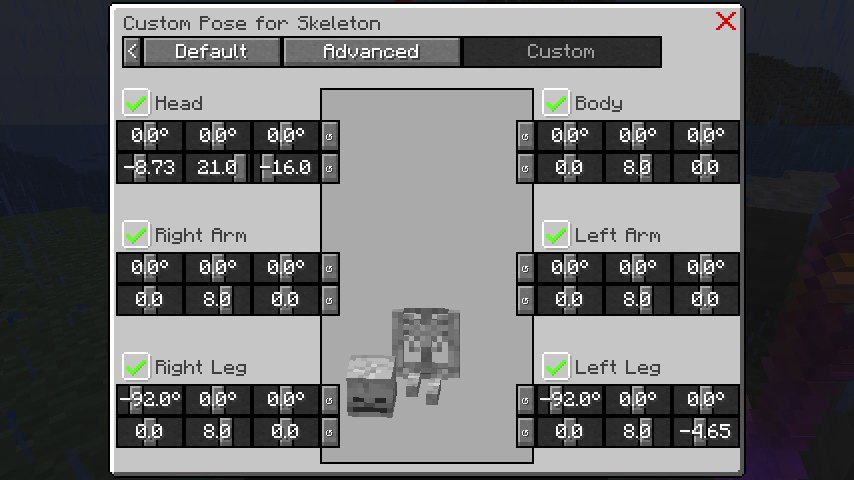
In certain scenarios, consider locking the rotation of model parts to prevent automatic alignment with the player's direction.
Example Preset 🎓
For a quick start, utilize the preset available for the custom pose example. Spawn a Skeleton NPC
and import the preset easy_npc:headless_skeleton or easy_npc:sitting_skeleton.
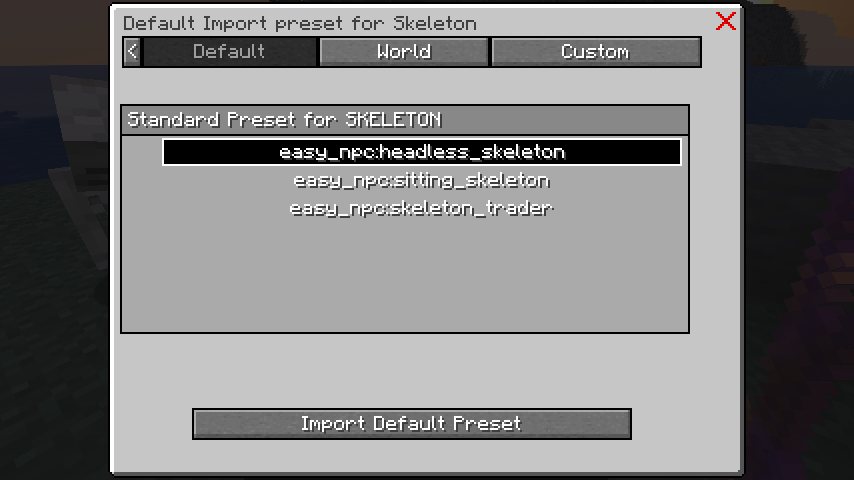
Note: Pose availability and individual pose changes may vary depending on the NPC model.