Objectives - MarkusBordihn/BOs-Easy-NPC GitHub Wiki
Give your NPCs a purpose and define their behavior with the powerful Objectives screen. Whether it's simple actions or complex behaviors, you can shape how your NPCs interact with the world. Just keep in mind that some objectives might affect performance.
The objectives screen is split into tabs: Basic, Follow, Attack, Target, Look and Flee. Each tab is a list of checkboxes - enable what the NPC should do.
Movement and general behavior.
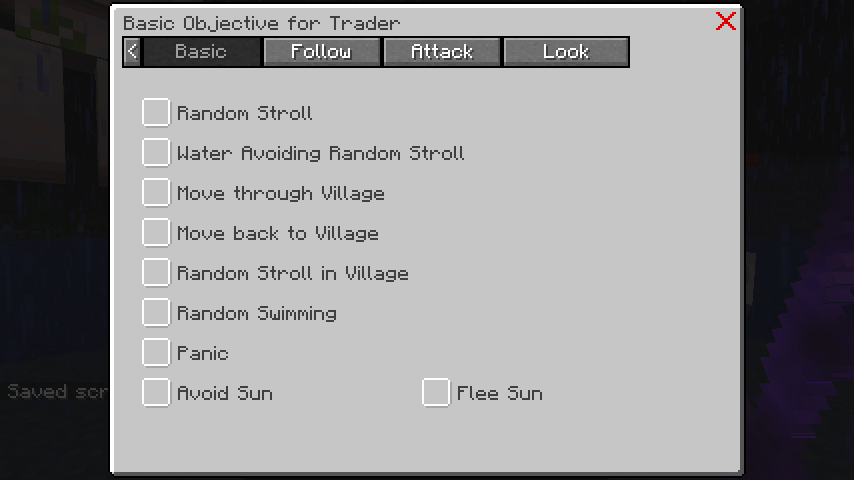
- Random Stroll: The NPC wanders aimlessly.
- Water Avoiding Random Stroll: The NPC wanders but stays away from water.
- Random Stroll around Home: The NPC strolls, but stays near its home position.
- Move back to Home: The NPC returns to its home position.
- Move through Village: The NPC moves through the village.
- Move back to Village: The NPC returns to the village.
- Random Stroll in Village: The NPC strolls inside the village bounds.
- Random Swimming: The NPC swims around.
- Panic: The NPC runs away in panic when hurt.
- Avoid Sun: The NPC seeks shade instead of standing in sunlight.
Set the home position with the Move EasyNPC item or with
/easy_npc navigation set home <NPC> <position>. Without a home position the "Home" objectives have
nothing to walk back to.
Swimming and floating in water is not an objective - it is the Float ability under
Attributes. The same applies to walking through doors, which is controlled by the
Open door / Close door / Pass door abilities.
Direct your NPC to follow specific targets with these objectives.
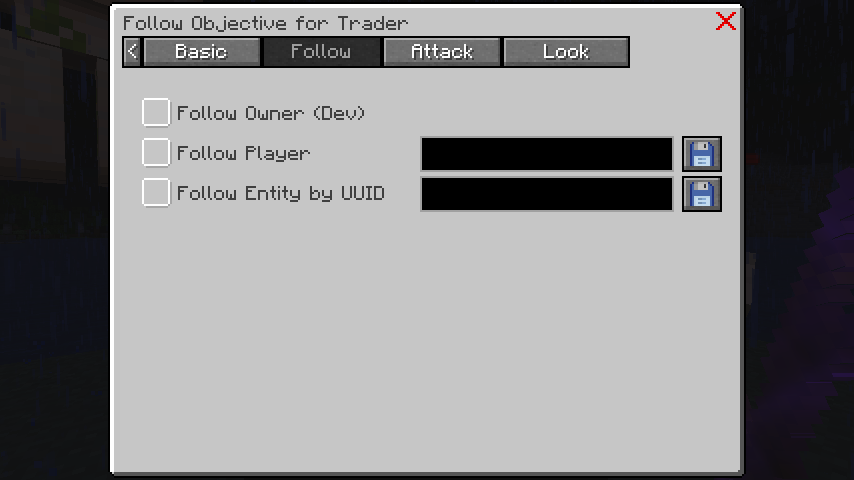
The NPC follows its owner when they are online and within a certain range.
The NPC follows a designated player when they are online and within a certain range.
The NPC follows an entity with a specific UUID, which could be anything from another NPC to a mob, as long as it's online and within range.
You can even create NPC chains by setting up a sequence of NPCs to follow each other using their UUIDs.
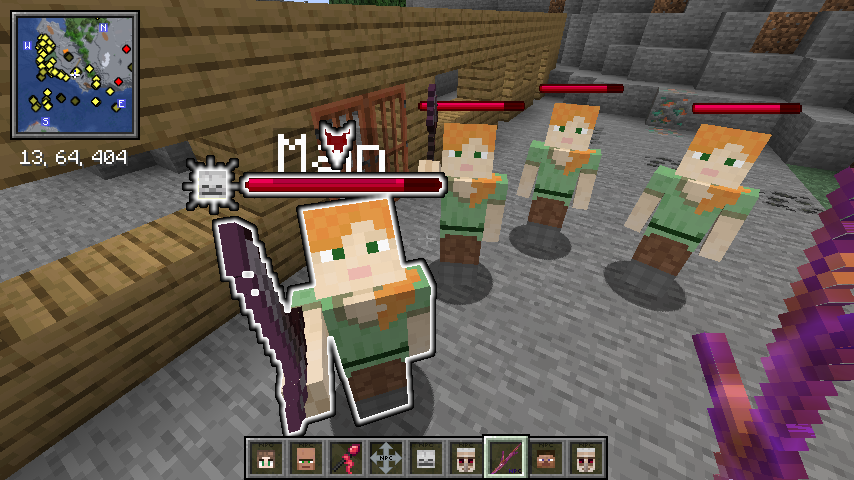
You can find and copy the NPC's UUID from its configuration screen.

The NPC follows any player who holds a specific item, the same way animals follow their favourite
food. Enter the item id in the objective, for example minecraft:golden_carrot or
easy_npc:npc_coin.
Useful for companion pets, escort NPCs, or "show me the coin and I follow you" setups.
Set your NPC up for battle with attack-specific objectives.
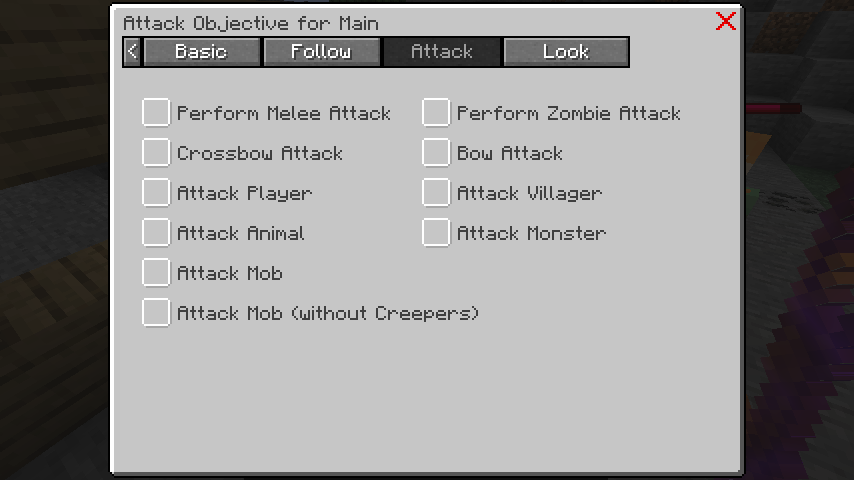
Some objectives, like ‘Perform Melee Attack’ and ‘Attack Player,’ should be paired for the NPC to behave as intended.
Choose from a variety of attack styles:
- Melee Attack: The NPC engages in close combat.
- Zombie Attack: The NPC attacks like a zombie.
- Crossbow Attack: The NPC uses a crossbow.
- Bow Attack: The NPC uses a bow.
- Gun Attack: The NPC uses a gun.
You can use bows from mods that extend the vanilla bow item with the Bow Attack objective. If a
modded bow doesn’t work, it might not be extending the vanilla bow item. You can try adding it to
the bow item tag in the data/easy_npc/tags/items/ranged_weapon/bow.json
file.
Example of a bow.json file:
{
  "replace": false,
  "values": [
    "minecraft:bow",
    {
      "id": "spartanweaponry:wooden_longbow",
      "required": false
    },
    {
      "id": "spartanweaponry:leather_longbow",
      "required": false
    }
  ]
}Modded crossbows that extend the vanilla crossbow item can be used with the Crossbow Attack
objective. If a crossbow doesn’t work, it might not be extending the vanilla crossbow item. You can
try adding it to the crossbow item tag in the
data/easy_npc/tags/items/ranged_weapon/crossbow.json file.
Example of a crossbow.json file:
{
  "replace": false,
  "values": [
    "minecraft:crossbow",
    {
      "id": "spartanweaponry:wooden_crossbow",
      "required": false
    },
    {
      "id": "spartanweaponry:leather_crossbow",
      "required": false
    }
  ]
}The Gun Attack objective allows NPCs to use guns from mods, even if they don’t extend a vanilla bow
or crossbow. To use this objective, the gun must be added to the gun item tag in the
data/easy_npc/tags/items/ranged_weapon/gun.json file.
Example of a gun.json file:
{
  "replace": false,
  "values": [
    {
      "id": "cgm:pistol",
      "required": false
    },
    {
      "id": "tacz:modern_kinetic_gun",
      "required": false
    }
  ]
}
Note: The gun will not use the mod's ammo system and will rely on simple arrows as ammo. Not all guns will work with this objective, as it depends on how the gun is implemented.
Choose what or who your NPC will attack on sight:
- Attack Player: The NPC attacks players.
- Attack Player w/o Owner: The NPC attacks players but ignores its owner.
- Attack Villager: The NPC targets villagers.
- Attack Animal: The NPC targets animals.
- Attack Monster: The NPC targets monsters.
- Attack Mob: The NPC targets any mob.
- Attack Mob w/o Creeper: The NPC attacks any mob except creepers.
These only react to an attack instead of starting one, which makes them the right choice for guards, companions, and peaceful NPCs that should still defend themselves.
- Defend Self: The NPC fights back against whoever attacked it. Other NPCs are not pulled into the fight - use Defend Faction for that.
- Protect Owner: The NPC attacks whoever attacked its owner. Requires an owner (Attributes > Misc); the checkbox stays disabled without one.
-
Defend Faction: The NPC attacks whoever attacked a nearby member of its own
faction, including players who joined that faction team. Requires a faction
(Attributes
Misc); the checkbox stays disabled without one.
Attacks between two members of the same faction are ignored - the faction stays out of internal fights and prints a short system message instead.
Like the target objectives, these still need an attack type (e.g. Melee Attack) to actually deal damage.
Typical combinations:
| Goal | Enable |
|---|---|
| Peaceful NPC that fights back | Defend Self + Melee Attack |
| Bodyguard for its owner | Protect Owner + Defend Self + Melee Attack |
| Town guard that helps its faction | Defend Faction + Defend Self + Melee Attack |
| Aggressive enemy that attacks on sight | Attack Player + Melee Attack |
The Target tab defines who the NPC should attack, while the Attack tab defines how it attacks. A target objective alone only makes the NPC select a target — without an attack objective (e.g. Melee Attack) it will never actually strike. A warning icon on the Target tab indicates when a target objective is enabled without any attack objective.
-
Attack Hostile Factions: The NPC targets NPCs of factions that its own faction is
hostile towards. The NPC's faction is assigned under Attributes > Misc, and the receiving NPC
needs the
Attackable by Factionscombat attribute enabled. - Attack Player by Name: Targets a specific player by name.
- Attack Entity by Team: Targets entities of a specific scoreboard team.
- Attack Entity by Tag: Targets entities with a specific tag.
- Attack Entity by UUID: Targets a specific entity by UUID.
Control what your NPC pays attention to with Look Objectives.
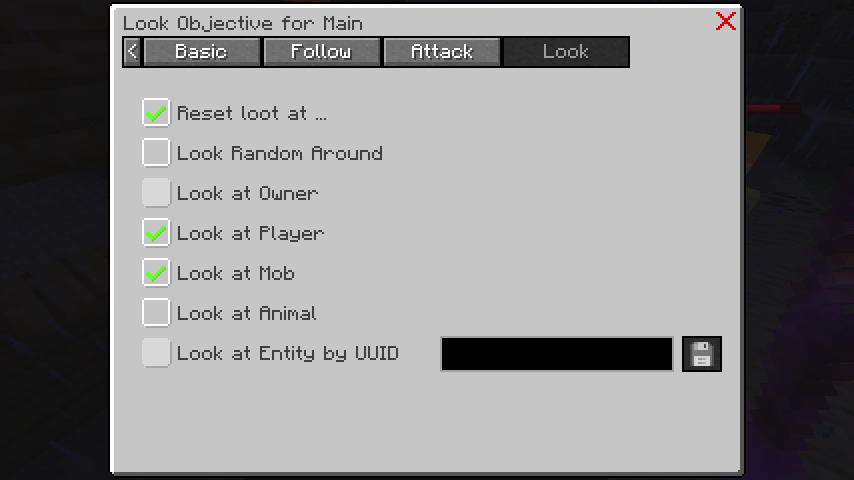
These include:
- Reset look at ...: Lets the NPC stop looking at a target after a while instead of staring endlessly.
- Look Random Around: The NPC looks around randomly, great for those with attack objectives.
- Look at Player: The NPC focuses on players.
- Look at Mob: The NPC focuses on mobs.
- Look at Animal: The NPC focuses on animals.
- Look at Owner: The NPC focuses on its owner.
- Look at Entity by UUID: The NPC focuses on one specific entity, for example another NPC.
A good default for talking NPCs is Look at Player plus Look Random Around - the NPC turns towards players nearby and looks around otherwise.
The Flee tab is the opposite of the Attack tab: instead of approaching a target, the NPC keeps its distance from it.
- Flee Player: The NPC runs away from players.
- Flee Villager: The NPC keeps its distance from villagers.
- Flee Mob: The NPC avoids any mob.
- Flee Monster: The NPC avoids monsters.
- Flee Creeper: The NPC avoids creepers only.
- Flee Sun: The NPC actively runs into shade when it stands in sunlight.
Avoid Sun (Basic tab) versus Flee Sun (Flee tab): Avoid Sun makes the NPC prefer shaded paths, Flee Sun makes it actively run for cover when it is already standing in the sun. Undead-style NPCs that should not burn usually need both.
Flee and attack objectives for the same target work against each other. Pick one per target group.