Property Drawers - ManeFunction/ManeTools-Unity GitHub Wiki
A property drawer replaces the field control. Unity allows one drawer per field. A second drawer attribute on that same field is ignored, so DropdownList, LayerSelector and LimitedField cannot share a field.
Decorators still work on that field. They draw around the drawer instead of competing with it:
[InfoBox("Ground checks use this layer.", InfoBoxType.Info)]
[AvailableIf(nameof(_useCustomLayer))]
[LayerSelector]
[SerializeField] private int groundLayer;
The attributes below are in Mane.Unity. Type drawers, which do not use an attribute of your own, are linked at the bottom.
DropdownList
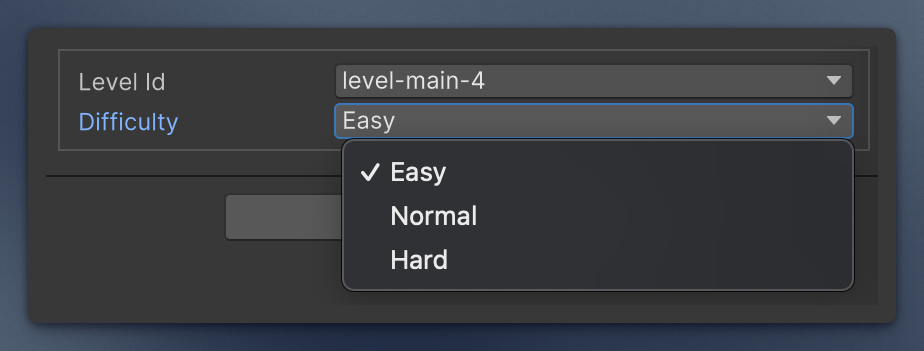
Draws a string (stored text) or an int (stored index) as a popup. Anything else shows a warning instead of a dropdown.
Fixed list, or a field, property, or parameterless method giving string[] (public or private, static or instance, including base types). An instance member is read from the object that holds the field (a nested class or list element) when it is of the given type, otherwise from the inspected object; if neither is, only static members of that type are used. A missing member logs an error once and falls back to the normal field. An empty result falls back to the normal field. A stored value that is not one of the options (unset, removed, or an out-of-range index) shows as empty until you pick one. Dynamic options can be refreshed from the field context menu (Refresh Options).
[DropdownList(typeof(LevelCatalog), nameof(LevelCatalog.GetIds))]
[SerializeField] private int levelId;

[DropdownList("Easy", "Normal", "Hard")]
[SerializeField] private string difficulty;
Item names
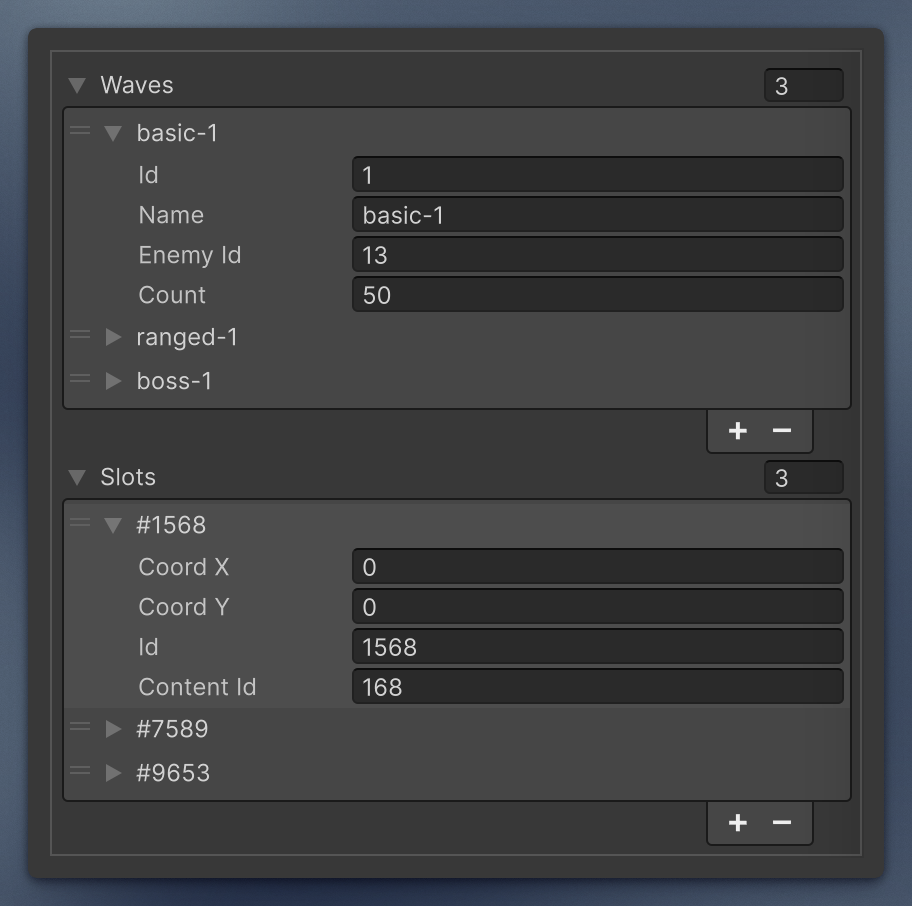
Rename elements of a collection in the inspector. Put the attribute on the collection.
ItemNameFromField reads a nested serialized field. Optional prefix and postfix wrap that value.
[ItemNameFromField(nameof(Wave.name))]
[SerializeField] private Wave[] waves;

[ItemNameFromField(nameof(Slot.id), prefix: "#")]
[SerializeField] private Slot[] slots;
If you do not want to expose the field as public for this, point the attribute at a const:
[ItemNameFromField(Wave.PropertyName)]
[SerializeField] private Wave[] waves;

[Serializable]
public class Wave
{
    [SerializeField] private int id;
    [SerializeField] private string name;

    public const string PropertyName = nameof(id);
}
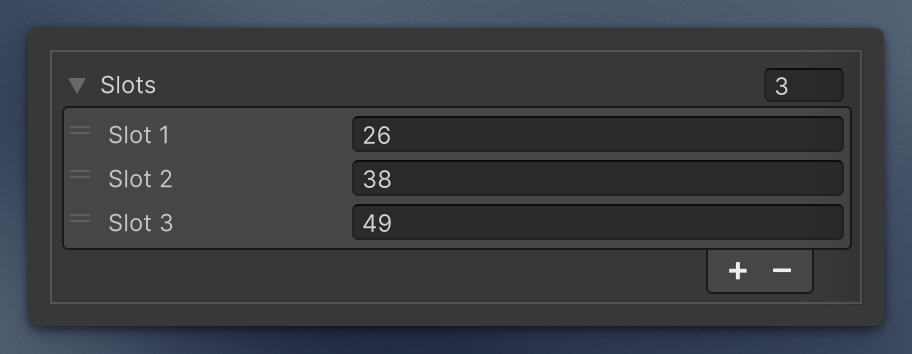
ItemNameFromString formats {0} as the element index. startingIndex is the number used for the first element (default 0). A label without {0} keeps the normal element name and shows a warning on the first element.
[ItemNameFromString("Slot {0}", startingIndex: 1)]
[SerializeField] private int[] slots;
LayerSelector
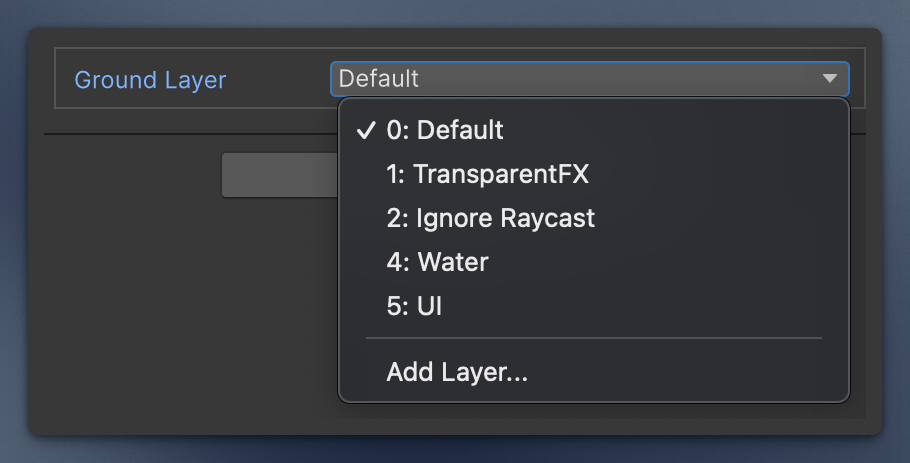
Draws an int field as a Unity layer dropdown. Other types show a warning.
[SerializeField, LayerSelector] private int groundLayer;
LimitedField
Draws a plain int or float field with LimitedIntField / LimitedFloatField. Other types, including double and long, show a warning.
Negative values are clamped to 0. With allowNegatives the only negative value is -1 (anything below becomes -1). The first argument is the text shown instead of 0, and negativeLabel is the text shown instead of -1 (it needs allowNegatives). An empty text shows the number. You can type the label text into the field to set that value.
On a collection it applies to every element. It combines with Label and Prefix / Postfix.
[SerializeField, LimitedField("Unlimited")]
private int maxCount;  // only positives (zero as special state)

[SerializeField, LimitedField(allowNegatives: true, negativeLabel: "Default")]
private int count; // only positives, zero included (-1 as a special state)

[SerializeField, LimitedField("Instant", allowNegatives: true, negativeLabel: "Default")]
private float delay = -1f; // -1 and zero as 2 different separate special states
Other drawers
These replace the field too, so the one-drawer rule applies. Each has its own page:
- Interface Serialization —
SerializeInterface(managed reference) andInterfaceOnly(object reference) - Serializable DateTime —
SerializableDateTimeandSerializableDateTimeRange, with the calendar popup - MinMax —
MinMaxInt,MinMaxFloat,MinMaxDoubleas one min/max row. The drawer swaps the endpoints if you invert them. ParticleSystem.MinMaxCurve– customManeStyledrawer, used in Particle System UI Scaler- Easing —
EasingCurveon anAnimationCurve: a dropdown of the easing presets, with the curve field forCustom