EditorButton - ManeFunction/ManeTools-Unity GitHub Wiki
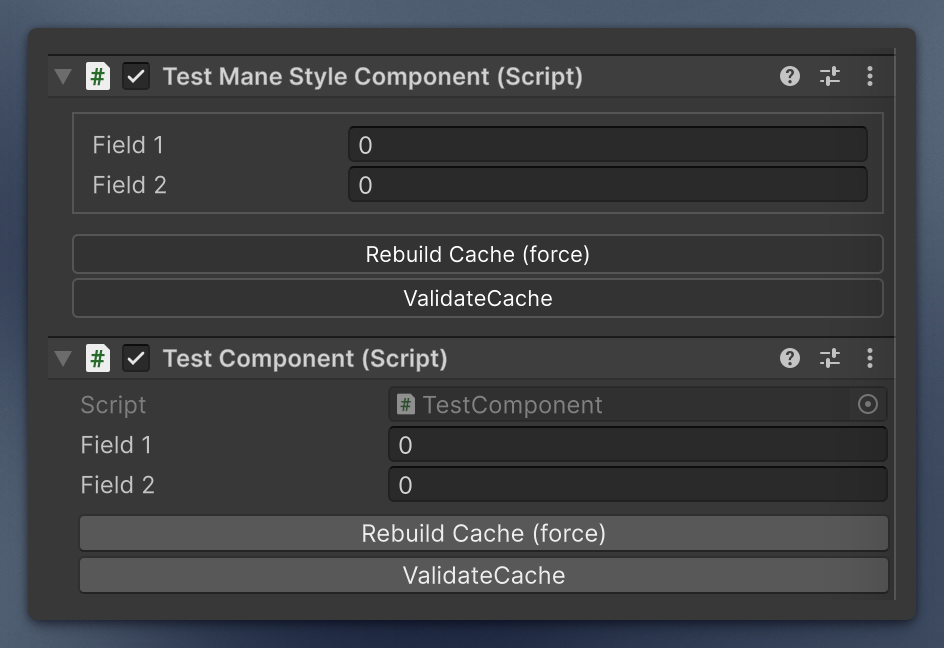
EditorButton marks a parameterless method, and the default inspector (and the ManeStyle wrapper) appends a button. The label is the method name when you omit one. You can pass your own name as the attribute parameter. Methods with parameters are skipped.
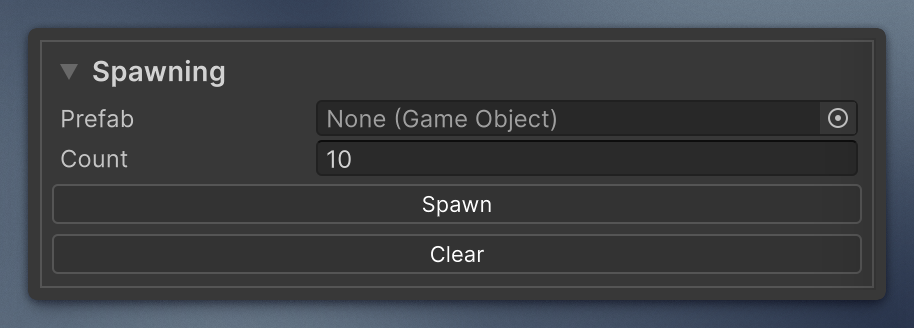
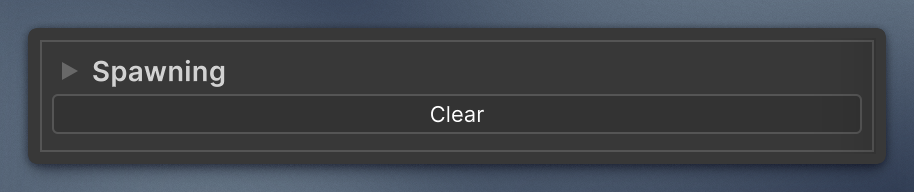
By default the buttons are drawn at the end of the inspector. Pass the text of a Header or Foldout as the second parameter, block, to draw the button after the last field of that block instead. Inside a foldout it hides with the content; pass hideWithFoldout: false to keep it at the bottom of the foldout while it is collapsed. A block ends where the next Header, Space, or Foldout starts. If no field opens a block with that text, the button goes to the end of the inspector and a warning is logged. A const string keeps the attribute and the button in sync.
Custom ManeEditor UXML inspectors draw them too, below the UXML. There block works only for fields whose PropertyField is named PropertyField:<fieldName>, as Unity names its default ones. In other custom editors call EditorButton.AddTo yourself; calling it twice on one root adds the buttons once.
Changes the method makes to the inspected object are recorded for Undo, mark the object dirty so it is saved, and are kept as prefab overrides. If the method changes other objects, record those yourself (Undo.RecordObject before the change).
[EditorButton("Rebuild Cache (force)")]
private void RebuildCache() { /* ... */ }
[EditorButton()]
private void ValidateCache() { /* ... */ }

private const string Spawning = "Spawning";

[Foldout(Spawning)]
[SerializeField] private GameObject _prefab;
[SerializeField] private int _count = 10;

[EditorButton("Spawn", Spawning)]  // drawn under _count, inside the foldout
private void Spawn() { /* ... */ }
[EditorButton("Clear", Spawning, hideWithFoldout: false)]  // still drawn when the foldout is collapsed
private void Clear() { /* ... */ }