Fluentd - MLKEREN/SOFTWARE-DOC-DEV-MIYA-KEREN GitHub Wiki
- Overview
- Benefits
- Prerequisites
- Set Up
- Supported Deployments
- Validation
- Troubleshooting
- Dashboard, Rules, Alerts (Versioned)
- Demo
- Additional References
Fluentd is a fully open source data collector, allowing unified data collection and consumption for better use and understanding.
Use Fluentd to:
- Unify all facets of processing log data across multiple sources and destinations.
- Filter your logs for specific phrases like "error", "exception", etc. and have the plugin report metrics whenever any of those phrases is present in a log stream.
- Reliably and efficiently transfer your unified logging to Coralogix.
- Sign up for a Coralogix account.
- Access your Coralogix private key.
INTERNAL NOTE @GIL: This should be a separate tab on the webpage under the "Getting Started" Section. Please remove this from the Amazon Kinesis section of the website.
- Ensure that your environment is properly set up to avoid any inconsistencies at a later stage.
- Install Fluentd.
Installations by RPM Package (Red Had Linux), DEB Package (Debian, Ubuntu), .dmg Package (MacOs), .msi Installer (Windows) should first install the td-agent rpm package, the stable Fluentd distribution package maintained by Treasure Data, Inc.
Use curl to install the td-agent.

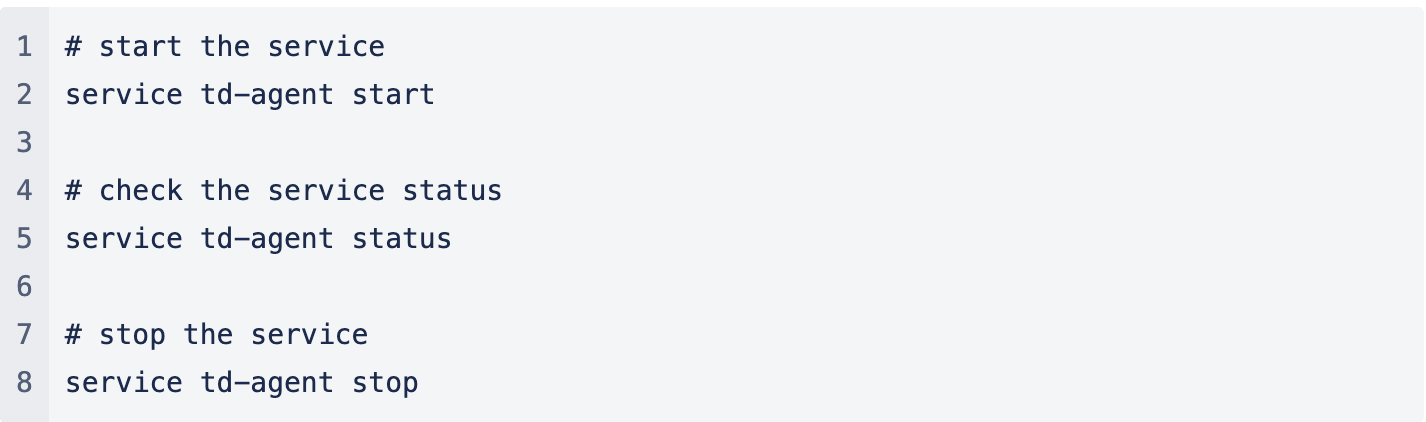
- Validate that the td-agent service is installed and operating as expected.
This section shows you how to create a Fluentd configuration file with Coralogix as your destination. The configuration file allows the user to control the input and output behavior of Fluentd by selecting input and output plugins and specifying the plugin parameters. The file is required for Fluentd to operate properly.
Create a Fluentd configuration file.
source
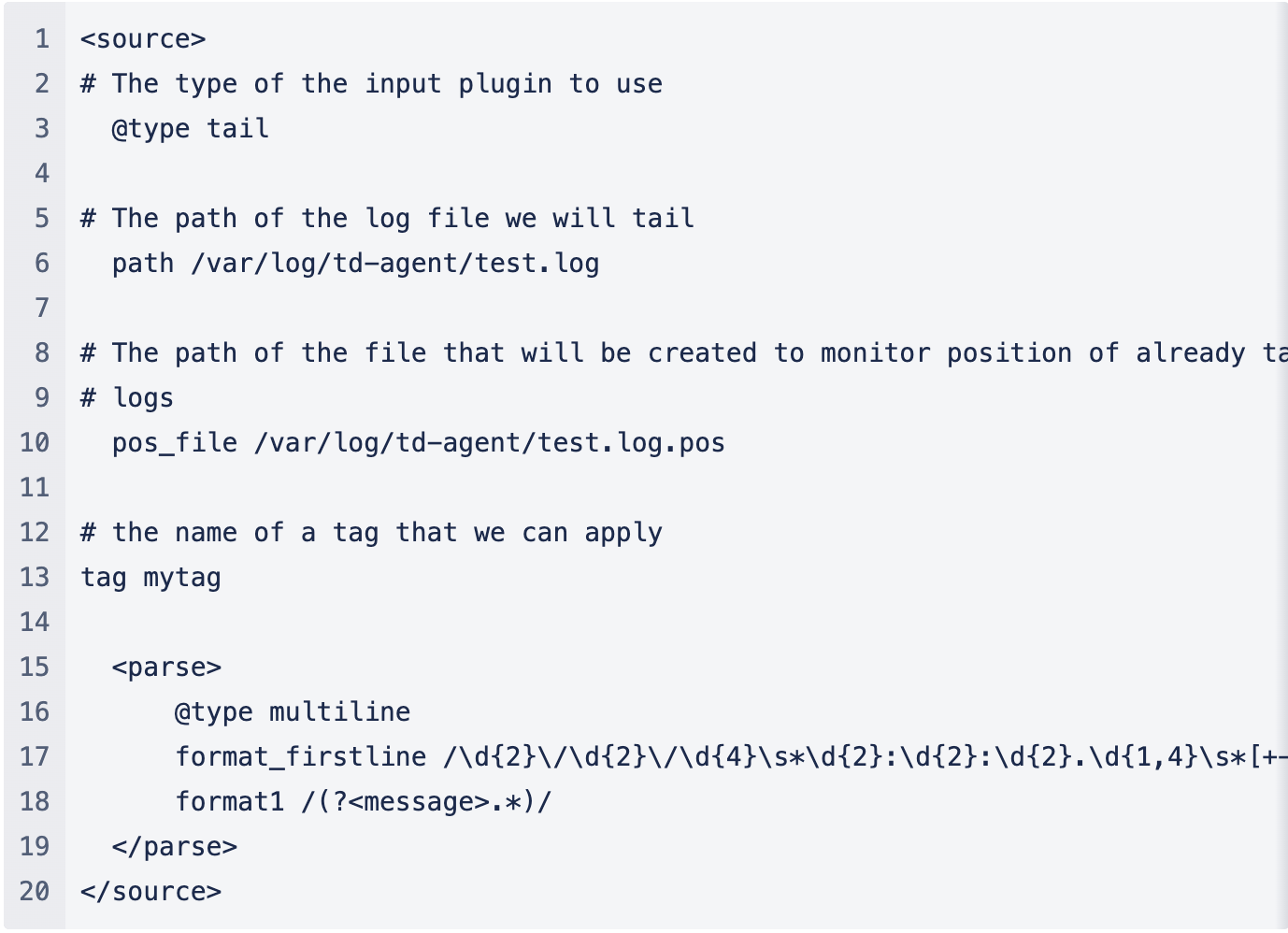
Fluentd input sources are enabled by selecting and configuring the desired input plugins using source directives. Fluentd standard input plugins include http, which we highly recommend for its flexibility. Each source directive must include a @type parameter to specify the input plugin to use.
The example below collects all log files from the /var/log/ path using the in_tail input plugin allows Fluentd to read events from the tail of text files and using the multiline parser plugin.
match
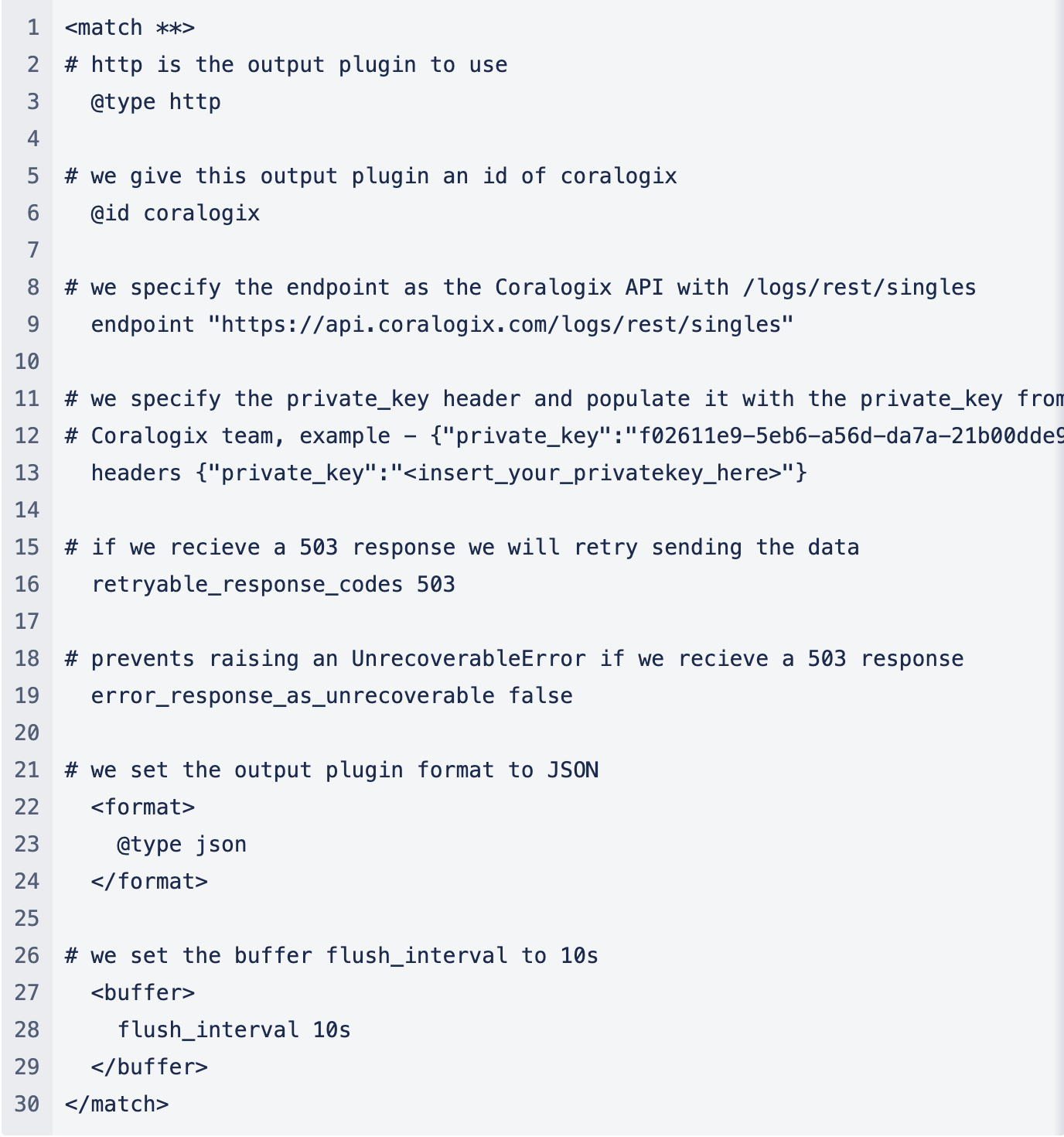
The match directive enable you to look for events with matching tags and process them. The most common use of the match directive is to output events output plugins to other systems such as Coralogix.
The example below sets Coralogix as an output using the URL of relevance for Coralogix, as well as a private key.
filter
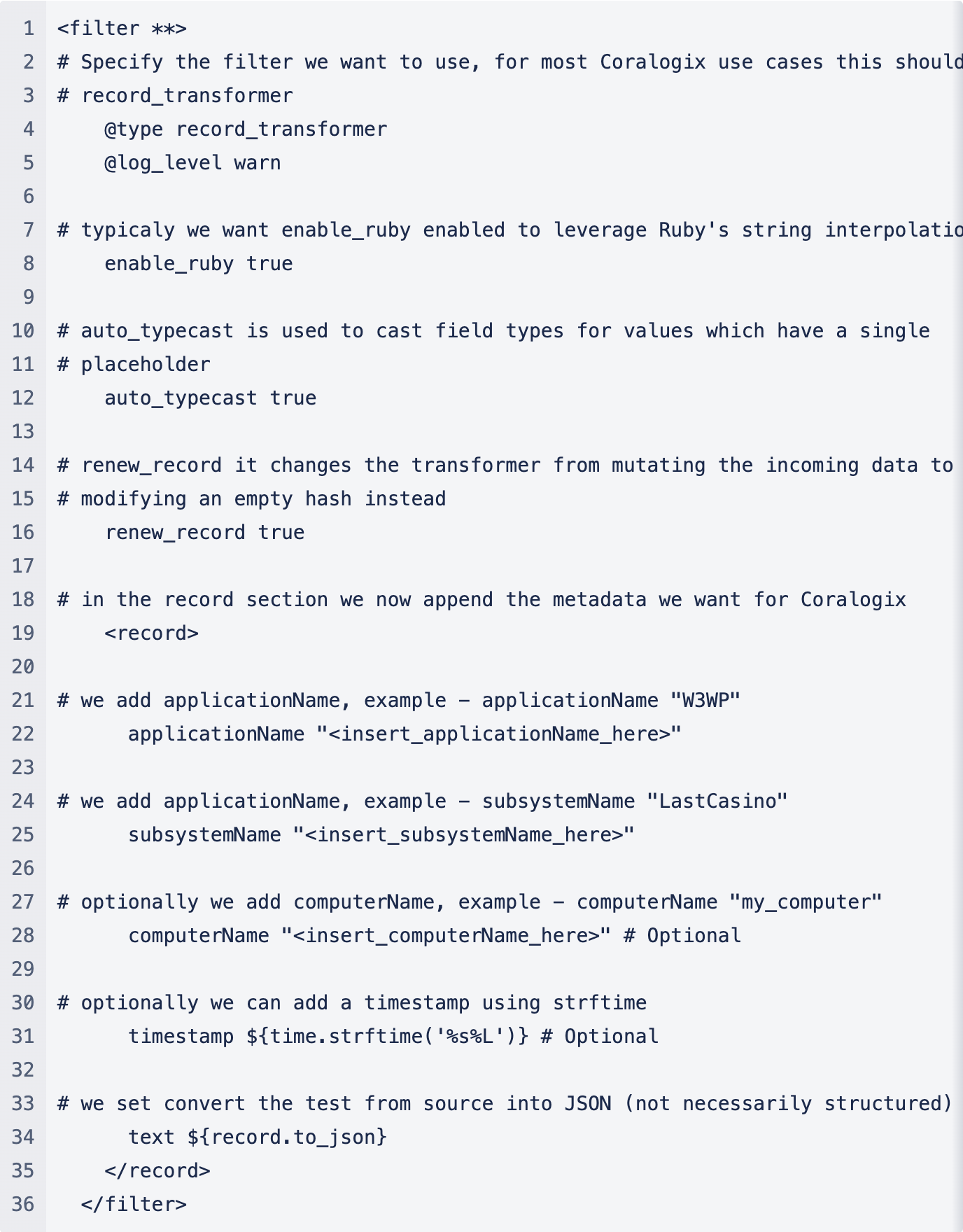
The filter directive allows you to organize your data and append the necessary metadata fields that Coralogix is expecting to receive. The example below adds standard 'record_transformer'. It also includes application and subsystem names, a requirement for analyzing your data with Coralogix. It structures logs using JSON, which we highly recommend. Computer name and timestamp additions are optional.
Use Fluentd to deploy containers:
- Use of the offical Docker image.
- Implement a unified logging system for your Docker containers.
- Deploy Fluentd in Kubernetes and extend the possibilities to have different destinations for your logs.
INTERNAL NOTE: @ Oded, what to do for other deployments?
- containers: docker | kubernetes
- serverless: lambda
- virtual machine: OVA | packer
INTERNAL NOTE - @ODED, not sure what to do here
- validate metrics to compare input/outputs
- validate configuration, including supported images
- send demo traffic- cloud: terraform | AWS cf | Azure rm | GCP dm
Troubleshoot any problems that may arise.
https://github.com/coralogix/eng-integrations/tree/master/fluentd
https://www.notion.so/coralogix/DNS-Endpoints-04e9de059ec74070bfbb1091bdf8e016