Installation Instructions - LanikSJ/webannoyances GitHub Wiki
Requirements
This filter list aims to remove annoying web elements that block your view of the screen and is created and optimized using the uBlock Origin Extended Syntax.
For the best user experience, please use this filter list with AdGuard or uBlock Origin.
Browser specific download locations are located below:
Desktop
- uBlock Origin for Google Chrome
- uBlock Origin for Mozilla FireFox
- uBlock Origin for Apple Safari
- uBlock Origin for Opera
Mobile
Installation Instructions
Install Method 1 - One Click Installation
Click the following: Add Web Annoyances Ultralist to Custom uBlock Origin Filters.
Install Method 2 - Step-by-Step Installation
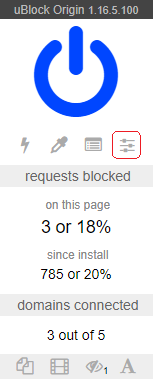
- Click the uBO icon
 in your browser bar to open the uBlock Origin popup panel.
 - Click the settings icon
 in the popup panel.
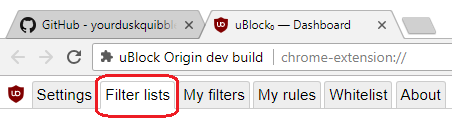
 - From uBlock Origin Dashboard, navigate to the Filter lists tab.
- Under the Custom section of the Filter lists tab, scroll to the bottom of the page, and tick the 'Import...' checkbox and paste the following URL into the expanded field entry:

https://raw.githubusercontent.com/LanikSJ/webannoyances/master/ultralist.txt
- Click on the Apply changes button located at the top right of screen.

Installation Demonstration
Still having trouble installing the list? Try watching the gif below which shows the installation procedure.
