User Interface in Mendix - Jonaath/EmergingTechnologiesMendix GitHub Wiki
User Interface in Mendix
Overview
Mendix Studio Pro provides developers with a low-code platform for designing, building, and deploying applications with minimal front-end coding. It features a What-You-See-Is-What-You-Get (WYSIWYG) editor and a drag-and-drop interface, allowing users to construct applications visually. This approach enables both citizen developers and experienced developers to create engaging and interactive user interfaces efficiently.
The Mendix UI framework ensures that applications are responsive, adjusting seamlessly to different devices, including desktops, tablets, and mobile phones.
Mendix Template Engine
Mendix follows the Model-View-Controller (MVC) architecture, where the View is managed by the Mendix Template Engine. This engine simplifies the process of rendering pages by allowing developers to design layouts visually in Studio Pro, without having to write raw HTML or CSS.
Under the hood, Mendix generates an XML file that defines the structure of each page. The template engine processes this XML file and inserts placeholders where dynamic content will be rendered. Mendix also uses React and SCSS, ensuring that the front-end remains flexible and high-performing. When a page is displayed in a browser, the template engine merges the XML layout with real-time data, generating the final Document Object Model (DOM) that users interact with.
Layouts
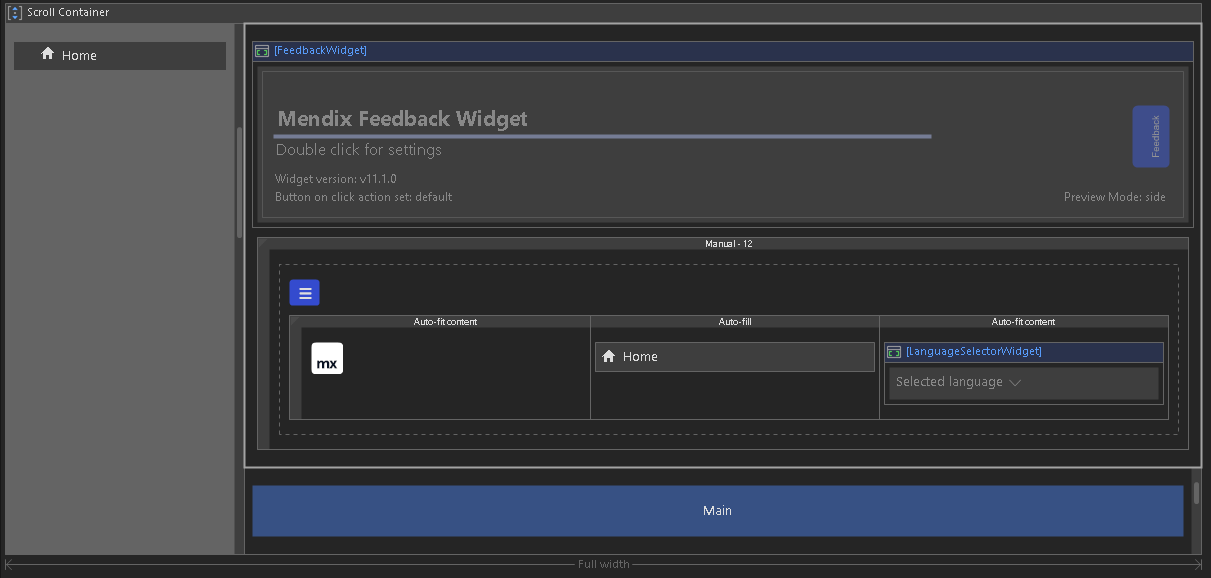
In Mendix, layouts serve as reusable templates that define the overall page structure. Instead of creating separate designs for each page, developers can create a single layout that includes consistent elements such as headers, footers, and navigation menus. These layouts help ensure a uniform look and feel across the application.
When rendering a page, Mendix first loads the main layout file and then fills the placeholder areas with specific page content. This hierarchical approach not only maintains consistency but also reduces redundancy, as developers can reuse the same layout across multiple pages.
Page Editor
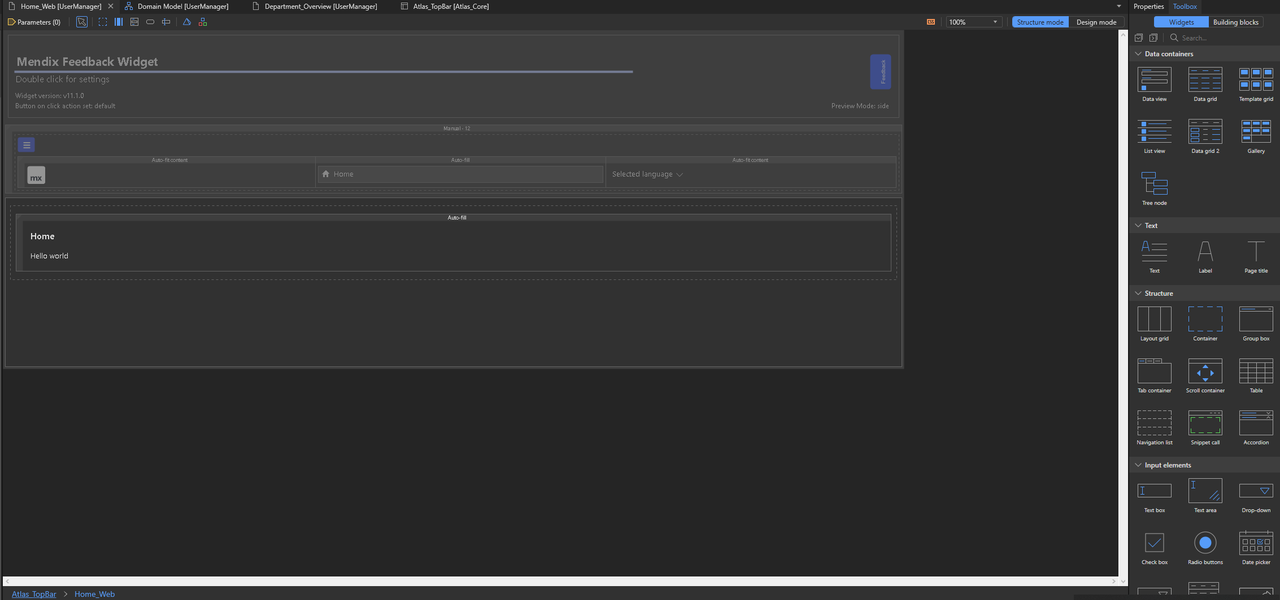
The Page Editor is the primary tool for designing user interfaces in Mendix Studio Pro. It provides a visual environment where developers can place UI components using drag-and-drop functionality. The editor includes a real-time preview mode, allowing developers to see how their pages will look before finalizing them.
Beyond the built-in widgets, developers can also extend their application’s functionality by importing additional widgets from the Mendix Marketplace or creating custom widgets using JavaScript. This flexibility ensures that developers can build highly customized user interfaces that meet specific business requirements.
Layout Grids
Mendix employs a grid-based system for organizing content on pages. The Layout Grid widget provides a structured way to arrange UI elements into rows and columns. Each row can contain multiple columns, and developers have control over how these columns are distributed.
There are different ways to allocate space within the grid:
- In Auto-Fit Content mode, columns adjust to fit their content.
- In Auto-Fill mode, extra space is distributed evenly among all columns.
- In Manual mode, developers define specific column widths using a 12-column system, where each column’s size is specified as a fraction of the total available space.
Data Containers
Data containers in Mendix serve as a bridge between the application’s back-end data and the user interface. They are responsible for retrieving, displaying, and updating data in the UI.
Mendix provides several types of data containers:
-
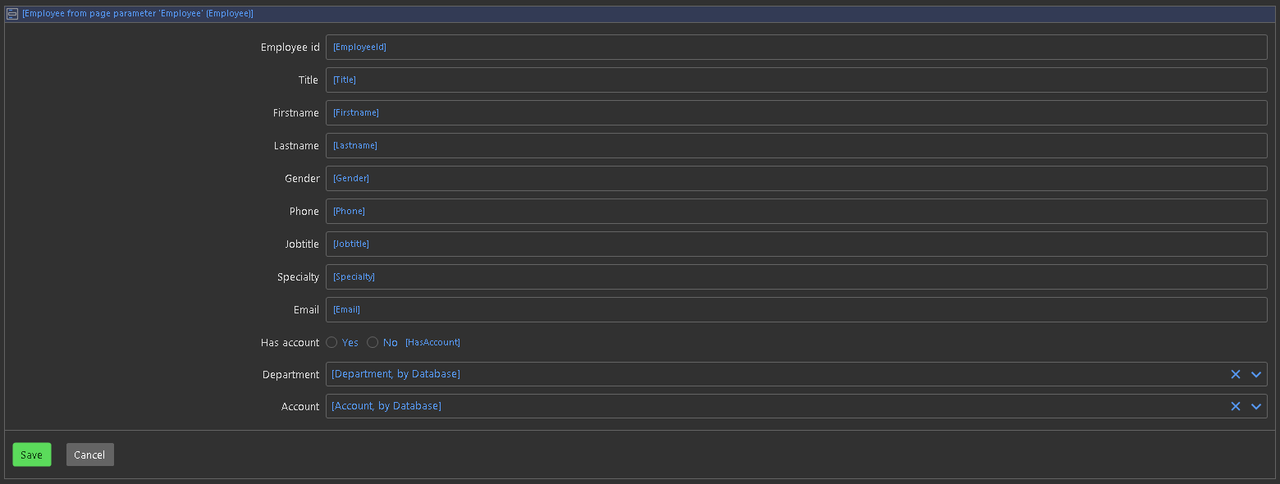
Data View is used to display a single object, such as a detailed view of a customer’s profile.
-
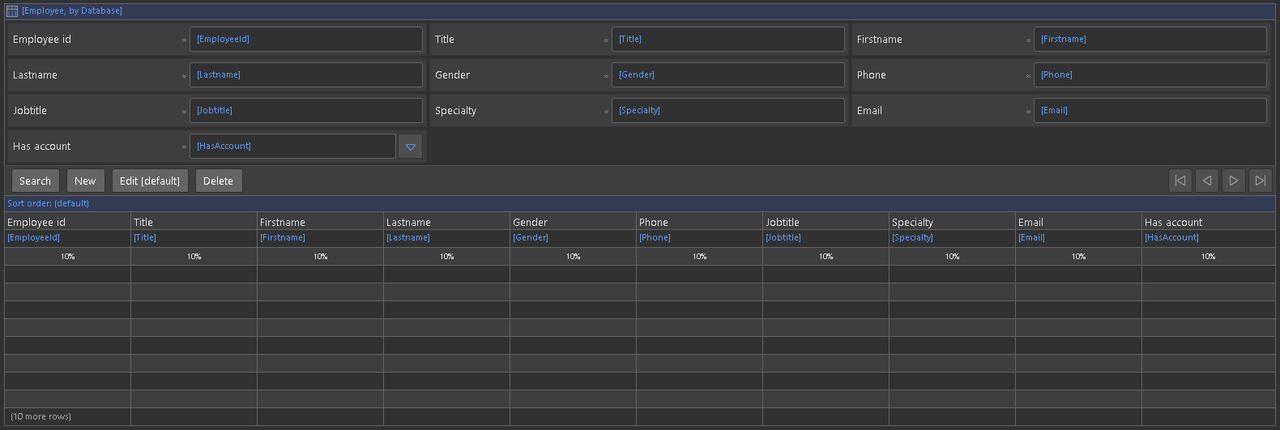
Data Grid presents multiple objects in a structured table format, making it ideal for displaying lists of records.
-
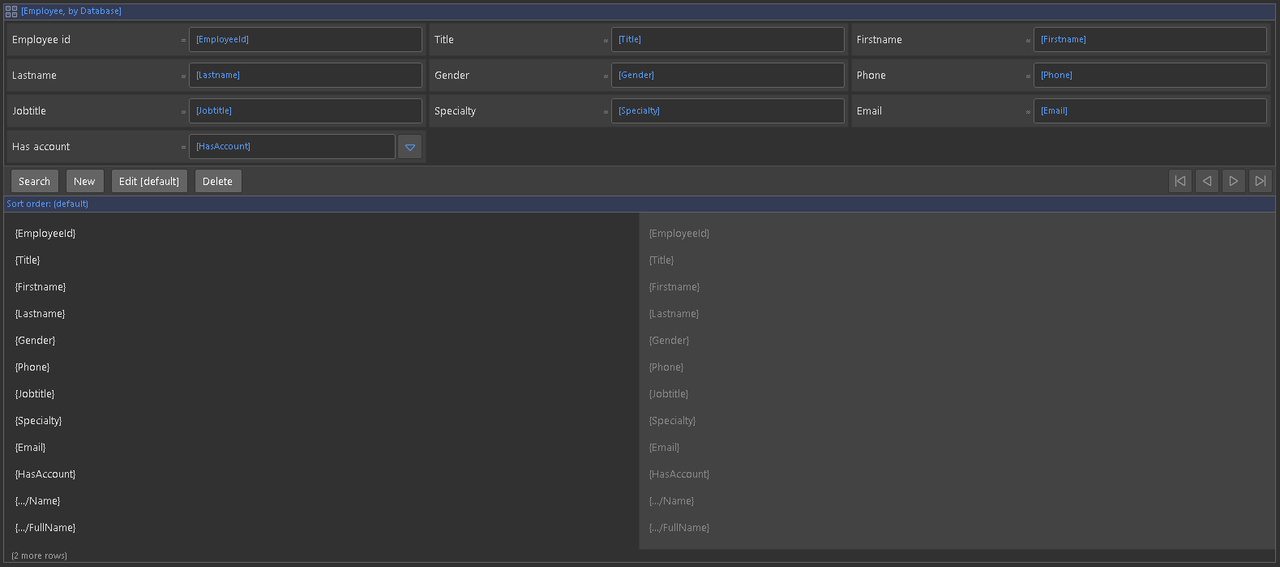
Template Grid arranges data in a tile-based layout, useful for visual elements like product catalogs.
-
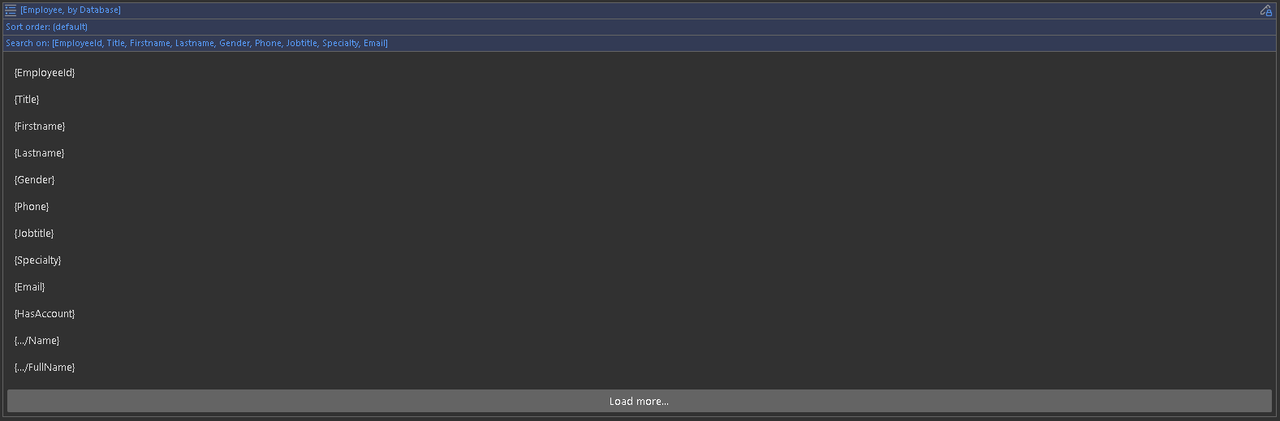
List View allows for custom-styled lists, providing greater flexibility in designing dynamic content displays.
Navigation Menu
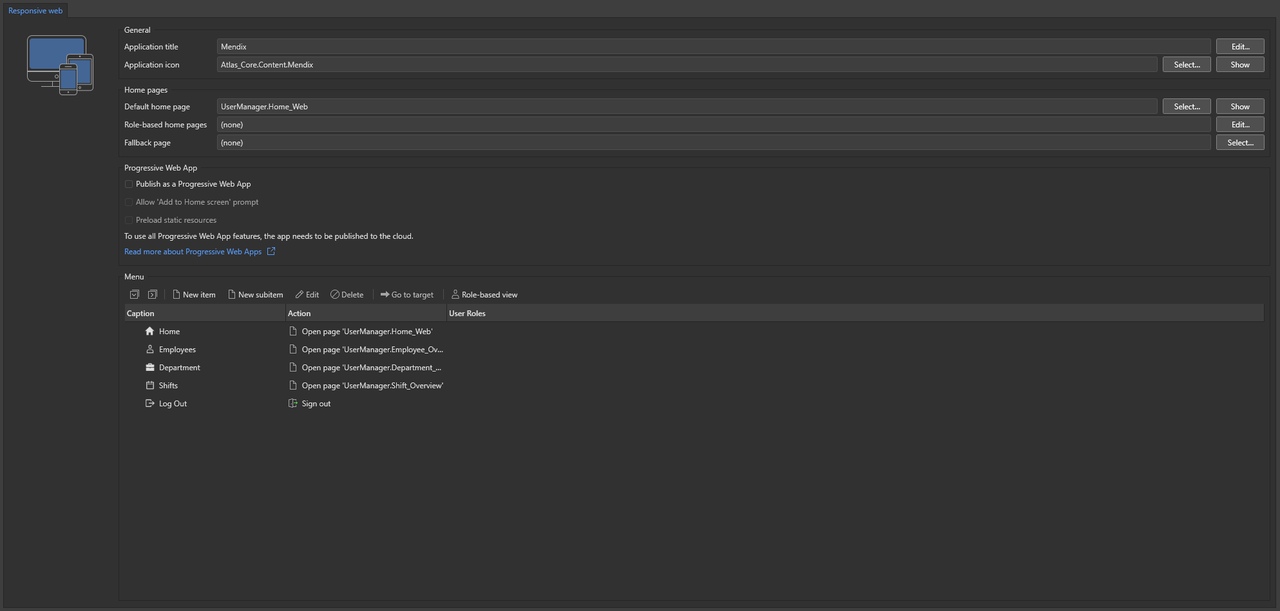
Mendix allows developers to define navigation menus that adapt based on user roles and device types. The navigation settings are managed within Studio Pro > App Explorer > Navigation, where developers can create custom menus and submenus.
The navigation system also supports progressive web apps (PWA) and native mobile navigation, ensuring a seamless experience for users across different platforms.
Styling Your Pages
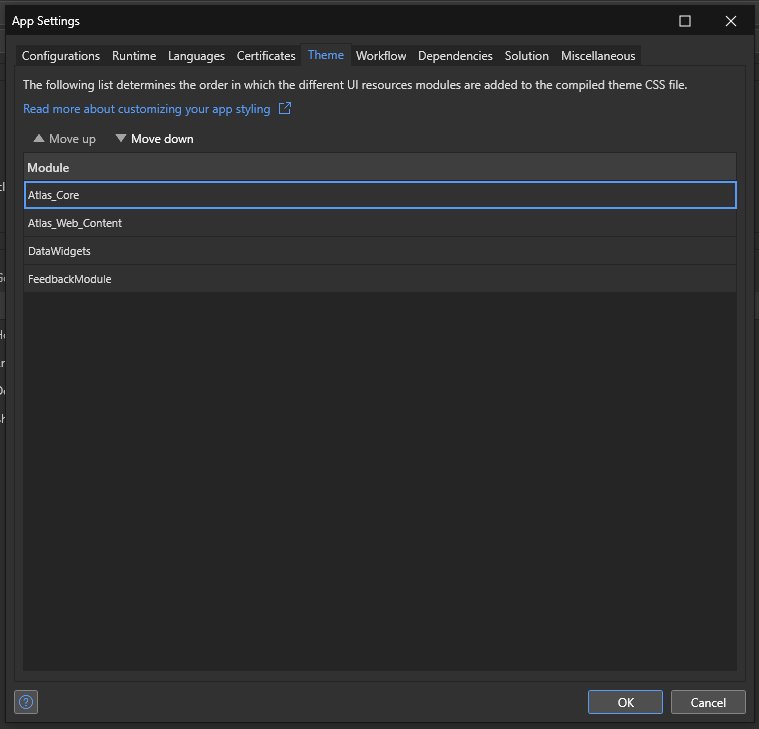
Mendix provides extensive styling and theming options through the Atlas UI framework. Developers can apply predefined styles or create custom themes using CSS and SCSS. The Styling node in the App Explorer allows for easy modifications to UI elements. Additionally, Mendix supports modular theming, where developers can package and distribute custom styles as reusable modules.
Implementation Process
1. Create a New Page
Developers start by selecting predefined templates or designing a custom layout for their application.
2. Add UI Components
Widgets like buttons, text fields, and images can be added using the drag-and-drop feature.
3. Configure Data Sources
UI components can be connected to entities, REST APIs, or microflows, enabling real-time data retrieval.
4. Customize Styling
Using CSS classes, themes, and Atlas UI, developers can modify the design to match branding.
5. Preview and Optimize
The application can be tested across different devices using Mendix’s preview mode before deployment.
Result
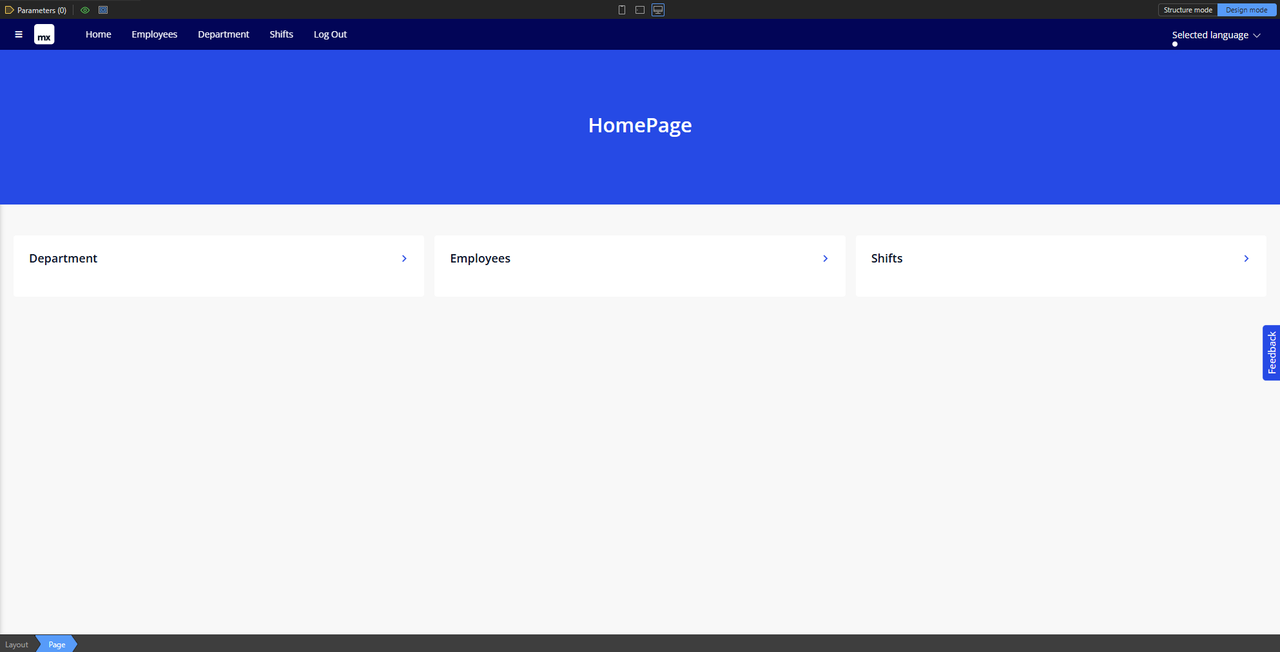
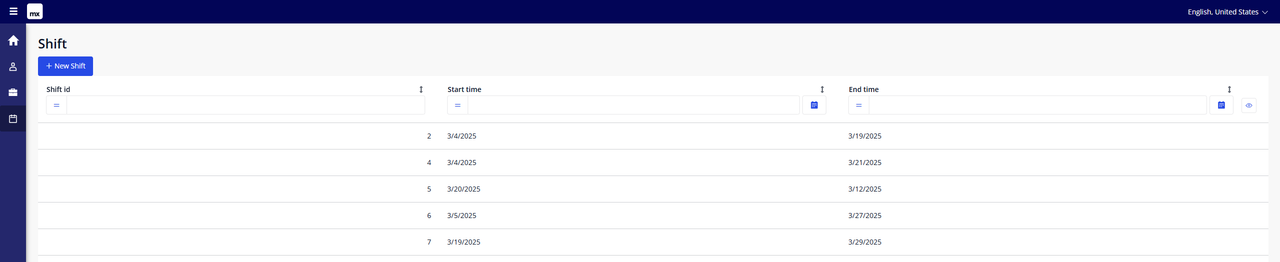
At the end we can easily create pages with the view of our data inside
The employees data

The departments data

The shifts data
Conclusion
Mendix Studio Pro simplifies the front-end development process by providing a low-code visual editor while leveraging modern web technologies behind the scenes. Developers can focus on creating business logic rather than worrying about intricate UI development. With built-in responsive design, predefined widgets, and custom styling options, Mendix makes it easy to build professional-grade applications that work across all devices.
Next page → Application Logic