Application Logic - Jonaath/EmergingTechnologiesMendix GitHub Wiki
Application Logic in Mendix
Overview
In Mendix, Application Logic defines how an app behaves in response to user actions, data changes, and system events. Mendix uses visual models like Microflows and Nanoflows to implement automation, data processing, and workflows without the need for complex coding. Together with Events and Event Handlers, these tools ensure that your app operates efficiently and follows best practices in logic execution.
Logic Features
Microflows
Microflows are the core of server-side logic in Mendix. They allow you to automate processes like data manipulation, validations, decision-making, and integrations. They are executed on the server and are often used to:
- Data Manipulation: Create, update, delete, and retrieve data from your database.
- Conditional Logic: Use decision nodes to control flow based on conditions.
- Integration: Trigger REST APIs, handle web services, and connect with external systems.
- Workflow Automation: Manage end-to-end processes, approvals, and task assignments.
How to Create a Microflow
-
Create the Microflow
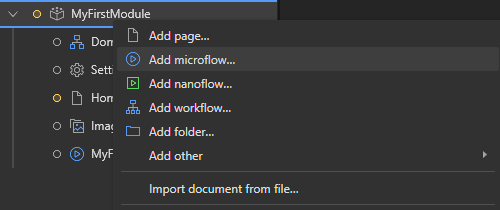
In your module, right-click on the "Microflows" folder and select Add Microflow.
-
Design the Microflow
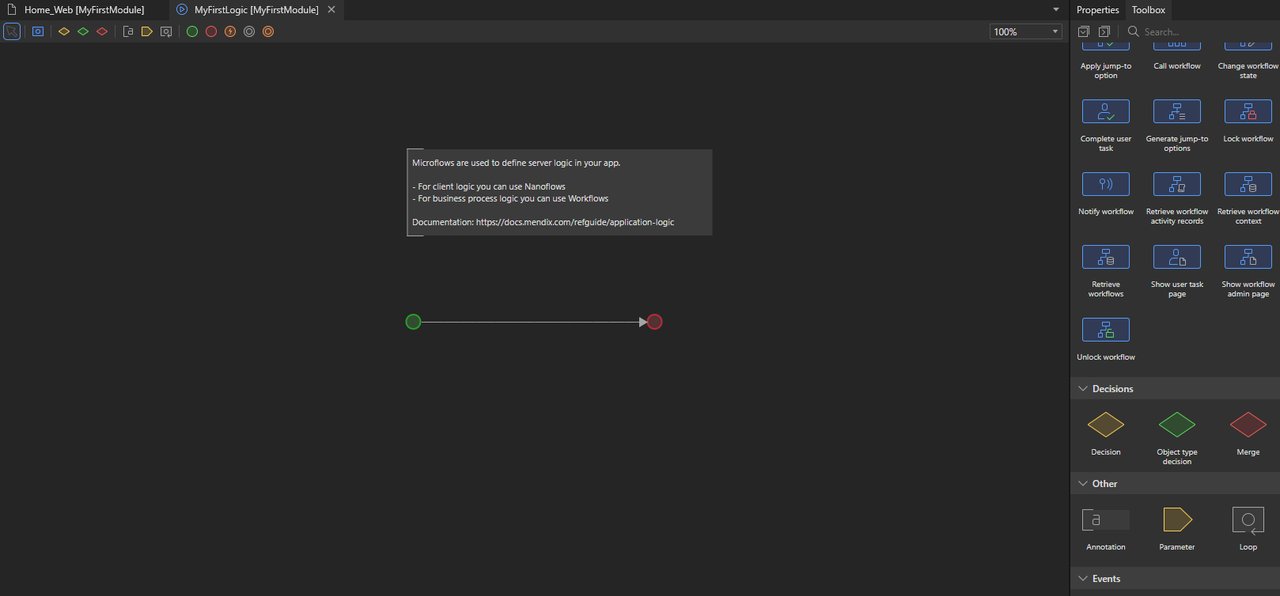
Upon creation, the microflow editor opens with a Start Event and an End Event. The design is inspired by Business Process Model and Notation (BPMN), a standard for visual workflows.
-
Add an Action to the Microflow
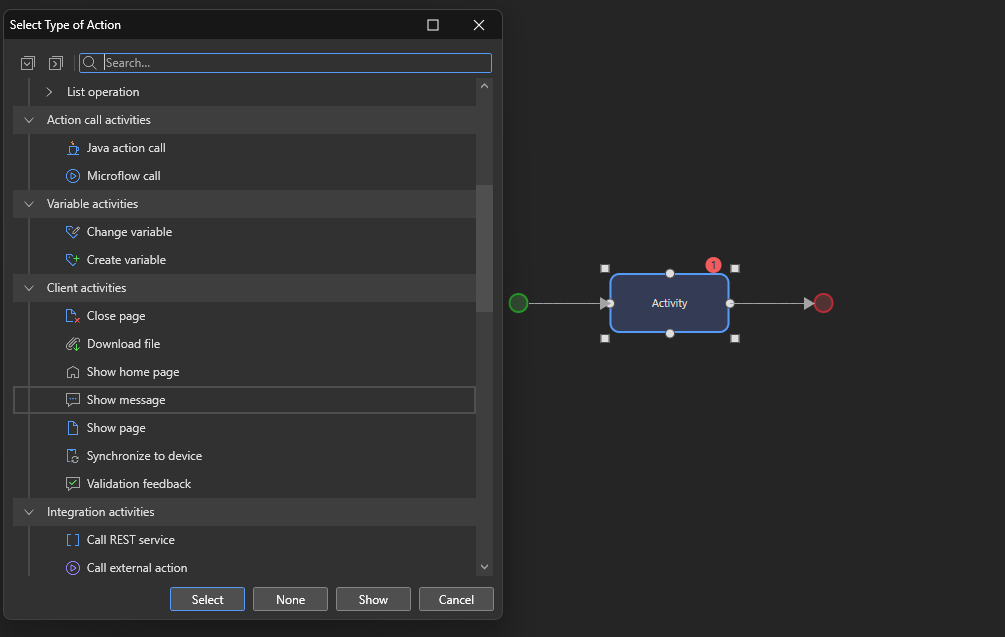
For example, to display a message after pressing a button:- Drag and drop an Action Activity between the start and end events.
- Double-click the action and select Show Message from the options.

-
Configure the Message
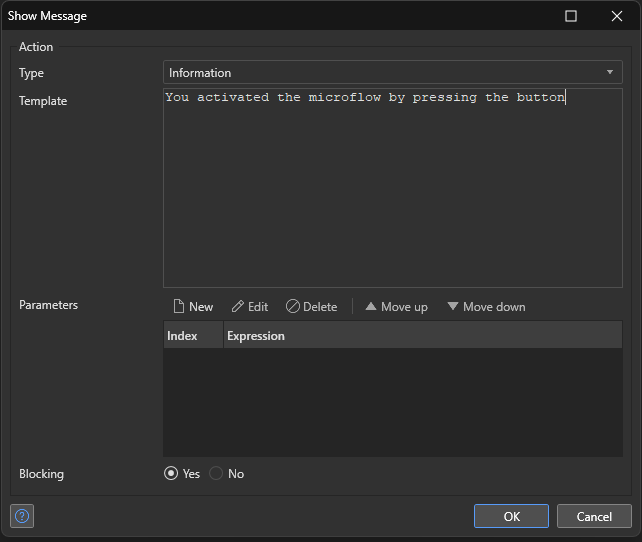
Enter the text to display when the microflow runs.
-
Connect the Microflow to the User Interface
On the desired page (e.g., the home page), drag a button onto the page and set its action to trigger your microflow.
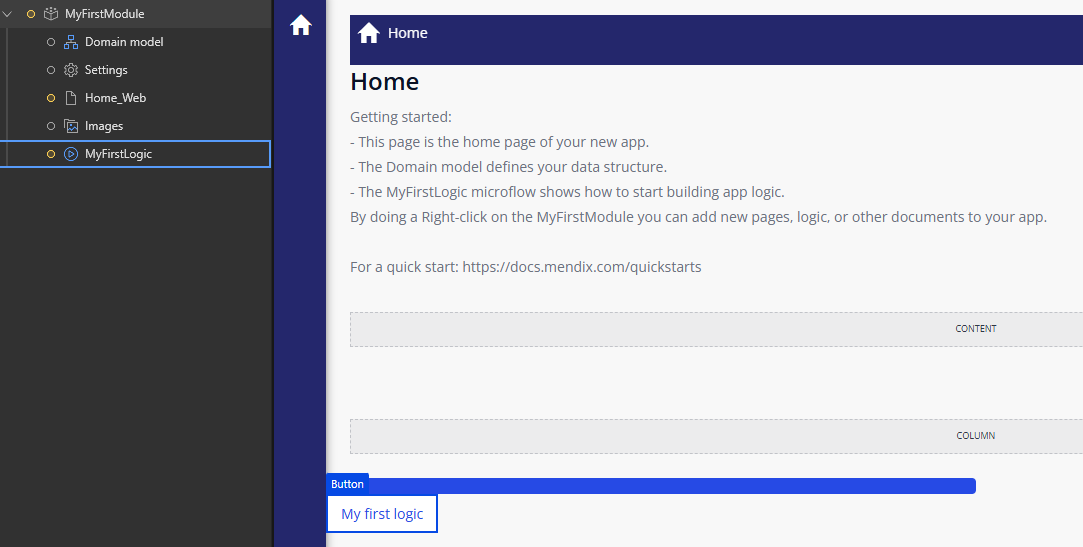
-
Test the Microflow
Run your application, navigate to the page, and click the button to verify the message appears as expected.
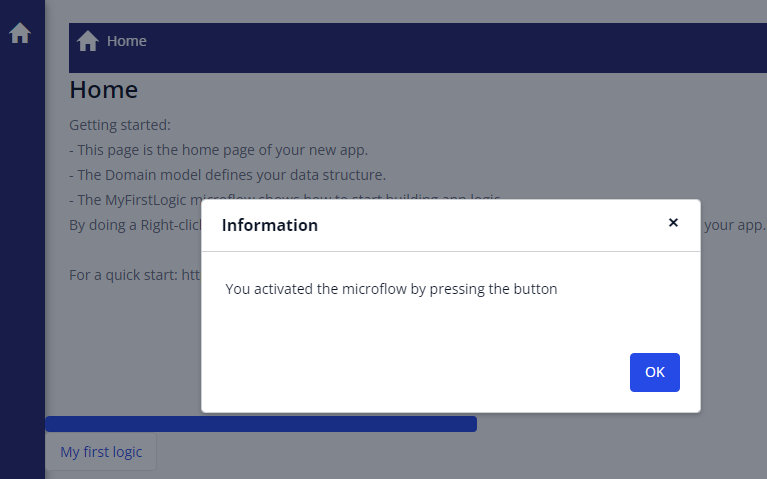
This example focuses on user interaction, but microflows can handle much more complex operations.
Example: Customizing the Save Button with a Microflow
Customize the behavior of a default Save button by configuring it to trigger a microflow, allowing for additional logic during the save process.
-
Change the Button Action
Select the save button and, in the properties panel, change its action to Call a Microflow.
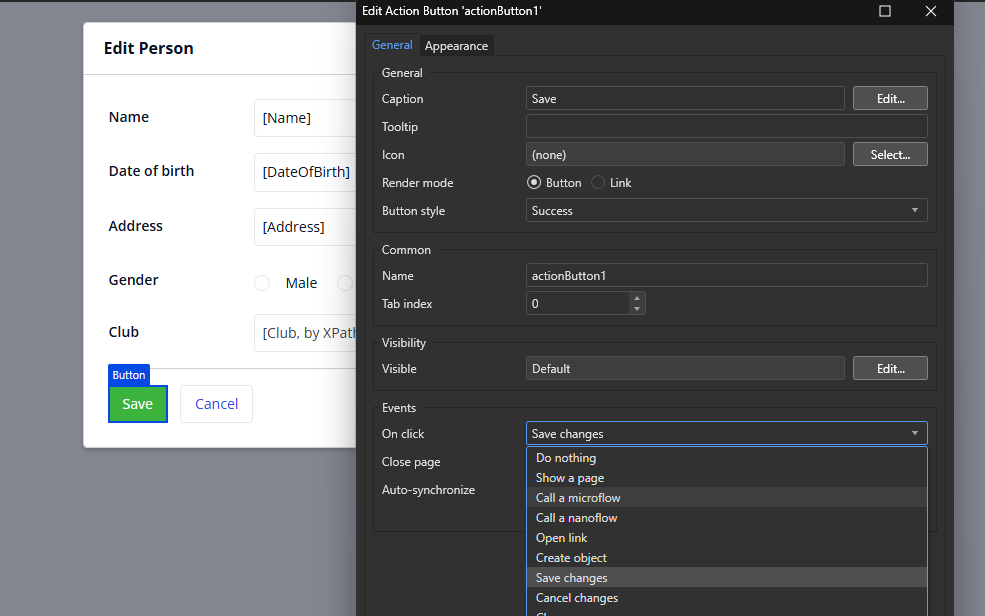
-
Create the Microflow
You will be redirected to create a new microflow. Mendix automatically suggests adding the relevant Domain Entity as an input parameter (e.g., a "Person" entity when saving person data).
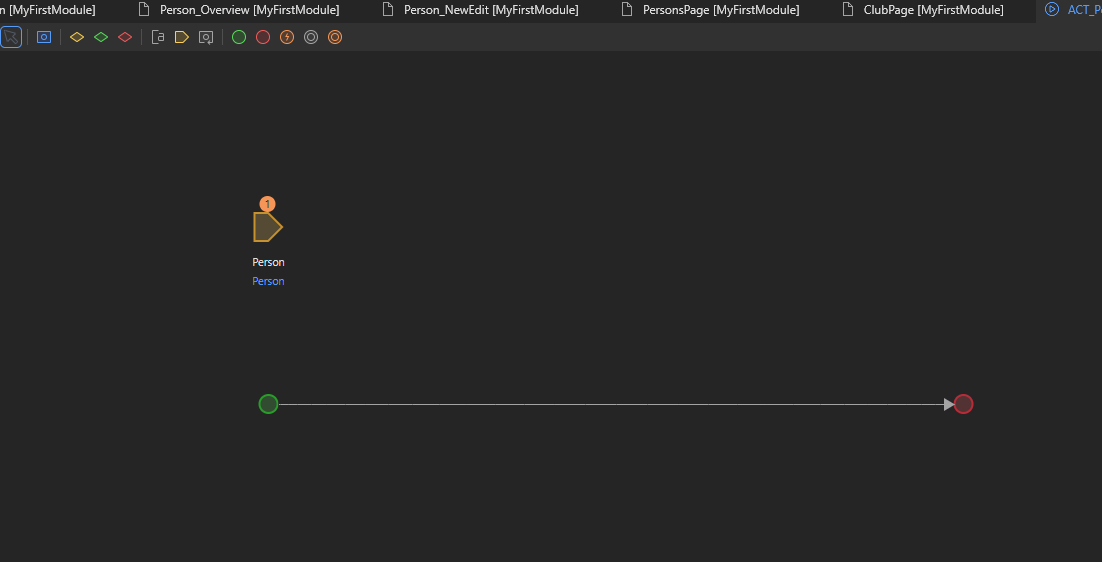
-
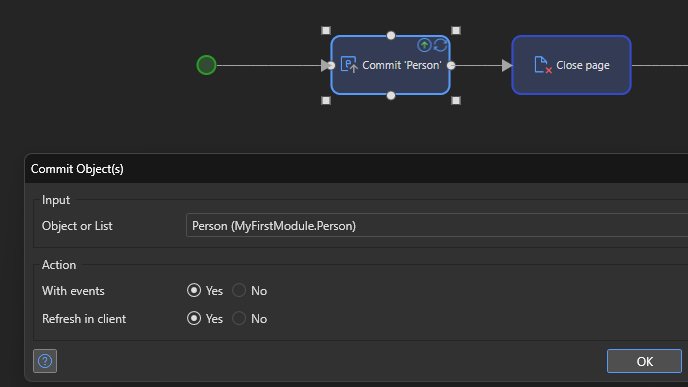
Add Logic to the Microflow
Define the actions to occur when the button is clicked. A common pattern includes:- Commit Object: Save the entity changes to the database.
- Close Page: Close the current page after saving to return the user to the previous screen.
-
Add a Log Message (Optional)
Include a Log Message action to track events (e.g., new records) for debugging or monitoring.
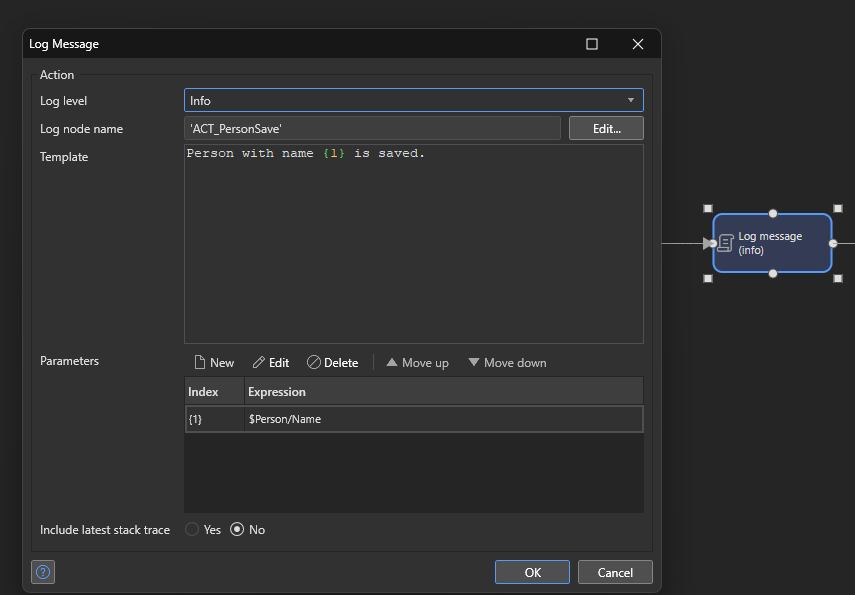
By customizing the save behavior with a microflow, you gain full control over the process, making it easier to add validations, trigger additional processes, or record actions.
Nanoflows
Nanoflows are similar to Microflows, but they run directly on the user's device, such as in a browser or mobile application. This client-side execution offers several advantages, especially in scenarios where fast responses, offline capabilities, and improved performance are crucial. Below are some key use cases and benefits of nanoflows:
Key Use Cases for Nanoflows:
-
Offline Applications:
- Offline Navigation: Nanoflows allow users to continue navigating through the application even when there is no internet connection. This ensures a seamless experience, as users can interact with the app without interruptions.
- Offline Data Processing: You can perform calculations, validations, and other data processing tasks directly on the user's device, eliminating the need for a server connection. This is especially valuable for offline-first applications, where data needs to be processed locally and then synchronized with the server later.
-
Client-Side Logic:
- Instant UI Updates: Nanoflows allow for immediate updates to the user interface without needing to wait for server communication. This is ideal for scenarios where fast, responsive UI changes are necessary, such as animations, transitions, or real-time updates.
- Validation and Calculations: Perform complex validations and data calculations directly on the user's device, improving responsiveness and reducing unnecessary server calls. This reduces latency and enhances the overall user experience by providing immediate feedback.
-
Device Capabilities:
- Access to Device Features: Nanoflows can take advantage of device-specific features such as the camera, location services, or local storage. This enables applications to access and utilize native device functionalities, providing richer user interactions.
- Native Device Integration: Nanoflows allow for deeper integration with the device, including access to notifications, data sharing, and other system-level capabilities that enhance the app’s functionality.
Performance Benefits:
- Faster Execution: Since nanoflows run directly on the client's device, they execute faster by reducing server round-trips. This lower latency improves the responsiveness of your app, offering a smoother user experience.
- Improved User Experience: By offloading complex logic and data processing to the client side, nanoflows reduce the load on the server, ensuring faster response times and better overall performance, especially in areas with unreliable or slow network connections.
Nanoflows are particularly beneficial for scenarios where fast interactions, offline capabilities, and performance optimization are essential. They provide a more seamless and engaging experience by performing tasks locally on the device, and they can be easily extended with Java code for additional functionalities like email validation, while still maintaining efficient execution on the client side.
By leveraging nanoflows in Mendix applications, you can offer users a faster, more responsive app, especially in environments with intermittent or slow internet access.
Events and Event Handlers
In Mendix, Events trigger custom logic during key moments in an object's lifecycle. These events are linked to actions on data (creation, updates, deletion) and are managed by Event Handlers which automatically execute linked microflows.
Common Events in Mendix
- Before Commit: Validate or modify data before saving to the database.
- After Commit: Execute logic immediately after data is saved.
- Before Delete: Perform cleanup or checks before deleting data.
- After Create: Set default values or trigger processes as soon as a new object is created.
Event Handlers centralize business logic, ensuring validations, logging, and data initialization occur reliably without manual intervention.
Example: Logging the Creation of a New Club
To log a message every time a new Club is created, use an After Create event handler.
-
Open the Domain Model
Navigate to your Domain Model and select the entity (e.g., Club) where you want to add the event. -
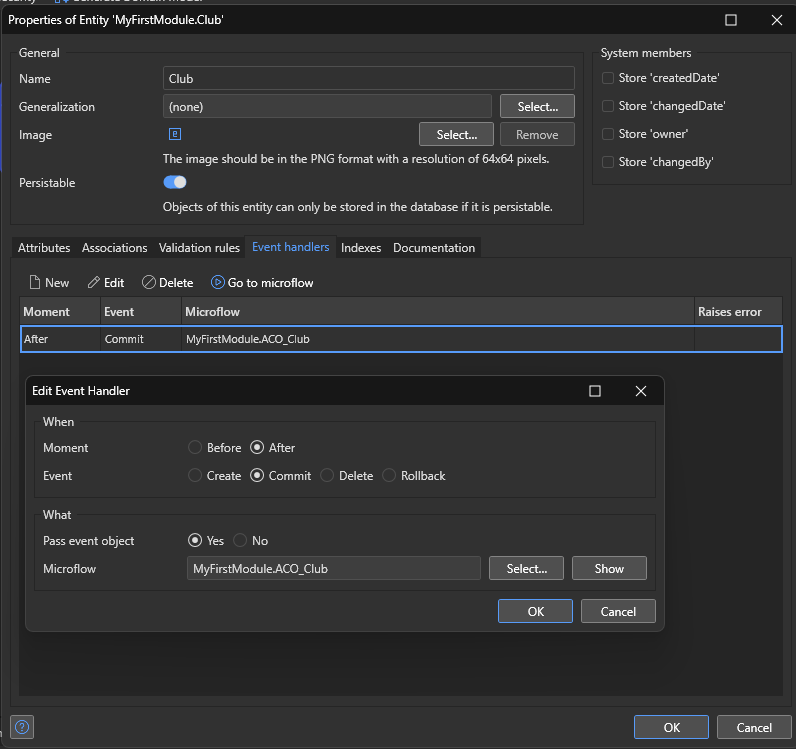
Add an Event Handler
- Go to the Event Handlers tab.
- Click New to create an event handler.
- Choose the Event Moment (e.g., After Commit).
- Link the event to a microflow that handles the logic (select an existing microflow or create a new one).
-
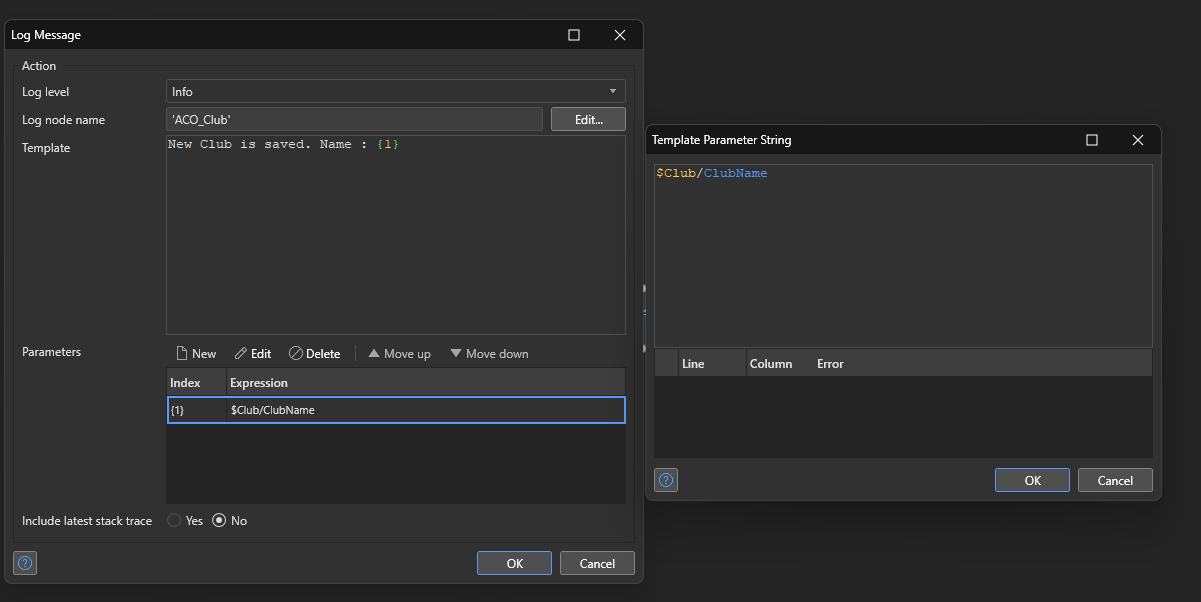
Create the Microflow Logic
Within the microflow:- Add a Log Message activity to log the creation.
- Configure the log message by choosing a Log Node and writing a Message Template that includes both static text and dynamic values (like the club name).
-
Test the Event
Create a new club via your application and verify the log message in the Console, confirming that the event handler works as expected.
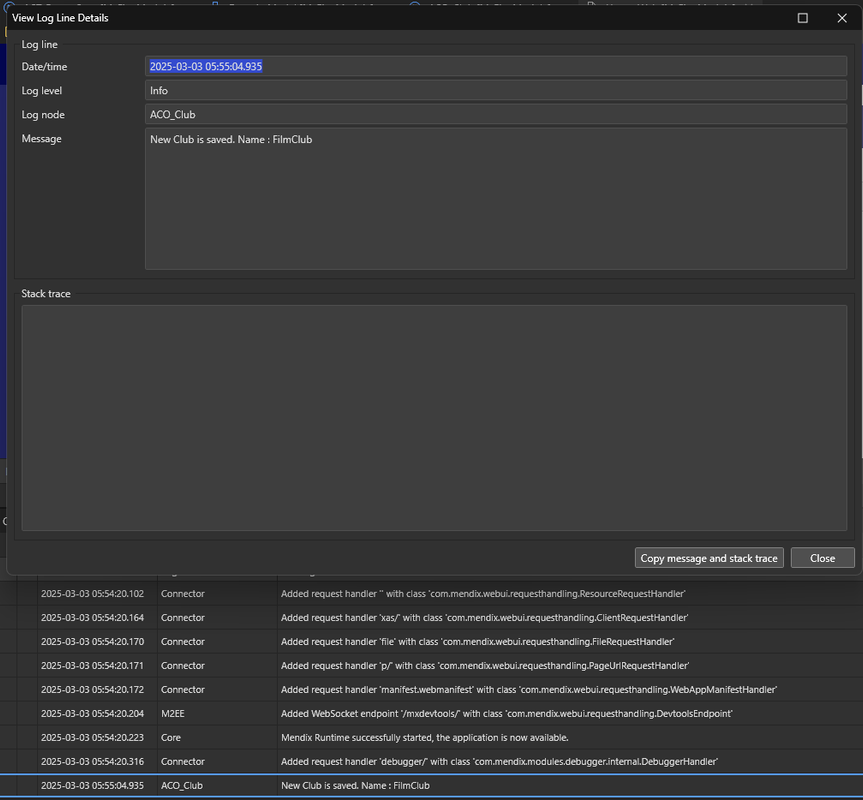
Using event handlers centralizes important business logic, ensuring that validations, logging, and data initialization occur consistently across your application.
Next page → Database Management in Mendix