Metadata Tools - JJLongoria/aura-helper GitHub Wiki
Aura Helper implements to many tools and features to work with project Metadata files and reduce to connect with Salesforce to work with some files and work better, faster and easy.
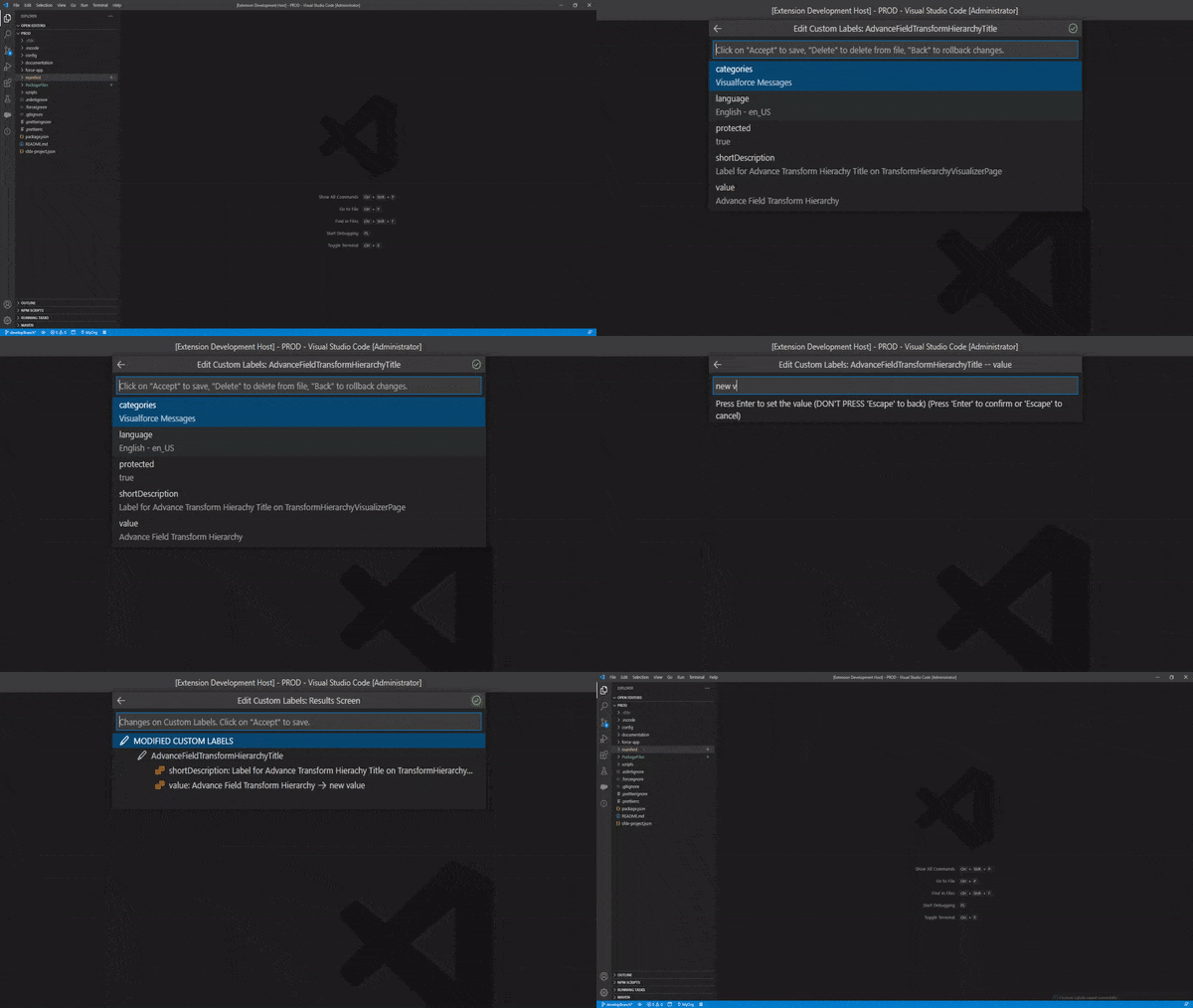
To work better with Custom Labels from VSCode and reduce the Salesforce dependency to develop, Aura Helper provide a Graphic Interafce to edit the Custom Labels Metadata file (must have downloaded into your project) without errors.
You can create, edit, delete and deploy to the Auth Org any Custom Label stored into the file. Aura Helper will be validate any Custom Label field to avoid to put wrong values.
To work with the Custom Labels Editor, go to the Custom Labels file and rigth click on it to choose AuraHelper: Custom Labels Editor option on contextual menu, or execute the command AuraHelper: Custom Labels Editor directly from the Command Palette.
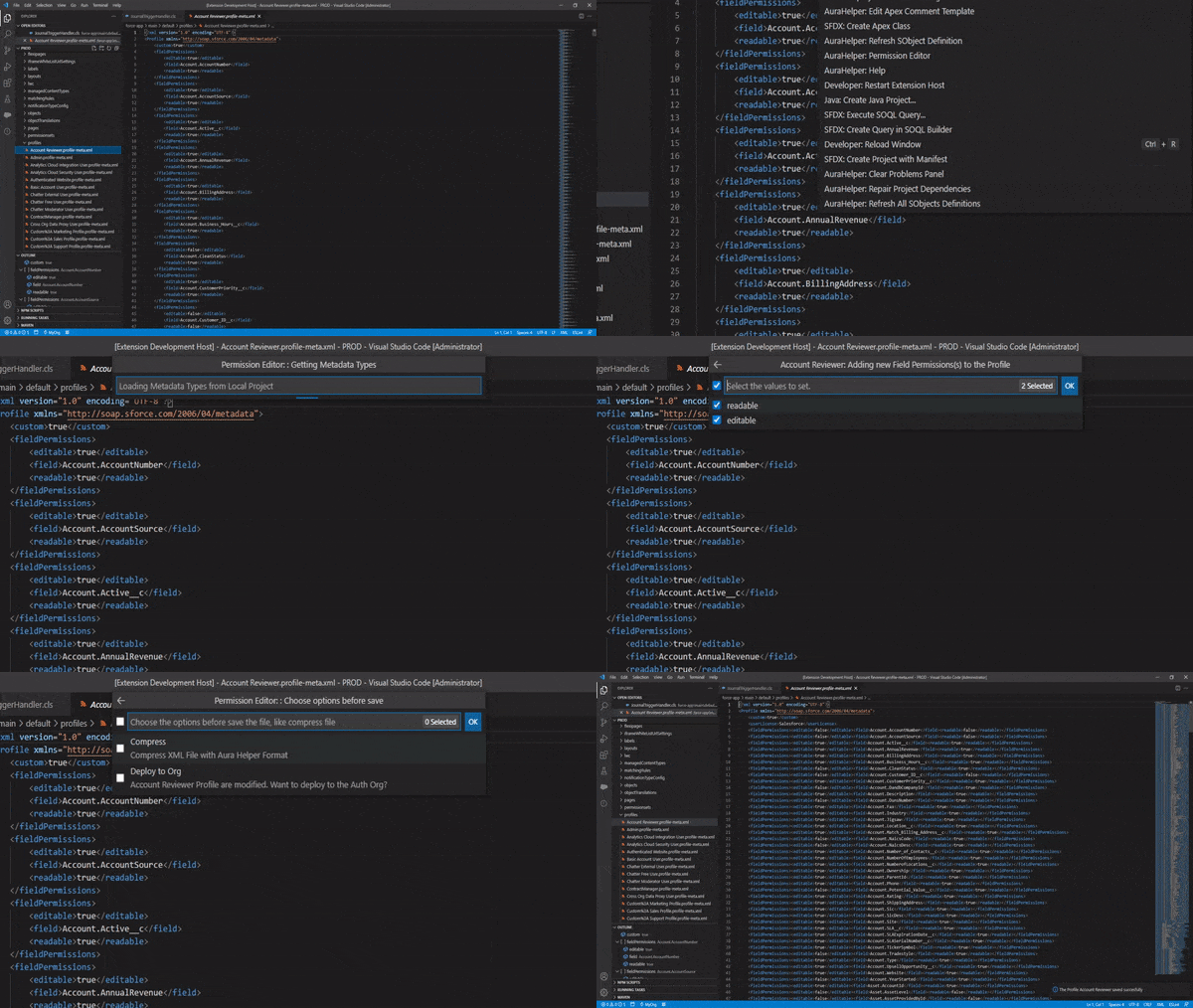
The Permission Editor tool, is a graphic interface to allow the users to edit Permissions file like on Salesforce, with the same validations and depending fields. To use it, go to the permissions files (Profile, Permission Sets or Muting Permission Sets) and press right click to open contextual menu and select AuraHelper: Permission Editor or open the files on editor a execute the command AuraHelper: Permission Editor from command palette.
The permission editor tool has the same behaviour than salesforce with fields validations and controlled fields. For example, if you choose ModifyAll permission to one object, Aura Helper will select Automatically the Read, Create, Edit and ViewAll Permissions like Salesfoce (works equals if you unselect permissions)
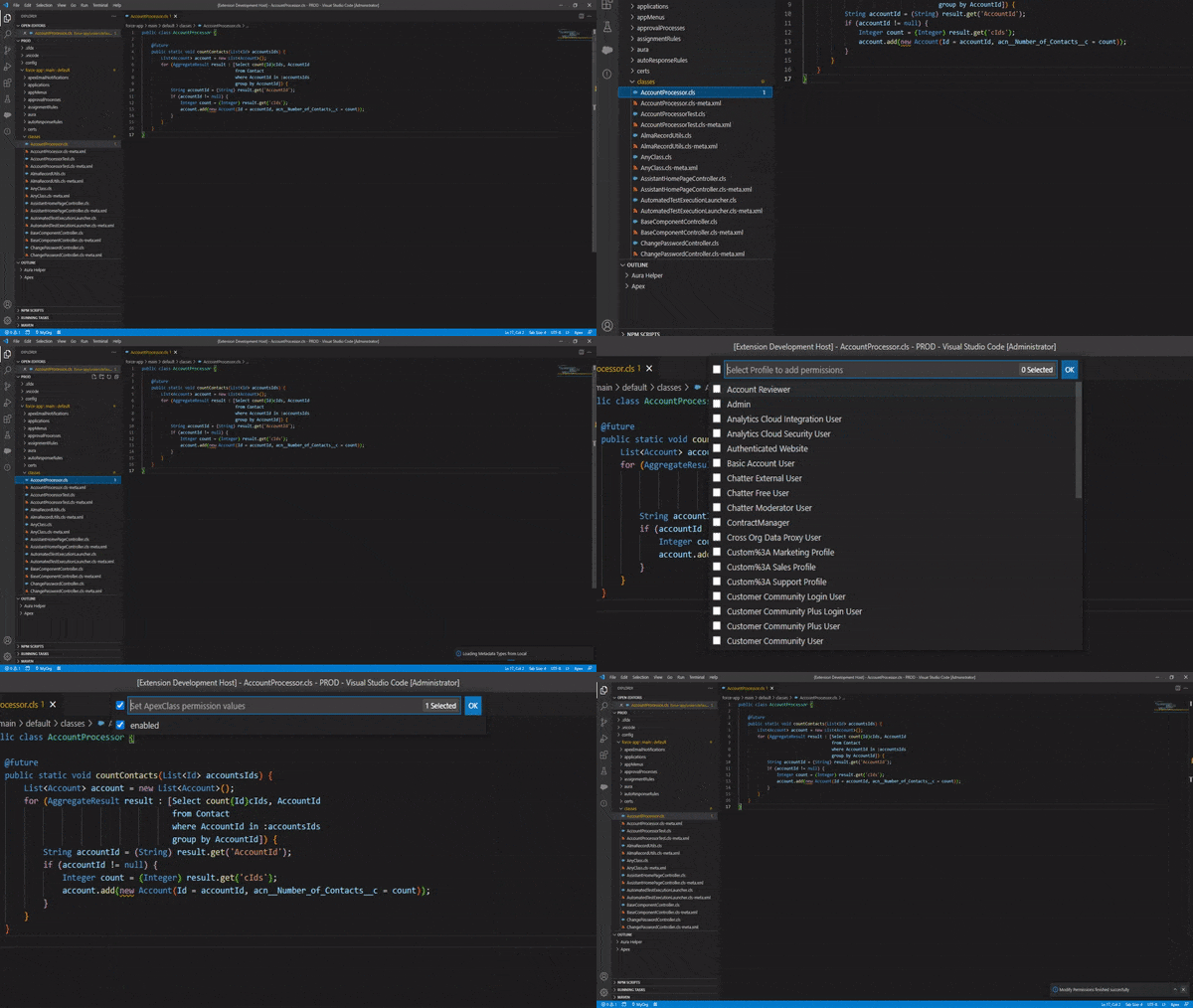
If the Permission Editor tool allow to the user to edit the permissions files, the Modify Permissions tool allow to the user to modify the permissions from any available Metadata Types. For example, in Permission Editor you can edit one permission to edit one or several Apex Classes permissions to the selected file. With the Modify Permissions tool yo can choose one Apex file to modify permissions on one or several permissions files.
To use this tool you can choose one file from the File Explorer and press right click to open contextual menu, an select AuraHelper: Modify Permissions and Aura Helper will show to you all available permissions Types (Profiles, Permissions Sets...) and allow the user to edit the permissions on all selected files.
Like the Permission Editor, the Modify Permissions tool has the same behaviour of Salesfoce with validations and controlled fields. For example, if you choose ModifyAll permission to one object, Aura Helper will select Automatically the Read, Create, Edit and ViewAll Permissions like Salesfoce (works equals if you unselect permissions)
To maintenance your local project integrity and cosistency, specialy if you work with git as code master to deploy between environments the Repair Dependencies tool will be helpfull.
You can repair all dependecies errors automatically or only check to find errors and repair it manually (if you want). Aura Helper support to check and repair Dependencies errors with Metadata types for all XML Files, from CustomApplications to Worflow files...
To use this feature only need to execute the command AuraHelper: Repair Project Dependencies
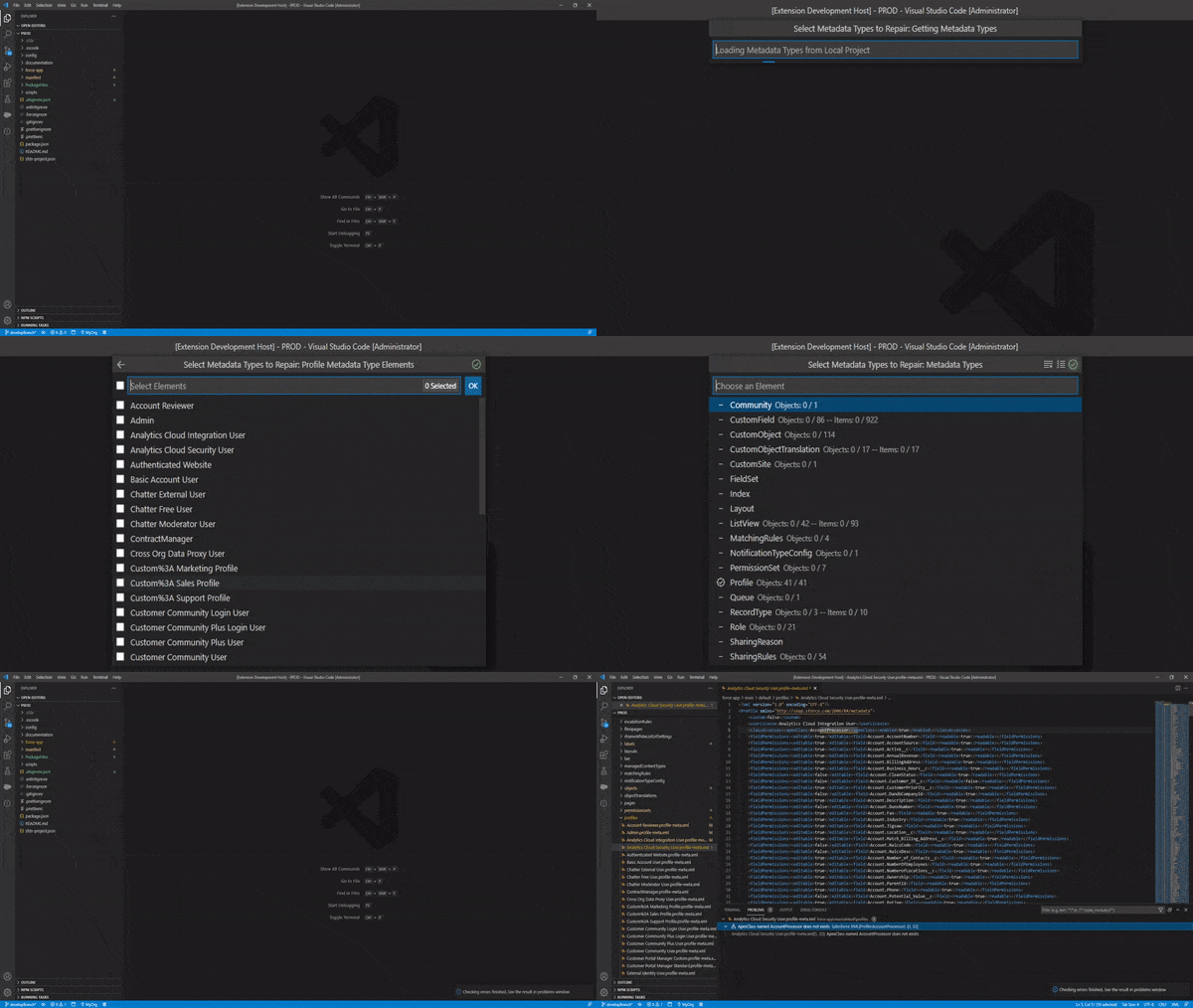
When you run the command, Aura Helper will show to you all supported types (included in your local project) to allow to you to choose the Metadata Types to repair (To a better code maintance). Also you can use an .ahignore.json file to ignore some Metadata Types from repair operations.
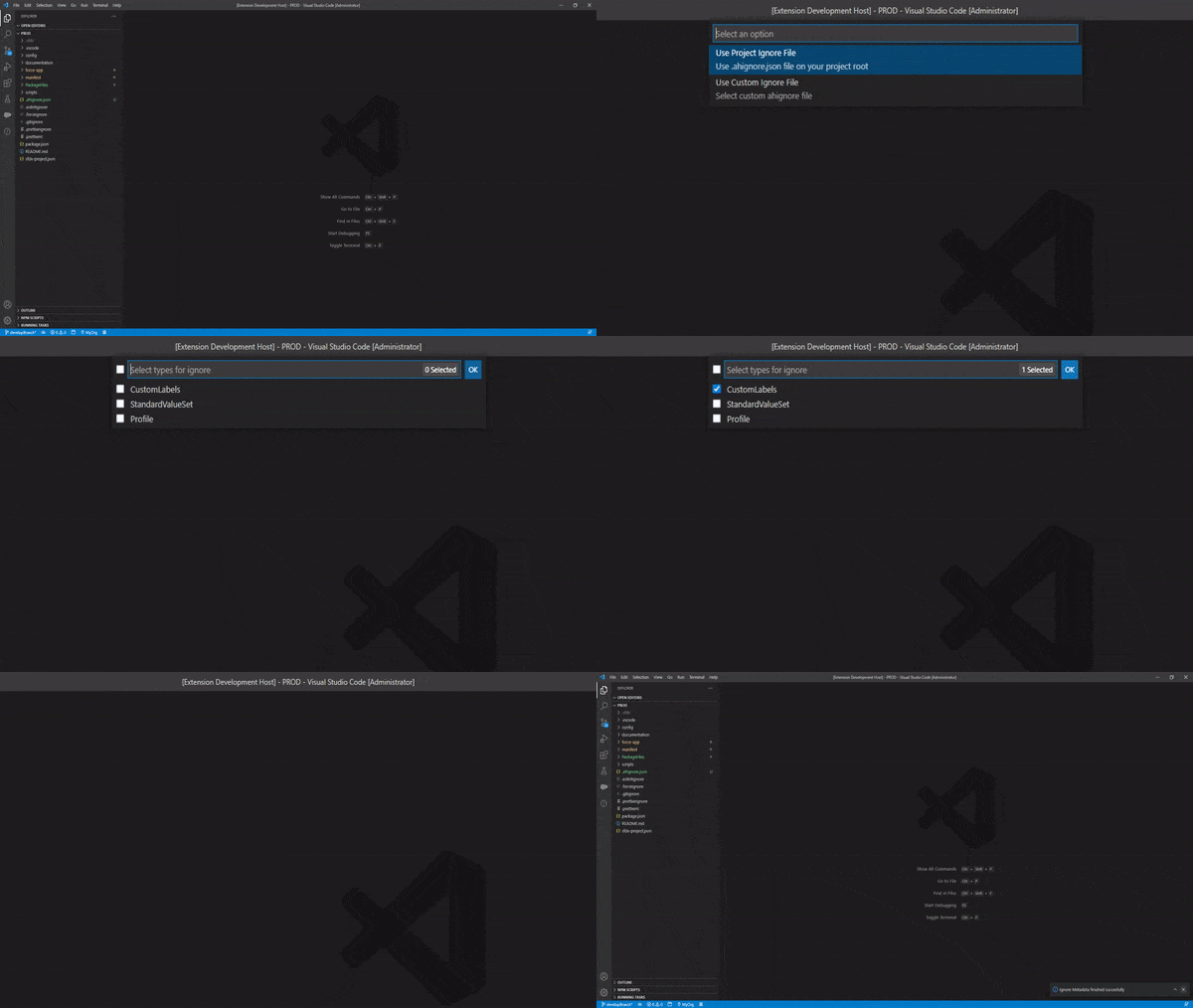
Like Repair dependencies tool, the Ignore Metadata command has the same porpouse, maintenance your local project integrity and cosistency to deploy it with less errors, specially if work with git.
With this feature, you can ignore (even remove) all Metadata files or Metadata included in files (like some custom labels or workflow rules for example) to avoid to deploy it between environments.
This tool wil be helpfull in some cases, like Custom Labels with different values between orgs (like ids) or to remove some User Permissions from Profiles or Permissions sets to avoid change it on the target org amont other use cases.
To ignore metadata, you need an .ahignore.json file to use it with the commands. You can has a single .ahignore.json file into your root project, like .gitignore to use it automatically, or can has several .ahignore.json files, with different names and locations and choose the preferred file when run the command to make the tool more flexible.
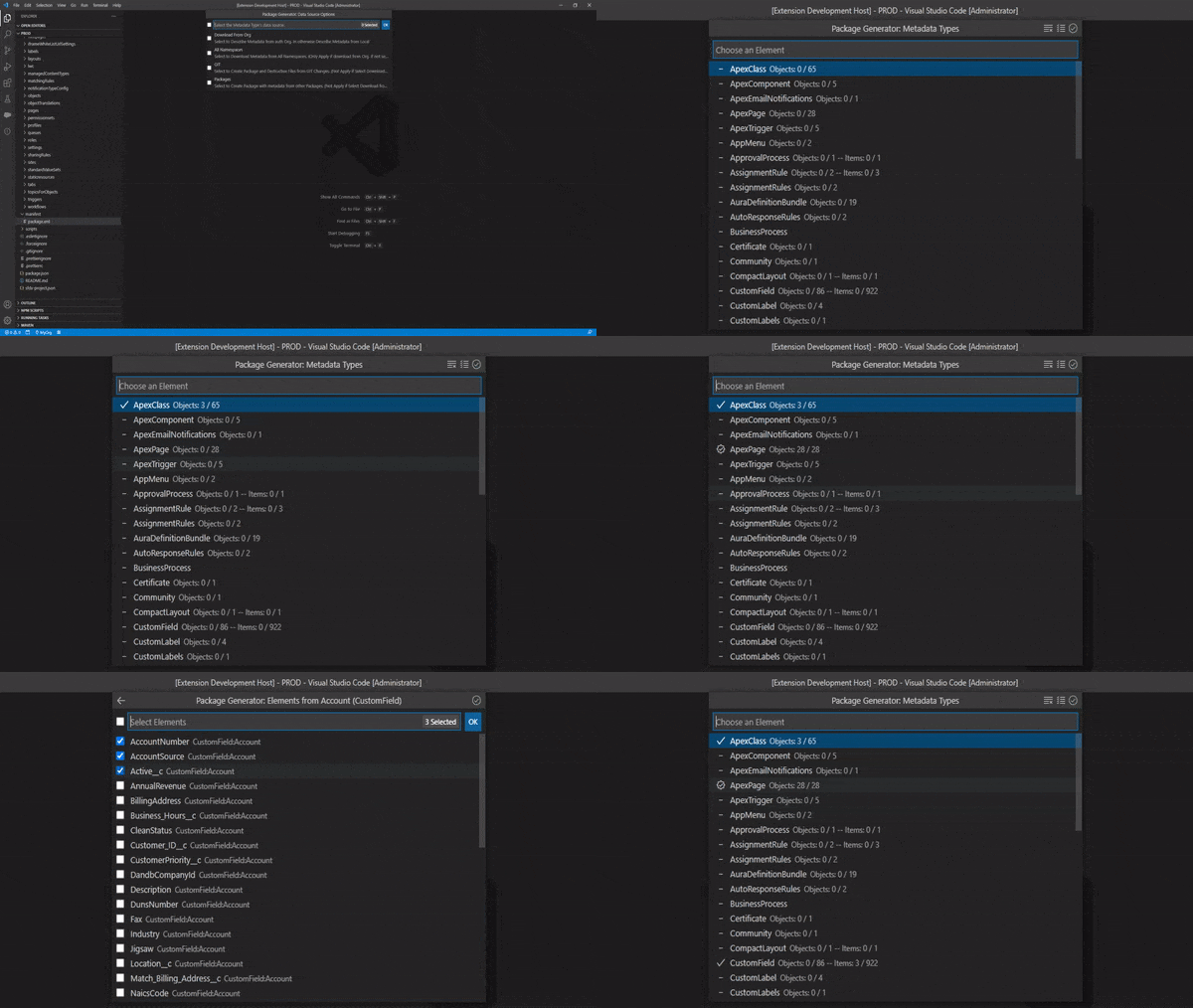
Aura Helper has a really powerfull Package Generator tool to allow to the users to create Package XML Files (and Destructive Changes files) from several sources to retrieve, deploy or other porpouses.
You can show all available Metadata types in your Local Project or from your Auth Org (including all namespaces data) to choose Metadata Types and elements manually to create the package files.This will be helpfull to retrieve only one or several SObject Fields or Validations rules amon others, because Salesforce Org Browser can't do it.
Other important feature from Package Generator is the GIT option as datasource. This option allow to the user to choose two branches, commits or tags to get the code differences and create the Package XML and Destructive Files according the detected changes. With this option, refactor code are really easy to deploy and can maintenance better your App versions.
Finally, Package Generator can merge several package or destructive files into one file by type or merge all files into one single file (to deploy, retrieve or delete data).
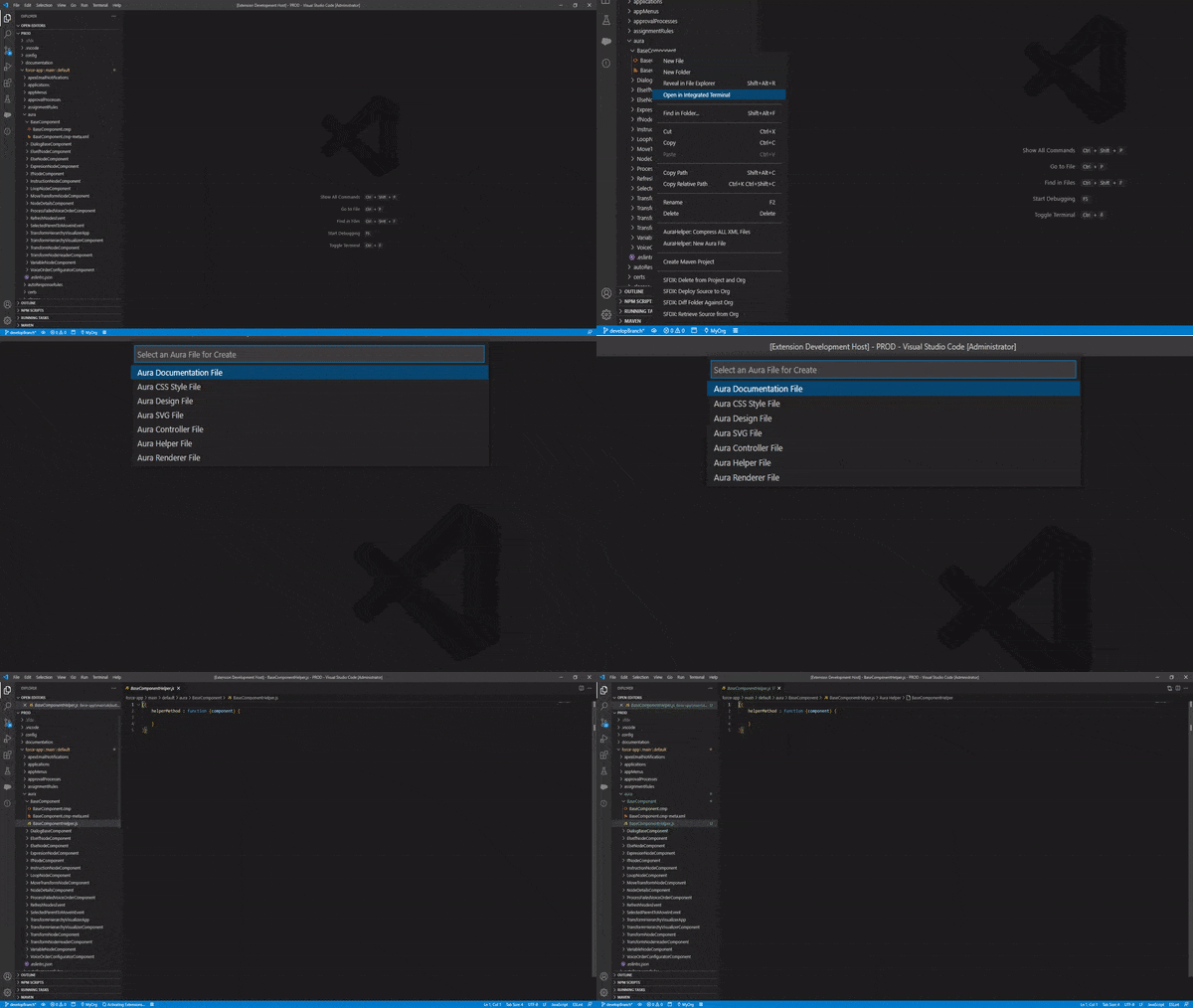
To simplify work with Aura Components, Aura Helper can create any Aura Component file easy with one command. Only need to go to the Aura Component folder a press right click to view the contextual menu, and choose the AuraHelper: Create Aura File option. Aura Helper will analize the component folder to check for missing files and show the users the available files to create.
All files will be created with a simple default template except the Aura Documentation File, this file will be created automatically with the content of the documentation based on the user defined template. See Aura Documentation section to learn more about Aura Documentation features from Aura Helper.
Like other tools, the *Metadata Comparator* tool are designed to maintenance the local project consistency and help to the users to maintenance the itegrity between environments.
With this feature, you can compare your Local project with the Auth Rrg to detect the Metadata Types that exists on the Auth Org but not exists on your local project. Also can compare two Orgs to get the Metadata Types that exists and not between two orgs.
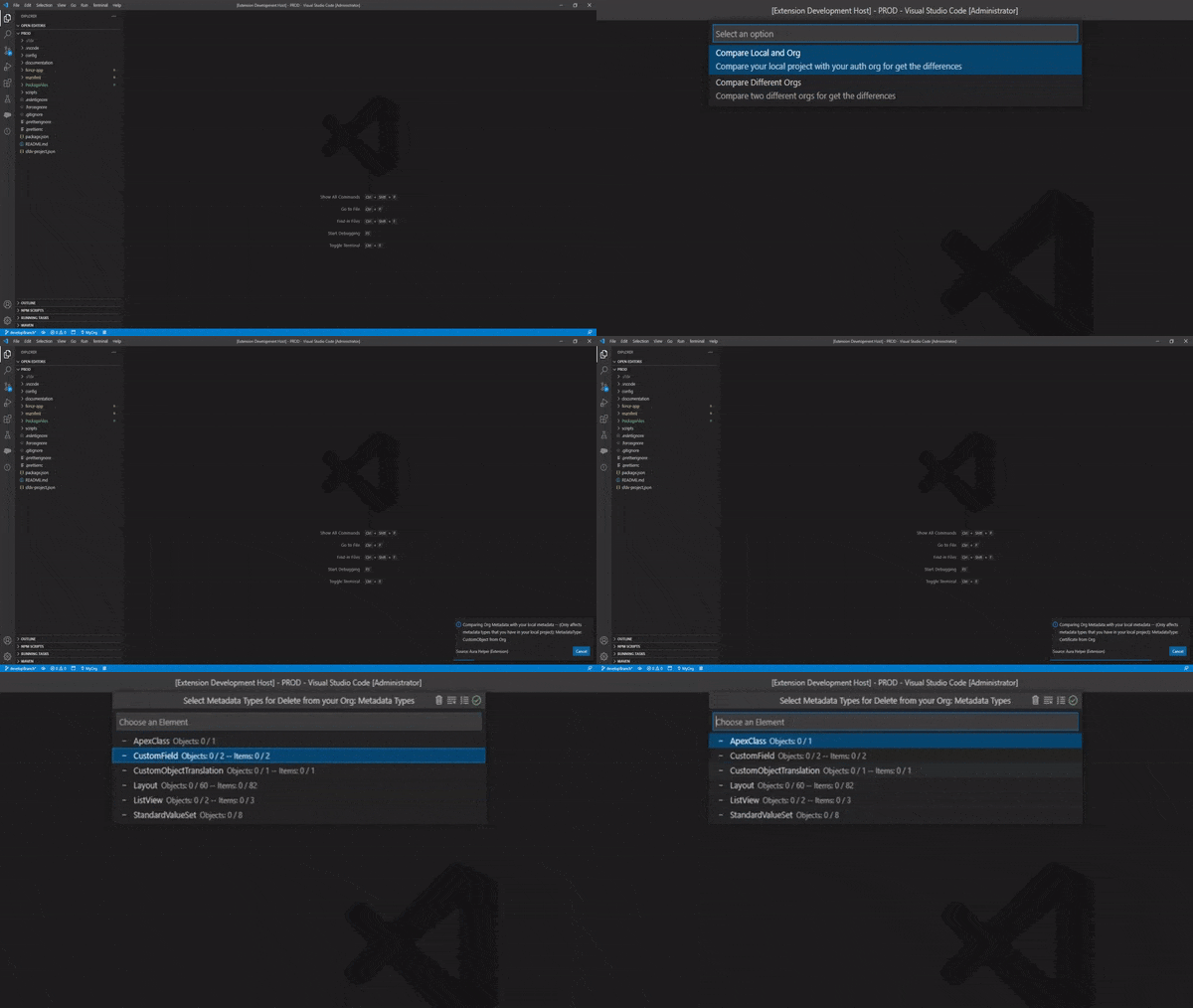
Some Metadata Types like Profiles, Permission Sets, Record Types or Translations among others are created by Salesforce on runtime when retrieve it to your local project, according the Metadata Types included into the Package XML files.
To retrieve the entire data files without create the package file or modify any other file Aura Helper has the Retrieve Special Types command to allow to the user to select the special types to retrieve.
When execute the command, Aura Helper will show all available special types to download and allow to the user to select one, several or all types to retrieve.
Also you can choose to Retrieve data only from your Local Project to get and affect only the local metadata types. Retrive from Auth Org to include all available data from your org (including types that no exists on local) or Retrieve Mixed to retrieve only the Metadata Types that exists on yout local project, but will all Org data.
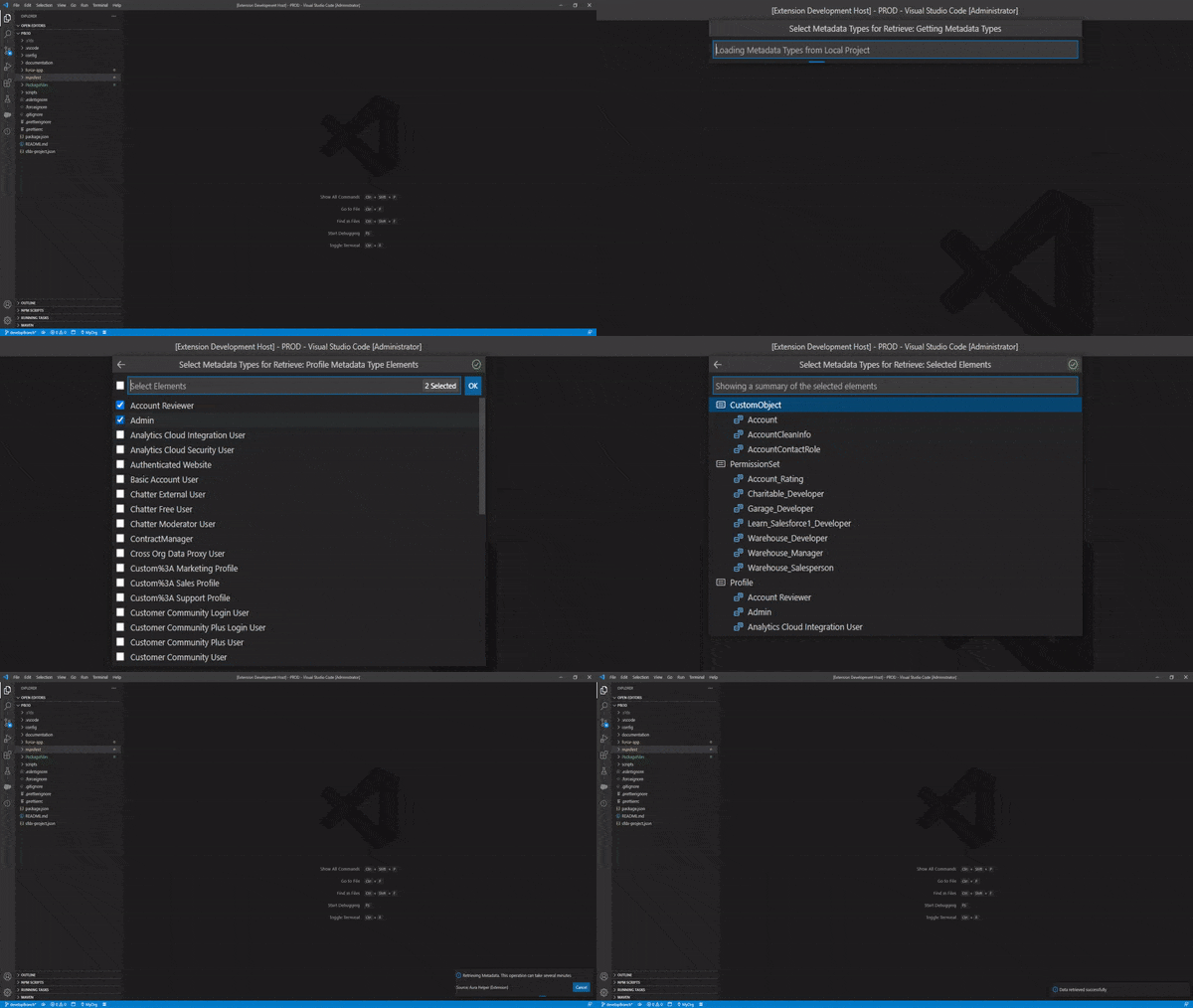
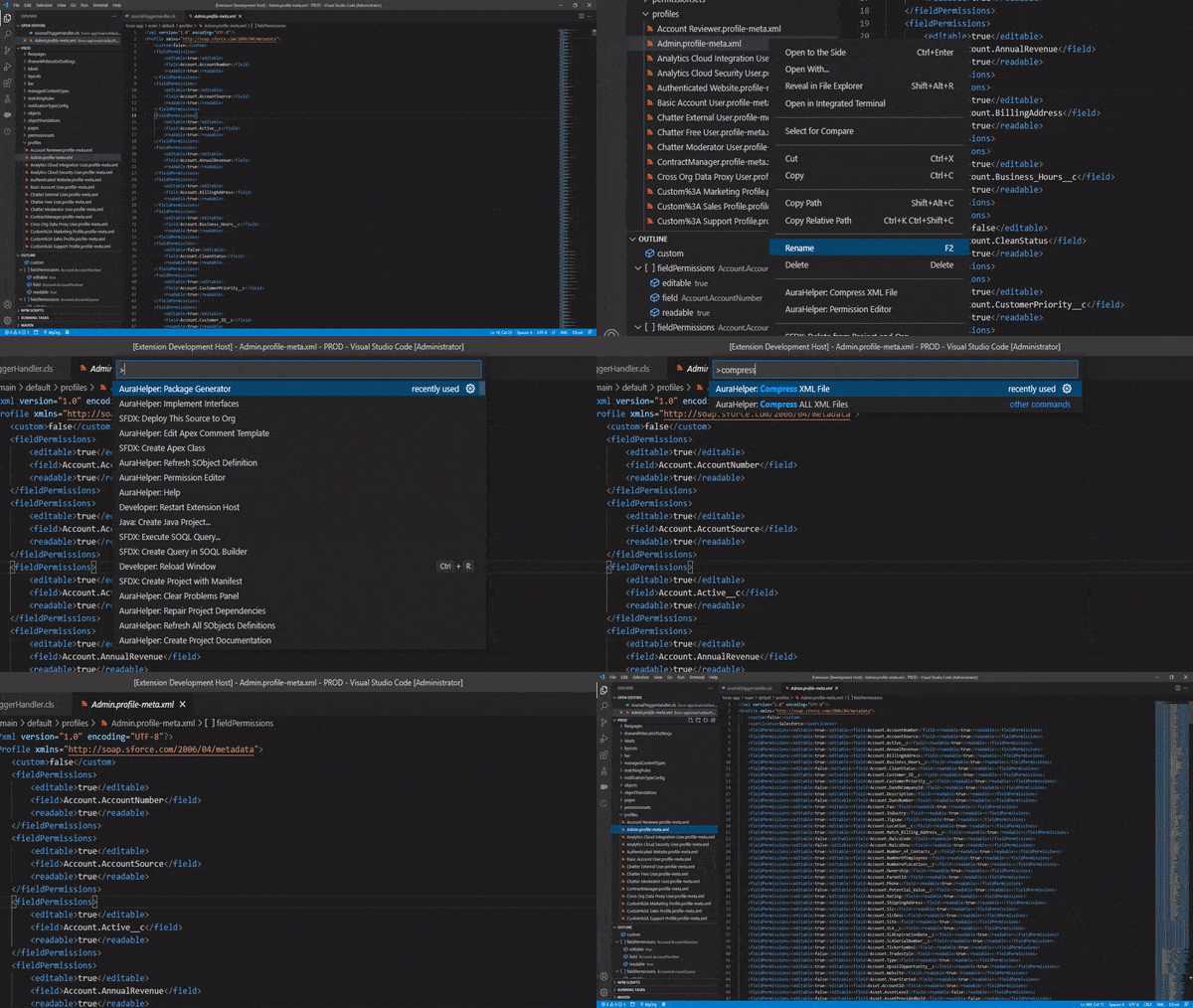
To help developers to work with Git and reduce merge errors among other things, Aura Helper has two commands to change the XML file format to compress and minify the content with readable humans format and better to handle Git changes and conflicts.
Aura Helper granted always the same order of all XML elements on any file to identify changes better and has an options to select the order of the XML elements on files. Go to Aura Helper > Metadata > Xml Sort Order on extension settings to choose the XML Sort order.
You can compress all XML Files from project or from a folder with AuraHelper: Compress ALL XML Files commands or compress a single file with AuraHelper: Compress XML File. Aura Helper support to compress XML files from other operations to compress affected files.