Divine Station Weapon Upgrades 1.21.1 - Herbertofury/Advent-of-Ascension GitHub Wiki
Divine Station weapon upgrades · Minecraft 1.21.1
Version: released AoA 3.7.16.1. This guide covers 36 shipped upgrade recipe definitions, using 18 upgrade ingredients: 17 named kits plus Weapon Parts. Their presence in the archive does not prove every station, weapon or kit is obtainable in a stock Survival world. No station-output crafting recipe was found by this audit; check the actual pack's acquisition additions.
Recipe browser · Items and blocks
1. Match the weapon and upgrade ingredient
This is a Divine Station recipe type, not a promise that placing two items in an ordinary crafting grid will work.
- Check the exact input weapon in the route list below. A related-looking weapon or one from another release is insufficient.
- Put the input weapon in the station's first input slot, on the left.
- Put the specified kit or Weapon Parts in the second input slot, in the middle.
- Read the output preview on the right before taking it. The menu searches the upgrade recipe type with these two positional inputs.
- Compare the resulting weapon's details and components. Do not spend a valuable customized item until the exact pack's preservation policy is tested.
The inspected crafting-result slot applies the recipe's remaining-items path and removes one item from each occupied input as it processes a completed craft. Quick-move, cancellation, external events and altered remainder behavior still require actual target-build tests.
2. Understand what carries over
The base recipe does not copy the input weapon. Its assembly method returns a copy of the configured output stack. It does not read input damage, enchantments, custom name, battery/stored-cast data or other input components to transfer them.
All 36 inspected output declarations contain an item ID and count of one; none explicitly declares transferred input components. This is different from a repair operation that copies your existing item and changes only damage.
The parent menu also fires a crafting event, and datapacks/mod integrations can change results. Therefore this is a base-recipe behavior finding, not a claim of unconditional component loss in every modpack. Inspect the preview and test a disposable sample. If the restoration intentionally preserves selected components, implement an explicit compatibility policy rather than blindly carrying the old weapon's stats into a different weapon type.
An “upgrade” name also does not prove that every statistic improves. Compare ammunition, firing behavior, resource costs and the actual output's stats before choosing a route.
3. Illustrated route catalog
These are source-model item illustrations, not proposed TaCZ replacement models or in-game screenshots. Each row shows input weapon + required ingredient → configured output.
Routes 1–6
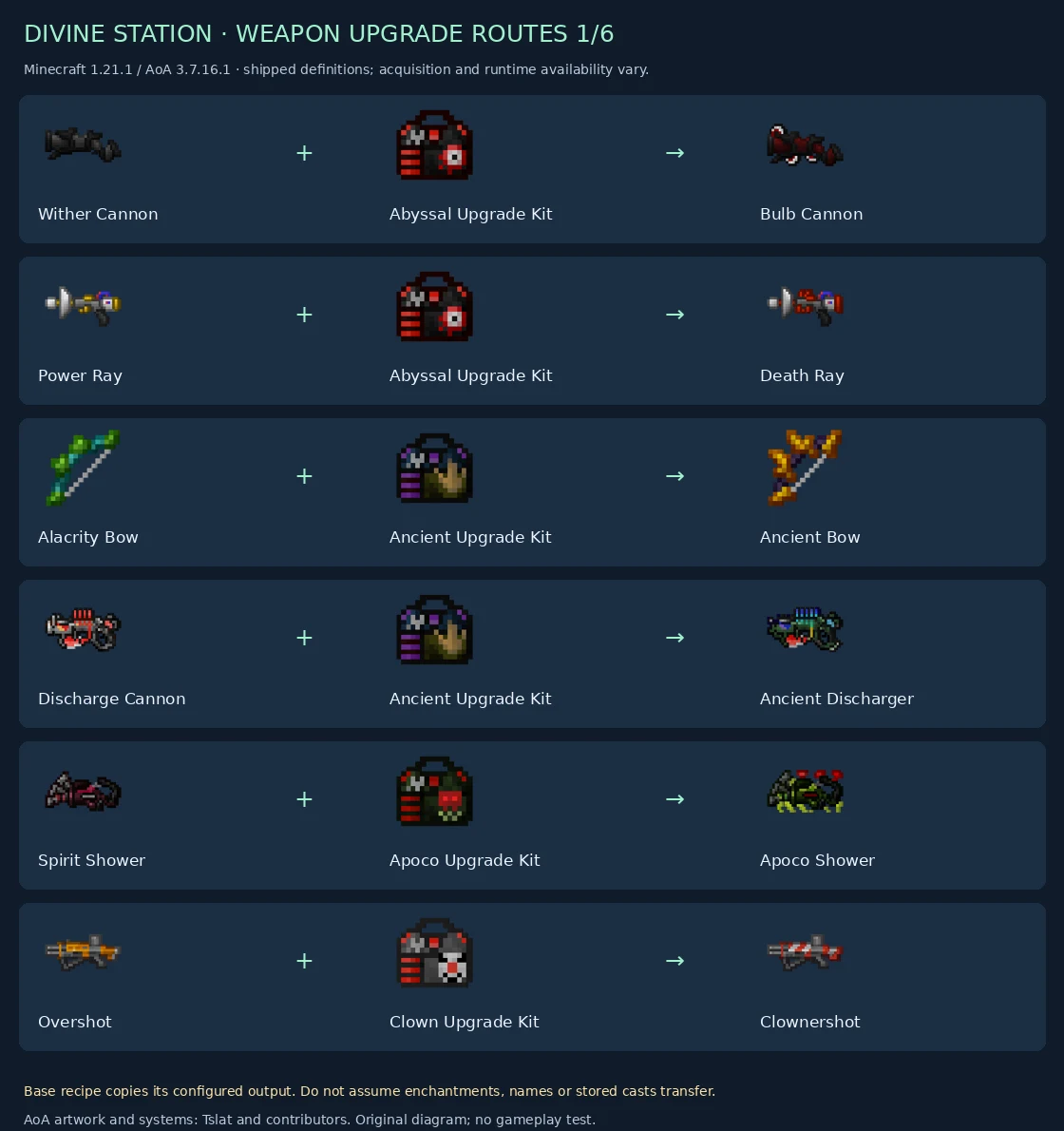
| Input weapon | Upgrade ingredient | Output weapon | Definition |
|---|---|---|---|
| Wither Cannon | Abyssal Upgrade Kit | Bulb Cannon | Inspect |
| Power Ray | Abyssal Upgrade Kit | Death Ray | Inspect |
| Alacrity Bow | Ancient Upgrade Kit | Ancient Bow | Inspect |
| Discharge Cannon | Ancient Upgrade Kit | Ancient Discharger | Inspect |
| Spirit Shower | Apoco Upgrade Kit | Apoco Shower | Inspect |
| Overshot | Clown Upgrade Kit | Clownershot | Inspect |
Routes 7–12
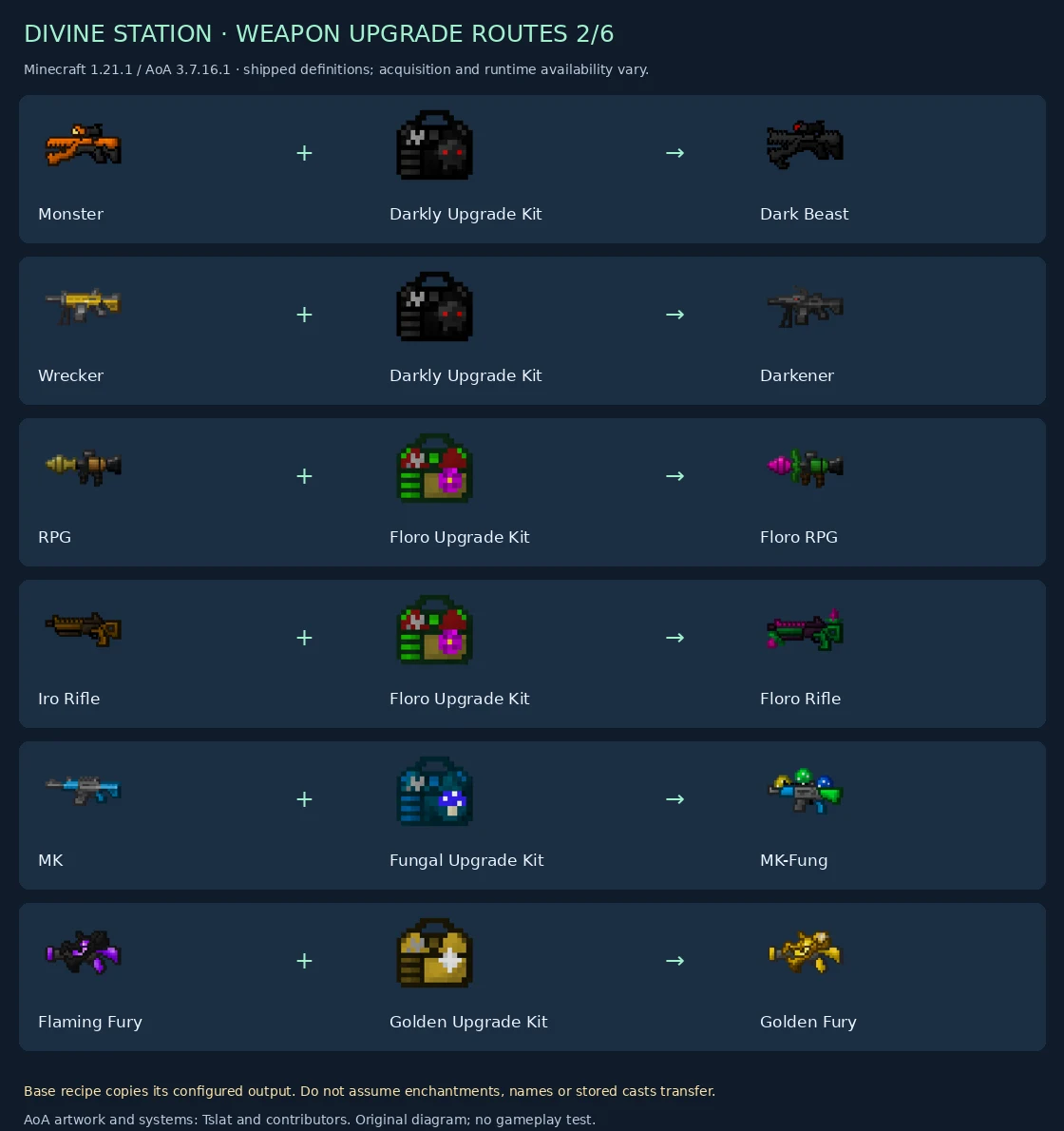
| Input weapon | Upgrade ingredient | Output weapon | Definition |
|---|---|---|---|
| Monster | Darkly Upgrade Kit | Dark Beast | Inspect |
| Wrecker | Darkly Upgrade Kit | Darkener | Inspect |
| RPG | Floro Upgrade Kit | Floro RPG | Inspect |
| Iro Rifle | Floro Upgrade Kit | Floro Rifle | Inspect |
| MK | Fungal Upgrade Kit | MK-Fung | Inspect |
| Flaming Fury | Golden Upgrade Kit | Golden Fury | Inspect |
Routes 13–18
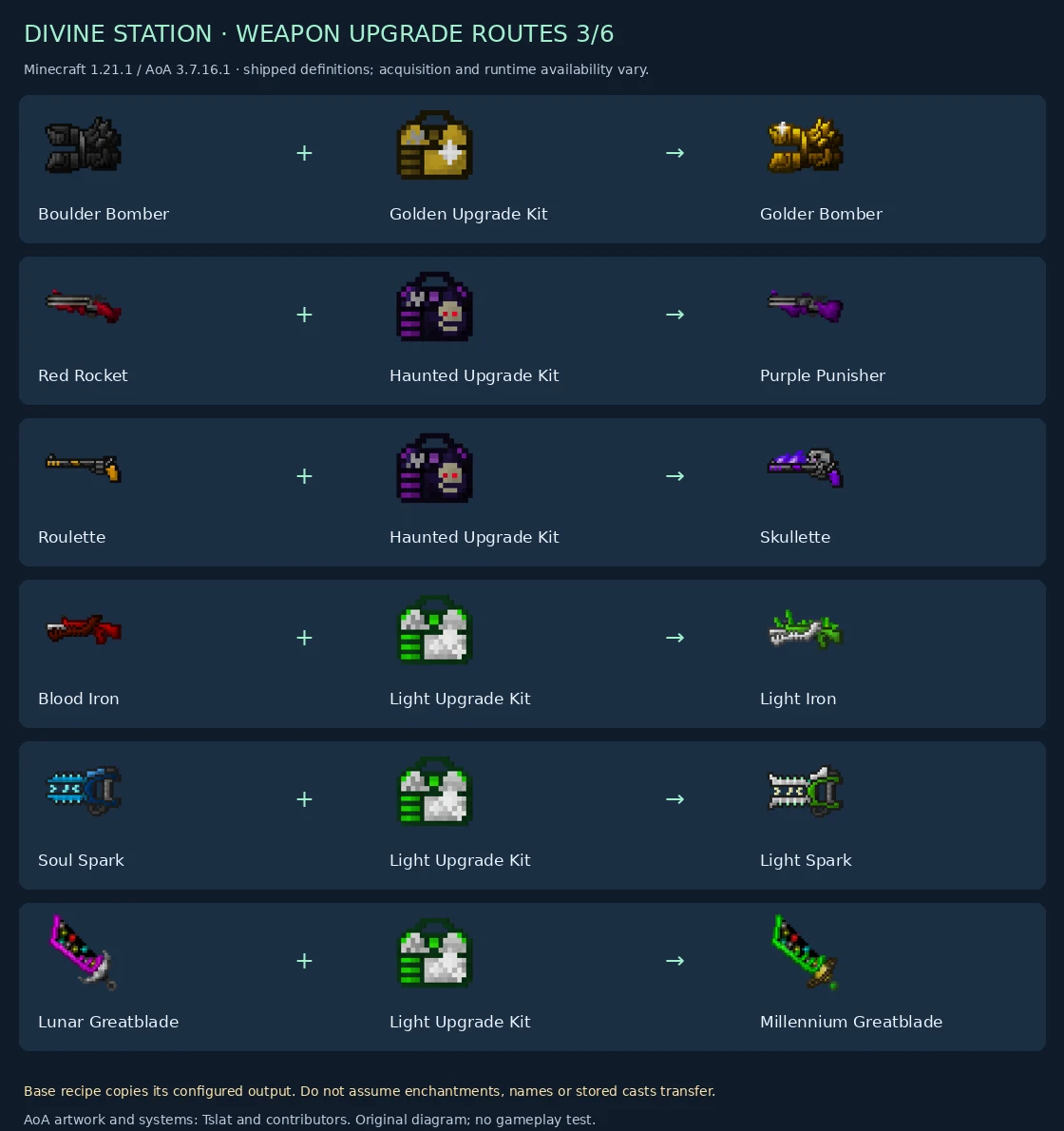
| Input weapon | Upgrade ingredient | Output weapon | Definition |
|---|---|---|---|
| Boulder Bomber | Golden Upgrade Kit | Golder Bomber | Inspect |
| Red Rocket | Haunted Upgrade Kit | Purple Punisher | Inspect |
| Roulette | Haunted Upgrade Kit | Skullette | Inspect |
| Blood Iron | Light Upgrade Kit | Light Iron | Inspect |
| Soul Spark | Light Upgrade Kit | Light Spark | Inspect |
| Lunar Greatblade | Light Upgrade Kit | Millennium Greatblade | Inspect |
Routes 19–24
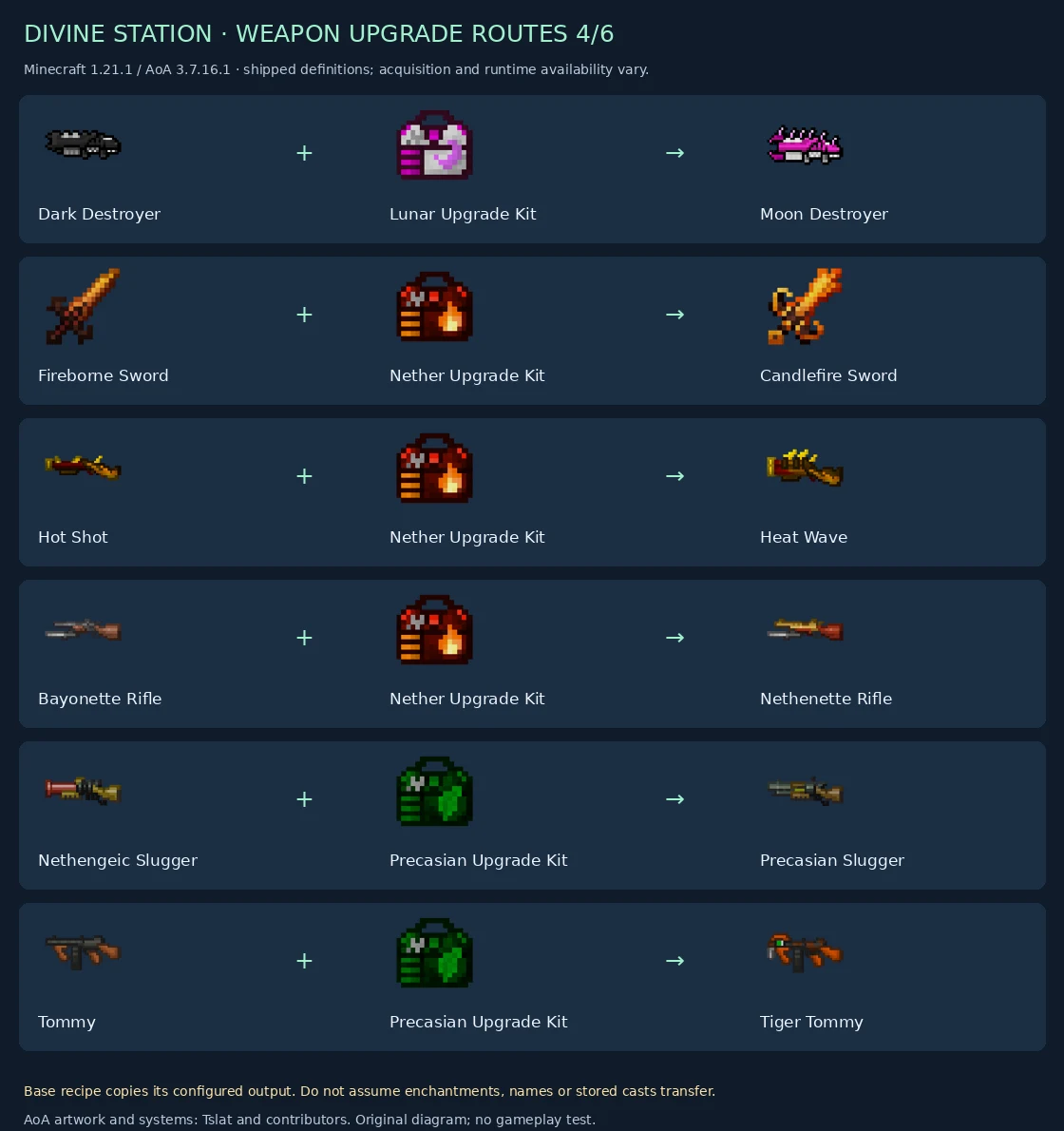
| Input weapon | Upgrade ingredient | Output weapon | Definition |
|---|---|---|---|
| Dark Destroyer | Lunar Upgrade Kit | Moon Destroyer | Inspect |
| Fireborne Sword | Nether Upgrade Kit | Candlefire Sword | Inspect |
| Hot Shot | Nether Upgrade Kit | Heat Wave | Inspect |
| Bayonette Rifle | Nether Upgrade Kit | Nethenette Rifle | Inspect |
| Nethengeic Slugger | Precasian Upgrade Kit | Precasian Slugger | Inspect |
| Tommy | Precasian Upgrade Kit | Tiger Tommy | Inspect |
Routes 25–30
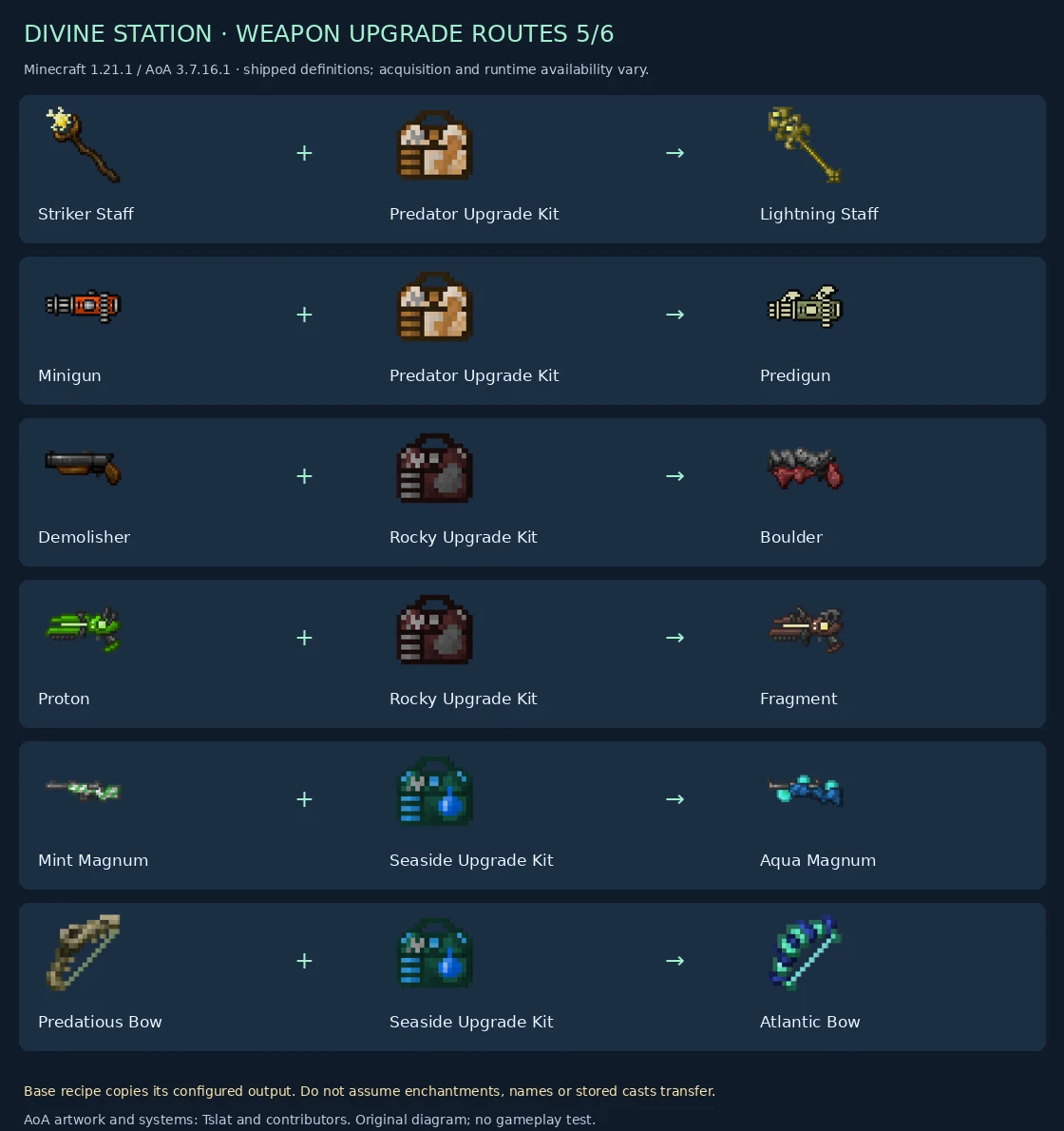
| Input weapon | Upgrade ingredient | Output weapon | Definition |
|---|---|---|---|
| Striker Staff | Predator Upgrade Kit | Lightning Staff | Inspect |
| Minigun | Predator Upgrade Kit | Predigun | Inspect |
| Demolisher | Rocky Upgrade Kit | Boulder | Inspect |
| Proton | Rocky Upgrade Kit | Fragment | Inspect |
| Mint Magnum | Seaside Upgrade Kit | Aqua Magnum | Inspect |
| Predatious Bow | Seaside Upgrade Kit | Atlantic Bow | Inspect |
Routes 31–36
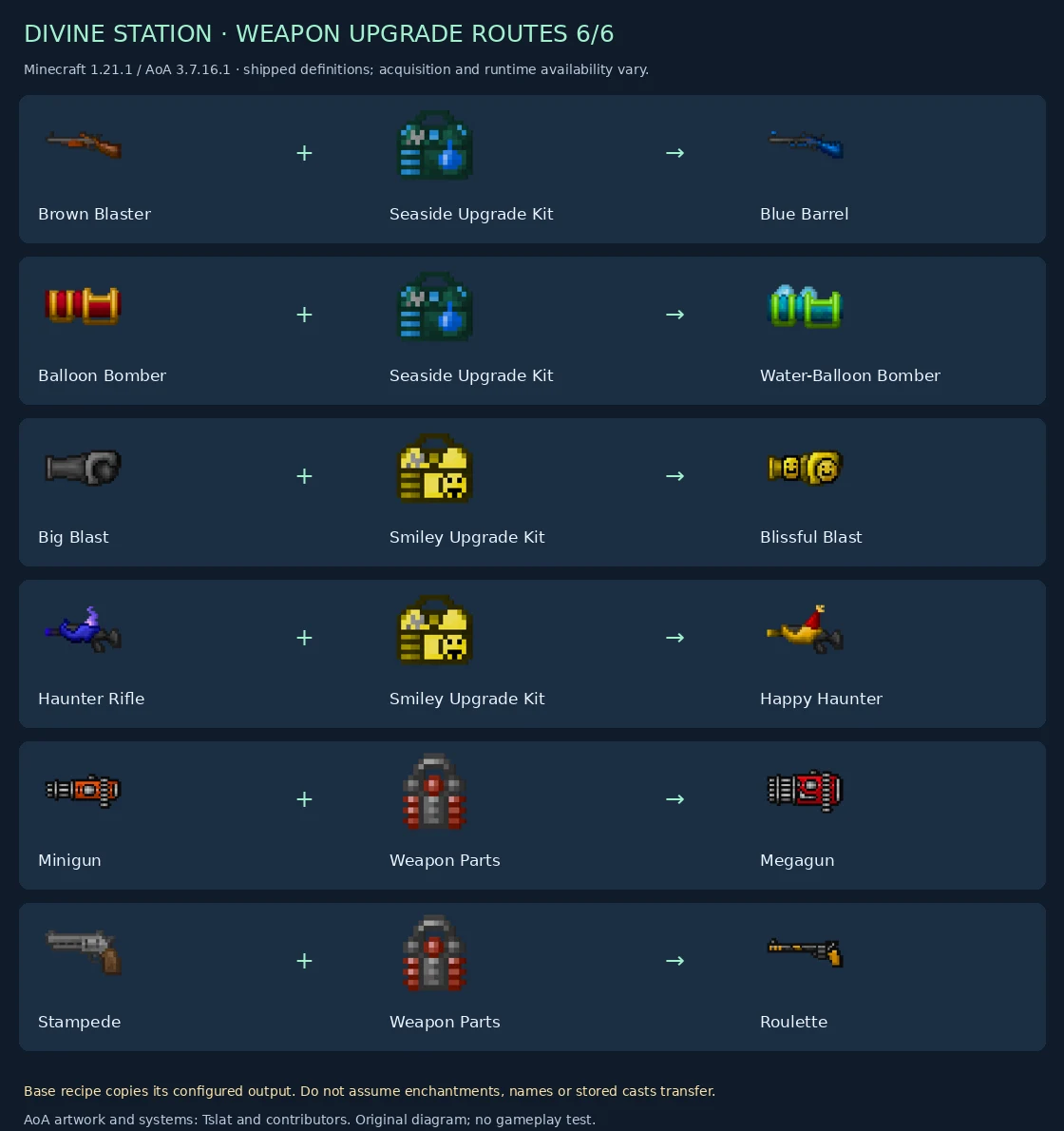
| Input weapon | Upgrade ingredient | Output weapon | Definition |
|---|---|---|---|
| Brown Blaster | Seaside Upgrade Kit | Blue Barrel | Inspect |
| Balloon Bomber | Seaside Upgrade Kit | Water-Balloon Bomber | Inspect |
| Big Blast | Smiley Upgrade Kit | Blissful Blast | Inspect |
| Haunter Rifle | Smiley Upgrade Kit | Happy Haunter | Inspect |
| Minigun | Weapon Parts | Megagun | Inspect |
| Stampede | Weapon Parts | Roulette | Inspect |
4. Choose branches deliberately
Minigun has two distinct routes in these files: Weapon Parts → Megagun and Predator Upgrade Kit → Predigun. The required ingredient selects the branch; there is no automatic “best” output.
Another sequence spans multiple recipes: Stampede + Weapon Parts → Roulette, followed by Roulette + Haunted Upgrade Kit → Skullette. Each step is its own configured output and its own component-preservation check. Do not assume the second stage is a free continuation of the first.
For kit acquisition, use the versioned loot/trade references and your installed recipe viewer. A kit's name does not prove it drops from a similarly named dimension boss. This page does not invent missing recipes or acquisition routes.
Troubleshooting
| Symptom | Check |
|---|---|
| Nothing appears | Correct station, exact input weapon in slot 0 and required ingredient in slot 1. |
| You swapped the two inputs | The matcher is positional; restore the weapon-left / kit-middle order. |
| A similarly named weapon fails | These 36 definitions use exact item ingredients. |
| A name or enchantment does not appear in the preview | The base recipe copies the configured output, not the input weapon. |
| You cannot craft the station or kit | Acquisition is not established merely by these upgrade definitions; inspect pack additions. |
| Your result differs from this page | Check the release, datapack overrides and crafting-event integrations. |
| The output is not better for your build | Compare actual weapon mechanics and costs rather than treating the word upgrade as a universal DPS guarantee. |
Relationship to the optional weapon overhaul
These are native AoA item-conversion recipes. The optional weapon presentation overhaul is a separate planned feature with reversible models/animations and optional reload behavior. A gallery image here does not certify that a TaCZ remodel or integration has been implemented.
Restoration acceptance
All 36 recipe hashes and selected released menu/recipe methods · Illustration provenance · Source findings.
Test vanilla and modified input components, wrong kit, wrong slot order, quick move, full inventory, canceled or changed crafting events, preview refresh and deliberate preservation rules. Confirm active registry entries and acquisition routes in the exact restoration build. No game mod code was executed and no private Enderloom upgrade behavior is certified.
AoA models, textures, names and systems are by Tslat and contributors. The galleries and route analysis are original documentation work.