Topics - Grendel61/ros-visualization GitHub Wiki
Using ROS Topics
Now that we created a ROS Service, lets learn about ROS Topics. We are going to setup teleoperation of the Turtle using Topics.
Lets begin by adding the capability to drive the Turtle.
- In the 3rd terminal window from the tutorial above where you were entering the `rosservice commands, now enter:
rosrun turtlesim turtle_teleop_key
This will show an info box:
  ros@e52e7c314fb4:~$ rosrun turtlesim turtle_teleop_key
  Reading from keyboard
  ---------------------------
  Use arrow keys to move the turtle. 'q' to quit.
You can use the arrow keys to drive the turtle around. IMPORTANT: Make sure you are in the 3rd terminal window where you started the turtle_teleop_key. Drive it around and you should see something like this in your ROS browser window. The turtlesim_node and the turtle_teleop_key node are communicating with each other over a ROS Topic.
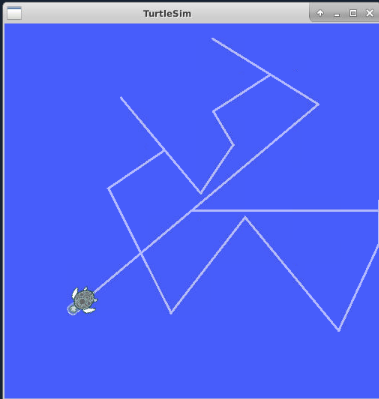
- The turtlesim_node and the turtle_teleop_key node are communicating with each other over a ROS Topic. Now lets see what is happening with the ROS Topics. In your 4th terminal window from above, on the command line open RQT_Graph by entering:
rosrun rqt_graph rqt_graph
Go back to your ROS Browser window and you should see the graph of the topics, like this:

If you hover over the graph elements, you will see them change colors. This is an interactive tool that you can use with other tools to manage your ROS Topics.
Check out more on ROS Topics here: