Making a Twitch App Access Token - Grat10borg/Hotkey-Operated-Timestamper GitHub Wiki
Making a Twitch App Access Token
a Twitch App Access Token is whats needed for Most of H.O.T's Tools, it's pretty complicated but i'll walk you through the steps!
If you have any questions about the API try having a look in here https://dev.twitch.tv/docs/api#get-started-with-the-twitch-api
The Walkthrough
TO start off we need to go to the Twitch Dev Console: https://dev.twitch.tv/console
Once you've logged in your own Console.
Inside there go to Applications And Click Register

Then you come into a form, fill it out, remember to give it the correct data.
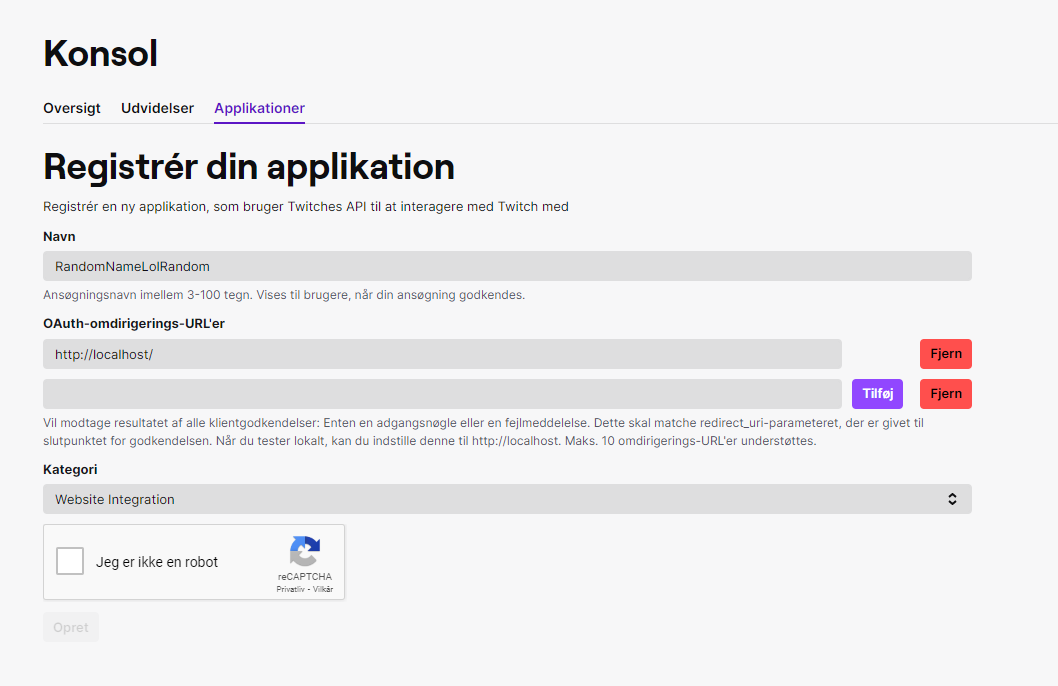
Once you're done with that you'll come out to the console again, but clicking on Administrere

you'll find the same data you just put in yourself but also Two new forms with Klient-ID & Secret
Keep this page Open
The Scary CommandLine Part
Now we need the Twitch CLI
you should follow the guide above as it Also Shows how to install the CLI on other Platforms like Linus & MacOS
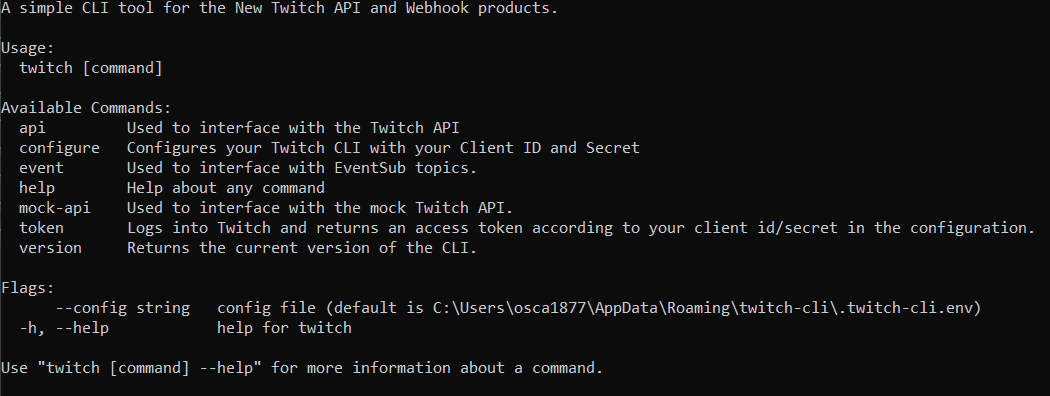
Once install you need to run the Token Command so that would be "twitch token".
Now bring forth the page from Earlier
it'll then promt you to type your ClientID and Secret
Once completed it'll give you a Twitch App Access Token.
a Twitch App Access Token will Last Two months, and once its done just open the Commandline again Type "twitch token".
and it should give you a new one, replace the oldie and it'll work fine again.
Go back to Wiki? Go Back | Next Page