FAQ - GoldRenard/DMOAdvancedLauncher GitHub Wiki
Can I run it on Windows XP?
NO, you can't. We will NOT support it, don't even ask.
I had this message error: "Login page is incorrect or has been changed [WRONG_PAGE]". How to fix it?
Sometimes this can happen for Aeria. You can try following:
- Try to use your email instead of login name
- If it doesn't help, try to enable "Manual authentication" option in profile settings. This will redirect you to native Aeria login page just like original launcher.
If it still doesn't help, open an Issue.
Launcher crashes at startup without any message
There is a chance to catch some crash information.
-
First of all, delete existent logs from the folder:
C:\Users\<YOUR_PROFILE>\AppData\Roaming\GoldRenard\AdvancedLauncher\Logs(or just enter%APPDATA%\GoldRenard\AdvancedLauncher\Logsin address bar of Windows Explorer. Open the launcher to reproduce the crash and look for new log files. -
Second, open a Windows Event Viewer (
eventvwr.mscin command line) and find some useful information aboutAdvancedLauncher.execrash in Windows Logs > Application. You need the content of details tab in XML mode.
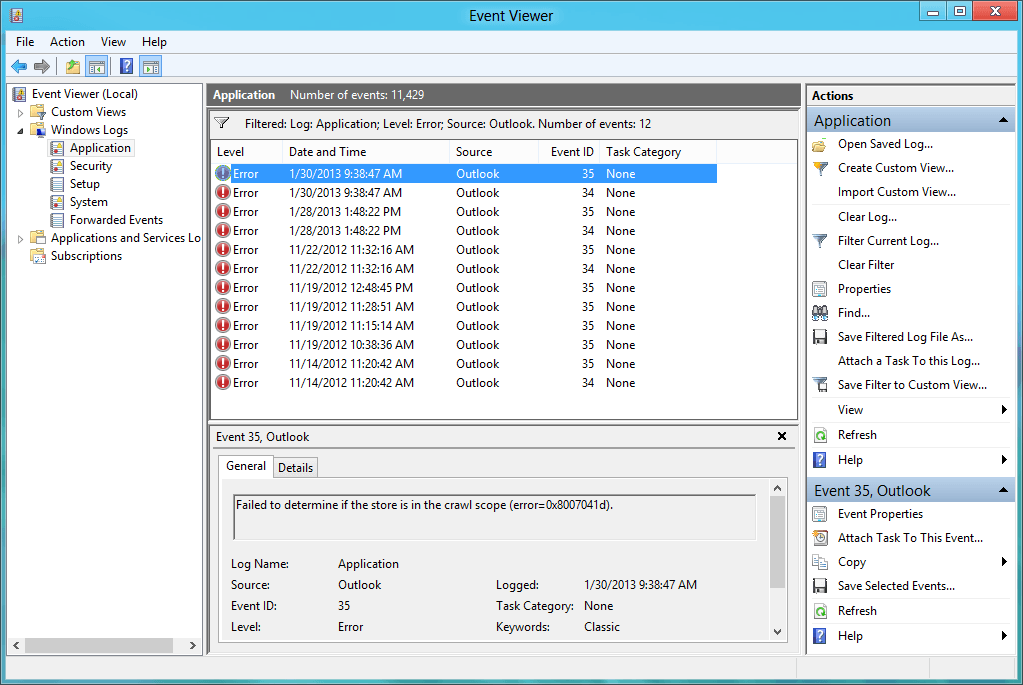
- Send these logs, event info and your OS information to [email protected] or open an Issue.