ProSnippets TextSymbols - Esri/arcgis-pro-sdk GitHub Wiki
Language:              C#
Subject:               TextSymbols
Contributor:           ArcGIS Pro SDK Team <[email protected]>
Organization:          Esri, http://www.esri.com
Date:                  4/30/2026
ArcGIS Pro:            3.7
Visual Studio:         2026
Creates a simple black text symbol with a size of 8.5, Font Family "Corbel" and Font Style of "Regular".
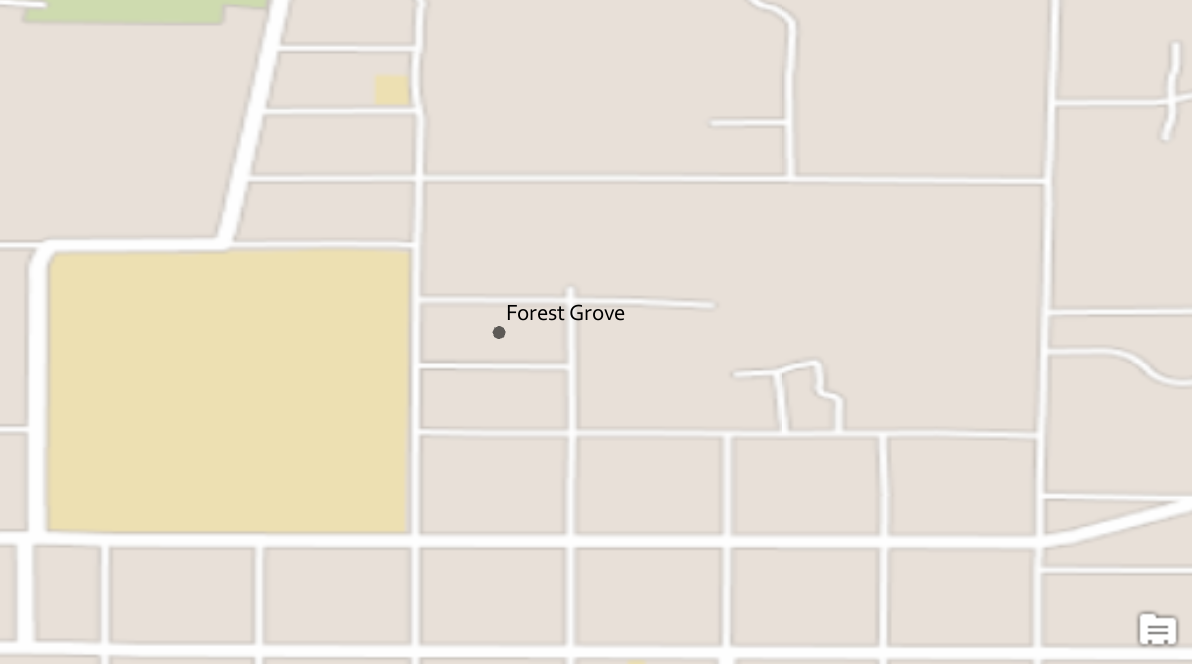
//Create a simple text symbol
  //Note: Run this code inside a QueuedTask
  CIMTextSymbol simpleTextSymbol = SymbolFactory.Instance.ConstructTextSymbol(ColorFactory.Instance.BlackRGB, 8.5, "Corbel", "Regular");
//Refer to the snippet "How to apply a Text Symbol to labels of a layer" below to see how to apply this text symbol to a label classCreates a text symbol with a red halo
//create a polygon symbol for the halo
  //Note: Run this code inside a QueuedTask
  var haloPoly = SymbolFactory.Instance.ConstructPolygonSymbol(ColorFactory.Instance.RedRGB, SimpleFillStyle.Solid);
  //create text symbol using the halo polygon
  CIMTextSymbol textSymbolWithHalo = SymbolFactory.Instance.ConstructTextSymbol(haloPoly, 10, "Arial", "Bold");
//Refer to the snippet "How to apply a Text Symbol to labels of a layer" below to see how to apply this text symbol to a label classCreates a simple line callout text symbol. The CIMSimpleLineCallout created is a dash-dot-dash line symbol with an offset of 10 from the geometry being labeled.

//create a text symbol
  //Note: Run this code inside a QueuedTask
  var textSymbolCallOut = SymbolFactory.Instance.ConstructTextSymbol(ColorFactory.Instance.BlackRGB, 10, "Verdana", "Regular");
  //Create a line call out
  var lineCalloutSymbol = new CIMSimpleLineCallout();
  //Get a line symbol
  var lineSymbol = SymbolFactory.Instance.ConstructLineSymbol(ColorFactory.Instance.BlackRGB, 1, SimpleLineStyle.DashDotDot);
  //assign the line symbol to the callout
  lineCalloutSymbol.LineSymbol = lineSymbol;
  //Offset for the text
  textSymbolCallOut.OffsetX = 10;
  textSymbolCallOut.OffsetY = 10;
  //Assign the callout to the text symbol
  textSymbolCallOut.Callout = lineCalloutSymbol;

//Refer to the snippet "How to apply a Text Symbol to labels of a layer" below to see how to apply this text symbol to a label classCreates a black banner balloon callout text symbol. The CIMBalloonCallout created is a rectangular polygon with rounded corners.
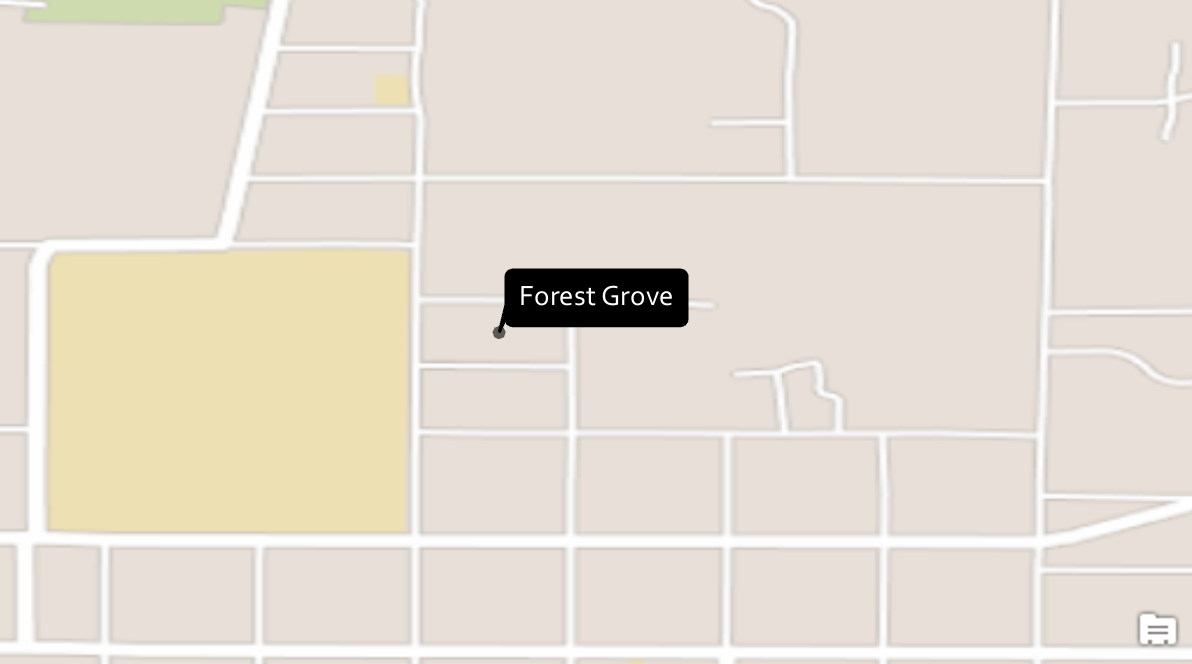
//create a text symbol
  //Note: Run this code inside a QueuedTask
  var textSymbolBalloonCallout = SymbolFactory.Instance.ConstructTextSymbol(ColorFactory.Instance.WhiteRGB, 11, "Corbel", "Regular");
  //A balloon callout
  var balloonCallout = new CIMBalloonCallout();
  //set the callout's style
  balloonCallout.BalloonStyle = BalloonCalloutStyle.RoundedRectangle;
  //Create a solid fill polygon symbol for the callout.
  var polySymbol = SymbolFactory.Instance.ConstructPolygonSymbol(ColorFactory.Instance.BlackRGB, SimpleFillStyle.Solid);
  //Set the callout's background to be the black polygon symbol
  balloonCallout.BackgroundSymbol = polySymbol;
  //margin inside the callout to place the text
  balloonCallout.Margin = new CIMTextMargin
  {
    Left = 5,
    Right = 5,
    Bottom = 5,
    Top = 5
  };
  //assign the callout to the text symbol's callout property
  textSymbolBalloonCallout.Callout = balloonCallout;
//Refer to the snippet "How to apply a Text Symbol to labels of a layer" below to see how to apply this text symbol to a label classCreates a highway shield callout text symbol. The CIMPointSymbolCallout created is a highway shield point symbol from the ArcGIS 2D style.

//create a text symbol
  //Note: Run this code inside a QueuedTask
  var textSymbolPointCallout = SymbolFactory.Instance.ConstructTextSymbol(ColorFactory.Instance.WhiteRGB, 6, "Tahoma", "Bold");
  //Create a call out
  var shieldCalloutSymbol = new CIMPointSymbolCallout();
  //Get a Shield symbolStyleItem from ArcGIS 2D StyleProjectitem
  var symbolStyleItem = GetPointSymbol("ArcGIS 2D", "Shield 1");
  //assign the point symbol (Highway shield) to the callout
  shieldCalloutSymbol.PointSymbol = symbolStyleItem.Symbol as CIMPointSymbol;
  shieldCalloutSymbol.PointSymbol.SetSize(18.0); //set symbol size
                                                 //Assign the callout to the text symbol
  textSymbolPointCallout.Callout = shieldCalloutSymbol;
  //Refer to the snippet "How to apply a Text Symbol to labels of a layer" below to see how to apply this text symbol to a label class

  //Gets a Highway point symbol from a style
  static SymbolStyleItem GetPointSymbol(string styleProjectItemName, string symbolStyleName)
  {
    var style2DProjectItem = Project.Current.GetItems<StyleProjectItem>().Where(p => p.Name == styleProjectItemName).FirstOrDefault();
    var symbolStyle = style2DProjectItem.SearchSymbols(StyleItemType.PointSymbol, symbolStyleName).FirstOrDefault();
    return symbolStyle;
}Creates a solid fill background text symbol with an Accent bar and leader line. The CIMBackgroundCallout created has a solid fill aqua polygon, with a black dash-dot-dash leader line and a solid accent bar.
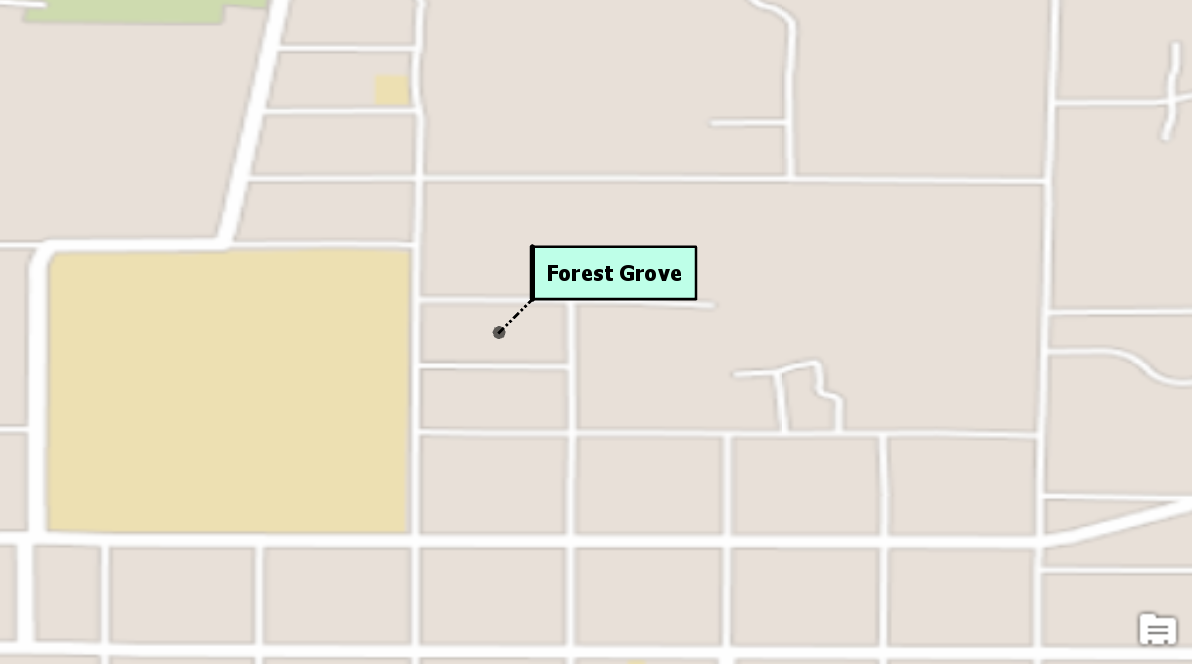
//Note: Run this code inside a QueuedTask
  var textSymbolBackgroundCallout = SymbolFactory.Instance.ConstructTextSymbol(ColorFactory.Instance.BlackRGB, 8, "Tahoma", "Bold");
  //Create a call out
  var backgroundCalloutSymbol = new CIMBackgroundCallout();
  //Leader line
  //Get a line symbol
  var lineSymbol = SymbolFactory.Instance.ConstructLineSymbol(ColorFactory.Instance.BlackRGB, 1, SimpleLineStyle.DashDotDot);
  //Create a solid fill polygon symbol for the callout.
  var aquaBackground = ColorFactory.Instance.CreateRGBColor(190, 255, 232, 100);
  var polySymbol = SymbolFactory.Instance.ConstructPolygonSymbol(aquaBackground, SimpleFillStyle.Solid);
  //assign the line to the callout
  backgroundCalloutSymbol.LeaderLineSymbol = lineSymbol;
  //Offset for the text
  textSymbolBackgroundCallout.OffsetX = 10;
  textSymbolBackgroundCallout.OffsetY = 10;
  //Assign the polygon to the background callout
  backgroundCalloutSymbol.BackgroundSymbol = polySymbol;
  //Accent bar
  var accentSymbol = SymbolFactory.Instance.ConstructLineSymbol(ColorFactory.Instance.BlackRGB, 2, SimpleLineStyle.Solid);
  backgroundCalloutSymbol.AccentBarSymbol = accentSymbol;
  //Set margins for the callout
  backgroundCalloutSymbol.Margin = new CIMTextMargin
  {
    Left = 5,
    Right = 5,
    Top = 5,
    Bottom = 5
  };

  //assign the callout to the textSymbol
  textSymbolBackgroundCallout.Callout = backgroundCalloutSymbol;
//Refer to the snippet "How to apply a Text Symbol to labels of a layer" below to see how to apply this text symbol to a label classvar cimMap = MapView.Active.Map.GetDefinition();
CIMTextSymbol simpleTextSymbol = SymbolFactory.Instance.ConstructTextSymbol(ColorFactory.Instance.GreenRGB, 8.5, "Corbel", "Regular");
var lyrDefn = theLayerToLabel.GetDefinition() as CIMFeatureLayer;
//Get the label classes - we need the first one
var listLabelClasses = lyrDefn.LabelClasses.ToList();
var theLabelClass = listLabelClasses.FirstOrDefault();
//Place all labels horizontally
theLabelClass.StandardLabelPlacementProperties.LineLabelPosition.Horizontal = true;
//theLabelClass.MaplexLabelPlacementProperties.AlignLabelToLineDirection = true;
//Set the label classes' symbol to the custom text symbol
theLabelClass.TextSymbol.Symbol = simpleTextSymbol;
lyrDefn.LabelClasses = listLabelClasses.ToArray(); //Set the labelClasses back
theLayerToLabel.SetDefinition(lyrDefn);
(theLayerToLabel as FeatureLayer).SetLabelVisibility(true); 