smallPART old Moodle LTI - EGroupware/egroupware GitHub Wiki
Using smallPART with Moodle < 3.10 (no dynamic registration)
Most of the following steps require a Moodle administrator!
-
with Moodle < 3.10 you have to configure smallPART manually
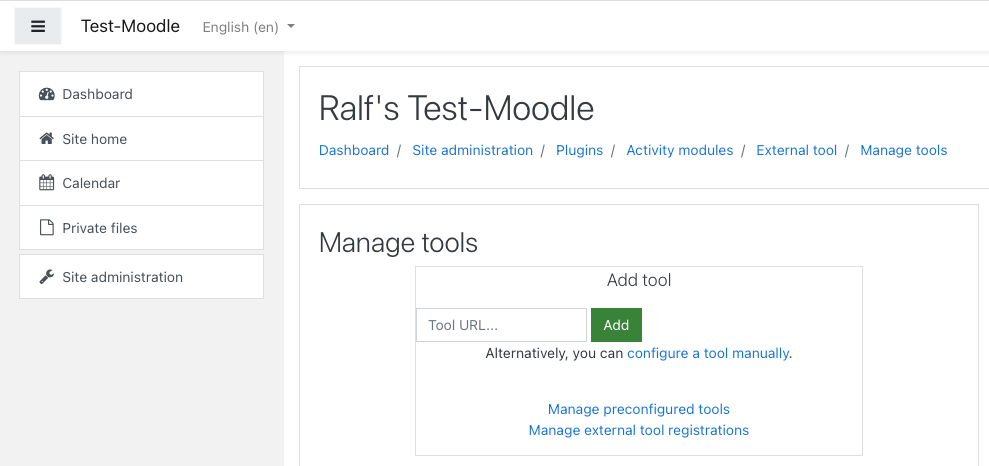
-
you need to replace
boulder.egroupware.orgwith your own EGroupware Domain and for EGroupware Cloud hosting useegwinstead ofegroupwarefor the path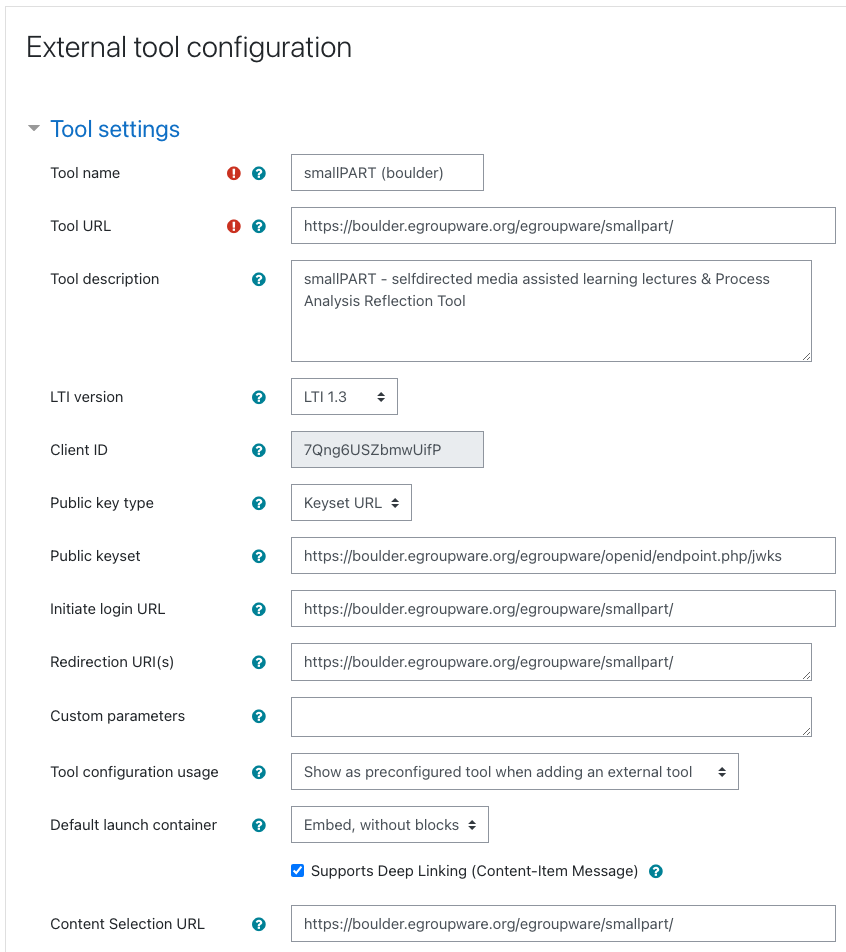
For the public key Moodle < 3.9 unfortunately does not support a JWK URL (JSON Web Key), so you have to get it from your server under /var/lib/egroupware/default/files/openid/public.key. If you have no access to the server you can use the JWK URL (https://boulder.egroupware.org/egroupware/openid/endpoint.php/jwks) to fetch the key and use a service to convert it (use only the key object
{"alg": "RS256", "kty": "RSA", ...}, not the whole array!)
-
then display the configuration details in Moodle
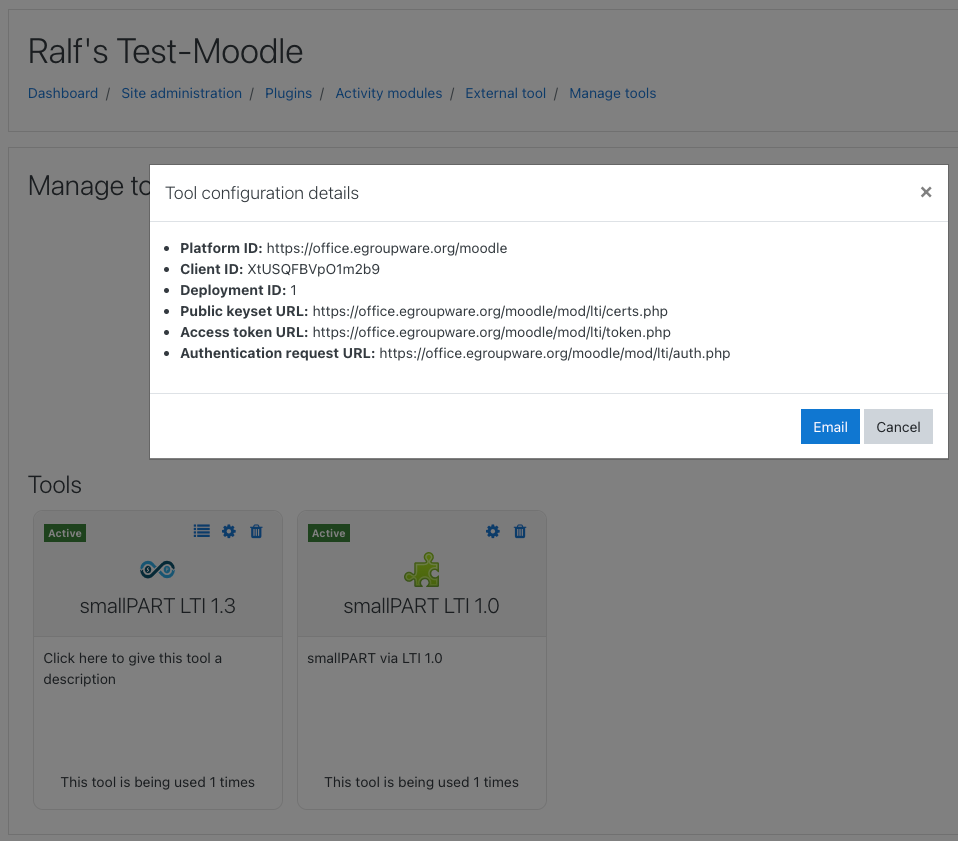
-
and add them in EGroupware under Administration > Application > SmallPART > LTI Configuration
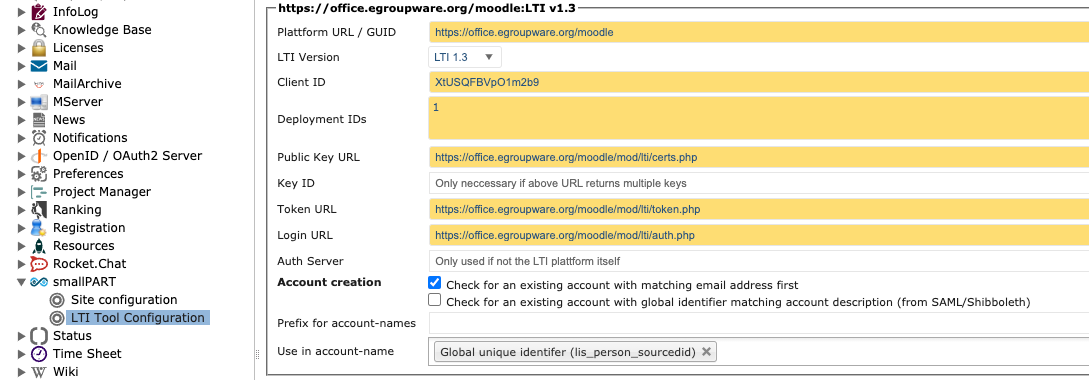
Please note: LTI creates accounts in EGroupware, unless your Moodle authenticates via OpenID Connect against EGroupware. Use
Global Unique Identifier (lis_person_sourceid)in that case. If your Moodle has it's own users, useMoodle Usernamefor the same username in EGroupware as in Moodle. All new users are added to EGroupware'sDefaultGroup and LTI staff and admins to theTeachersgroup.
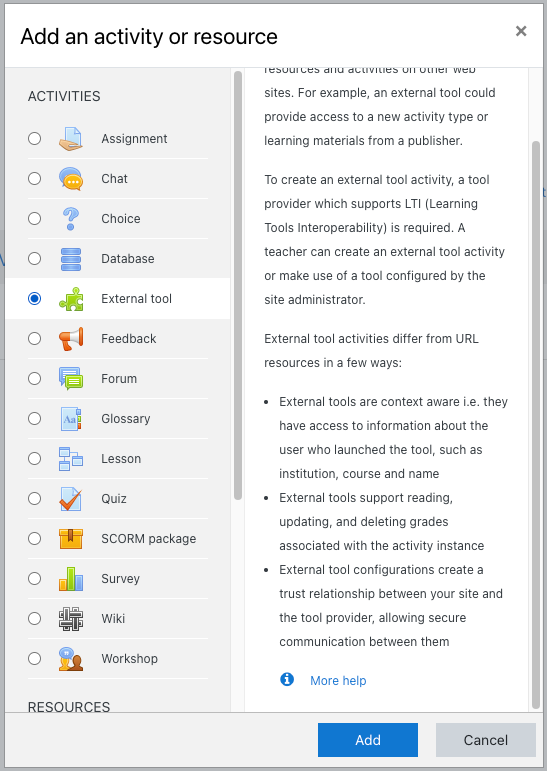
- now you're ready to add a SmallPART course and/or video to a Moodle course
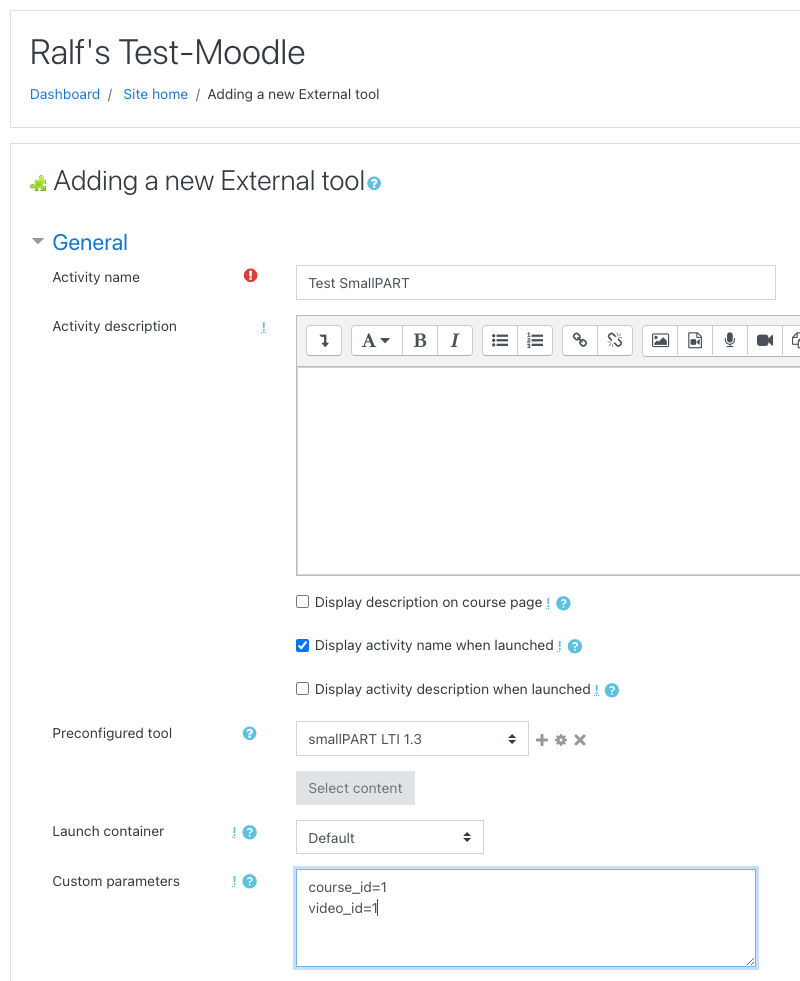
full icon URL: https://boulder.egroupware.org/egroupware/smallpart/templates/default/images/navbar.svg

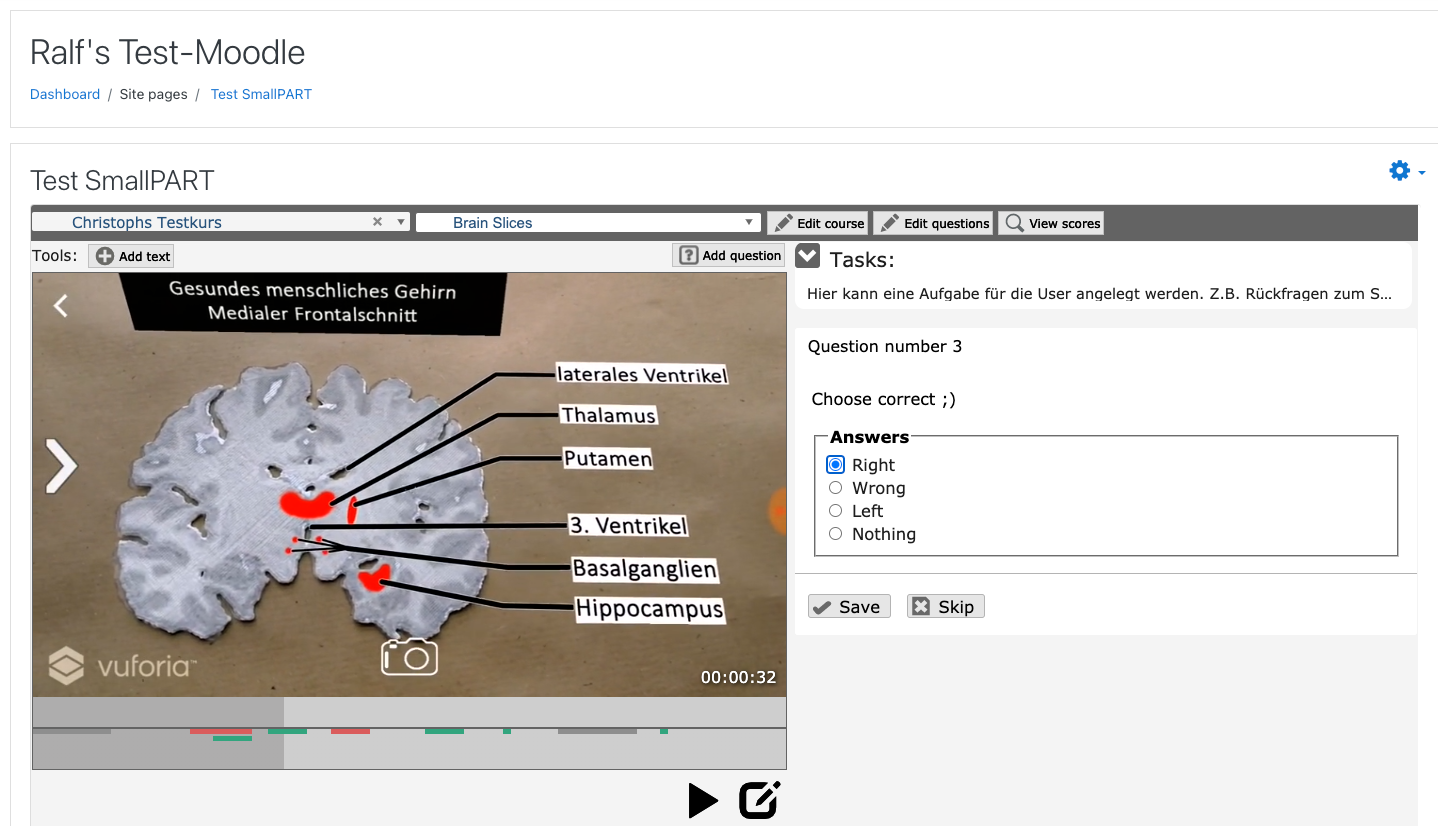
- SmallPART video in Moodle (screenshot is from a teacher with rights to edit courses!)