Rigging_Setup_Select_Matching_Bones - Diffeomorphic/import_daz GitHub Wiki
Select Matching Bones
This tool selects all bones whose names contains a specific string.

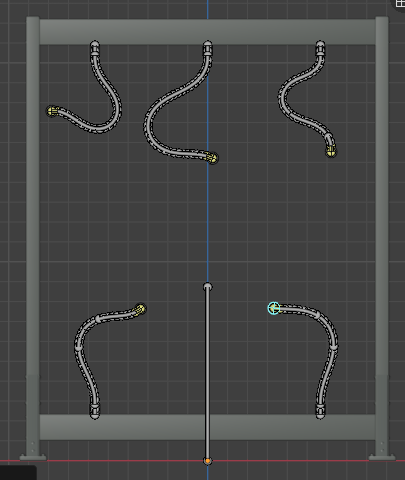
Here we have a object that contains multiple chains. The vendor has named the bones so the first link in the chain ends with the string "seg01". To select the first link in all chains, we use the Select Matching Bones tool with the default string "seg01".

The first link in all five chains are selected. We can now e.g. Add IK Goals to all chains.