Environmental Sensor Selection - DeeEmm/DIY-Flow-Bench GitHub Wiki
Selecting Temperature / Humidity / Barometric Sensors
To calculate accurate flow figures the current temperature, humidity and barometric pressure needs to be considered. The BME280 sensor combines all three readings into one sensor. These are readily and cheaply available. You can use any type of BME280 breakout board. We have included pin header layouts for several of the most popular types such as Adafruit and Sparkfun. If you have a different style of breakout board that is not pin compatible you can still use it but you will need to use hookup cables to connect it.
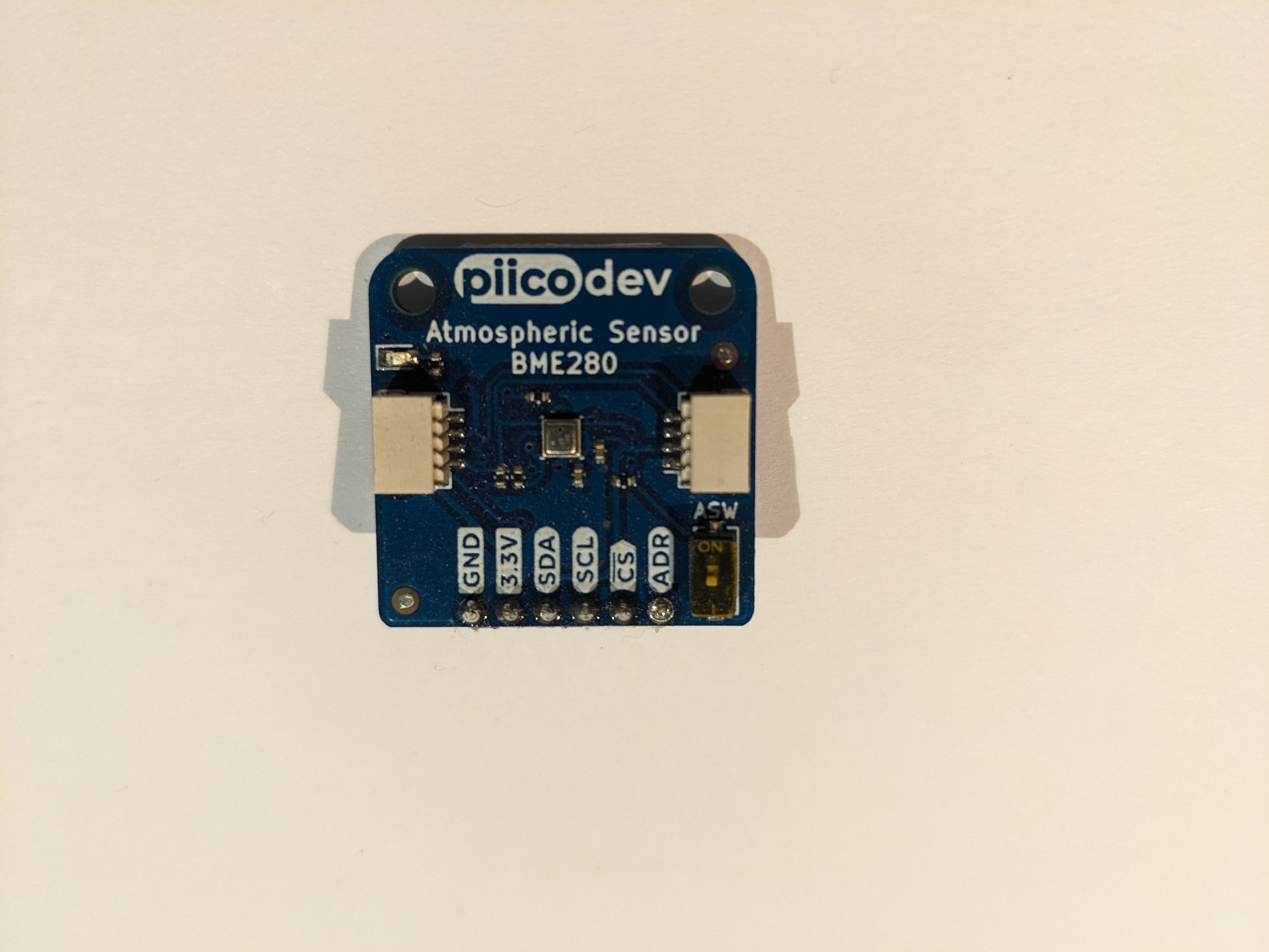
It is important to note that whilst the BMP280 is from the same family of sensors, it only measures temperature and barometric pressure so be sure that you are actually buying a BME280 sensor (NOTE the E not P). Many BMP sensors are incorrectly labelled as BME sensors on ebay / aliexpress.
We advise to purchase your BME280 from a reputable outlet.
Support for BME680
At present the software does not support BME680
Whilst there is a request for BME680 support to be added, this work is not currently scheduled.
Support for other sensors.
There is provision within the the code to support analog sensors connected directly to the ESP32. This will allow you to use a variety of environmental sensors. You can tune the scaling of the sensor in the source.
However it should be considered that the ESP32 only has a 12 bit ADC, this greatly reduces the resolution and accuracy of sensors that are connected directly to analog inputs. This in turn directly impacts the accuracy of your flow bench as the environmental sensor values are used in the calculation to convert from mass flow to volumetric flow.
Our advice therefore is to stick with the recommended BME280 sensor.
Support will NOT be provided for non-recommended sensors / hardware. BME280 sensors are cheap and our time is worth far more than the few dollars you save by not using the correct hardware. So if you want to use something other than the BME280, you are on your own. 😄
A note on I2C addresses
By default the I2C address for the BME280 is set to 0x76 in the precompiled binary as this is the address used by the Pico board. If you are using a different manufacturer's BME280 it may possibly have a different I2C address. In this case you need to make sure that either the address set is 0x76, or you will need to recompile the code to use whatever address your specific device requires.
It should be noted that you can physically change the I2C address on some breakout boards. For example Sparkfun boards offer the option to jumper terminals to change the I2C address.
To find out what I2C address your I2c devices are using, when the project initially boots, it will report the I2C addresses found on the bus via the serial monitor (in hex). It will then report the I2C addresses that are set in the configuration (in decimal) as it attempts to initialise them. Comparing these two values will tell you if your BME address needs to be changed.