Configuration - DFKI-Interactive-Machine-Learning/ARETT GitHub Wiki
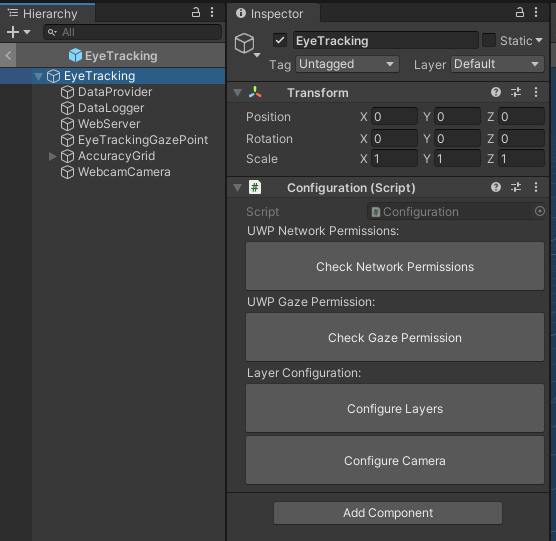
Attached to the root game object of the prefab is a configuration script to make project configuration easier.
Important: You must set the build target to UWP beforehand for the permission configuration to work.
Configuration
Check Network Permissions
For the web interface to be accessible over the network the build needs Internet and Private Network Client/Server permissions. This button checks if the permissions are already set and if not adds them to the project settings.
Check Gaze Permission
Checks the project settings whether the gaze permissions are set and if not enables them.
Configure Layers
The toolkit makes use of unity layers to differentiate between general game objects, AOIs, visualizations etc.. This button checks the current layer setup of the project, compares it to the settings in other parts of the toolkit and adds missing layers if necessary.
Configure Camera
This script updates the culling mask for the main camera to hide all eye tracking related layers which should not be visible by default.