EngineHub Addon - CryptoMorin/KingdomsX GitHub Wiki
Note
This page is still under review and information is missing.
This addon adds several features for the WorldEdit and WorldGuard plugins. The Outposts addon also requires this addon.
- Supports both WorldGuard v6 and v7.
- The source code can be found here.
Most of this add-on's settings are located in enginehub.yml
Caution
You might want to disable schematic building support before installing this addon. For more information, read this FAQ.
Prevents players from claiming (/k claim) in WorldGuard regions, even if only one block overlaps. You can also define a radius in claims.yml to prevent players from claiming near WorldGuard regions.
Supports 16*255*16 chunk cuboid check, meaning that even if the region overlaps with just a single block in a chunk, that chunk cannot be claimed.
It is also used for minor features such as land indicators in WorldGuard regions and for Outpost regions.
It does not disable /k fly if the player enters a region that allows flight through WorldGuard Extra Flags.
Adds many custom WorldGuard flags.
-
kingdoms-claimableWhether anyone can claim in a region (defaults todeny). -
kingdoms-friendly-fireWhether PvP is enabled between everyone, despite their relationship (defaults todeny). -
kingdoms-damage-championWhether players can damage the champion in a region (defaults toallow).
Prevents players from using WorldEdit operations in lands that they cannot build in.
Note
Due to how the building configs work, you need to run /k admin schematic setup for the first time after installing this addon and restarting the server to get it working. This will not be required anymore unless you reset your configs.
This command mainly changes declartions/building.yml config's functional points.
This command is already automatically applied when you install the addon for the first time, but if you see issues with misplaced holograms or if right-clicking your turret/nexus doesn't open a GUI, you can run the command manually to fix these issues.
You can use WorldEdit schematics for turrets and structures. This also means that you can use custom models from ItemsAdder or Oraxen as long as the model you want to use depends on the block state and not on entity data. The plugin cannot recognize entities (like item frames, mobs and armorstands) as parts of the building and will not properly protect them.
You can see how different block models for ItemsAdder and Oraxen work. Normally you shouldn't do anything for these custom block models to work as WorldEdit will properly preserve all block data.
Warning
This addon feature does not work properly with AsyncWorldEdit or FastAsyncWorldEdit because small implementation differences can break things. For example, FAWE does not load schematics in the same way as normal WorldEdit, which causes incorrect false negatives for schematic formats. The addon tried to fix this with a feature in enginehub.yml that forcibly renames schematic file extensions, but the attempt was unsuccessful. Other unexpected bugs may appear in the future even when the same behavior works correctly with WorldEdit. In any case, report these issues if you encounter them, and I'll see what I can do.
For technical people, this is a bug caused inside FAWE's ExtentBlockCopy vs WorldEdit's ExtentBlockCopy where rotTag null check is removed.
- Build it somewhere in your world. Make sure the building isn't wider than one chunk since buildings cannot be placed in more than one chunk.
- Select the building using WorldEdit selection tools.
- Copy your selection using //copy
- Save the schematic for the building with
/k admin schematic save <file name>. The file name depends on the turret/structure for which you want to define the schematic. The standard way to organize schematics is to create a folder for each building and name its files after the turret/structure level, such asturrets/arrow/1.schematic. If you use another structure, you'll need to change where the schematics are defined in the building.yml declaration file.
Tip
After following these steps and placing the building, you might notice that its position is not exactly where you expected it to be. You can adjust the schematic's origin with /k admin schematic origin.
Usually a good rule of thumb for determining the origin is first finding the xz center of your schematic, but for the y, you want to target the lowest y value of your schematic or 1 or 2 blocks above it. After that, you can use trial and error.
The rotation of your schematic is also important. To make the schematic face you after you place it, you may need to use the //rotate 180 command.
After doing any of the above, you'd have to save your schematic again with /k admin schematic save to apply changes.
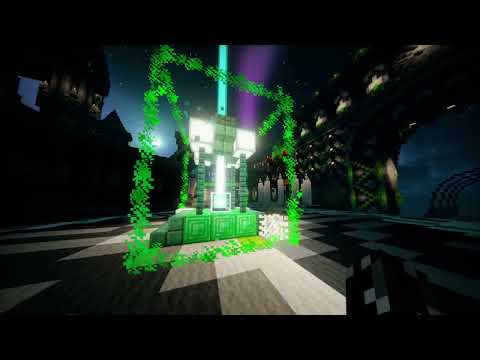
(The image below is actually a video, please click it so you can see the video.)
Caution
Since this addon completely replaces the standard building process for turrets and structures, removing it will cause the plugin to panic because it will not know how to handle placed turrets and structures linked to a schematic. This makes it nearly impossible to remove the addon later. If you have to remove this addon for any reason, the plugin will try to continue functioning. However, your buildings will turn into normal blocks and only the center block will be interactable.