Modding Religions - CK3RealmsinExile/RealmsInExile GitHub Wiki
So you want to mod a currently existing or create a new faith/religion? There is a lot of different things you can do with religions, but for starters we can check religion family.
Each religion belongs to a family. The three vanilla families are Abrahamic, Eastern and Pagan. For instance:
- Christianity and Islam are part of the Abrahamic Family
- Slavism and Tengrism are part of the Pagan Family
- Mulkhêrhili is a part of forces of evil Family
Religion families are located in \LotRRealmsInExileDev\common\religion\religion_families. For example, the forces of evil Family is defined as follows:
rf_forcesofevil = {
	is_pagan = yes
	piety_icon_group = "pagan"
	graphical_faith = "islamic_gfx"
	hostility_doctrine = forcesofevil_hostility_doctrine
	doctrine_background_icon = core_tenet_banner_blank.dds
}
Below is a list of all parameters that can be set for religion families.

So when you are making new Religions and Reforms and want to change your faith icon, you need to have a pool of them in your Religious Family your part of. You need to add the code which shows all the faith icons under a Religious family file in the folder \RealmsInExile\LotRRealmsInExileDev\common\religion\religions to determine what custom faiths that religious family can use.
Code List of all current Icons (List updated 2023-04-28);
Click to expand
custom_faith_icons = {
custom_antler custom_black_numenorean custom_black_numenorean_02 custom_black_numenorean_03 custom_black_numenorean_04 custom_black_numenorean_05 custom_celtic_01 custom_celtic_02 custom_celtic_03 custom_celtic_04 custom_celtic_05 custom_celtic_06 custom_chelkar custom_Corsair custom_cult_of_the_lidless_eye custom_dark custom_deer custom_dorwinion custom_dwarven_01 custom_easterling custom_edain custom_edain_manwe custom_edain_ulmo custom_edain_varda custom_elves custom_elves_2 custom_eru custom_fox custom_goat custom_gundabad_01 custom_harad custom_harad_2 custom_harad_3 custom_harad_4 custom_melkor_01 custom_melkor_02 custom_meteor_01 custom_meteor_02 custom_moon moorish_star custom_mumakan_01 custom_numenorean custom_nurn_01 custom_nurn_02 custom_oak_01 custom_oak_02 custom_rohirric_01 custom_rohirric_02 custom_rohirric_03 custom_saruman_01 custom_saruman_02 custom_saruman_03 custom_sarumanpunk_01 custom_sarumanpunk_02 custom_sauron_01 custom_sauron_02 custom_sauron_03 custom_sauron_04 custom_sauron_05 custom_sauron_06 custom_sauron_08 custom_sauron_09 custom_secret_fire custom_star_01 custom_star_02 custom_star_03 custom_sun custom_thistle custom_ulukai custom_ulukai_stone_tablet custom_umbar custom_umbar_02 custom_variag_01 custom_viking_01 custom_viking_02 custom_viking_03 custom_viking_04 custom_viking_05 custom_viking_06 custom_welsh_dragon dale_01 easterling_kerkassk_dark_tower_loyalists easterling_kerkassk_morghul_fanatics easterling_rhun_symbol easterling_rhun_symbol_morgoths_fire easterling_rhun_symbol_nazghul fish_idol_1 fish_idol_2 fish_idol_3 mumakil_faith_icon spider_abstract_faith_icon spider_faith_icon wave_faith_icon achamanism akanism azariqa baltic bon buddhism_custom_1 cainitism christianity_bogomilist christianity_paulicanism christianity_waldensian custom_faith_3 custom_faith_4 custom_faith_5 custom_faith_6 custom_faith_7 custom_faith_8 custom_faith_9 custom_faith_10 custom_faith_boromian_circles custom_faith_lotus custom_faith_aum_tibetan custom_faith_pentagram custom_faith_pentagram_inverted custom_faith_burning_bush custom_faith_gankyil custom_faith_dove custom_faith_ichthys custom_faith_black_sheep custom_faith_ankh custom_faith_hamsa custom_faith_cool_s custom_faith_fp1_thors_hammer custom_faith_fp1_runestone_moon custom_faith_fp1_odins_ravens custom_faith_fp1_jormungandr custom_faith_fp1_irminsul custom_faith_fp1_fenrir custom_faith_fp1_valknut custom_faith_fp1_yggdrasil custom_faith_eye_of_providence default donyipoloism hellenic germanic fp2_basque finno_ugric dualism melieism manichean mande kushism kiratism jainism islam_druze pagan_magyar spidy slavic siberian sedism rrmeaism zunist yumaism yoruba yazidism west_african_roog_sene west_african_custom west_african_dogon waaqism tengri
}
Example on how it looks in the code for a religious family:
Click to expand
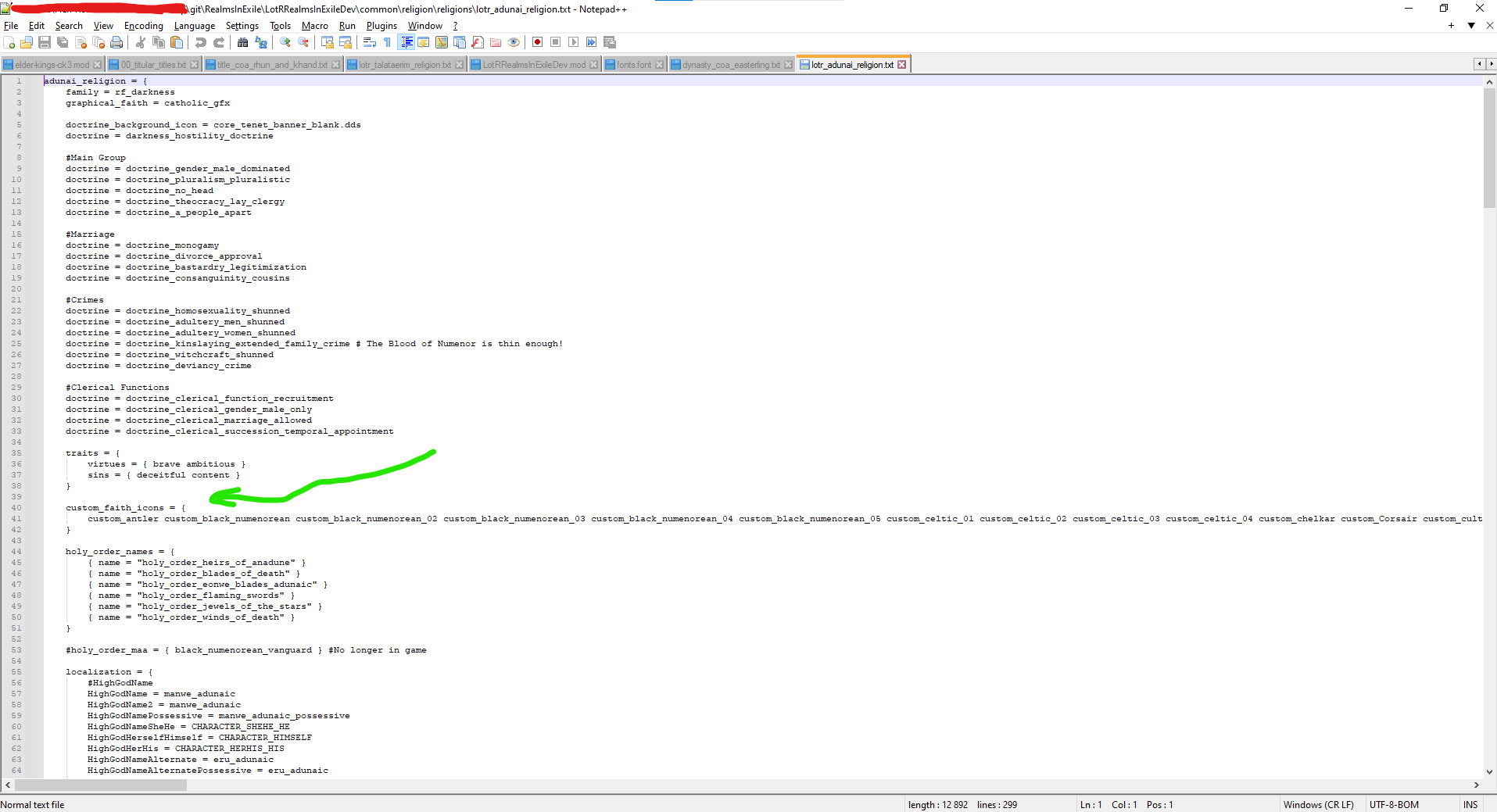
If you have followed these steps and added more code for faith icons for a religious family then it should be allowed to use more(or rather the ones that you specific added) faith icons
So we now know that each religion is part of a Family, but about the religion itself? Well, religions are located in the \LotRRealmsInExileDev\common\religion\religions folder. Each religion is defined within a txt file, and the faiths that belong to it are defined within that definition. Here is an example of a realms in exile religion:
Click to expand
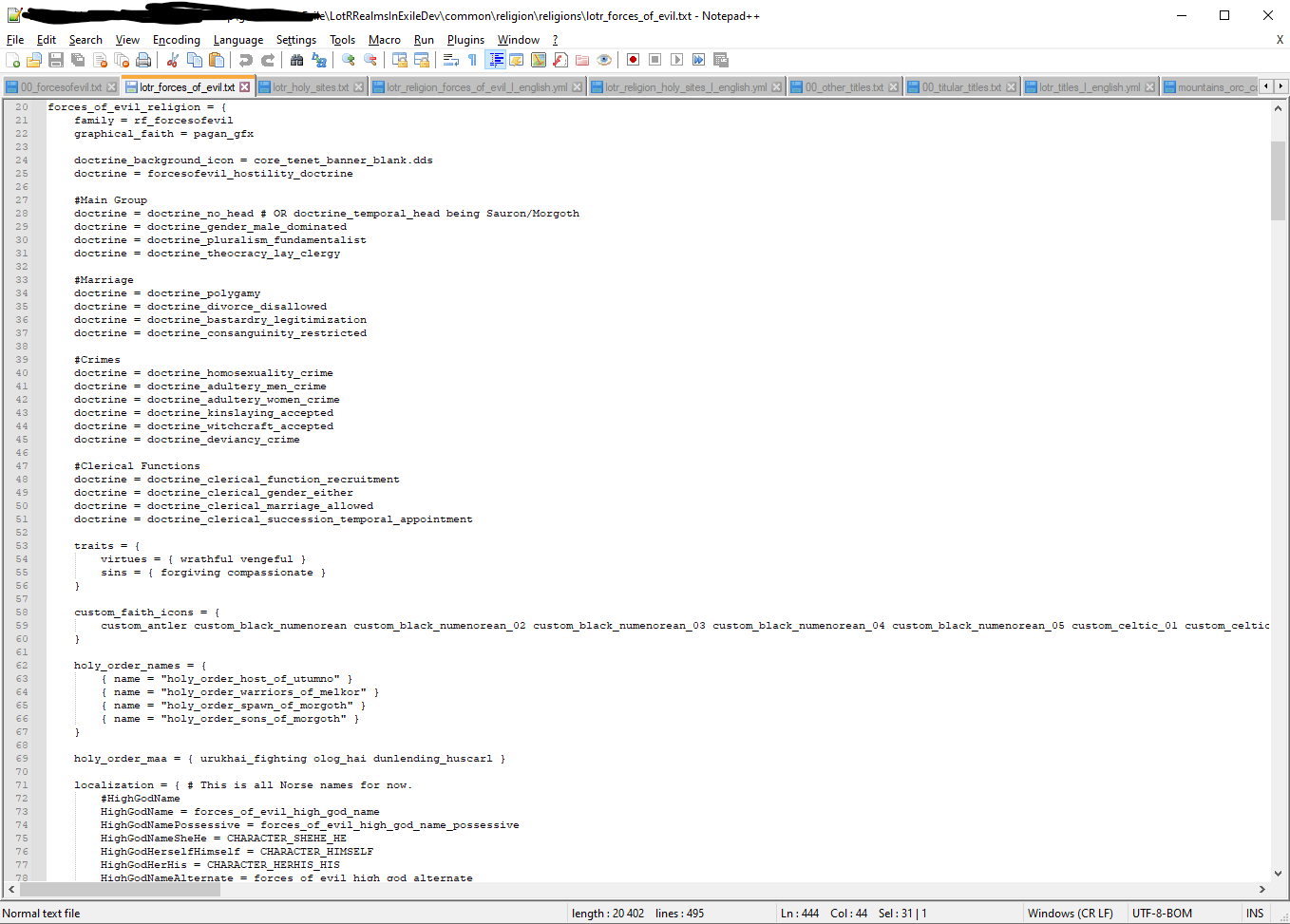
Below is a list of all parameters that can be set for religions; WIP
Faiths are defined within the faith clause of a religion. They can overwrite default doctrines and graphics set for the whole religion. Here is an example of a fictional faith within the religion defined above.
Click to expand
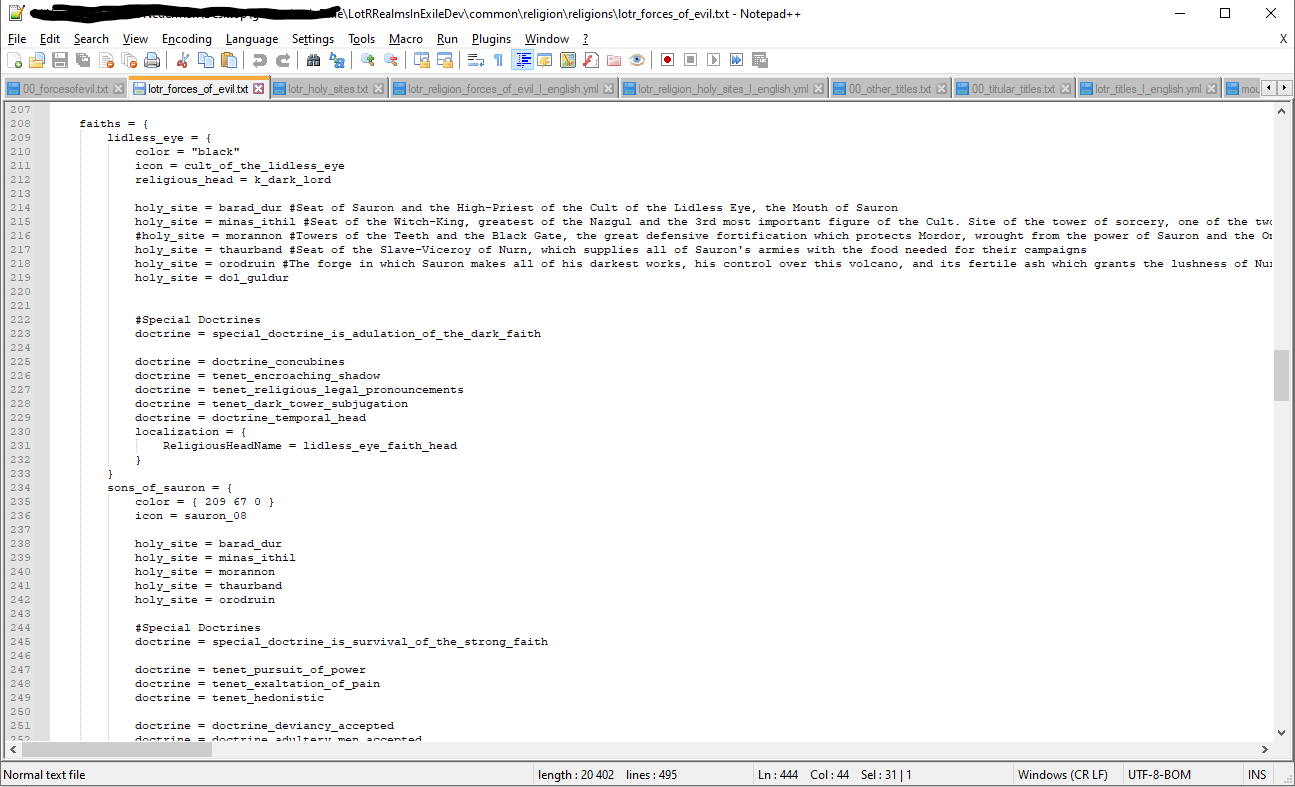
Below is a list of all parameters that can be set for faiths; WIP
Below is a list of keys that you can have in the religions txt file that needs to be paired for localization(\LotRRealmsInExileDev\localization\english\religion and choice lotr_religion_gods_l_english yml file). Although you can use this as a reference, it is also possible to simply copy and paste this list from a vanilla file and add your own keys where needed. Although many items in the list are not relevant to many religions/faiths, they can simply be assigned to a key used by another more relevant item. (e.g. FertilityGodName in Christianity is given as "$christianity_high_god_name$" in the localization file):
Click to expand
HighGodName
HighGodNamePossessive
HighGodNameSheHe
HighGodHerselfHimself
HighGodHerHis
HighGodNameAlternate
HighGodNameAlternatePossessive
CreatorName
CreatorNamePossessive
CreatorSheHe
CreatorHerHis
CreatorHerHim
HealthGodName
HealthGodNamePossessive
HealthGodSheHe
HealthGodHerHis
HealthGodHerHim
FertilityGodName
FertilityGodNamePossessive
FertilityGodSheHe
FertilityGodHerHis
FertilityGodHerHim
WealthGodName
WealthGodNamePossessive
WealthGodSheHe
WealthGodHerHis
WealthGodHerHim
HouseholdGodName
HouseholdGodNamePossessive
HouseholdGodSheHe
HouseholdGodHerHis
HouseholdGodHerHim
FateGodName
FateGodNamePossessive
FateGodSheHe
FateGodHerHis
FateGodHerHim
KnowledgeGodName
KnowledgeGodNamePossessive
KnowledgeGodSheHe
KnowledgeGodHerHis
KnowledgeGodHerHim
WarGodName
WarGodNamePossessive
WarGodSheHe
WarGodHerHis
WarGodHerHim
TricksterGodName
TricksterGodNamePossessive
TricksterGodSheHe
TricksterGodHerHis
TricksterGodHerHim
NightGodName
NightGodNamePossessive
NightGodSheHe
NightGodHerHis
NightGodHerHim
WaterGodName
WaterGodNamePossessive
WaterGodSheHe
WaterGodHerHis
WaterGodHerHim
PantheonTerm
PantheonTermHasHave
GoodGodNames (list)
DevilName
DevilNamePossessive
DevilSheHe
DevilHerHis
DevilHerselfHimself
EvilGodNames (list)
HouseOfWorship
HouseOfWorshipPlural
ReligiousSymbol
ReligiousText
ReligiousHeadName
ReligiousHeadTitleName
DevoteeMale
DevoteeMalePlural
DevoteeFemalePlural
DevoteeNeuter
DevoteeNeuterPlural
PriestMale
PriestMalePlural
PriestFemale
PriestFemalePlural
PriestNeuter
PriestNeuterPlural
AltPriestTermPlural
BishopMale
BishopMalePlural
BishopFemale
BishopFemalePlural
BishopNeuter
BishopNeuterPlural
DivineRealm
PositiveAfterLife
NegativeAfterLife
DeathDeityName
DeathDeityNamePossessive
DeathDeitySheHe
DeathDeityHerHis
WitchGodName
WitchGodHerHis
WitchGodSheHe
WitchGodHerHim
WitchGodMistressMaster
WitchGodMotherFather
GHWName
GHWNamePlural
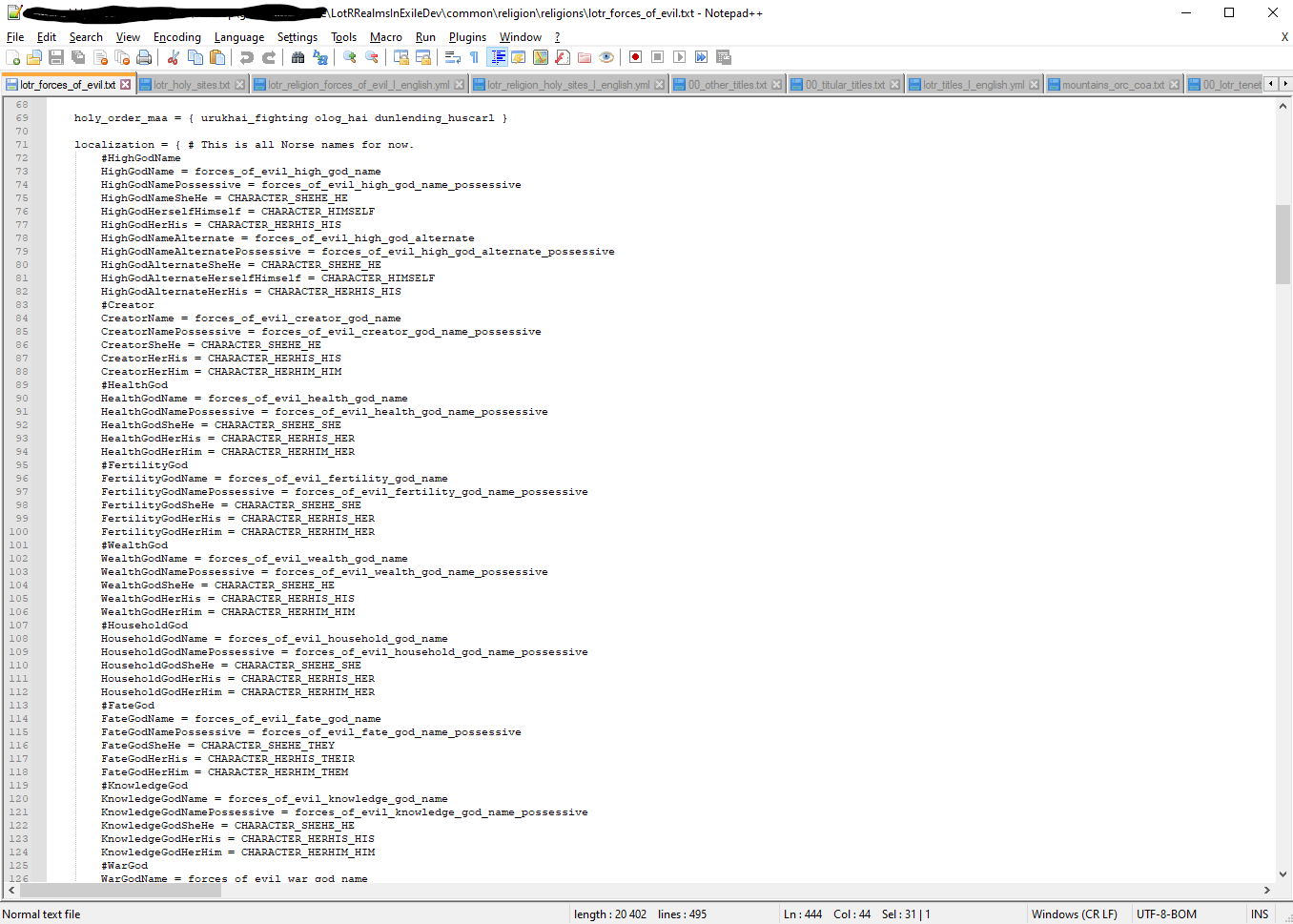 Example on how it looks in the
 lotr_forces_of_evil.txt file
The localization clause in both faiths and religions provides key-value pairs for localization. However, this clause does not include object localization for the religion/faith itself and its basic properties. The following localization keys also need defining:
- <religion/faith_name>
- <religion/faith_name>_adj
- <religion/faith_name>_adherent
- <religion/faith_name>_adherent_plural
- <religion/faith_name>_desc
Go to the folder path \LotRRealmsInExileDev\localization\english\religion and choice the yml file for the religious family you wanna add, then fill in the basic properties described above.
Click to expand
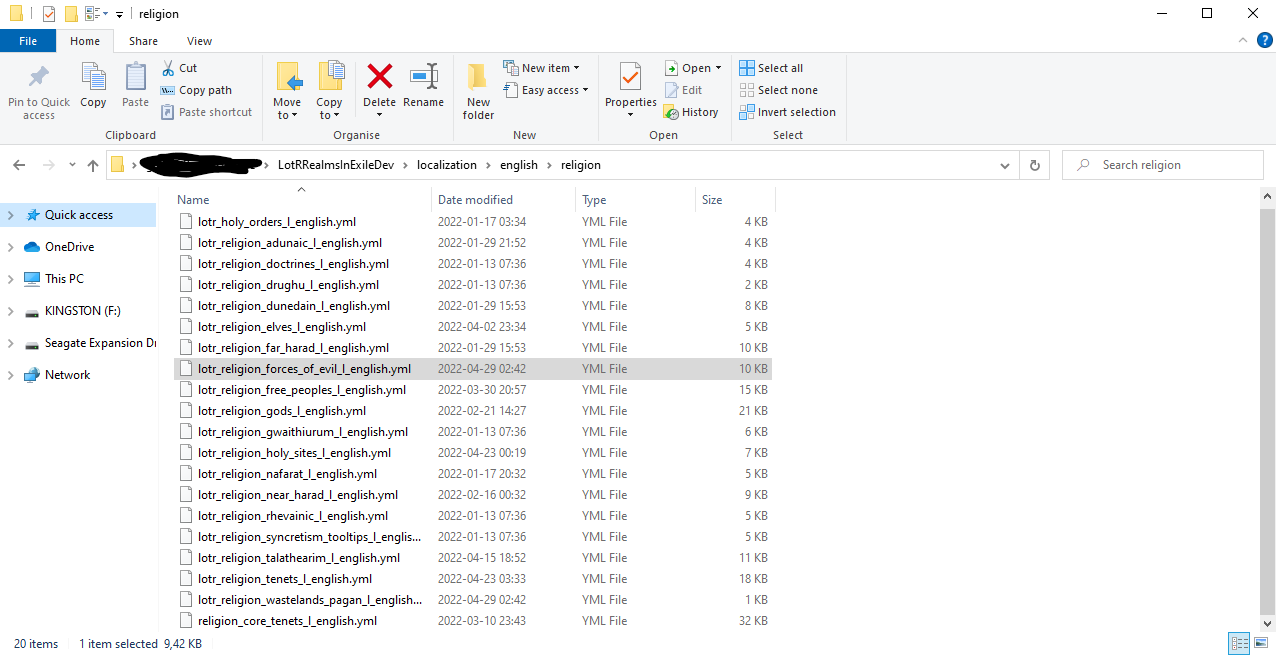 Folder Path
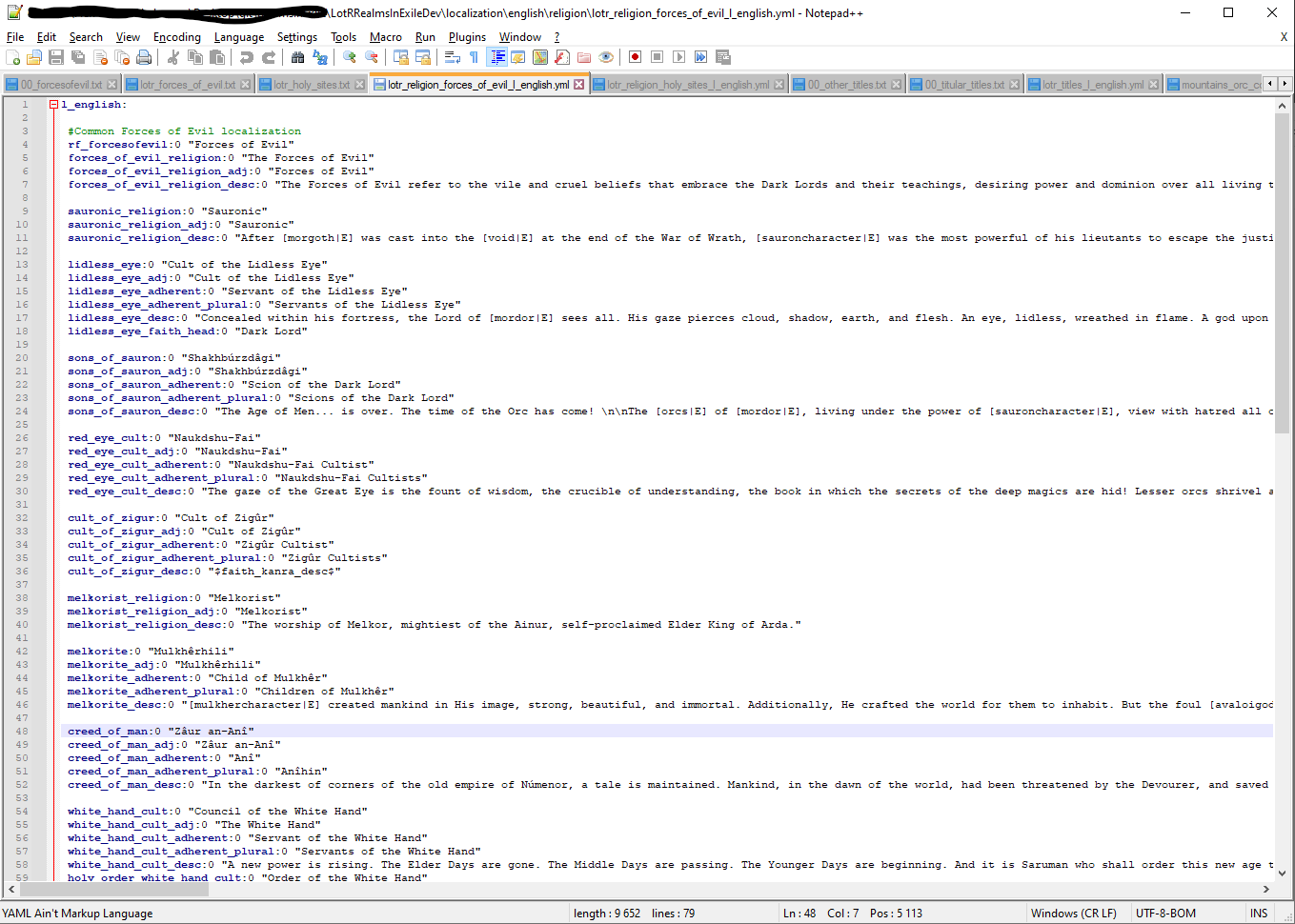 Example of localization for the forces of evil faith
No graphical modding is required to create a religion or faith, since there is an abundance of icons in the vanilla game, either in use by other religions or reserved for custom faiths. However, adding a new icon is very simple, if you feel that none of the vanilla icons are fitting for your religion. In the path /gfx/interface/icons/faith, create a new 100x100 dds file. The name of the file is how the icon is referred to in the religion file. (e.g. icon = lobbist will refer to /gfx/interface/icons/faith/lobbist.dds).
Custom holy sites can be added in a text document lotr_holy_sites.txt found in the \LotRRealmsInExileDev\common\religion\holy_sites folder. Each site is identified by a name, and contains information on the location of the site and the benefits (or potentially negatives) it brings.
orthanc = {
	county = c_isengard
	barony = b_orthanc
	character_modifier = {
		name = holy_site_orthanc_effect_name
		men_at_arms_maintenance = -0.1
	}
}
Click to expand
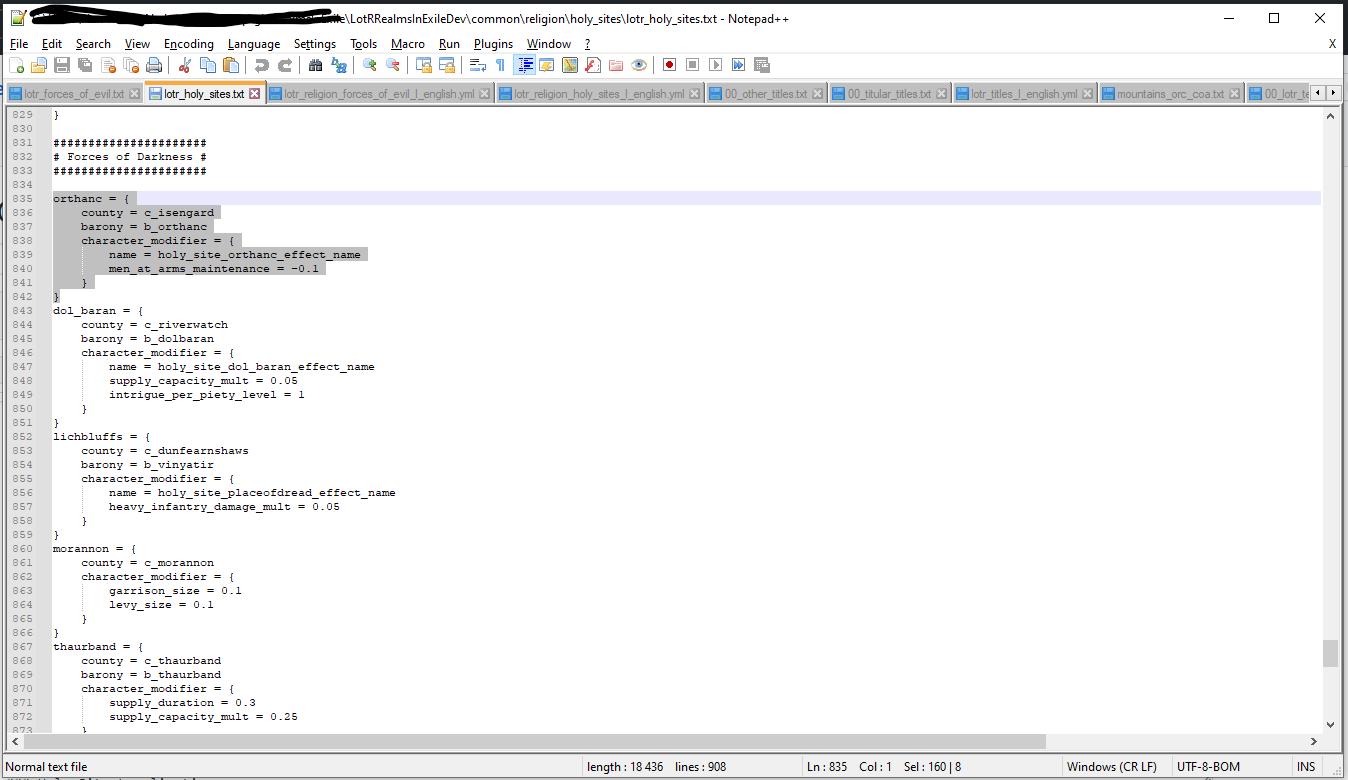 More Examples of where the holy sites should be
Below are the attributes which can be assigned to a holy site. Only the county is necessary. WIP
Holy sites Localization is found in the folder path \LotRRealmsInExileDev\localization\english\religion and then you open the yml file lotr_religion_holy_sites_l_english.yml with notepad++. The Holy sites Localization can use the following keys in localization:
- holy_site__name
- holy_site__effect_name
- holy_site__effects
Click to expand
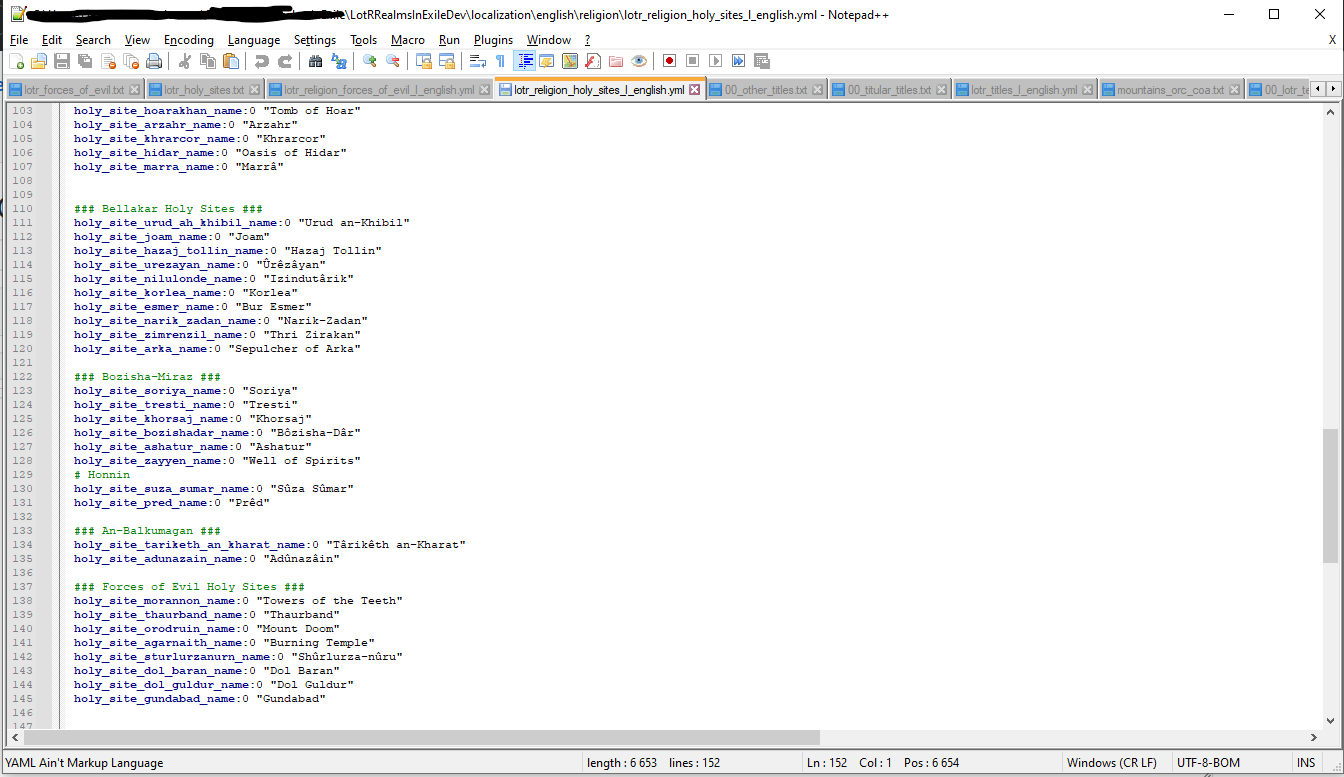 Example of Holy Sites localizations in Realms In Exile
Each tenet has an internal ID used to reference it within the game files, the folder path would be \LotRRealmsInExileDev\common\religion\doctrines and then open the txt file for the kind of tenet you want. In general, to get the tenet ID from its name:
- Take the non-variant name (i.e. non-faith specific)
- Turn all upper case letters into lower case (A...Z->a...z)
- Replace all spaces ( ) with underscores (_)
- Add tenet_ to the beginning
Tenets that do not fit the pattern above have been listed below:
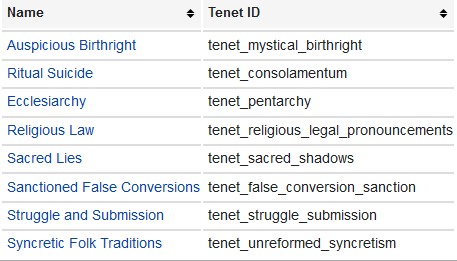
Taken from https://ck3.paradoxwikis.com/Religions_modding
To Mod a tenet open one of the txt files in \LotRRealmsInExileDev\common\religion\doctrines or create one yourself. Then add the line of code that seems fitting for what you want to create, either by self-knowledge or copying already existing ones. On the example bellow a syncretism tenet have been created for the forces of evil.
Click to expand
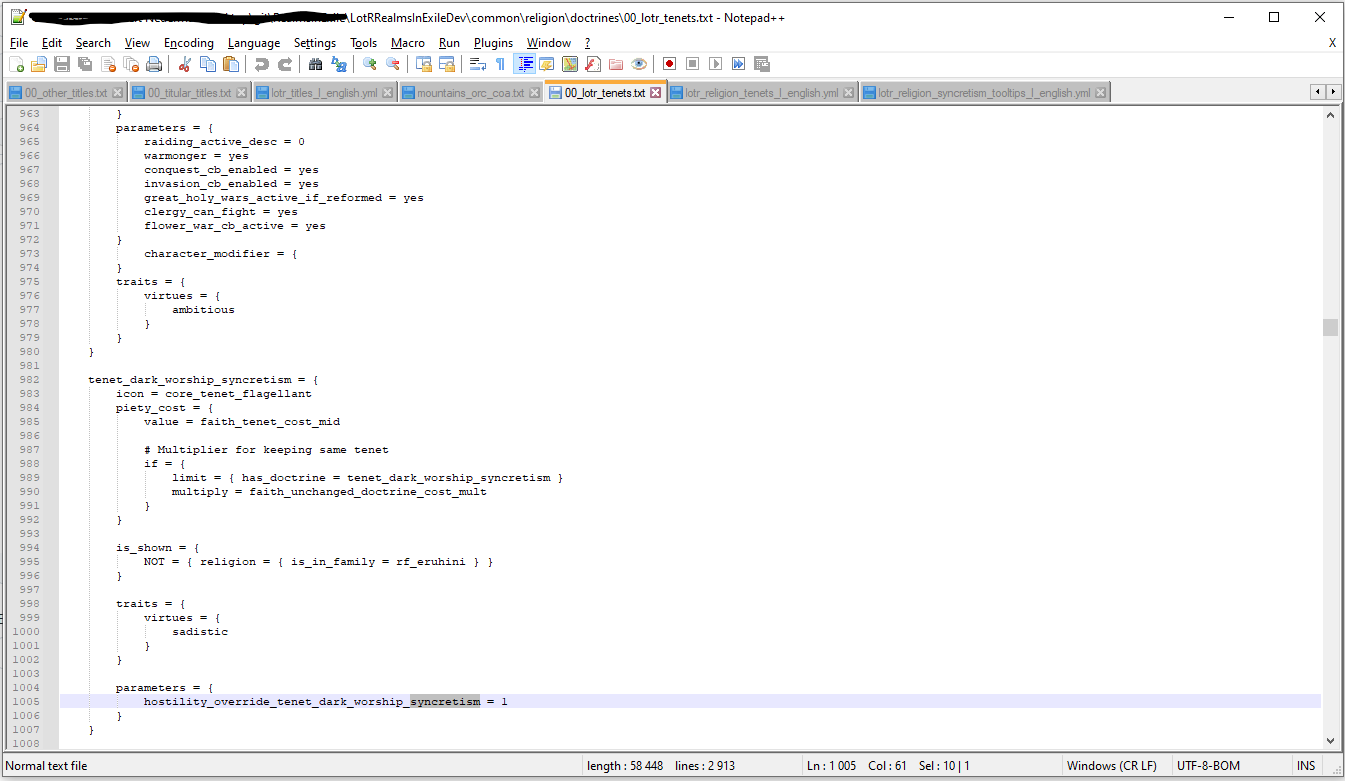 creation of the
 tenet_dark_worship_syncretism
So with the creation of the example; tenet_dark_worship_syncretism we need to give it 2 localization's. open the folder path \LotRRealmsInExileDev\localization\english\religion and first choice the yml file lotr_religion_tenets_l_english.yml to open. Here you need to add/code in 2 keys
- tenet_modname_name:0 ""
- tenet_modname_desc:0 ""
the first one determined what name your tenet have and the second tell you what kind of description it will have.
Click to expand
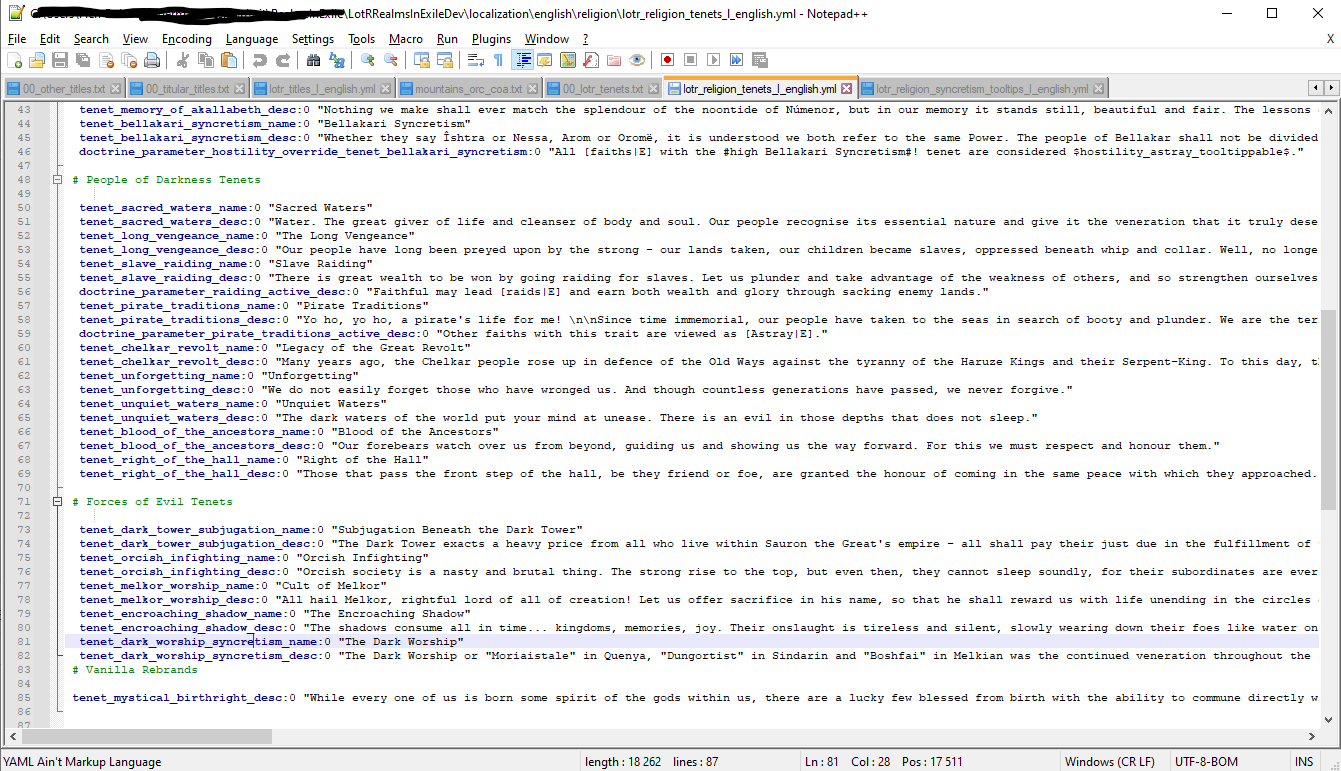 Localization file for tenets
The Second localization file we need to alter for the tenet_dark_worship_syncretism WIP
If you wanna create holy titles there is several steps needed to go threw.
Create the holy/titular title
Go to the folder path \LotRRealmsInExileDev\common\landed_titles and since the religious title is probably gonna be titular choice the txt file called 00_titular_titles.txt. And att the title you want to create, either by copying something similar in the mod or base game or check the ck3 Title modding.
Click to expand
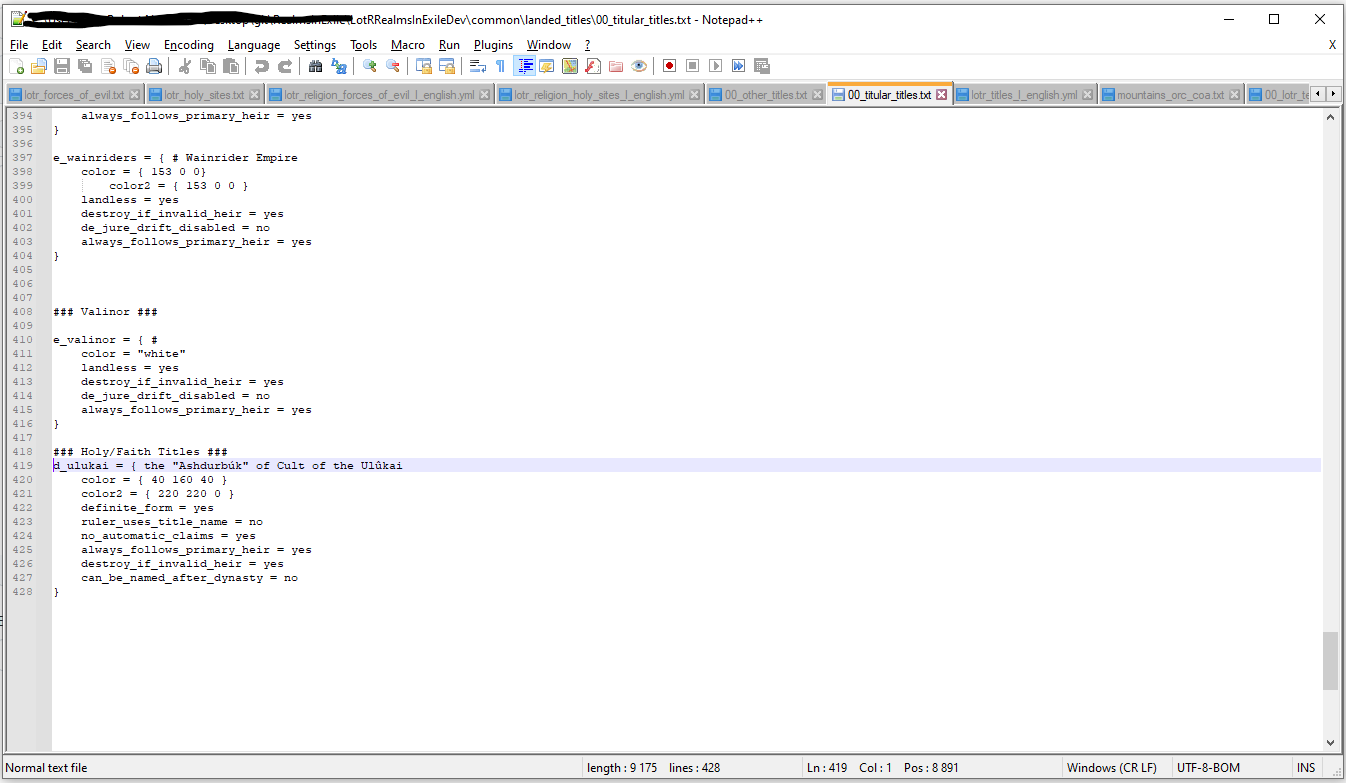 Example of the Cult of Ulûkai holy title for the Gundabad orcs
Coat of Arms
check Coat of Arms it's basically the same but in different files, for this Cult of Ulûkai title example it would end up here \LotRRealmsInExileDev\common\coat_of_arms\coat_of_arms with the choice of mountains_orc_coa.txt as shown in the example bellow.
Click to expand
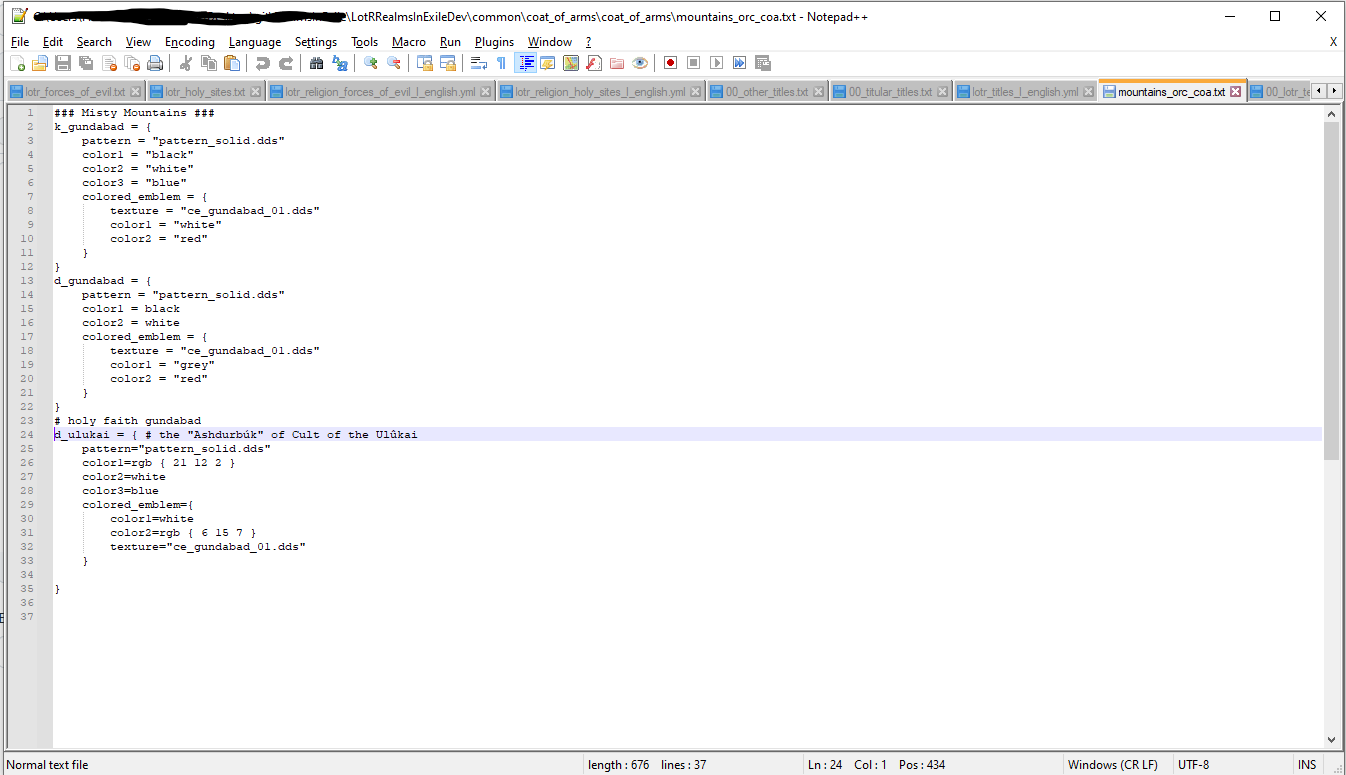 Coat of Arms for the d_ulukai title
Localization
to localize your title go to folder path \LotRRealmsInExileDev\localization\english and choice the yml file lotr_titles_l_english.yml and name it respectively like the others, check example;
Click to expand
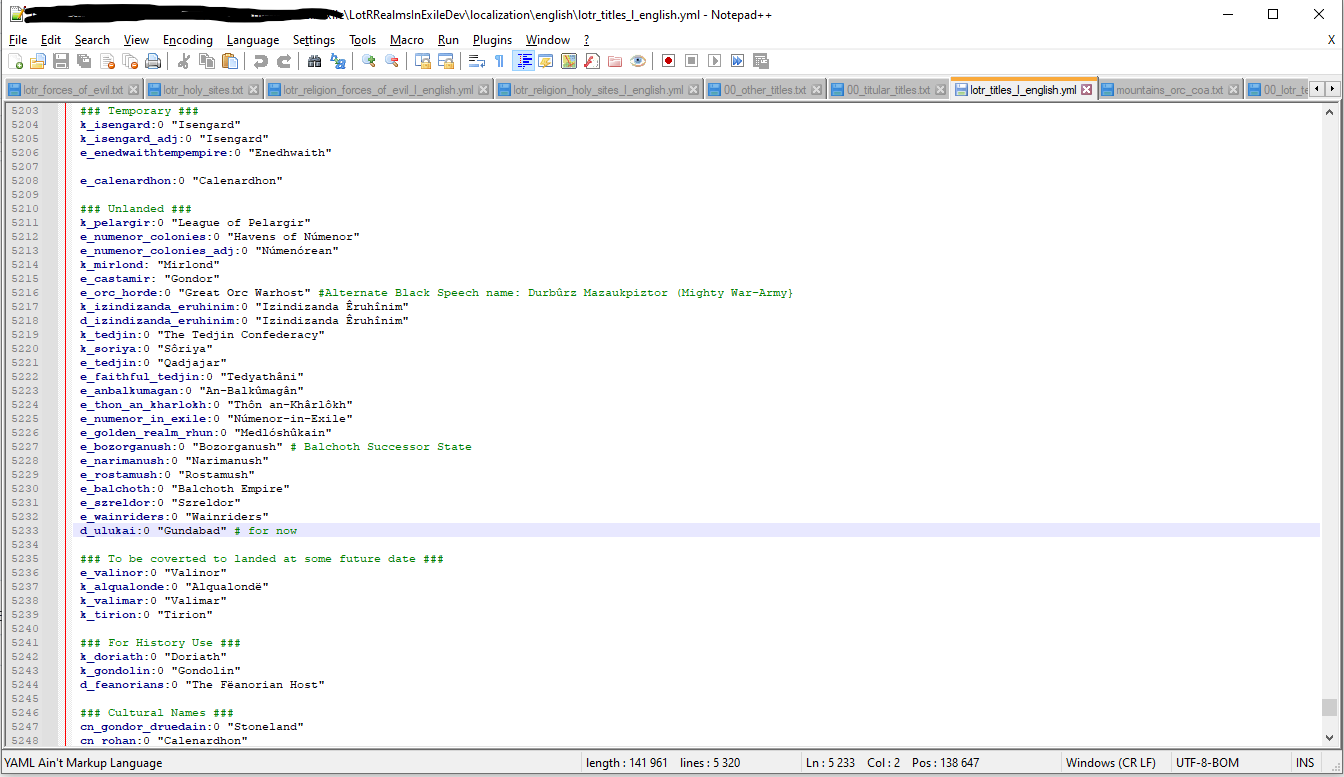 Localization for d_ulukai
Tying your "holy" title a faith
go to the faith that you want this title to represent and add the code key religious_head = Your_title like the example beneath.
Click to expand
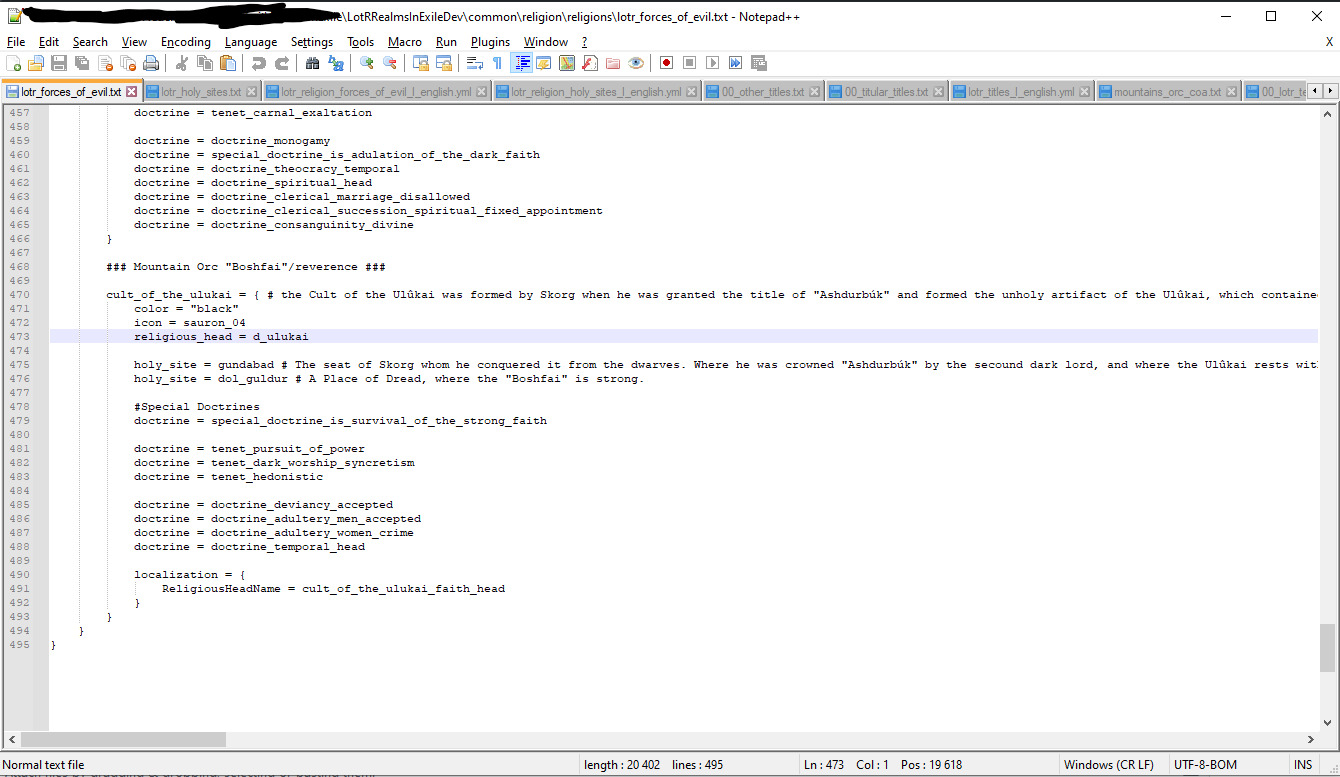 Making
 d_ulukai the religious title for the cult_of_the_ulukai faith
Localizing the religious Title/Head
Go to the Faith Localization and add the code key cult_of_the_ulukai_faith_head:0 "" then add name you want for the religious title within the "" , check example bellow.
Click to expand
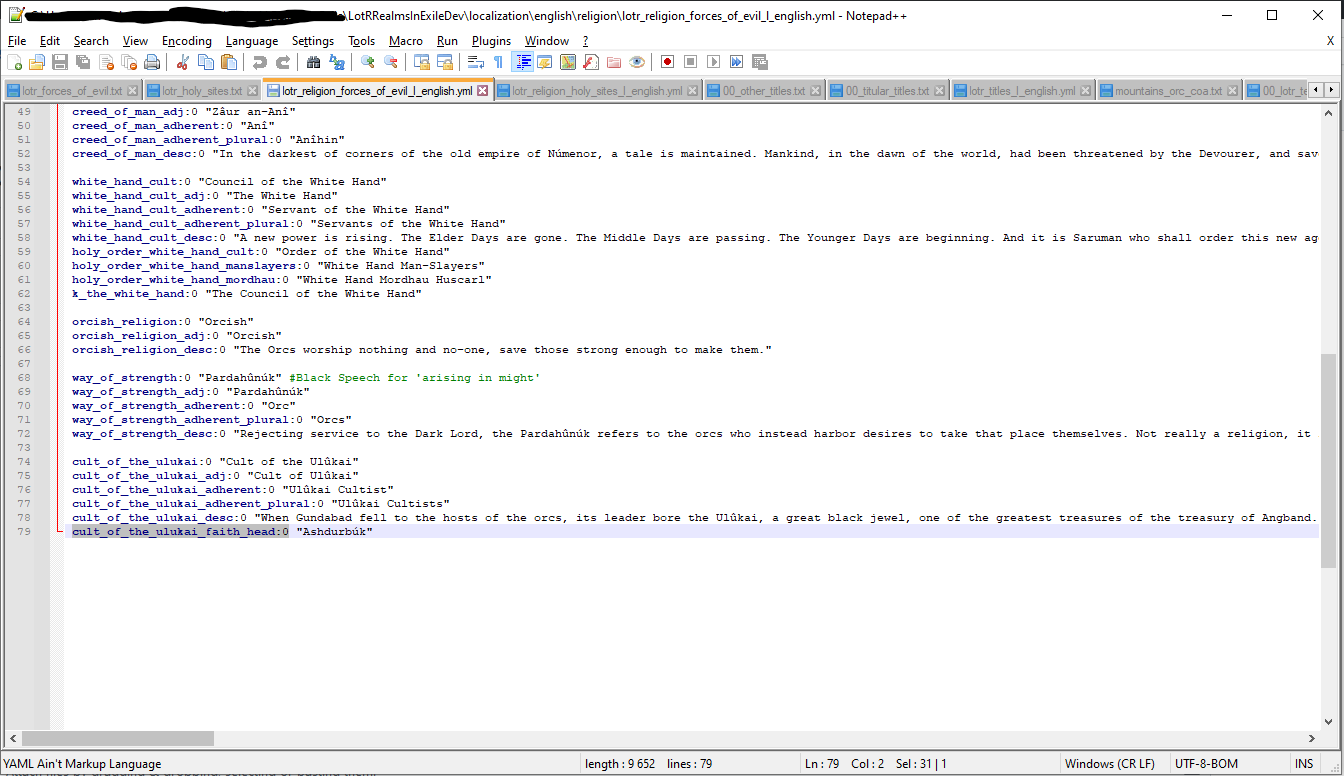 Adding the "Ashdurbúk" as the religious head in a caliph kind of way for the Gundabad orcs.
Adding History for the title check Applying Titles to the Character and apply it in a fitting place, check example bellow.
Click to expand
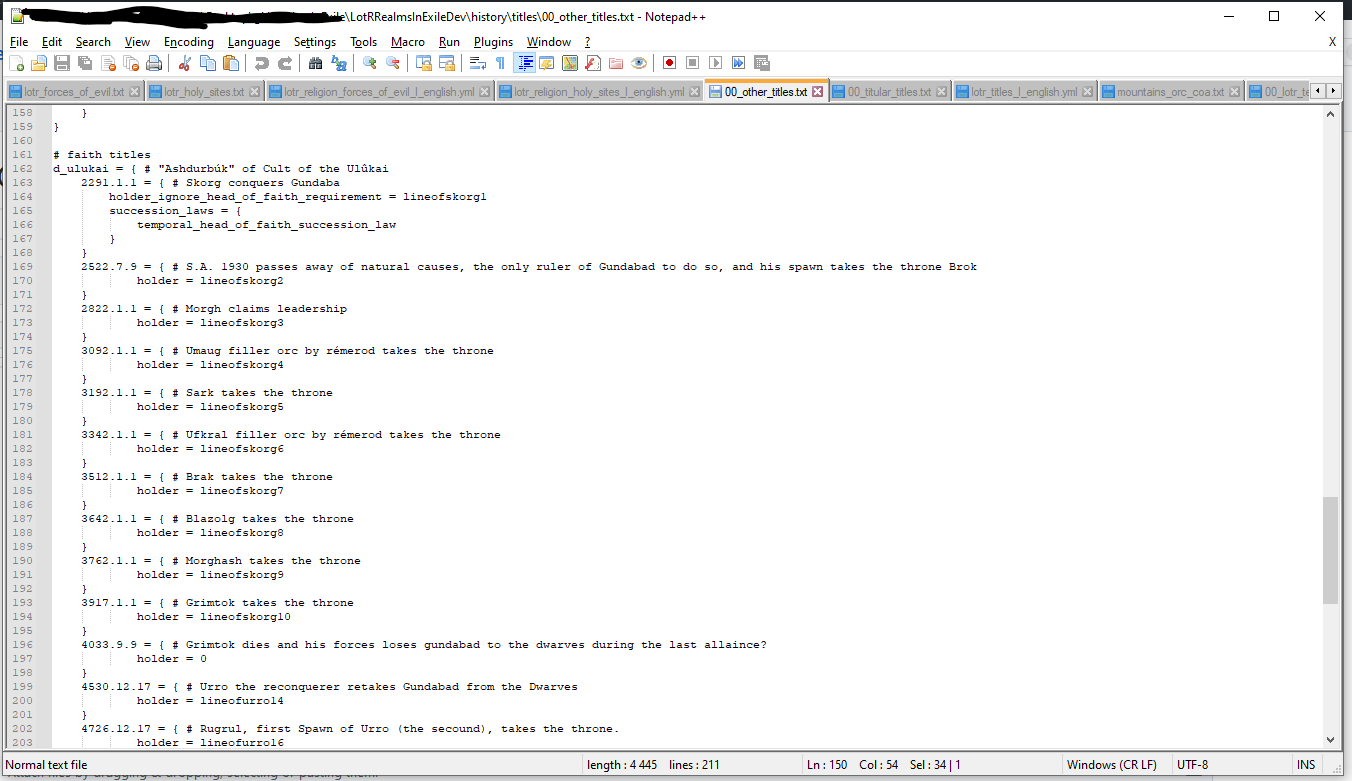 Title history for
 d_ulukai
With all this you should have a religious title that is present or can be formed by having 2 holy sites for your faith.