How to create Characters, Design new Portraits DNA, Make Dynasties & Assign them Titles - CK3RealmsinExile/RealmsInExile GitHub Wiki
So here we'll be creating the "skeleton" in code so to say for your character. Their name, religion, culture and so on.
- We'll need to go to the folder
LotRRealmsInExileDev\history\characters. That's where all the characters are listed under their respective cultural text document. By using windows notepad you'll need to open one of these .txt files (or create a new one) to put your new character/s in.
Click to expand
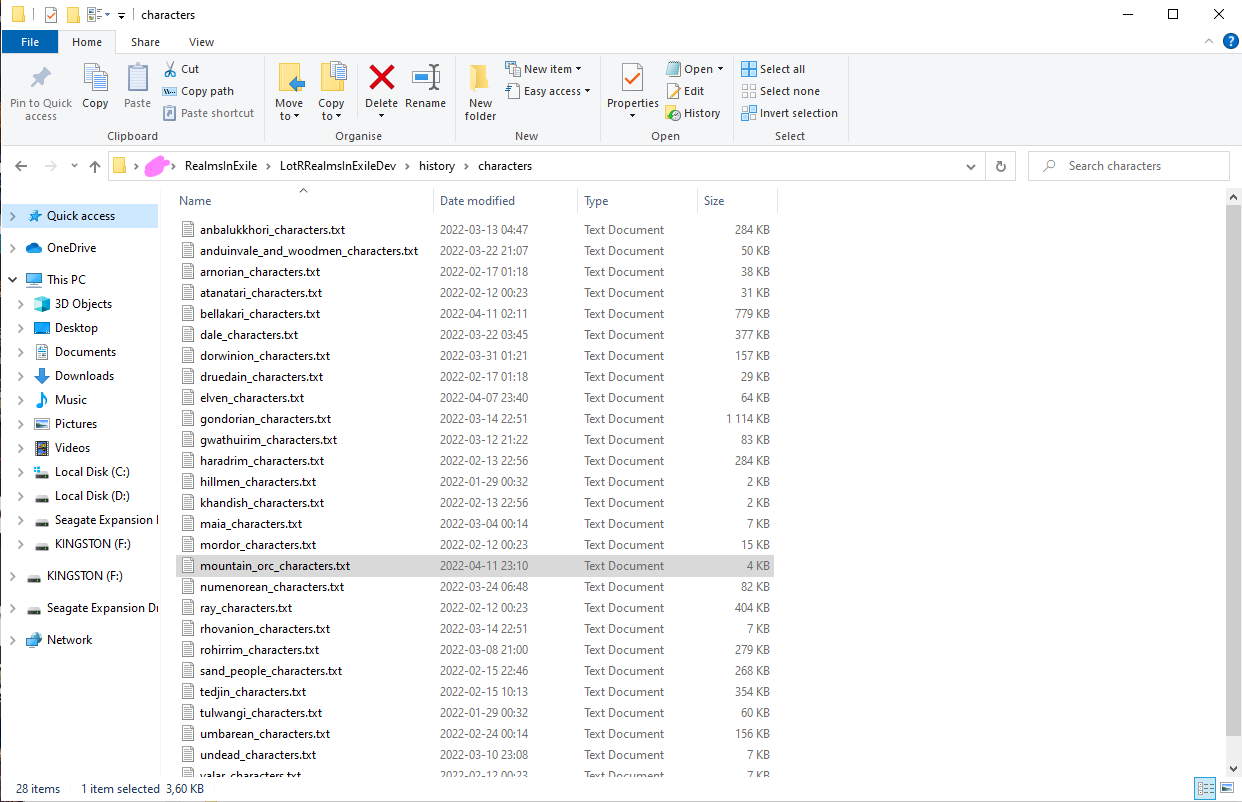 The folder
- By looking here on an already existing character (picture down bellow) we'll see that the code is applied to
lineofskrog1this is the code-line & name of code that is the character your making, in which you need to apply the code of which make up your character (which you can see it's brackets in red on the picture below). here you'll need to apply the character in-game name, dynasty (if they have one), religion & culture. then you can apply different variables of traits by applying their code name here. If your character have parents then you can apply that under the traits here by writing for examplefather = lineofskorg1(like in the green line on the picture below). Lastly you'll need to apply birth and death if the character have passed. In this mod you'll need to apply our in-mod/game time, since we have 3 ages some math will be needing to applying it. In-game code/math = middle earth recorded timeline;3 = F.A. 1, 592 = S.A. 1, 4033 = T.A. 1, 7033 = T.A. 3000. Then if the character have died you need to write/code the cause of it, for exampledeath_reason = death_natural_causes, more variables can be found in the foldercommon\deathreasons. After this make sure to have a closing bracket that connects with the starting one.
Click to expand
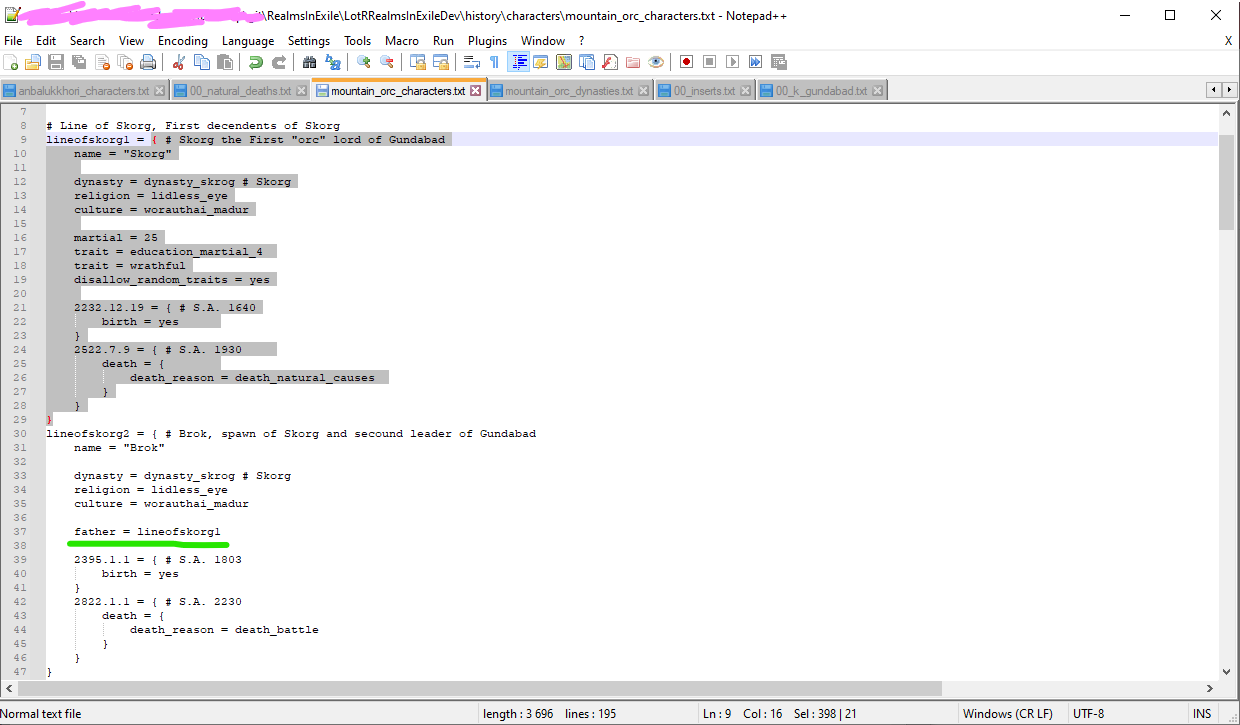 Example of a character code
(More information on variables and where to find them would be useful for this section)
- With this you will probably successfully have created a character that exist inside the mod now!
- To make and apply a Character Portrait/Dna to you character check Creating and applying a Character Portrait/DNA
- To make create a Dynasty check Creating a Dynasty
- To apply a title to your character check Applying Titles to the Character
You want to make a character design and ad it to the mod? well n this page, it will explain on how to copy DNAs from the Ruler Designer and move them into the game files so the historical characters have pre-scripted look:
1 Open the Ruler Designer and create the look of a historical character.
In the Debug mode, you will see SHOW UGROUPED button with hidden genes.
2.Once done, hit Copy DNA
Click to expand
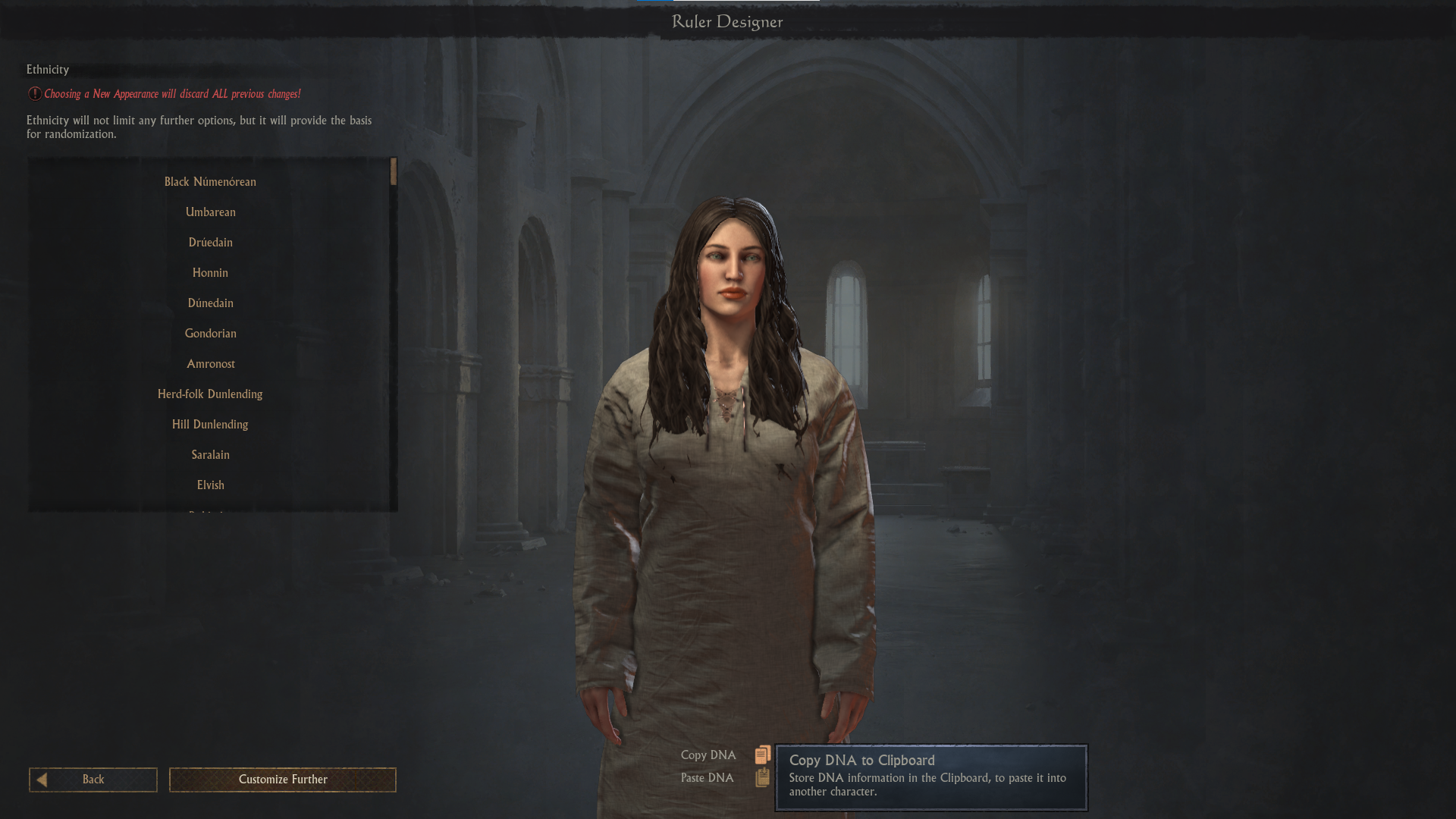
-
Open any text editor like Notepad++.
-
Paste your DNA there. You will see something like this:
Click to expand
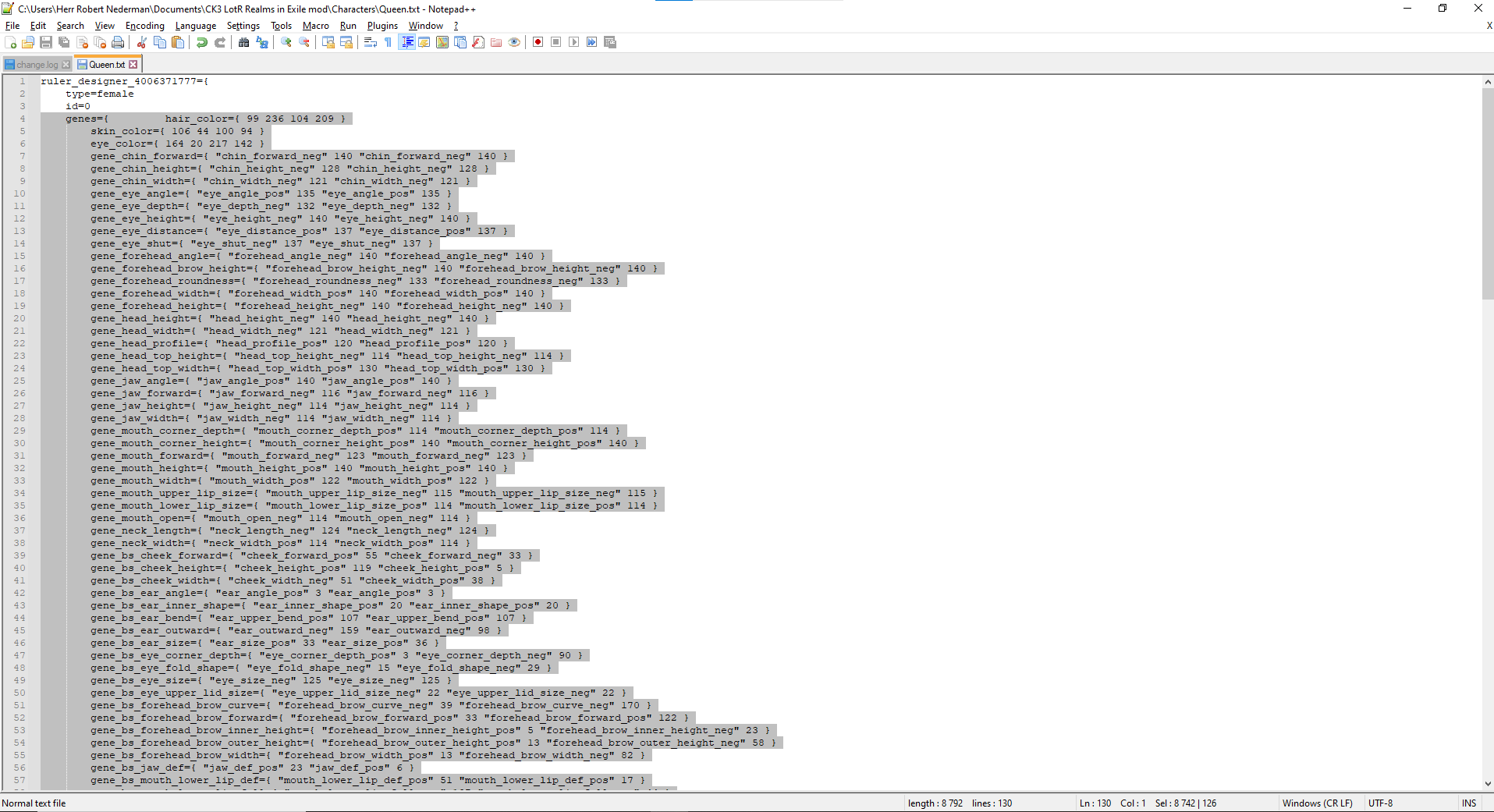
-
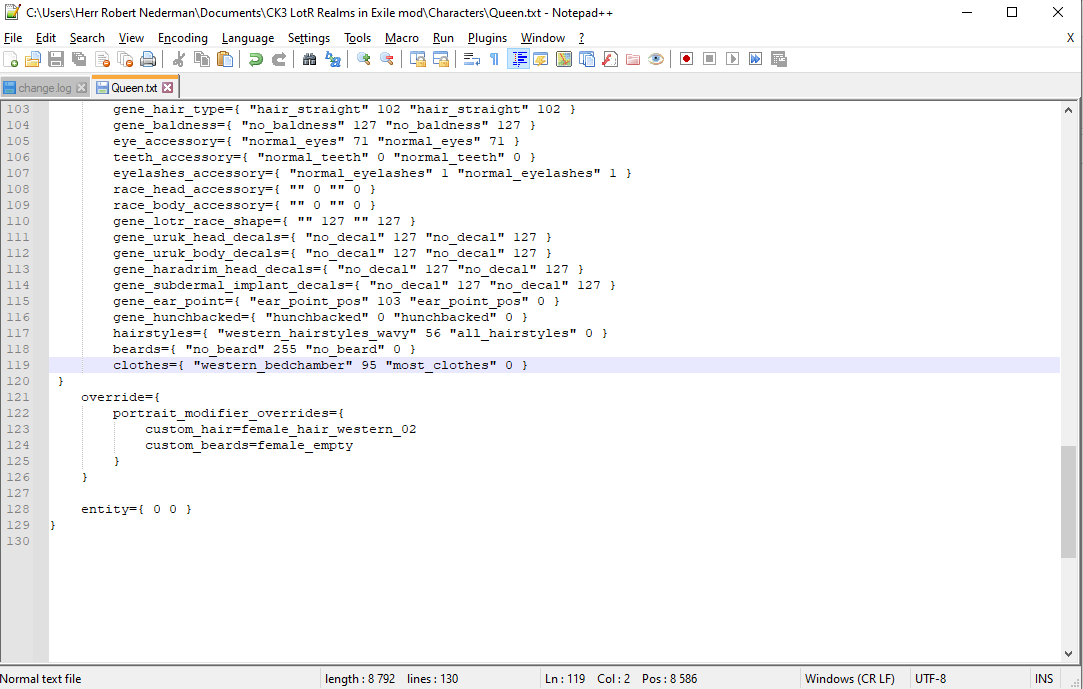
Copy everything from the genes enclosed block and downwards to the closing brace. If you use Notepad++, it will highlight where this block opens and closes once you click near a brace like on the screenshot above.
-
Open a suitable file or create a new one (several cultural files already exist there) in the folder
LotRRealmsInExileDev\common\dna_datawith any text editor. -
Create a new enclosed block there and copy the
genes blockinside theportrait_info block. Here is its basic template of the enclosed block:
<Character_name_here>_dna = {
	portrait_info = {
		<Copy genes block here>
	}
	enabled=yes
}
Click to expand
- Scroll down to the end of the genes block, you will find the clothes line there. Delete it. Otherwise, your character may end up wearing bedchamber clothes.
Click to expand
-
<Character_name_here>_dnais the name of your DNA data, we will use it soon. Open the folderLotRRealmsInExileDev\history\characters. That's where all the characters are listed under their respective cultural text document. Search for your character name in these files, using windows notepad, you can click edit then search. -
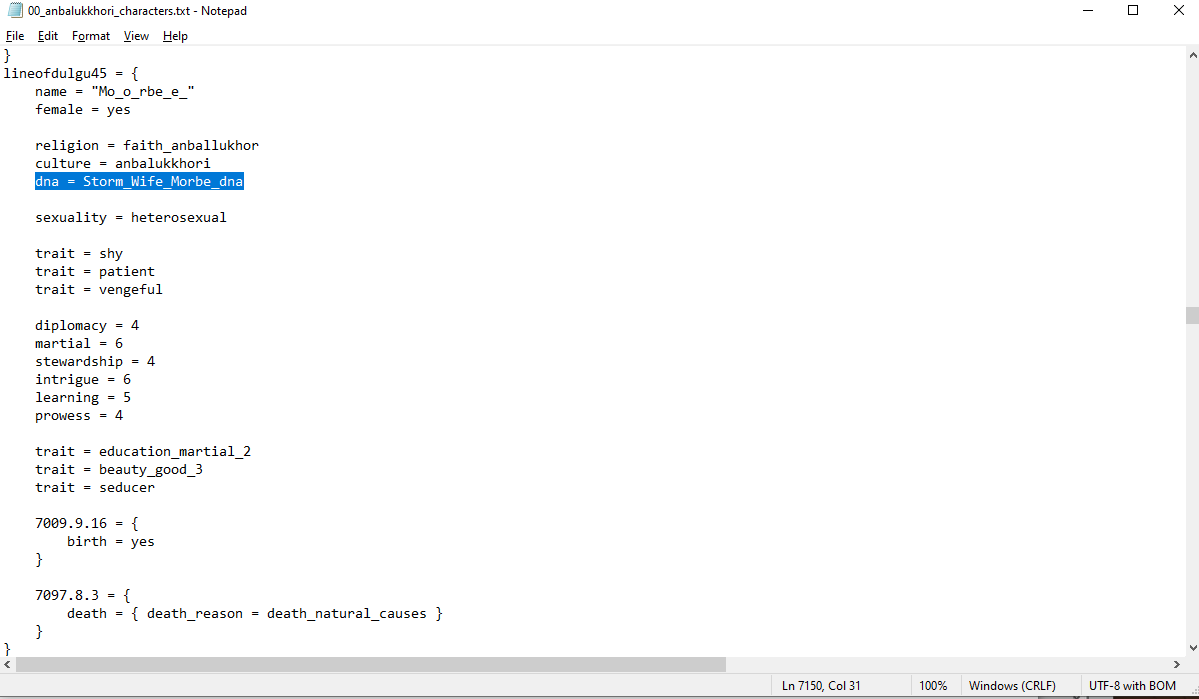
Here you will Find the block of your character and you'll need to put down name of your character dna here in the document
dna = <Character_name_here>_dna. Remember the character ID. You will need it later.
Click to expand
here is where i put mine down
-
Since 1.3.0, to assign hairs (or beards), you have to do a little scripting (to make it easier and cleaner, you may use Tools Like Notepad++.
-
Visit these files in
LotRRealmsInExileDev\gfx\portraits\portrait_modifiersand open the50_hairstyles_scripted_characters.txtand/or50_beards_scripted_characters.txt -
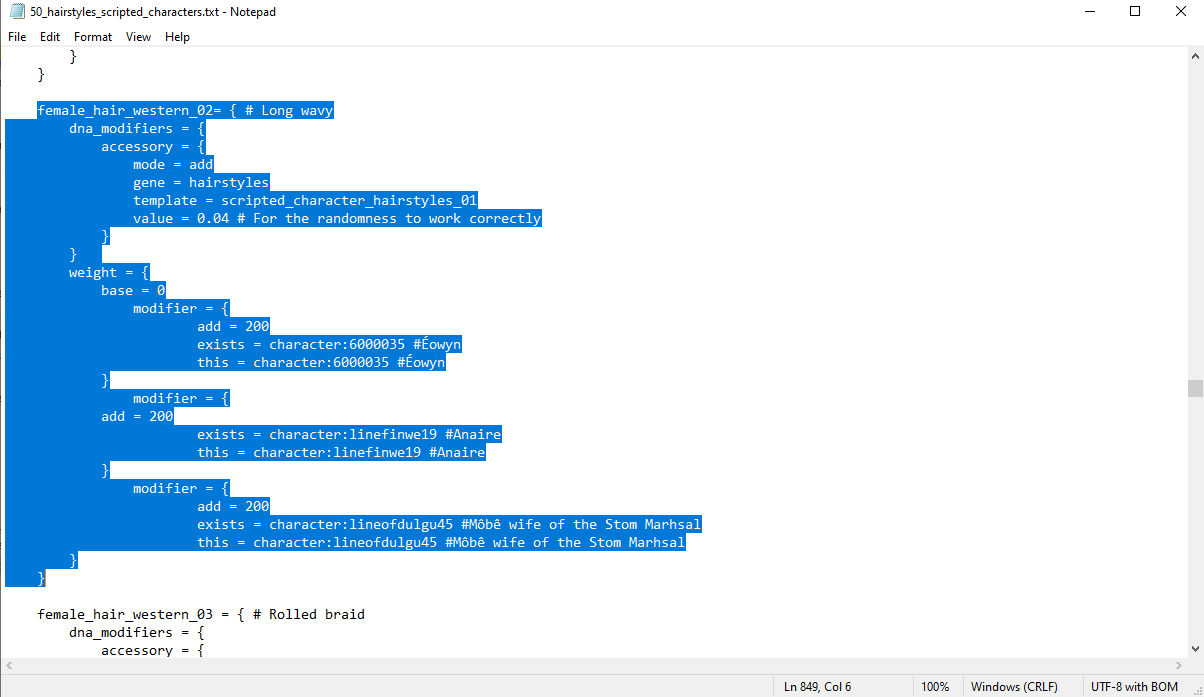
Inside these files, find the beard/hairstyle section you want. Inside
weight, put a modifier in this format whitadd=200,exists =&this =with your charactershistorical idafter wards:
Click to expand
- Now we are Done! Open the game to see if the character looks right.
(This wiki page needs to be proofread, remove this line/comment if you proofread it)
This part of the wiki page is unavailable for now If your character is of noble birth, they will need a noble family, a Dynasty! To create a new dynasty you need to add files to four folders.
- The first change is applied by adding a new file
dynasty.txtfound in the folder\LotRRealmsInExileDev\common\dynasties. In the file an id is assigned to the new dynasty, for example "dynasty_gundurub". Then lines are added for culture and name. The name line doesn't contain the name, but instead the path in the localisation file. It should look like this when finished:
dynasty_gundurub = {
	name = "dynn_gundurub"
	culture = "worauthai_madur"
	motto = dynn_gundurub_motto
}
- The second change is made in the folder
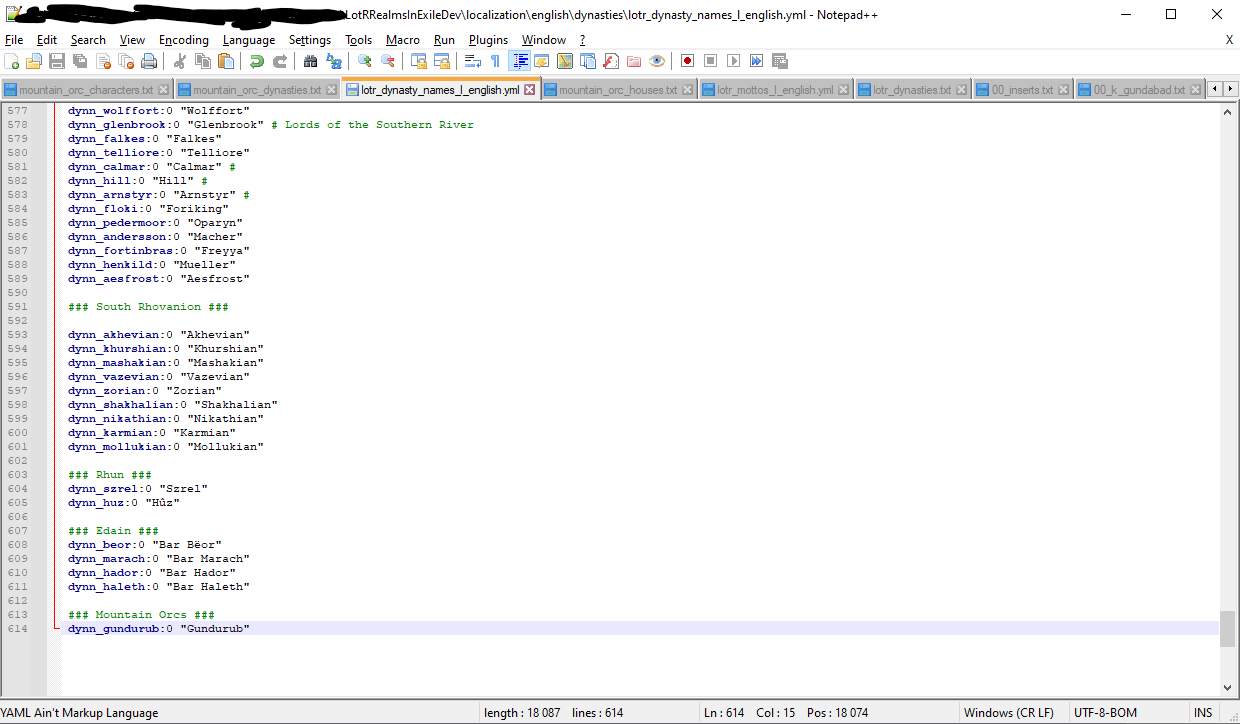
\LotRRealmsInExileDev\localization\english\dynastiesopen up the filelotr_dynasty_names_l_english.ymlwith notepad++. The same path applies for other languages, only the name of the file changes as well as the folder following common/localization. In this file, the real name of the dynasty is added.
Click to expand
To see a list of existing prefixes, see localization/english/dynasty_names_l_english.yml (or the version for your language). They are at the top of the file, starting with dynnp_. To add a new prefix, simply add it to your customised dynasties file, or (if you have a lot), create a new file, such as dynasty_prefixes_l_english.yml. Note that you need to leave a space in the localization string if there is supposed to be a space in the resulting text. For example:
# In localization/english/my_dynasty_names_l_english.yml
dynnp_de:0 "de " # Space after de
dynnp_d-:0 "d'" # No space after d'

# In common/dynasties/my_dynasties.txt
200001 = {
  prefix = dynnp_de
  name = dynn_Lyon
}
200002 = {
  prefix = dynnp_d-
  name = dynn_Oeuvre
}
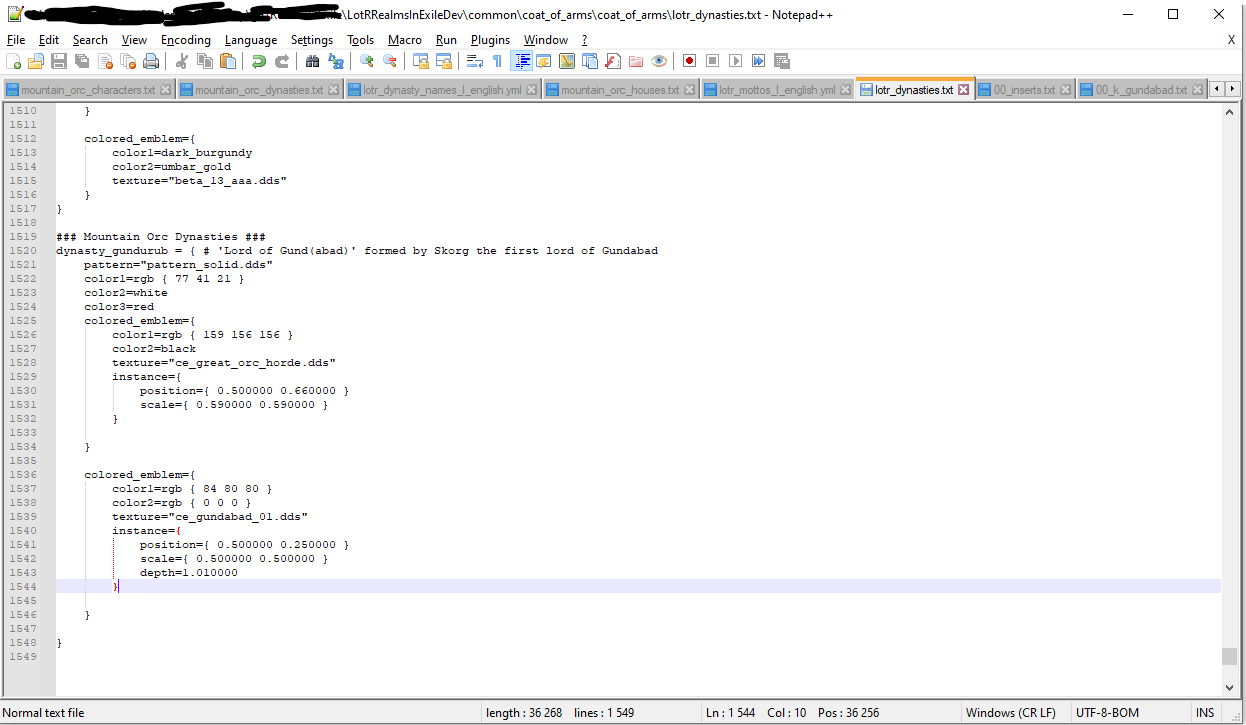
The next change is made in \LotRRealmsInExileDev\common\coat_of_arms\coat_of_arms to the lotr_dynasties.txt or an empty new file. Here any existing or new one can be pasted (By creating one in game). The example uses the coat of arms the dynasty of Gundurub.
Click to expand
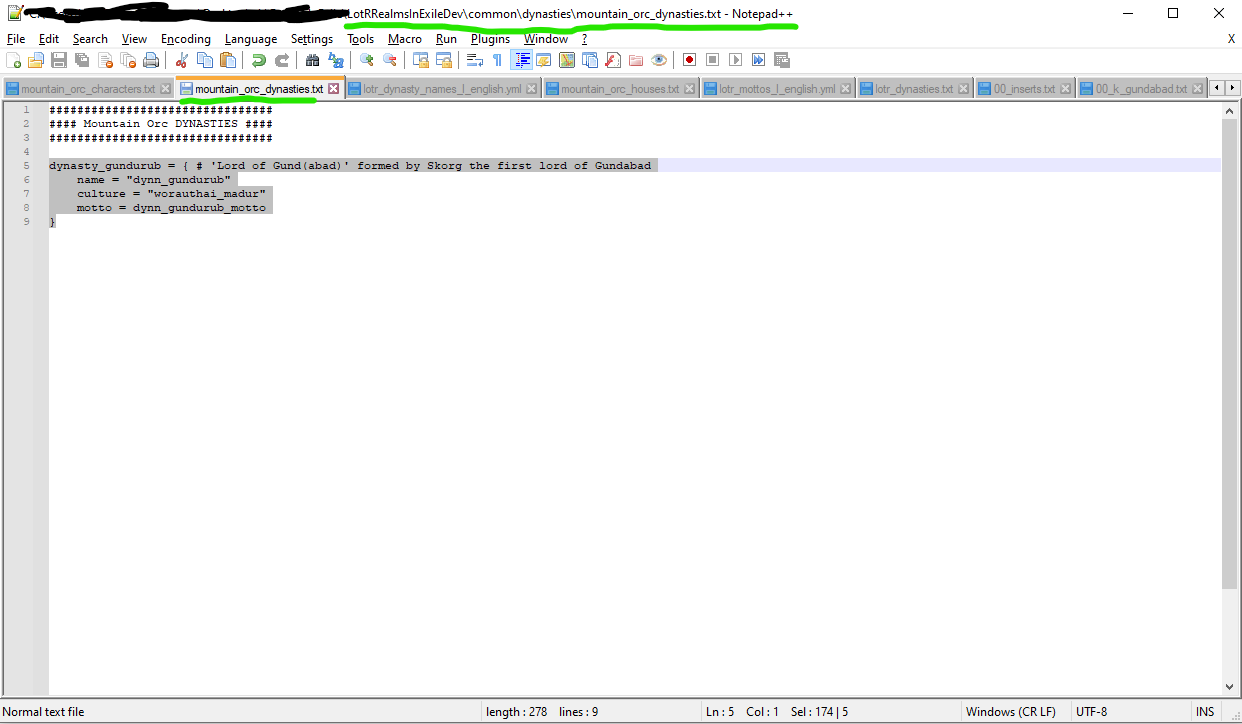
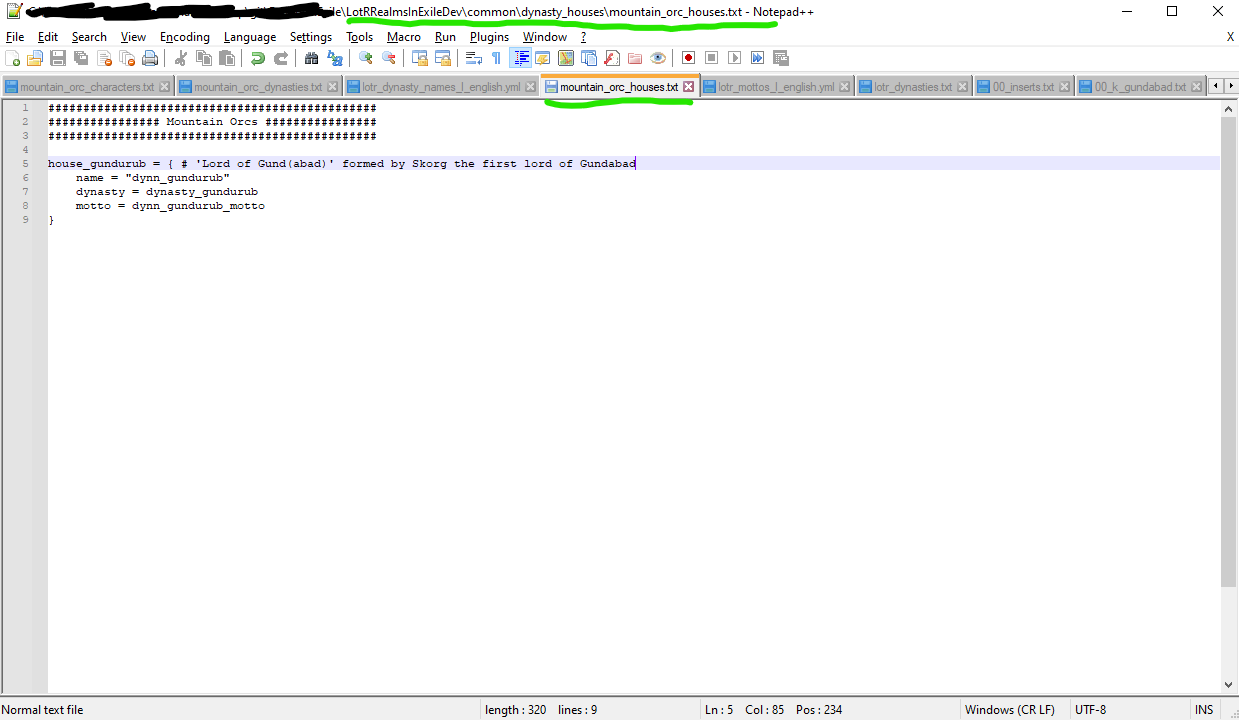
Mottoes can be added to dynasties or to houses (or both), you write their code in either the file in \LotRRealmsInExileDev\common\dynasties and/or the file in \LotRRealmsInExileDev\common\dynasty_houses
Click to expand
The you apply their localization in the file lotr_mottos_l_english.yml found in the folder \LotRRealmsInExileDev\localization\english
Click to expand
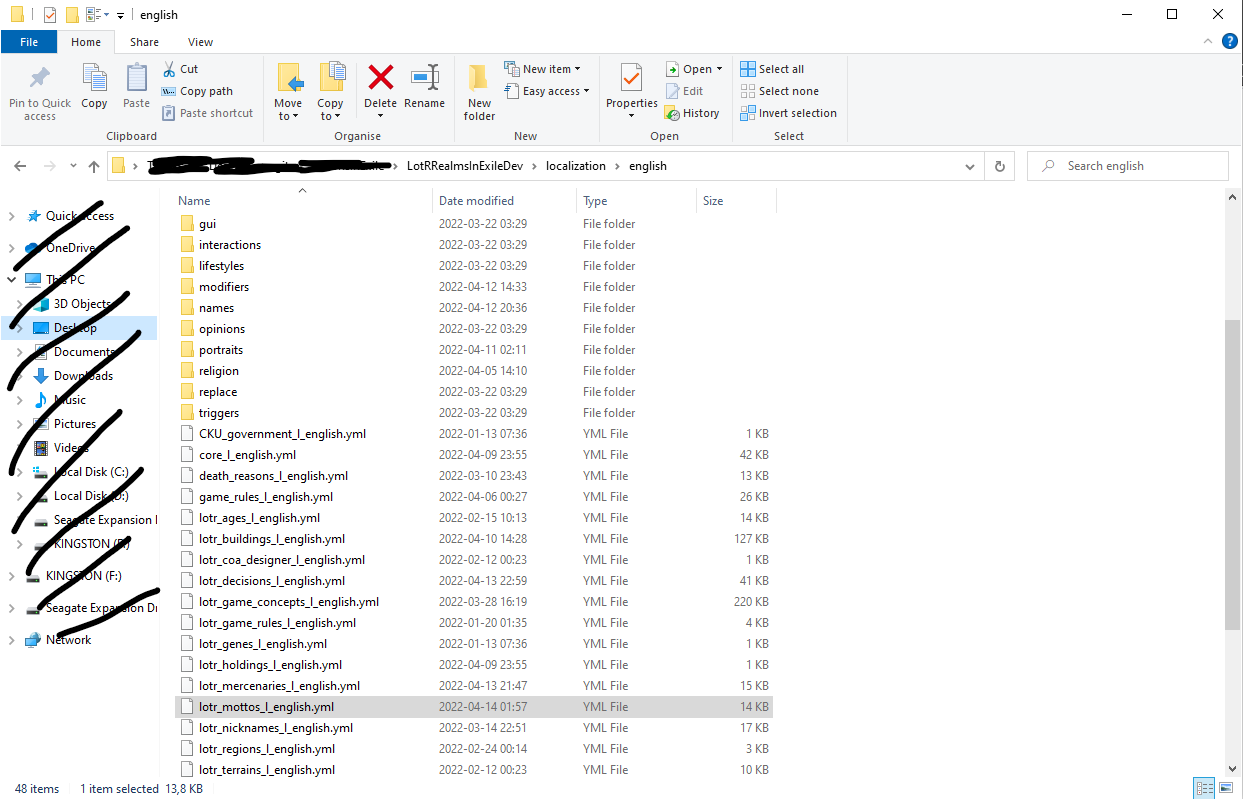 The folder it's located in.
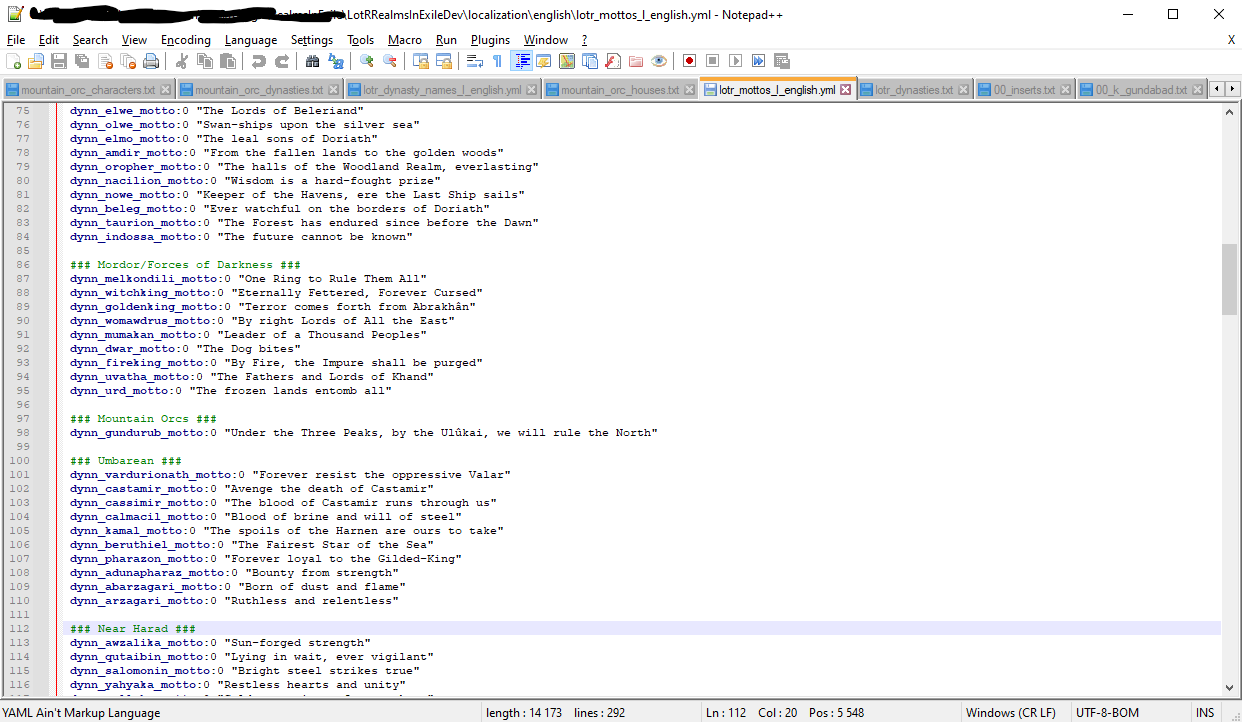 File you write motto's in, copy/repeat the code of the others and apply it to your own.
Finally, the founding house can be assigned in a text file in \LotRRealmsInExileDev\common\dynasty_houses. If you choose not to do this, the game will create a founding house using details from the dynasty.
Click to expand
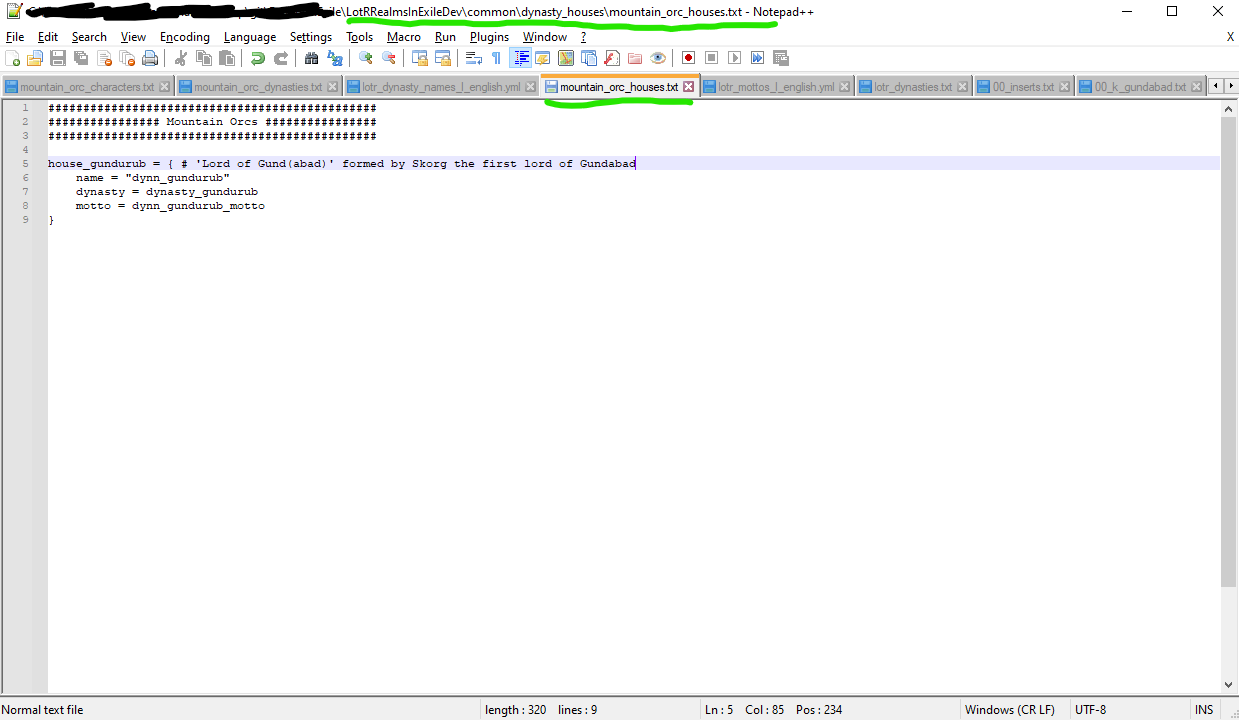 My example that I've used for this wiki, only have one dynasty in the house though.
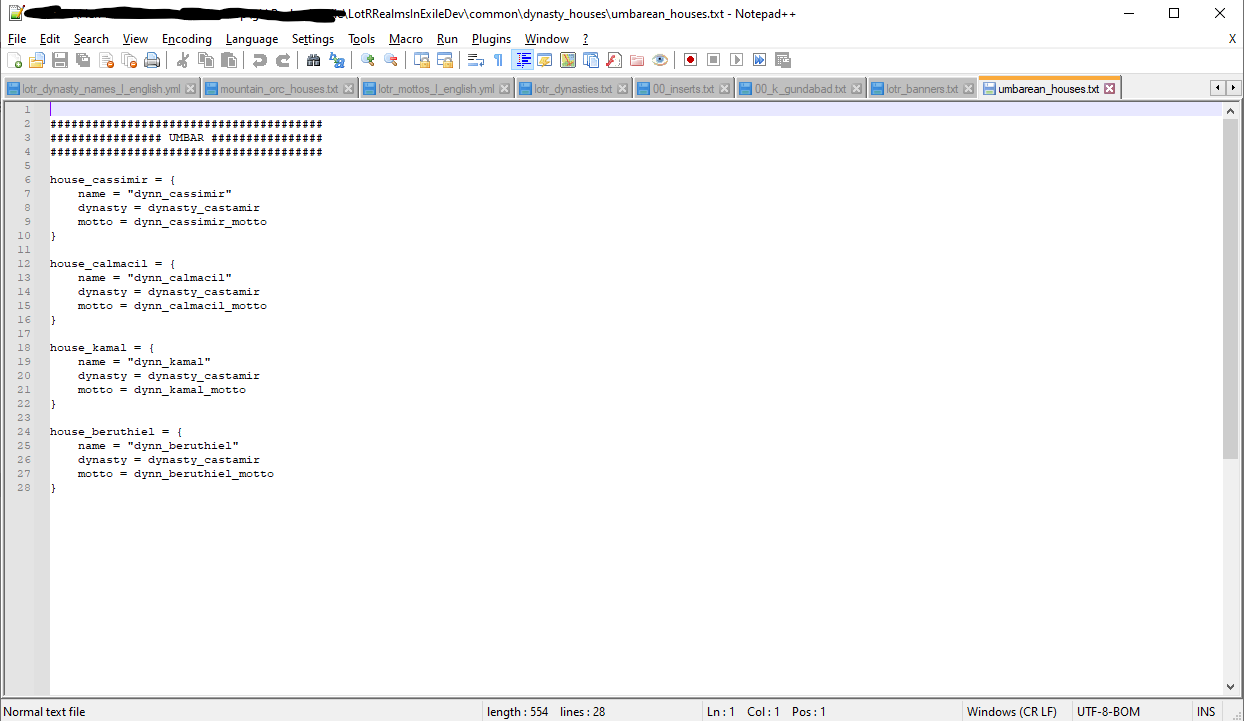 Example of the Castamir House, with a lot of different dynasty branches.
When every step is done, you should have succeeded in creating a Dynasty and the final result ingame should look like this:
Click to expand
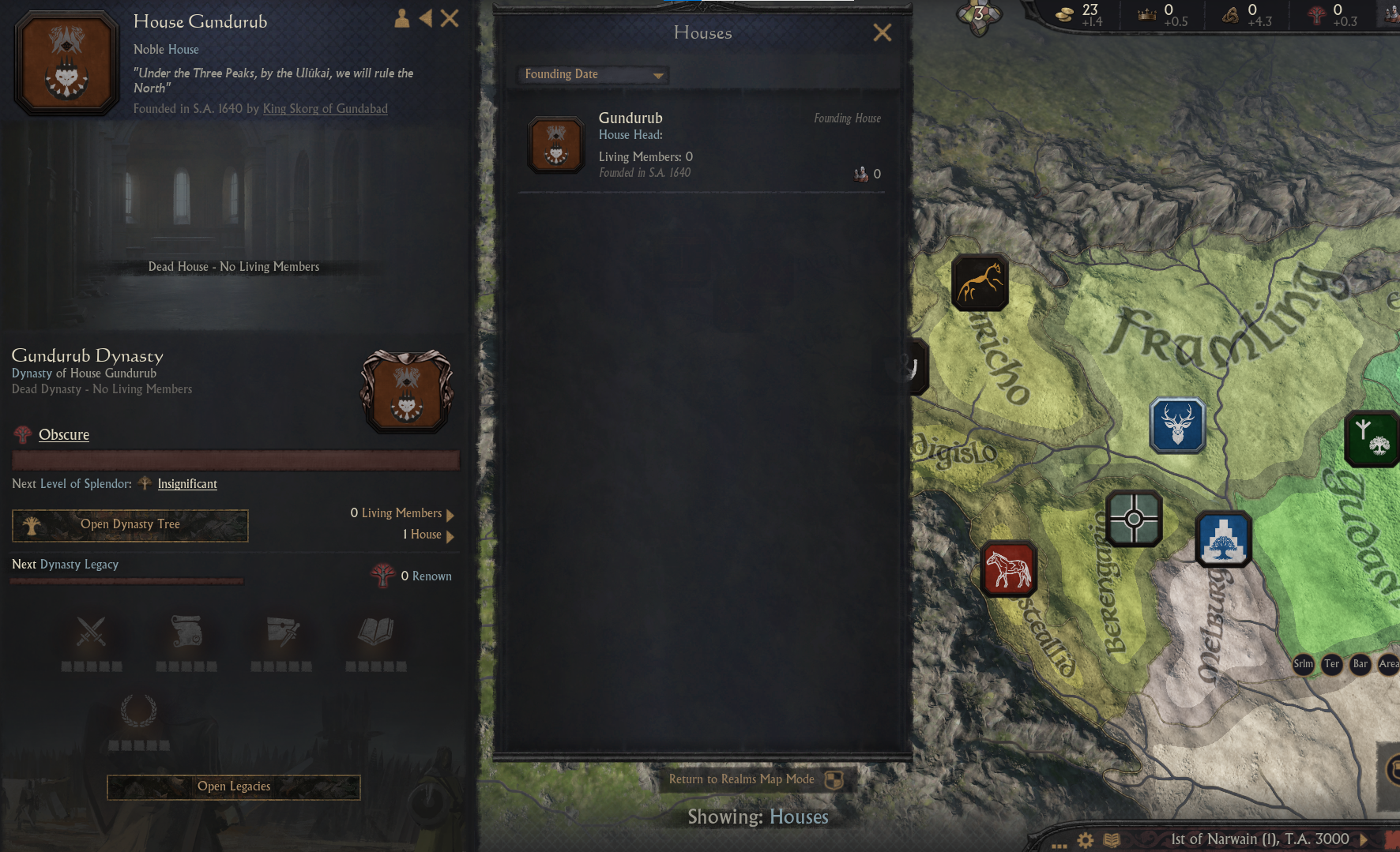 The House of Gundurub, formed by Skorg, the first Orc ruler of Gundabad.
This part of the wiki page is unavailable for now If you want you character/s to be landed you you'll need to assign titles to them in history.
- Open the folder
\LotRRealmsInExileDev\history\titleshere you'll find a bunch of .txt files. Open the one file that fits the title you want to assign or create a new one and open that with notepad++.
Click to expand
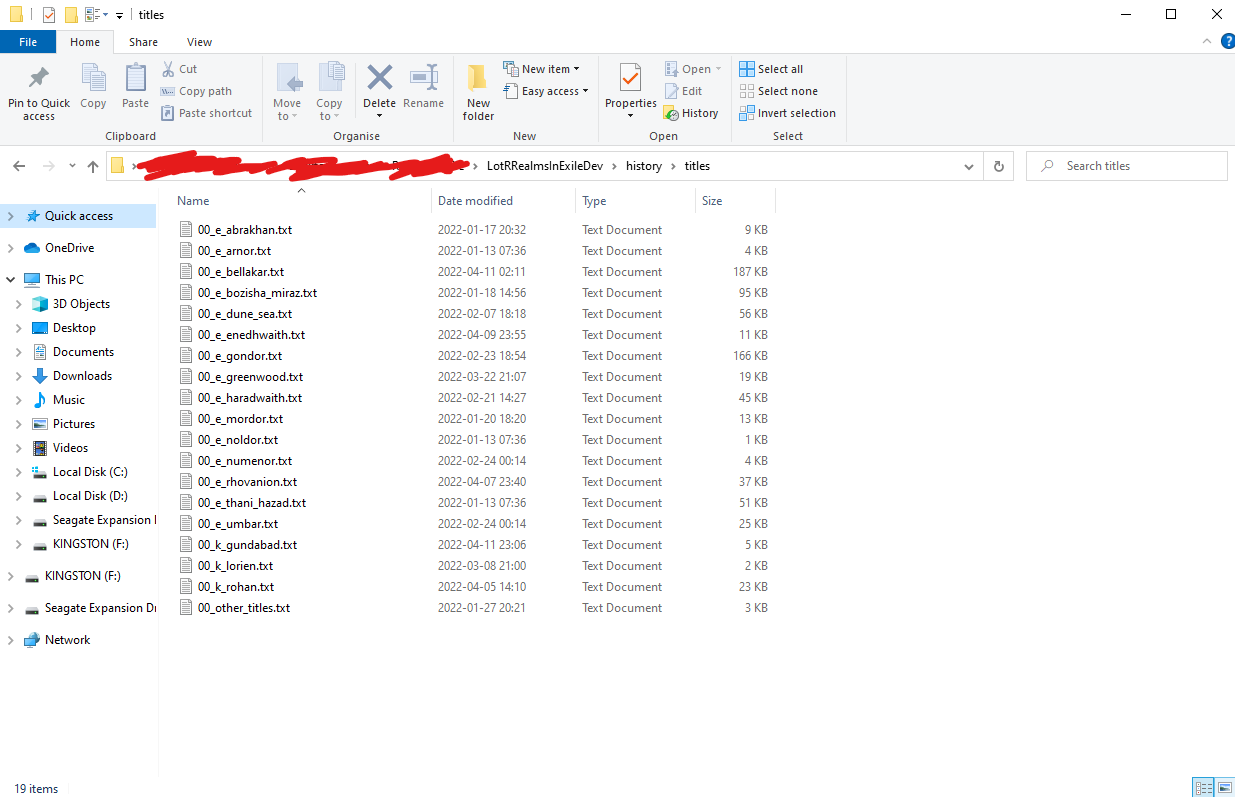
- Here you'll need to apply the code for the titles you want to apply, the years they are hold (applying our internal math for our timeline
3 = F.A. 1, 592 = S.A. 1, 4033 = T.A. 1, 7033 = T.A. 3000) and who the holder is. To find what the titles are called you can look in the folder\LotRRealmsInExileDev\history\provinces
Click to expand
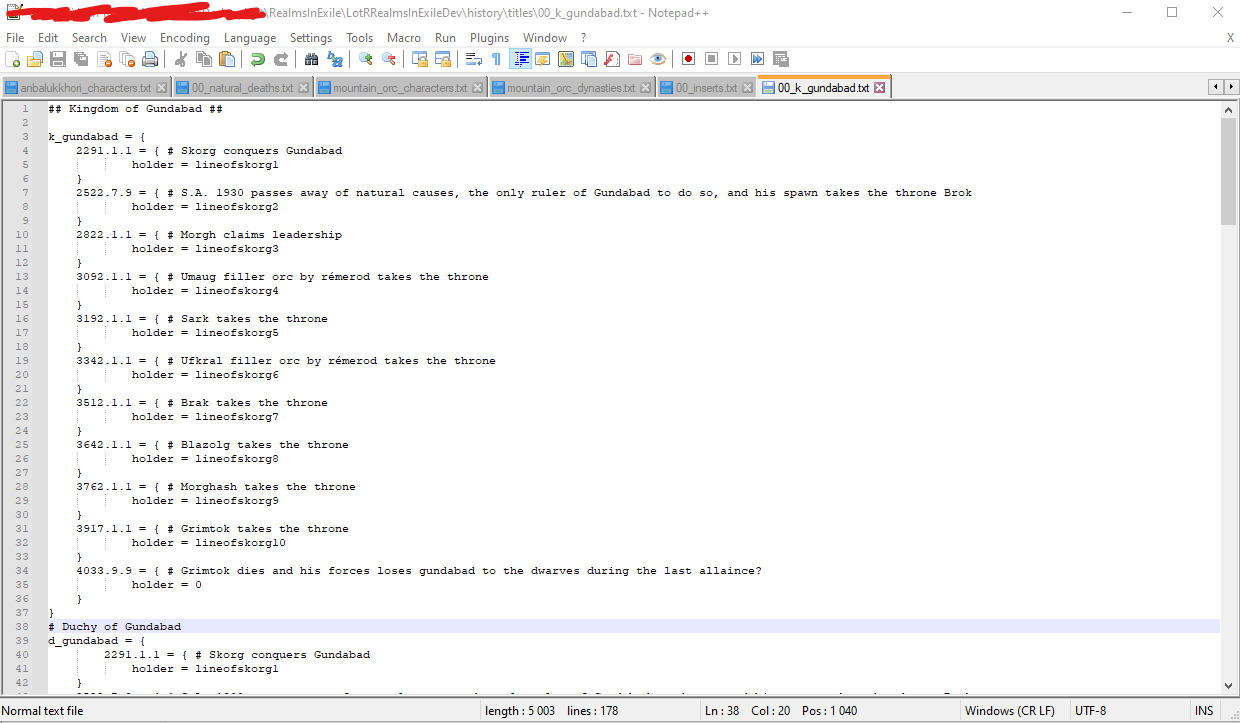 Example of the code to apply titles to characters.
- With this Your character would now be shown in the mod if everything was done correctly!