KPI Screener - Borsdata-Sweden/API GitHub Wiki
Overview
Access the KPIs that is shown in the Börsdata Screener.
The KPI always return the latest value based on last report and EndDay price.
There is no history for Screener Kpis.
Screener API Browser
In the screener at Borsdata you will see an "API URL" button inside the Kpi selection window.
https://borsdata.se/en/screener
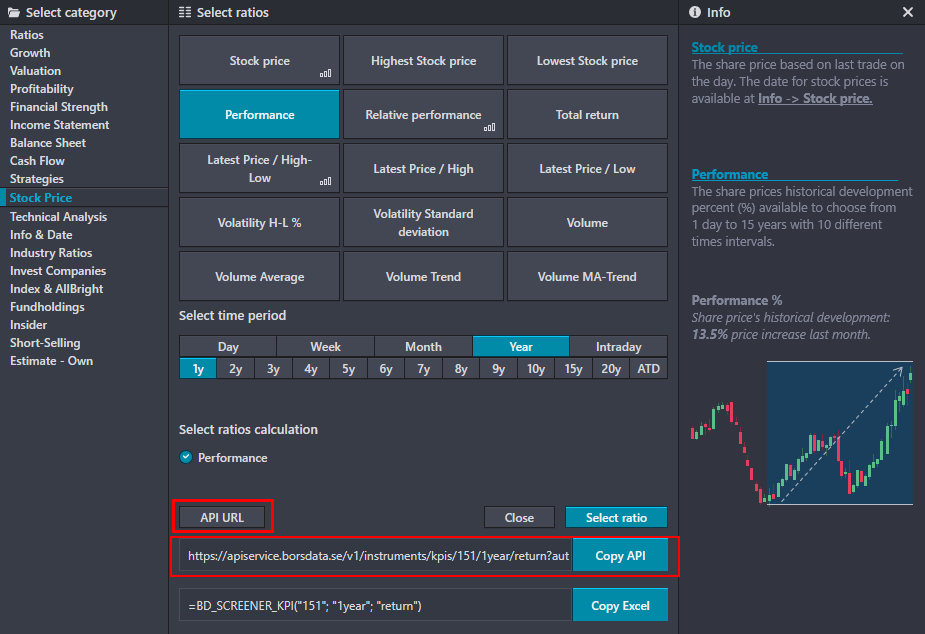
The Url will show you the uniqe Api call for the selected KPI.
Test API call
Stockprice performance (%) for last 6 month.
[URL]/v1/instruments/kpis/151/6month/return?authKey=[YOUR_API_KEY]
Screener API Browser - "URL is not Found"
Some Kpis in screener will Show "URL is not Found".
This KPI is shown in the screener but is not a available from Screener API.
The data is available on the instrument, stockprice or Report data.
Return data
You will get a datalist of values.
| Value | Desc |
|---|---|
| i | Instrument Id |
| n | Number |
| s | string |
Some Kpis return numbers and some Kpis return strings.
There is Kpis that give both.
Its up to you to select the correct value based on what Kpi you asking for.
Screener KPI call is following
/v1/instruments/{insid}/kpis/{kpiId}/{calcGroup}/{calc}