Register your ORS - BillionOysterProject/docs GitHub Wiki
To display any of these screenshots in a larger size, right click and select "Open Image in New Tab."
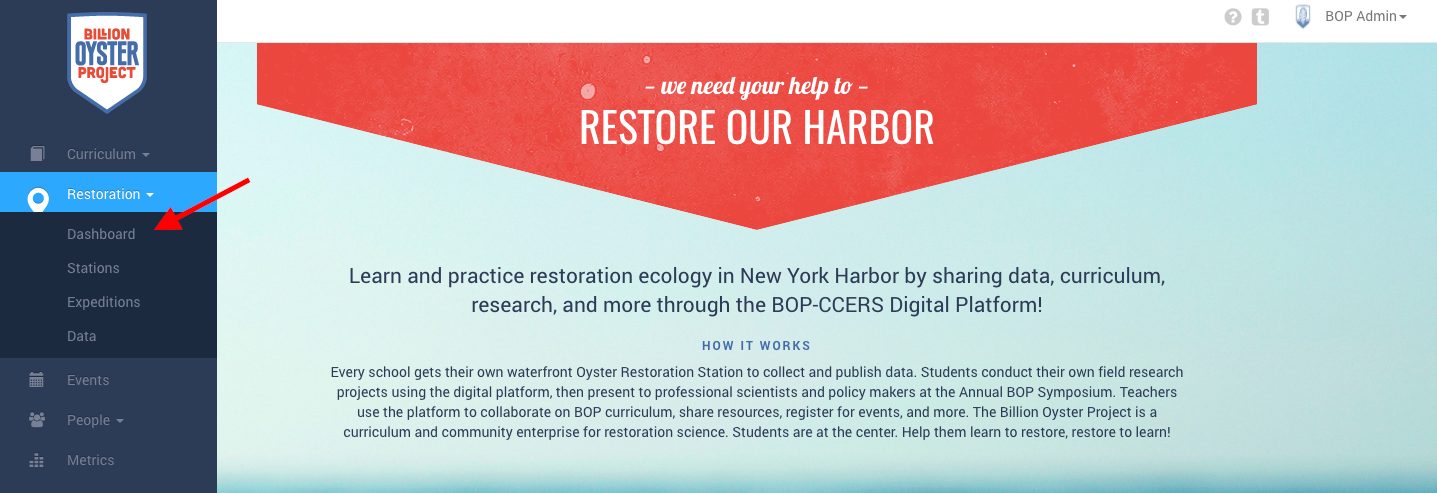
- In the left side menu, click on "Restoration" and then "Dashboard."
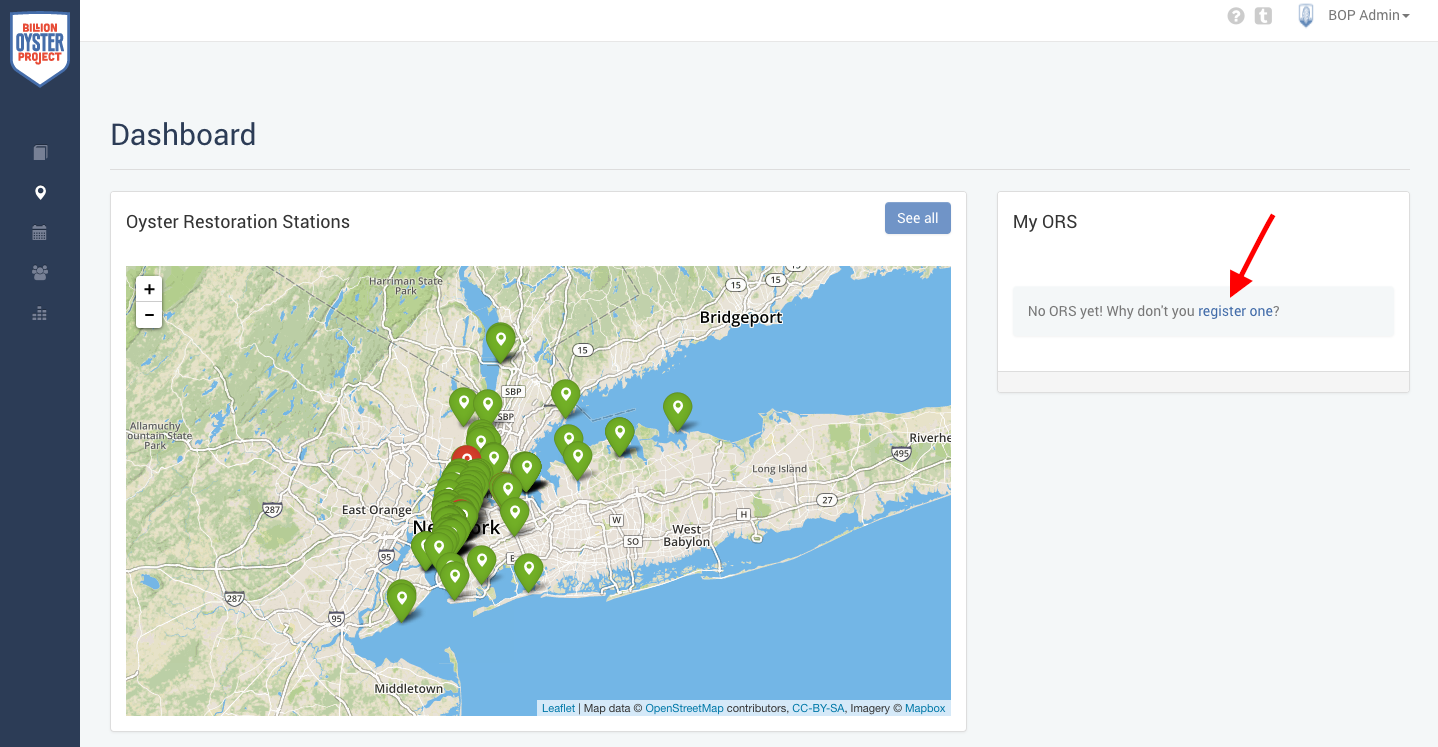
- On the righthand side of the Dashboard, you'll see a "My ORS" section with the message, "No ORS yet! Why don't you register one?" Click the link on "register one" to open up the "Register an ORS" form.
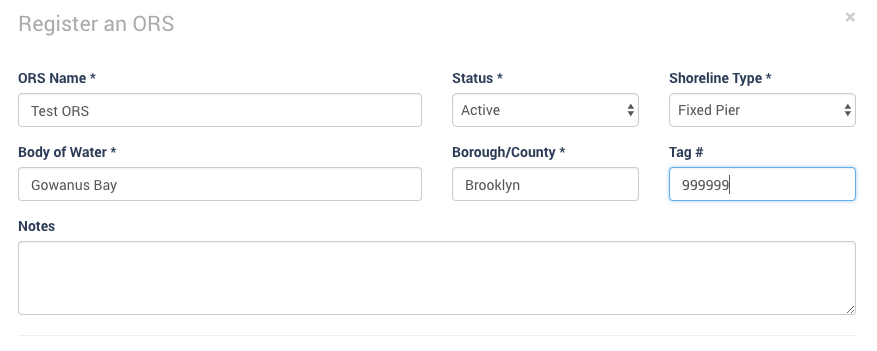
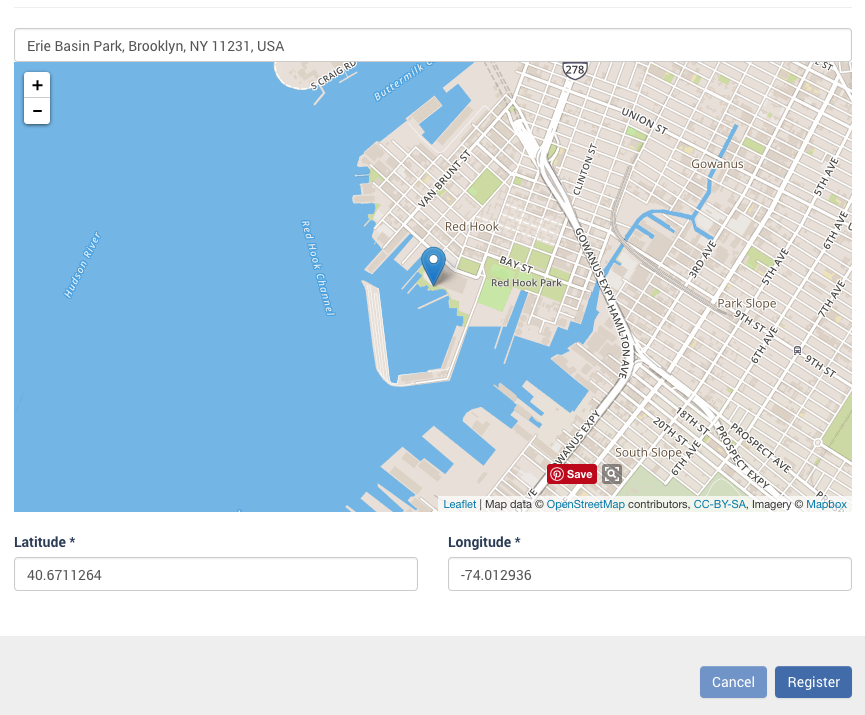
- Fill out all of the fields in the form, including tag number, and click "Register" at the bottom to complete your ORS registration.