Creating your own mod - BerryLoader/BerryLoader GitHub Wiki
To create your own mod, you can use our Mod Template, which is what this section of the Wiki will cover.
Step 1: Use or clone the template
You can either create your own repository by clicking the Use this template button, or clone the repository and start developing right away. (NOTE: If you use the second method and want to create a repository later on, you have to set a different remote url for your repository)
Step 2: Configure your files
There are 2 files you need to set up before compiling your mod:
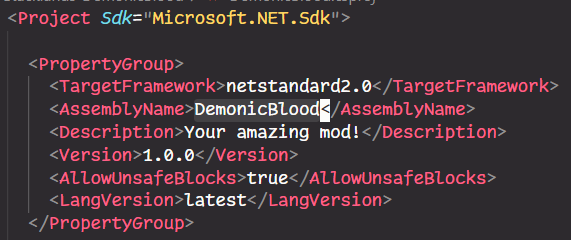
YourMod.csproj, which tells the compiler about your mod
YourMod.csproj.user, which tells the compiler where to look for game libraries (IMPORTANT: Add this file to your.gitignoreafter renaming and editing it)
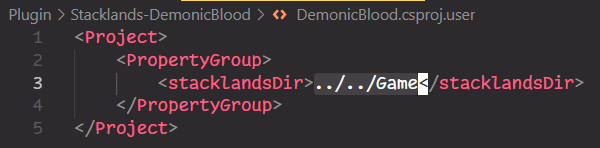
Change all instances of "YourMod" to your mod's ID.
Step 3: Start developing
Check out the guide for creating your first card, or any of your favorite mods!
Step 4: Test and distribute your mod
You can use our build script to easily compile your mod, copy over the necessary files, and launch the game. For more information, check out the BerryLoader/scripts repository.
You are encouraged to distribute your mod on Thunderstore, check out their documentation for more info.
Pro tips
- Read the source code of Stacklands, a guide for decompiling the game can be found here
- Install UnityExplorer to have a better look at what's happening inside the game
- Install DebugCheats to access a bunch of cheats which make testing your mod way easier