Setup - BLM16/Server-Forge GitHub Wiki
Make sure you have python 3 installed, and added to path. If you do not have python, this is how you can get it.
Go to their website and download the desired version. Make sure to get python version 3.x.x and not 2.x.x. There will be a button at the top for the latest version if you don't care which one you get.
Once you have downloaded it, run the exe file. It will look something like this:
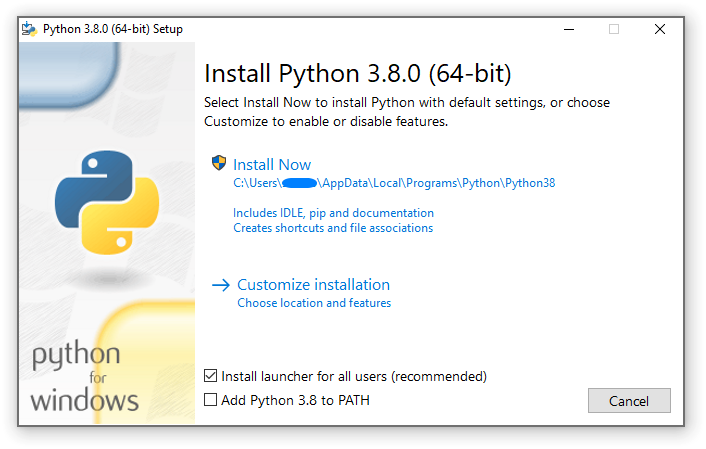
Make sure you select the add to PATH option like this:

From here, you can click install now and python will set everything up for you. If you want to customize your installation, there are other tutorials if you need help with it.
To download the latest server.jar file (server file for Minecraft), click here.