Dithering - AzuxirenLeadGuy/GdiPlusExtension GitHub Wiki
Dithering
The static class Dithering in namespace GdiPlusExtensions.Dithering defines all static extension methods for Dithering a Bitmap image
These are the following methods in this static class
public static class Dithering
{

	public static void ThresholdingDither(this Bitmap bitmap, byte threshold) {...}

	public static void RandomDither(this Bitmap bitmap) {...}

	public static void PatterningDither(this Bitmap bitmapimage, PatterningDitherAlgorithm algorithm, Color[] palette) {...}

	public static void PatterningDither(this Bitmap bitmap, PatterningDitherAlgorithm algorithm, DefaultDitherPalettes type) {...}

	public static Color[] GetDefaultColorPalette(DefaultDitherPalettes p) {...}

	public static void OrderedDithering(this Bitmap bitmap, byte bayerMatrixLength = 2, bool colorOutput = false) {...}
}
This Wiki will showcase dithering for the following input image in public domain:

ThresholdingDither
Thresholding only outputs an image in black or white. The threshold argument defines the minimum intensity at which a pixel should be painted White.
Usage
Bitmap img = ...//Open image
img.ThresholdingDither(96);
Output

RandomDither
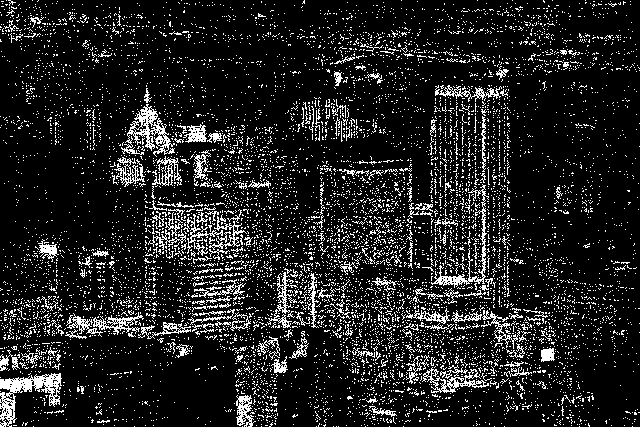
As the name implies, this method uses a random variable to set as the threshold value. It works similar to the aforementioned ThresholdingDither() method and only renders image in black and white.
Usage
Bitmap img = ...//Open image
img.RandomDither();
Output
PatterningDither
This method takes an arguments of types PatterningDitherAlgorithm, which describes the error diffusion algorithm, and the DefaultDitherPalettes enum. It merely obtains a color palette, defined as a Color[] array from the GetDefaultColorPalette() methods.
This array Color[] is the set of colors with which the Bitmap should be redrawn as a dithered image.
There are a few static PatterningDitherAlgorithm objects in the same struct which can be used for the PatterningDither methods, as shown:
struct PatterningDitherAlgorithm
{
	public static PatterningDitherAlgorithm FloydSteinberg;
	public static PatterningDitherAlgorithm FalseFloydSteinberg;
	public static PatterningDitherAlgorithm JarvisJudeNinke;
	public static PatterningDitherAlgorithm Stucki;
	public static PatterningDitherAlgorithm Atkinson;
	public static PatterningDitherAlgorithm Brukes;
	public static PatterningDitherAlgorithm Sierra;
	public static PatterningDitherAlgorithm SierraTwoRow;
	public static PatterningDitherAlgorithm SierraLite;
}
Usage and Outputs
Bitmap img = ...//Load image
img.PatterningDither(PatterningDitherAlgorithm.FloydSteinberg, DefaultDitherPalettes._1Bit);
Here, the DefaultDitherPalettes._1Bit enum provides a Color palette of only Black and White, and the image is produced as

Similarly we can use other color schemes
Bitmap img = ...//Load image
img.PatterningDither(PatterningDitherAlgorithm.JarvisJudeNinke, DefaultDitherPalettes._2Bit_CMYK);
to obtain

and so on
Bitmap img = ...//Load image
img.PatterningDither(PatterningDitherAlgorithm.Sierra, DefaultDitherPalettes._8Bit);
to obtain

You can use define a custom Color Palette using the following methods in the static ColorManager class
	public static Color[] ColorPalette_nBit(byte redBits, byte greenBits, byte blueBits);
	public static Color[] ColorPalette_nBit(byte n);
for example, this creates a Palette of 4 bits of blue (2^4 = 16 shades hues of blue)
Bitmap img = ...//Load Image
img.PatterningDither(PatterningDitherAlgorithm.Atkinson, ColorManager.ColorPalette_nBit(0, 0, 4));
to obtain

OrderedDithering
This uses Bayer Ordered Dithering algoritm for color and black and white. Unlike PatterningDither() There is no option to assign specific Color Palette to this methods.
Its arguments bayerMatrixLength can be only 2, 4 or 8.
The argument colorOutput will generate a Color image on true, and a black & white image on false.
Usage and Output
The method can be invoked as follows:
Bitmap img = ...//Load image
img.OrderedDithering(4, false);
to obtain the following:

and similarly, the following
Bitmap img = ...//Load image
img.OrderedDithering(8, true);
yields the following color image
