RAI Dashboard - Azure-Samples/locutus GitHub Wiki
In the "Scaling responsible MLOps with Azure Machine Learning" breakout session you saw Minsoo walking through how to create and view the Responsible AI dashboard and scorecard in Azure Machine Learning (Azure ML).
Azure ML currently supports both model explanations and model fairness in public preview. As we expand our offerings under Responsible AI tools for AzureML users, this new feature brings pre-existing features and brand new offerings under one-stop-shop SDK package and studio UI dashboard:
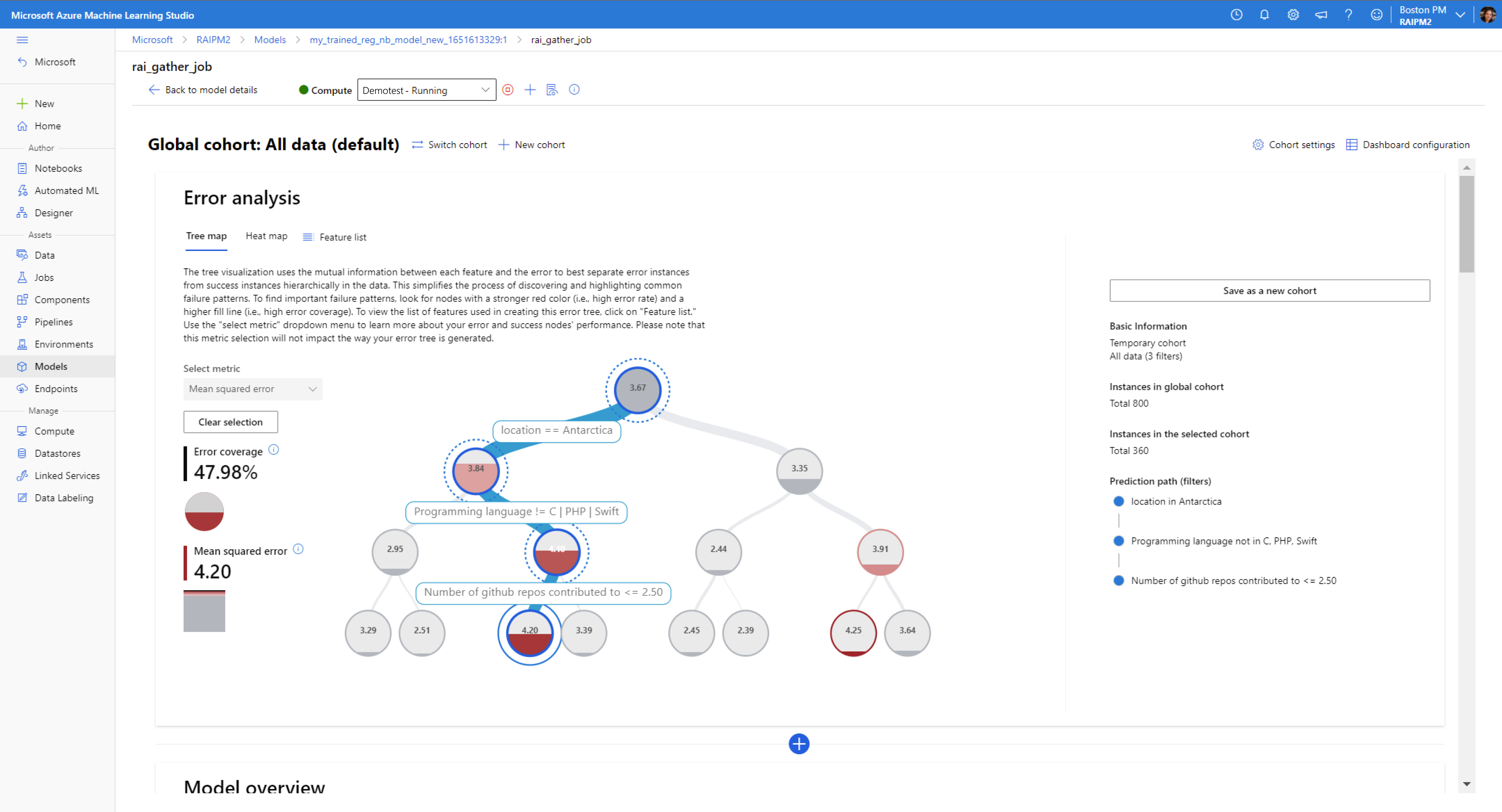
- Error Analysis (new): view and understand the error distributions of your model over your dataset via a decision tree map or heat map visualization.
- Data Explorer: explore your dataset by feature sets and other metrics such as predicted Y or true Y
- Model Statistics: explore the distribution of your model outcomes and performance metrics
- Interpretability: view the aggregate and individual feature importances across your model and dataset
- Counterfactual What-If's (new): create automatically generated diverse sets of counterfactual examples for each datapoint that is minimally perturbed in order to switch its predicted class or output. Also create your own counterfactual datapoint by perturbing feature values manually to observe the new outcome of your model prediction.
- Causal Analysis (new): view the aggregate and individual causal effects of treatment features (features which you are interested in controlling) on the outcome in order to make informed real-life business decisions. See recommended treatment policies for segmentations of your population for features in your dataset to see the effect on your real-life outcomes.
The Responsible AI dashboard offers users a new powerful and robust toolkit for understanding your model and data in order to develop your machine learning models responsibly, now all in one place and integrated with your AzureML workspace.
Set Up
In this section, we will go over the basic setup steps that you need in order to generate Responsible AI insights for your models from SDK v2, CLI v2 and visualize the generated Responsible AI insights in Azure ML studio. These are currently custom components, therefore you will need to follow the below steps to set up the components in your Azure ML workspace.
Install Miniconda
Our setup script assumes that conda is installed and configured for your shell. Download and install MiniConda (External link).
After installation, restart your shell, and make sure that you can run conda commands.
Create an AzureML workspace
Create an AzureML workspace by using the configuration notebook
Install the Azure CLI
Install the Azure CLI by following the instructions on the Microsoft docs site.
Clone this repository
If you have not already done so, clone this repository, and move into the root directory:
git clone https://github.com/Azure/RAI-vNext-Preview.git
cd RAI-vNext-Preview
Log in to Azure
Run the following to make sure you are logged in to Azure:
az login
Run the setup script
We provide a setup script which:
- Creates a new
condaenvironment - Installs all the required Python packages
- Registers all the RAI components in your AzureML workspace
- Sets the defaults for the
azCLI to point to your workspace
To run the script in powershell, from the repository root, run:
.\Quick-Setup.ps1
alternatively, an equivalent script for bash:
./quick-setup.bash <CONDA-ENV-NAME> <SUBSCRIPTION-ID> <RESOURCE-GROUP-NAME> <WORKSPACE-NAME>
This script will echo the supplied arguments and then pause briefly before continuing.
Generating Responsible AI Dashboard insights
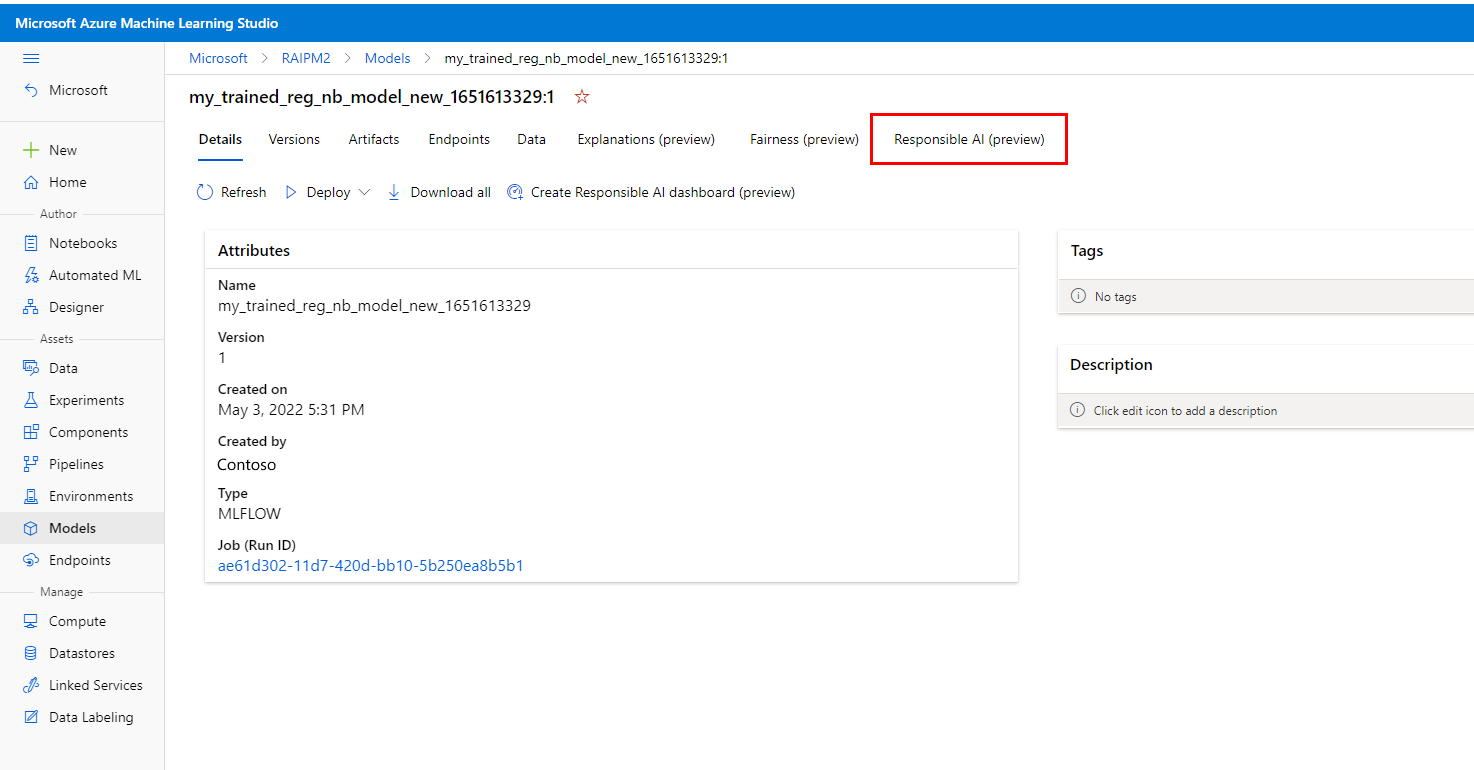
Once you have created an Azure workspace and registered your components in the one-time setup above, you can create a Responsible AI dashboard via the CLI or SDK. Follow this sample notebook to see how you can generate a Responsible AI dashboard via CLI or SDK.
Then follow the how-to Microsoft docs on how to view the Responsible AI dashboard and scorecard in Azure ML studio.
Limitations
The current set of components have a number of limitations on their use:
- All models must be in registered in AzureML in MLFlow format with an sklearn flavour
- The models must be loadable in the component environment
- The models must be pickleable
- The models must be supplied to the RAI components using the 'Fetch Registered Model' component which we provide. We plan to switch to the new AzureML 'model-as-input' feature in the near future
- The dataset inputs must be
pandasDataFrames in Parquet format. We plan to start using AzureML's newMLTablefeature in the near future - A model must still be supplied even if only a causal analysis of the data is performed. The
DummyClassifierandDummyRegressorestimators from SciKit-Learn can be used for this purpose
Learn more
- Click through a live interactive web demo of the Responsible AI dashboard on Microsoft AI Lab
- Read the Responsible AI dashboard and scorecard technical blog walking through this same demo scenario
- Read the customer story on how the Responsible AI dashboard is used in healthcare
- Visit the Microsoft docs on how to generate a Responsible AI dashboard with Python and YAML in Azure Machine Learning's SDKv2 and CLIv2
- Visit the Microsoft docs on how to generate a Responsible AI dashboard with no-code wizard in Azure Machine Learning studio UI