Web Server - AymenB98/Bird-Cafe GitHub Wiki
This is an NGINX web server that is PHP enabled, so you need to do the following setup before you can access these features.
First, make sure you update the package manager for Rasbian:
sudo apt update
After that, you can install NGINX:
sudo apt install nginx
Now get the server up and running:
sudo /etc/init.d/nginx start
Now that NGINX has been started, you need to enable PHP so that all the PHP files can be hosted by this web server.
sudo apt install php-fpm
cd /etc/nginx
sudo nano sites-enabled/default
When following the instructions found at the link at the bottom of this page***, I had some trouble. The file should look like this:
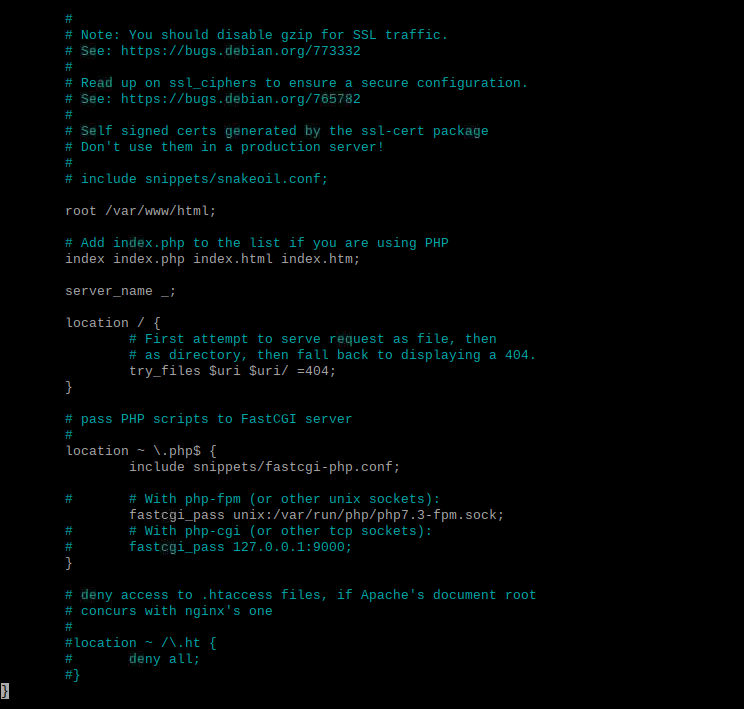
sudo /etc/init.d/nginx reload
Now that the server has been set up, you need to make sure all of the appropriate files are in the /var/www/html directory on your Pi. This can be done in the file editor by copying over the PHP files you cloned from this repo into the /var/www/html directory.
This code also enables the user to view statistics about their bird feeder from any device on the same Wi-Fi network as their Pi. To get the IP address of their Pi, all the user needs to do is open a terminal and enter the following command:
hostname -I
They will get an IP address that looks like:
192.xxx.y.z
This is permanent so the user does not need to do this every time they wish to access the web page hosted by this server. The user can enter this in a browser on any device and they will see the following webpage:
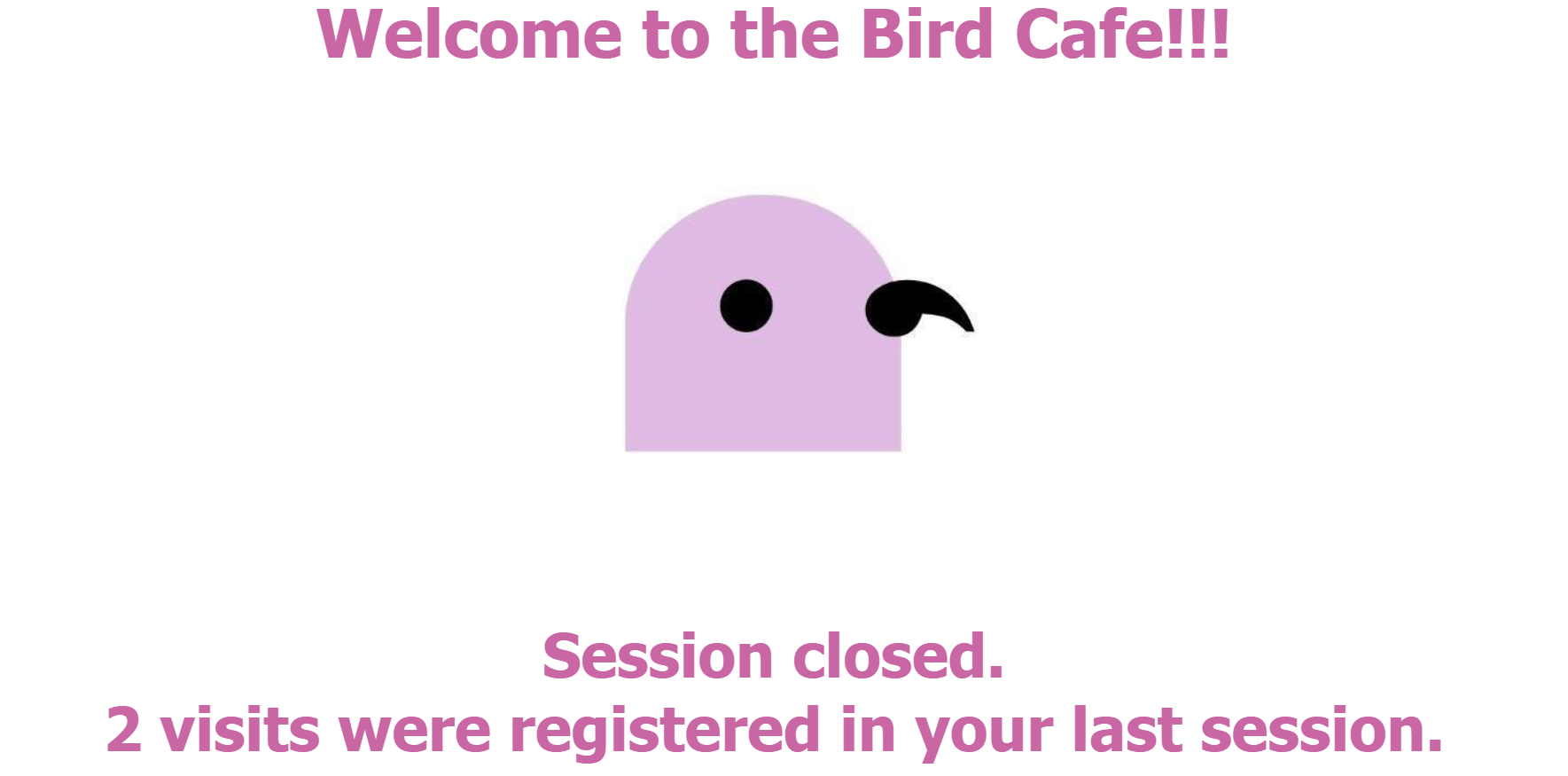
If you get an error saying the page "Cannot open file", make sure you enable the correct permissions on "official.csv" in the var/www/html folder. This can be done by simply right-clicking on the file, opening "properties" and changing all of the permission options to "Anyone".
*** This was based on instructions found on: https://www.raspberrypi.org/documentation/remote-access/web-server/nginx.md