Tests - AymenB98/Bird-Cafe GitHub Wiki
Introduction
Several different types of tests had to be performed to validate the software written for this project. This page will outline the unit tests used to optimise software development, integration tests which monitored the performance of the system as a whole, and in situ tests which tested the product outdoors.
Unit Tests
Unit tests were utilised to assess the code that had been written for this project. The following files were written to perform these tests on individual modules of the code:
- twitter_upload_test.py
- index_tests.php

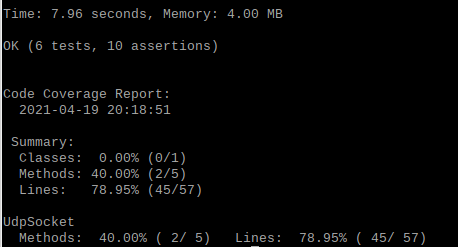
It can be seen from the photos above that the 78.95% of index.php is covered by index_tests.php (performed when a session was closed and the web page was not receiving any packets).


Although the aim was to have as high a coverage result as possible, 100% coverage was not always possible. In the case of index.php, the code would not compile in the event of certain UDP socket failures, so the lines that addressed these could not be covered. These unit tests made sure that the various operations being performed with the CSV file were correct, ensuring the successful display of the number of visits for a user. PHPUnit was used to perform the unit tests for the PHP script written for the web page (https://phpunit.de/). The Python script was very small so its unit test reflected that. This unit test made sure that the API keys used were correct, and that the Tweet was being made to the correct account. The Python module unittest was used to perform the unit test for the Python script (https://docs.python.org/3/library/unittest.html).
- DriverTests.cpp
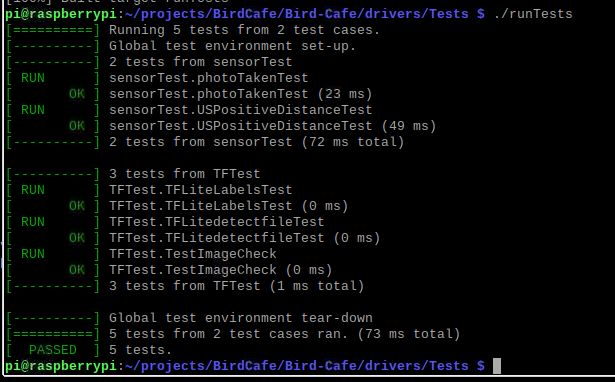
Tests for the drivers and neural network were run using the gtest testing framework and passed with a 100% success rate.
https://github.com/google/googletest
Full Integration Tests
Aside from using unit tests to prevent bugs from finding their way into the code, the team also had to perform an extensive set of tests which tested how all of the modules worked together in the final product. In order to obtain useful results, the code had to be run with all of the modules integrated together. For these runs, the end result had to be known so that the success of the test could be reported. For example, several runs of the code were carried out without anything in front of the camera. After that, the code was executed several times with a toy bird in front of the camera. It is worth noting that, as mentioned in the latency analysis section, the code could not be performed too often with the toy bird in front of the camera due to the rate limits associated with the Twitter API (https://developer.twitter.com/en/docs/rate-limits).
Various scenarios were used to test that the web server was working correctly. When the GUI start button was not pressed and the Pi was not trying to sense a bird or send out a packet, the web page correctly showed that the session was closed. After the start button was pressed and nothing was in front of the camera, the web page was refreshed and it showed that a session was open and correctly showed that 0 birds had visited. It was also correct in showing the last time the user refreshed the web page. A hand was placed in front of the US sensor and when the web page was refreshed, it showed that one visit had been made, which was correct since the goal was to register any other animal visiting the feeder. The stop button was then pressed and the web page was refreshed, showing that the session was closed and one visit was made in the last session. This also demonstrated that even when the web page was not receiving a UDP packet from the C++ code, it was able to recognise that and display the correct message. In order to test that the correct message was displayed when more than seven visits had been made to the feeder, a hand was placed in front of the feeder eight times. When the session was closed with the stop button and the web page was refreshed, the web page displayed the message saying that eight birds had visited the feeder and that it should be cleaned.
A toy pigeon was used to test the the photo classifier's ability to recognise a bird. It was clear from several tests that setting a minimum confidence threshold of 0.44 was most appropriate since the model's confidence did show some variance. As will be covered below under In Situ Tests, tests were performed both indoors and outdoors at various different times of day, under different lighting conditions, to see how the classifier could handle it. Even in a dark room with several other objects in it, the classifier was able to detect the bird if a small amount of white light was shone on the toy bird. Although the camera settings had to be adjusted when placed outside when there were high levels of sunlight, the unmodified settings produced a photo good enough for the bird classifier.
When the bird was placed in front of the camera, the team did find that after 86 consecutive runs detections of a bird, the Twitter API rate limit exceeded, as was discussed in Latency Analysis section of the Wiki (https://developer.twitter.com/en/docs/rate-limits). It is not realistic to assume that that many birds will visit the feeder in such a short amount of time. There is also nothing the team could really do to remedy this issue since it is set by Twitter. The reader can refer to the Latency Analysis page to see the quantitative results for the many tests performed by the team for the timing of the system. The GUI worked consistently and no record of its failure was made during all of the tests performed during this project.
In Situ Tests
A simple test rig was created from household objects to position the pi, camera, ultrasonic sensor, and battery together on a platform which birds could land on. Although it was a simple test rig, it had to provide adequate protection to the electrical components both from birds and from the wind and rain.
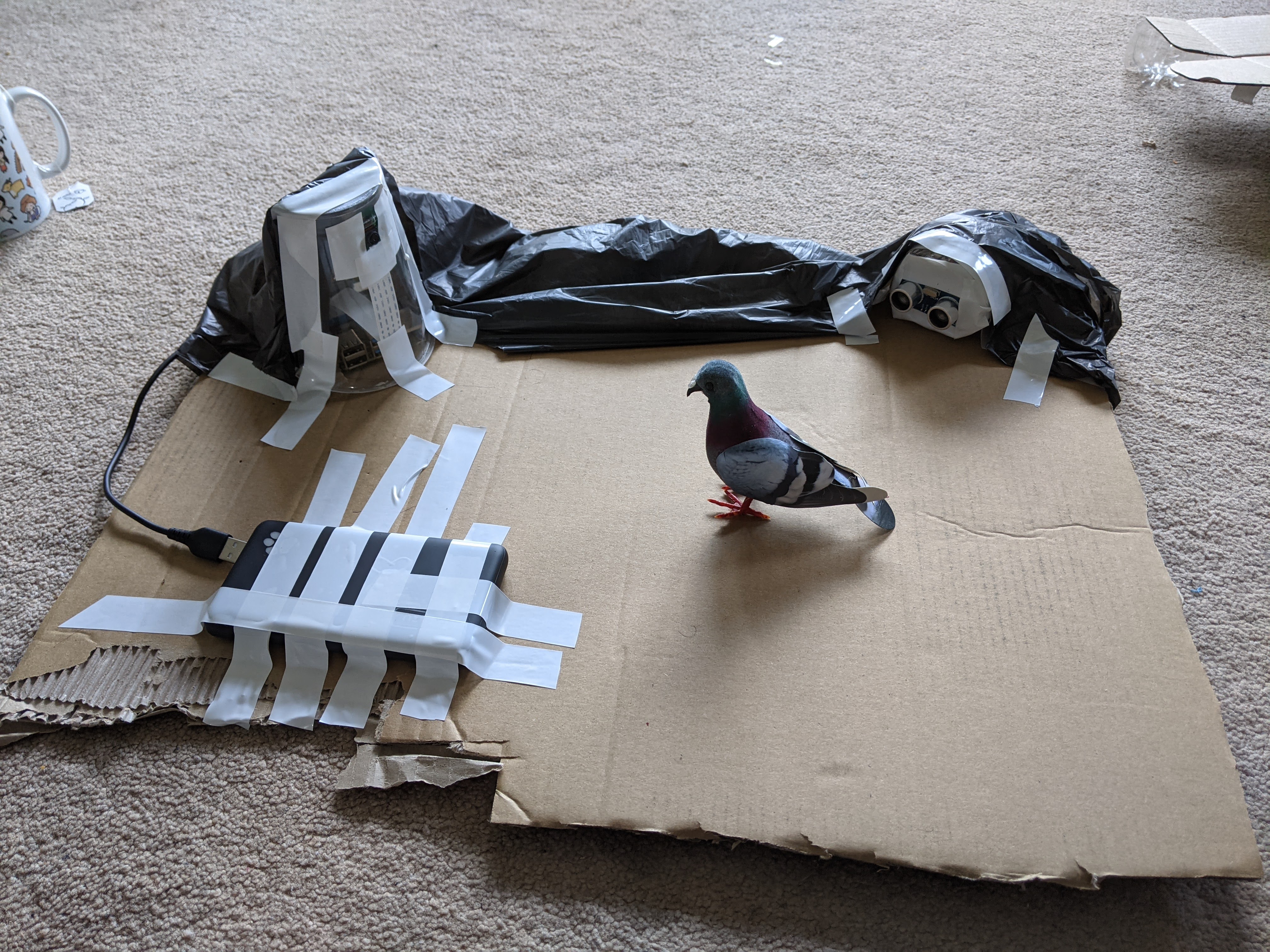
The rig was positioned outside and stayed there without incident over multiple sessions, ranging from 2-6 hours. The system was found to consume little power when running and only used around half of its 10,000mAh battery in a 6hr session.
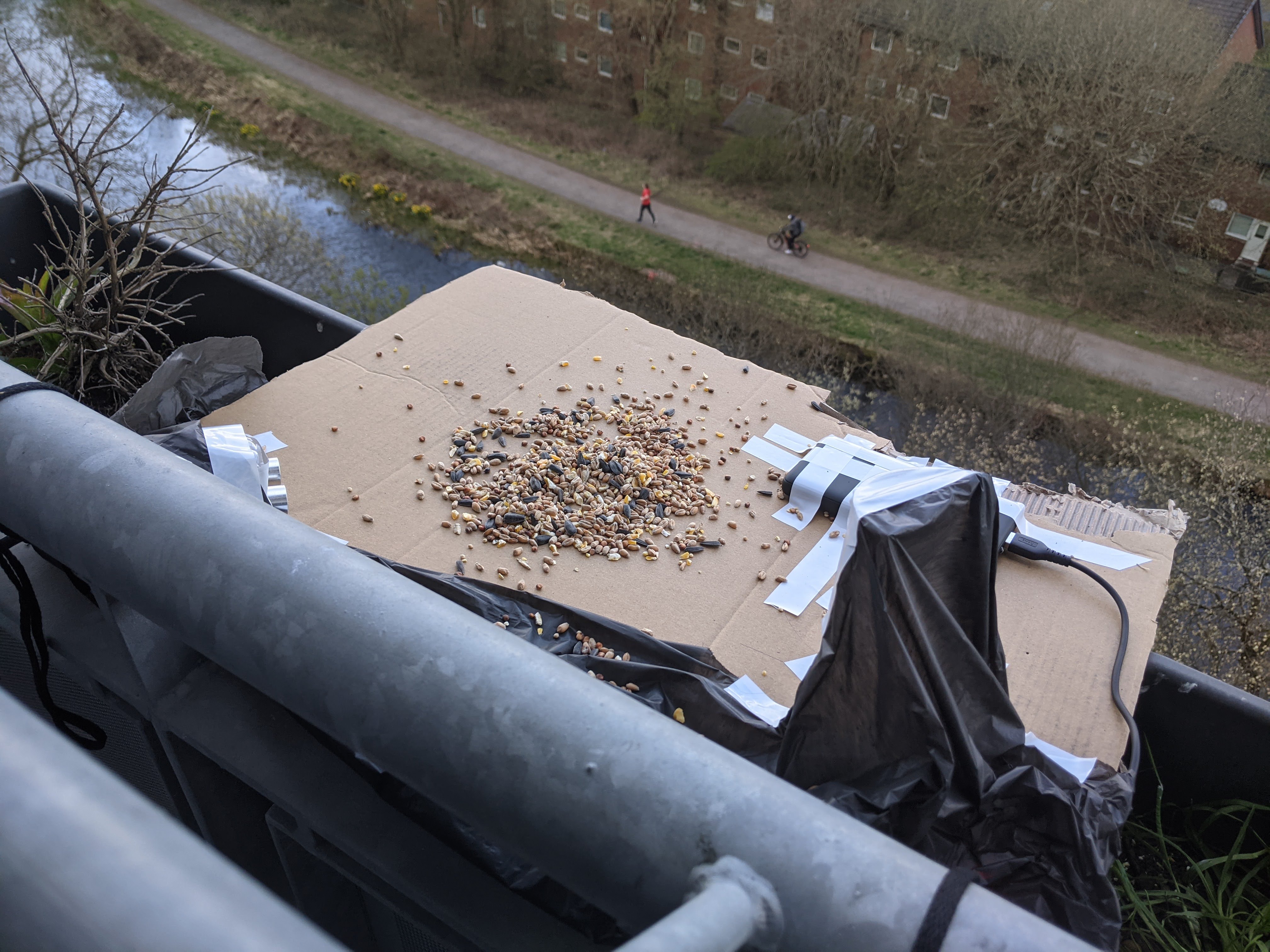
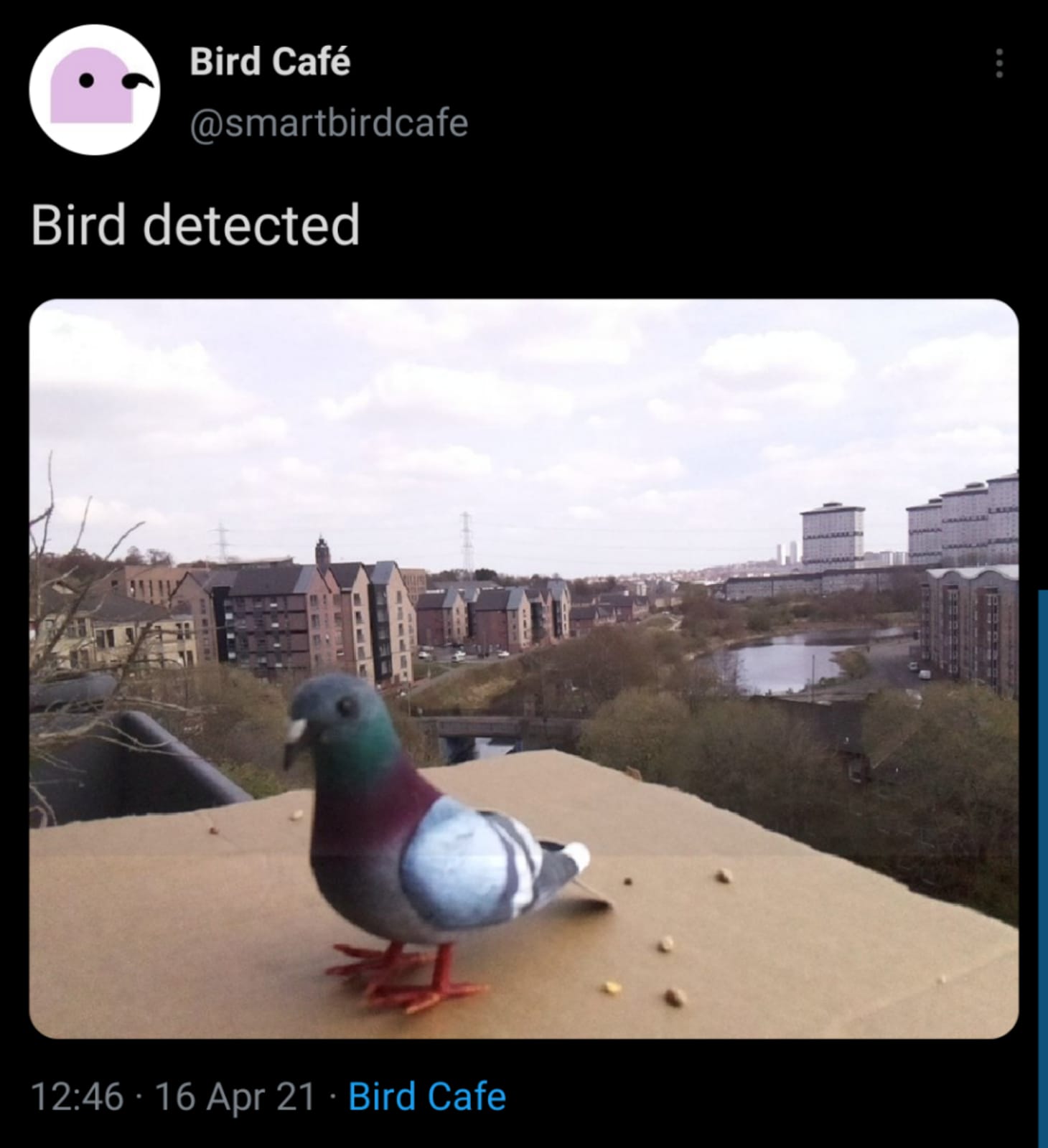
Test photos were taken outside using the dummy pigeon to check how the camera responded to outdoor light-levels as well as to test how the ultrasonic sensor ran in the noisier outdoor environment. The tests were successful clear photos were produced, in which the neural network could identify a bird and uploaded the photo to Twitter (an example of this is shown below).
Conclusion
In summary, the tests performed on the individual units of software, these modules integrated as a final product, in situ and along with the vast number of tests performed for the latency analysis, there is great confidence in the end product's ability to perform well consistently when other people put it to use. These tests also set up a good platform for future developers to make changes to the software by utilising the unit tests written for this code, as well as writing new ones in the same format if necessary.